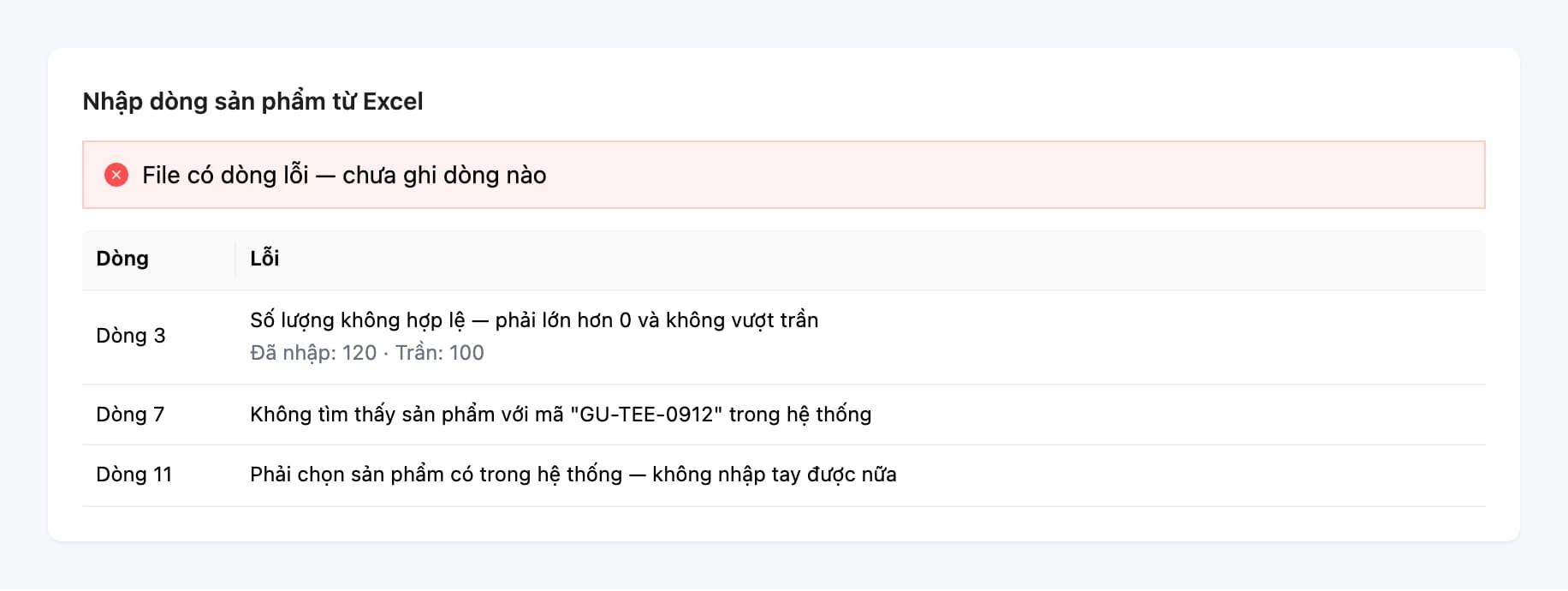
Deployment & migration
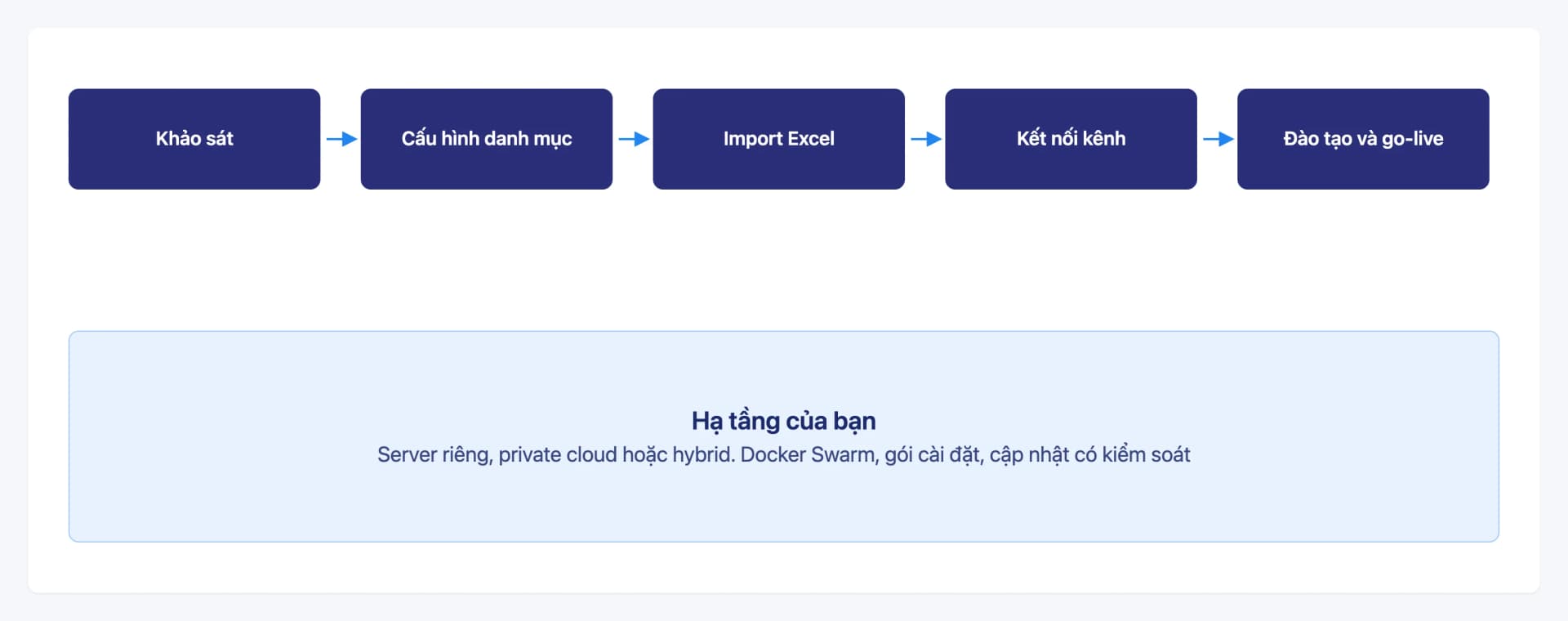
Get Oviro running in clear steps: process survey, catalog configuration, Excel data import, sales channel connections, and team training before go-live. The system is installed on your own infrastructure, so switching does not mean depending on a shared SaaS.
Switching software worries many businesses: product catalogs, customers, and inventory are scattered across Excel files and a handful of disconnected tools. Without a roadmap, migration easily drags on, and operations are disrupted when the team is not yet familiar with the new system.
With Oviro, migration runs in phases: standardize the catalog, bulk-import data from Excel, run a trial with your staff, and only then go live, with a deployment team at your side.
Structured deployment, minimal disruption
Every business has its own processes and infrastructure, so scope and roadmap are agreed per project rather than forcing a fixed template.
Survey based on your real processes
Clarify how you currently sell, purchase, manage stock, and reconcile, so the right modules and configuration are chosen from the start.
Bulk data import from Excel
Products, variants, customers, suppliers, warehouse locations, and opening stock each have a dedicated import screen, so nobody types data in line by line.
Connect existing sales channels and services
Link the marketplaces, payment gateways, carriers, and e-invoicing you already use, for seamless operation from day one.
Installed on your own infrastructure
Dedicated server, private cloud, or hybrid. Oviro provides the installation package and controlled version updates.
Training and documentation
Staff are trained by role, with user guides for each screen to refer back to after go-live.
What is included in the migration
From data preparation and system installation to connecting the services your business already uses.
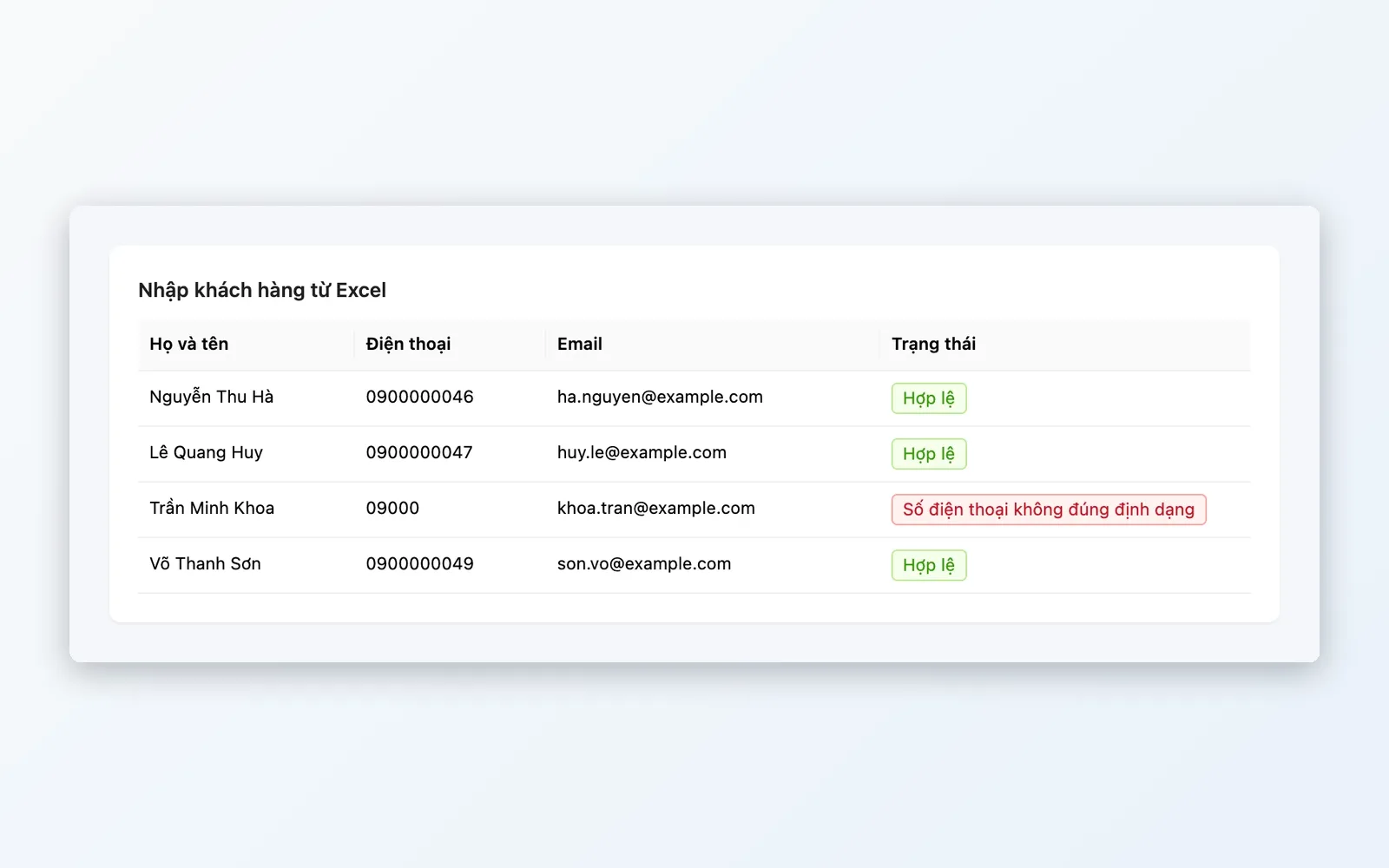
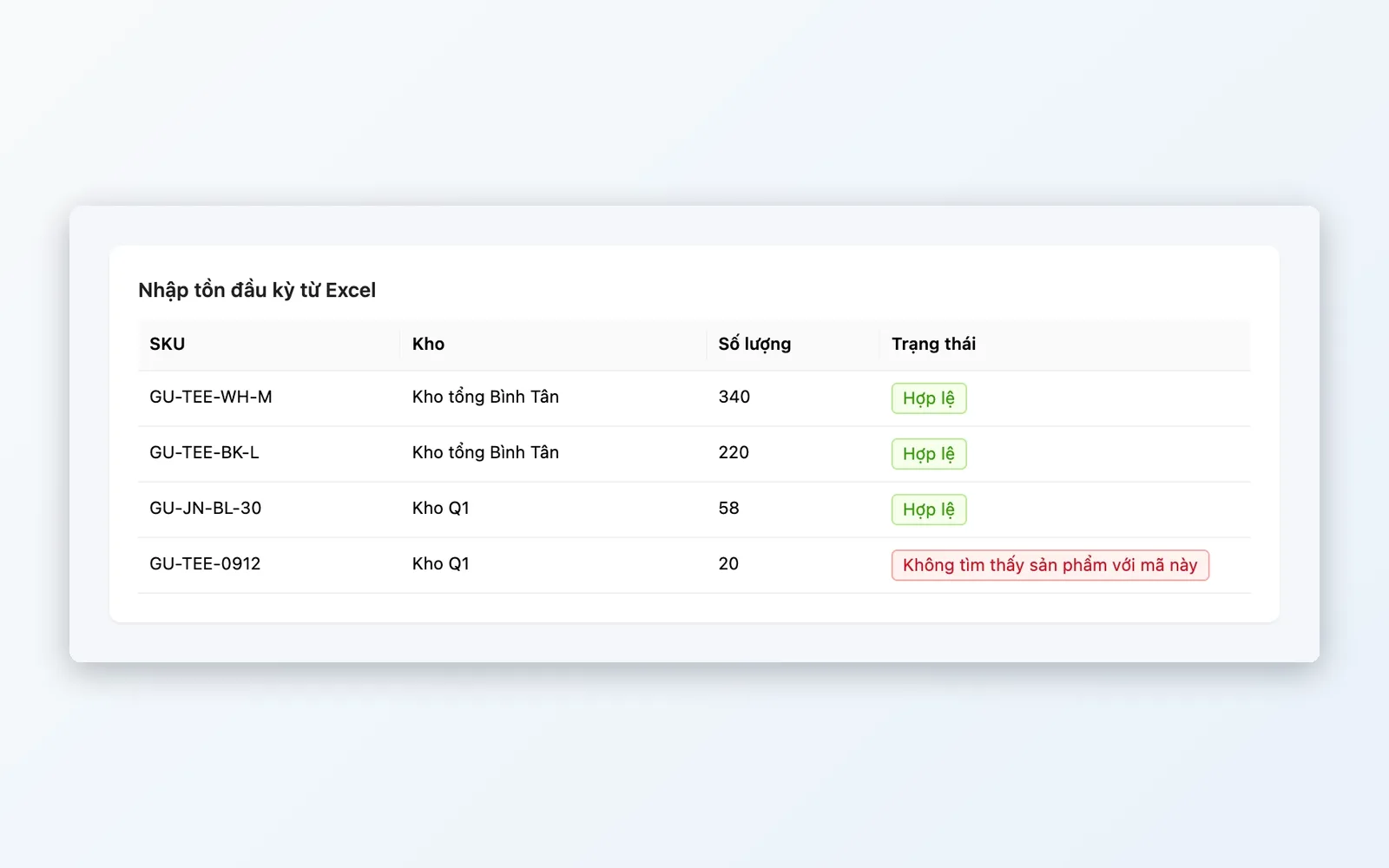
Import data from Excel
Bulk import screens bring your existing data into the system quickly and consistently.
- Import products, variants, units of measure, and images
- Import customers and delivery addresses
- Import suppliers and purchase price lists
- Import warehouse locations, storage positions, and opening stock via receipt vouchers
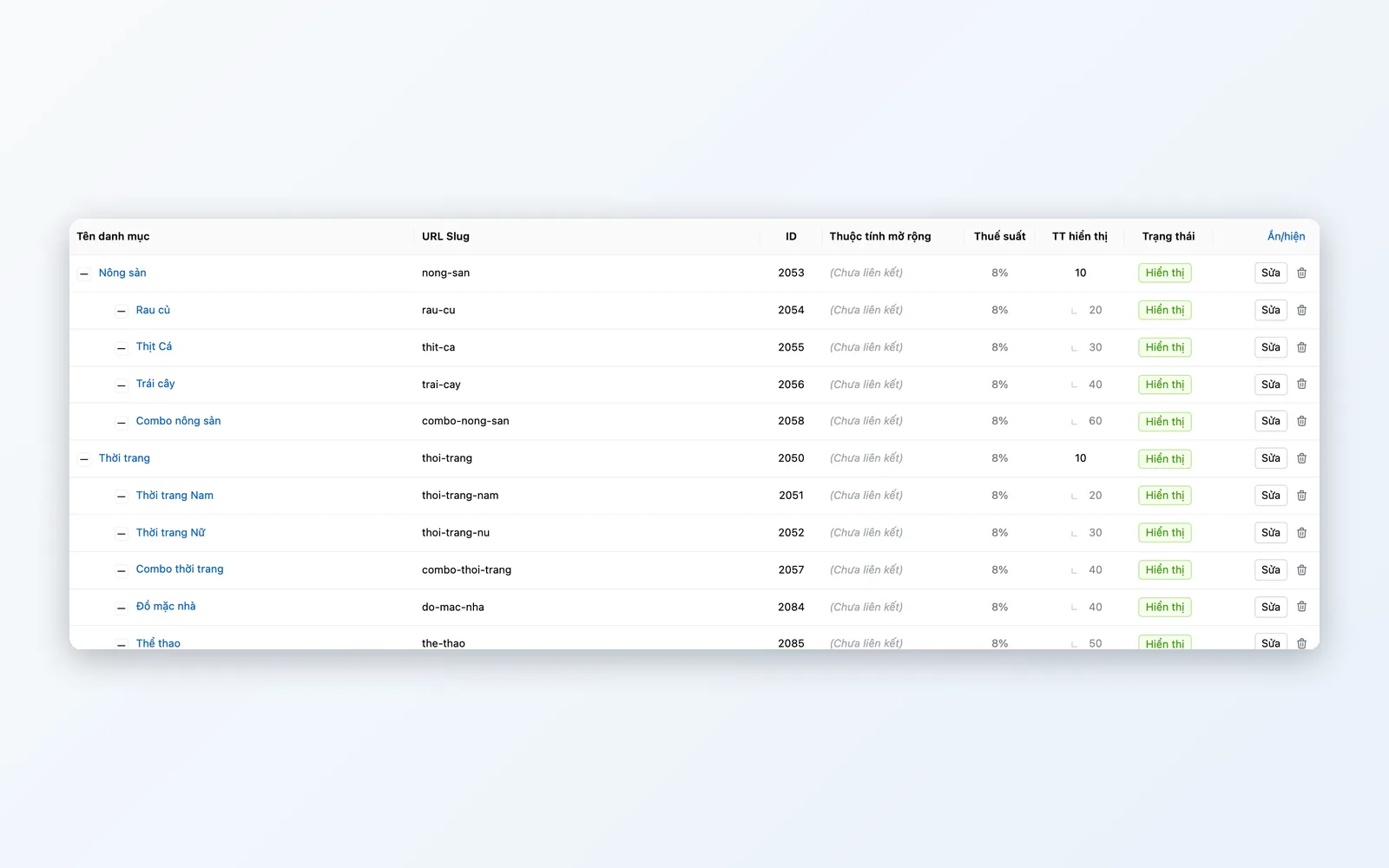
Configure & standardize the catalog
Set up the shared foundation before importing data so every department uses the same terms.
- Categories, brands, attributes, and units of measure
- Stores, warehouses, offices, and departments
- Role-based permission groups, restricted by store or warehouse
- Pricing policies, taxes, and document print templates
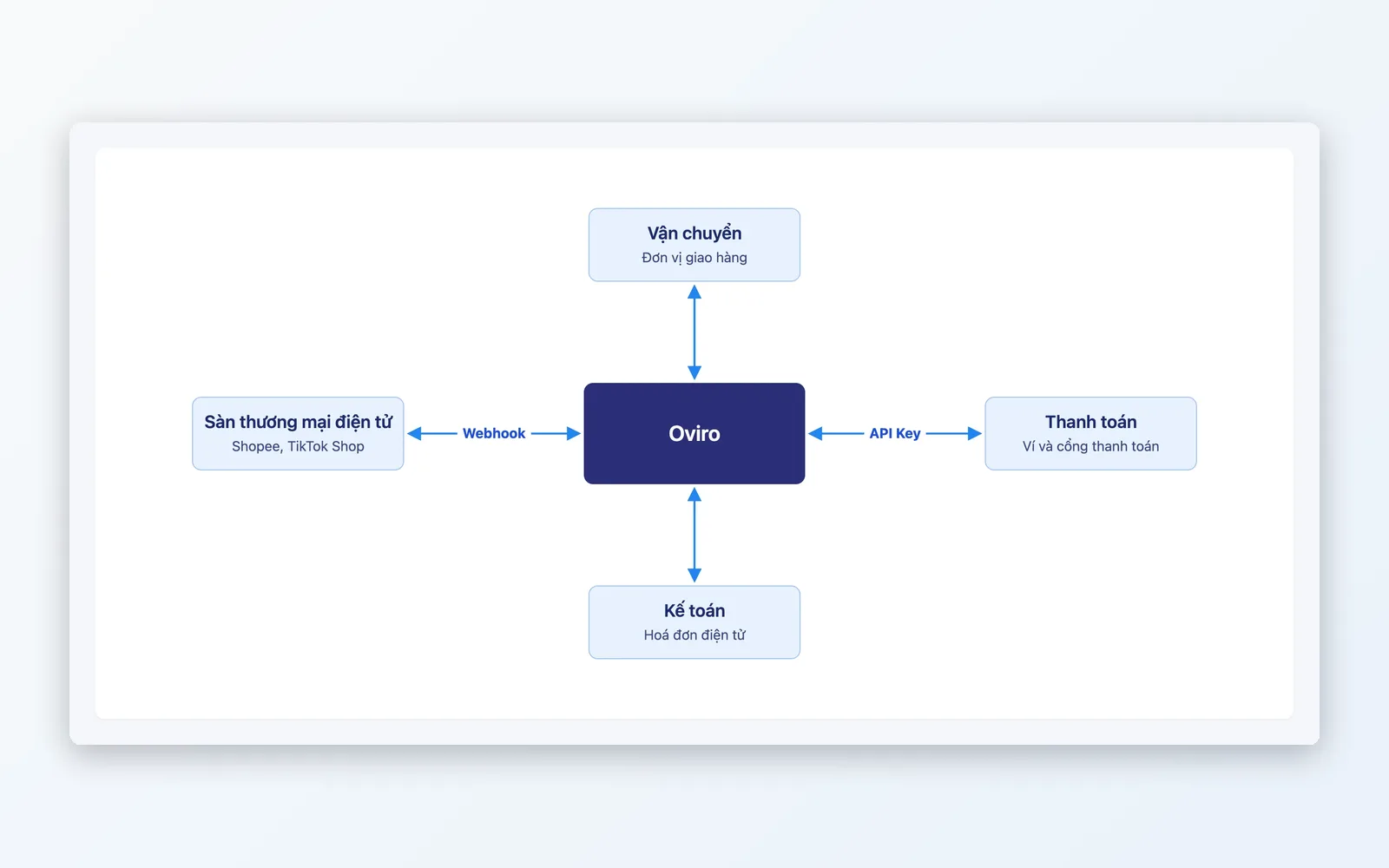
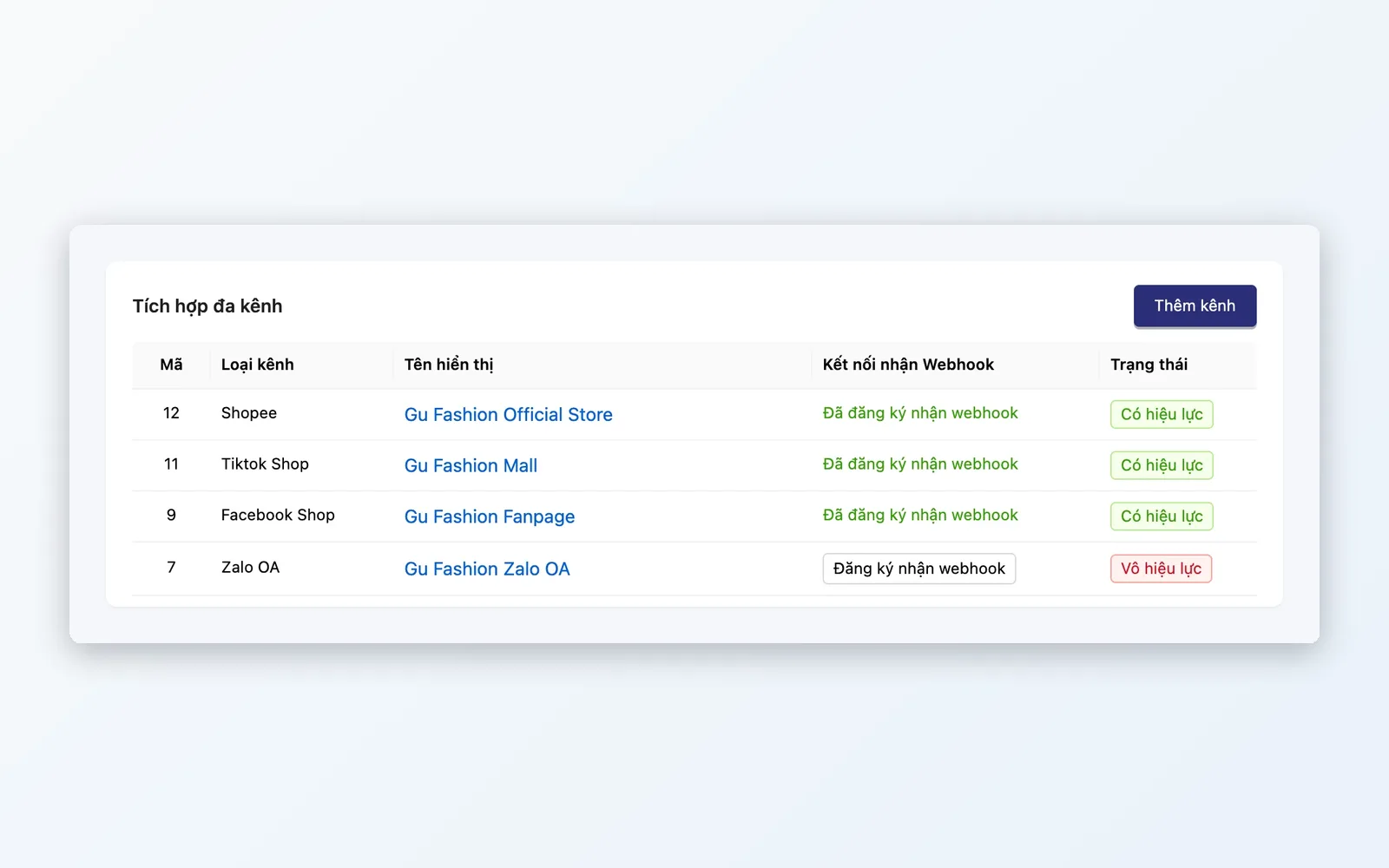
Connect sales channels and services
Link Oviro with the channels and partners your business already works with.
- Shopee, TikTok Shop, Facebook, Zalo OA
- VNPay, MoMo, ZaloPay, SePay, VietQR
- GHTK, ViettelPost, J&T Express, Ahamove
- E-invoicing: Viettel, MISA meInvoice, Mắt Bão
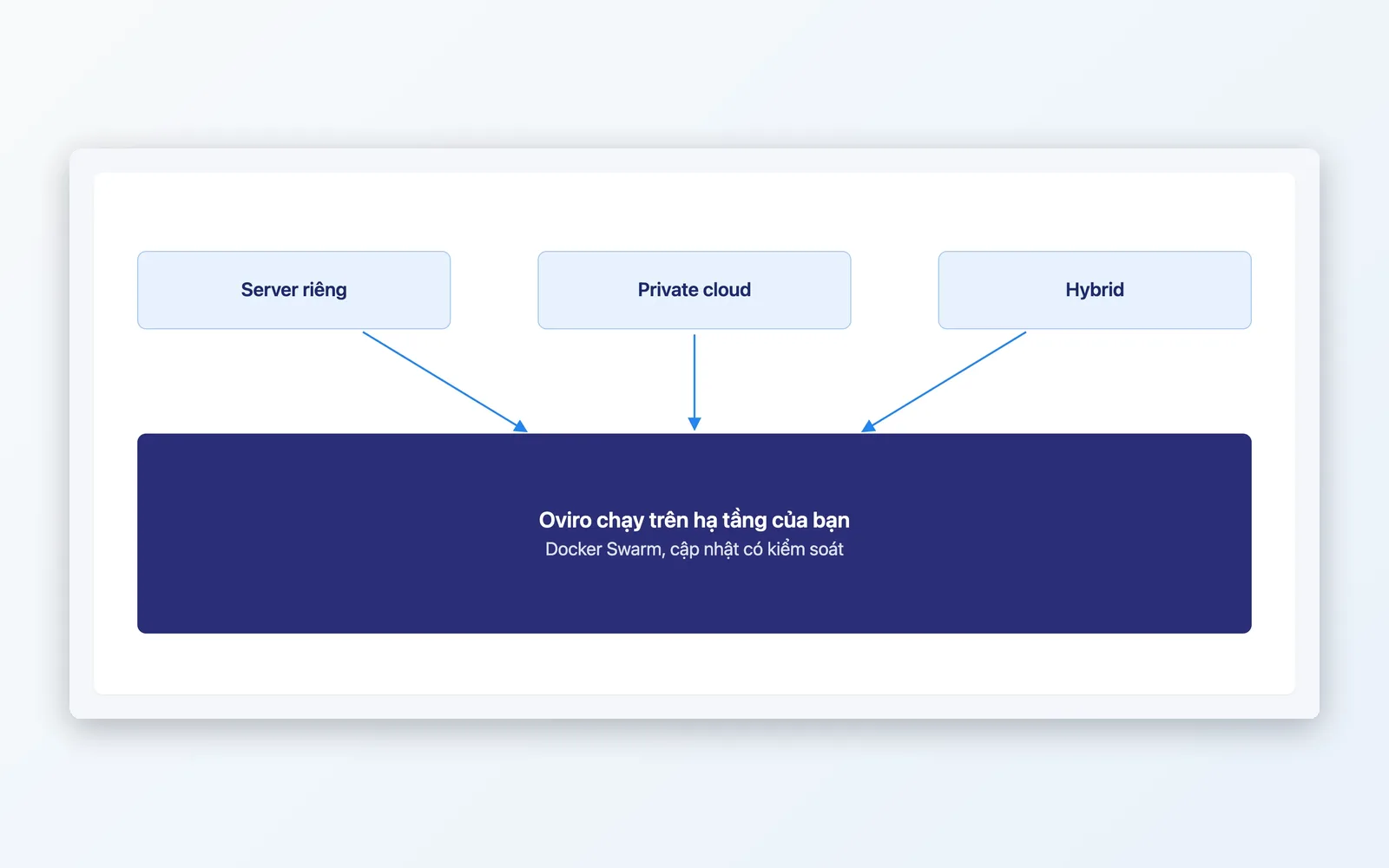
Self-hosted deployment model
The system runs on your own infrastructure, packaged as independent services that are easy to update.
- Runs on Docker Swarm, by service group
- Dedicated server, private cloud, or hybrid
- Installation package and operations scripts handed over to the customer
- Version updates via an image registry, per license
Roadmap from survey to go-live
The duration of each phase depends on scale and complexity, and is agreed per project.
Process survey
Understand your sales channels, warehouse, purchasing, reconciliation, and existing infrastructure. Agree on scope, the modules needed, and how acceptance works.
Configure & standardize the catalog
Set up stores, warehouses, permission groups, categories, attributes, and pricing policies before bringing in data.
Import data from Excel
Import products, customers, suppliers, and opening stock. Check the results before finalizing.
Connect sales channels, payments, shipping, and e-invoicing
Configure each connection, then run real test orders to make sure orders, payments, delivery, and invoices match.
Training, trial run, and go-live
Staff practice by role, run in parallel for a short period, then switch over fully. The deployment team keeps supporting you after go-live.
Process survey
Understand your sales channels, warehouse, purchasing, reconciliation, and existing infrastructure. Agree on scope, the modules needed, and how acceptance works.
Configure & standardize the catalog
Set up stores, warehouses, permission groups, categories, attributes, and pricing policies before bringing in data.
Import data from Excel
Import products, customers, suppliers, and opening stock. Check the results before finalizing.
Connect sales channels, payments, shipping, and e-invoicing
Configure each connection, then run real test orders to make sure orders, payments, delivery, and invoices match.
Training, trial run, and go-live
Staff practice by role, run in parallel for a short period, then switch over fully. The deployment team keeps supporting you after go-live.
Fits many migration scenarios
Whether you are on Excel or several disconnected tools, the roadmap follows the same steps.
Retail store chains
Multiple stores and warehouses need a standardized catalog and per-location permissions before a gradual rollout.
Omnichannel businesses
Selling on marketplaces, a website, and in stores, and needing orders and stock in one place.
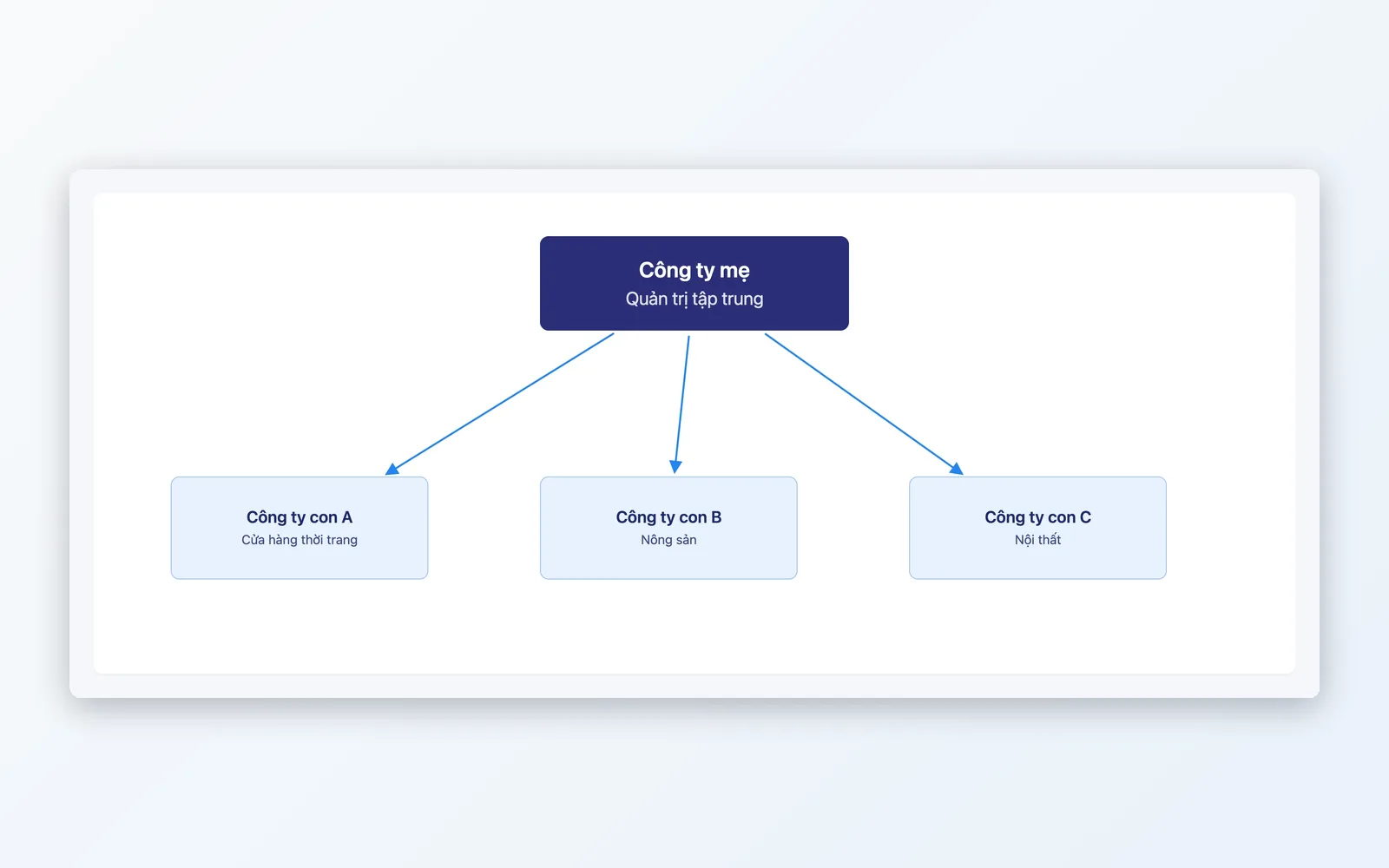
Groups with multiple legal entities
Need installation on dedicated infrastructure, integration with existing systems, and milestone-based rollout alongside the IT team.
Why choose Oviro for your migration?
Oviro is installed on your own infrastructure, with bulk data import tools and a deployment team alongside you. Scope, handover milestones, and post-go-live support are agreed per project, to fit the scale and infrastructure of each organization.
Plan the migration roadmap for your business
Share your scale, infrastructure, and the channels you sell on. The Oviro team will work with you to define the scope and rollout milestones.