Oviro for sports courts
Pickleball, badminton, tennis: each court has its own schedule, split into 30-minute slots, with peak and off-peak hourly pricing. Oviro manages court booking and per-slot pricing in one system, with POS for selling drinks and accessories at the counter.
Courts booked by phone, message, and notebook make double-booking easy. Evenings are packed but priced the same as quiet lunchtimes, and holidays or maintenance mean notifying customers one by one. Court owners can't see how full each court is when setting prices.
Oviro gives each court its own schedule, blocks double bookings the moment they are entered, prices each slot individually, and shows on the court calendar which slots are full and which are open.
Oviro modules for this industry
Court Management is the hub, while the other modules handle counter upsells, retention, and order notifications.
Court Management
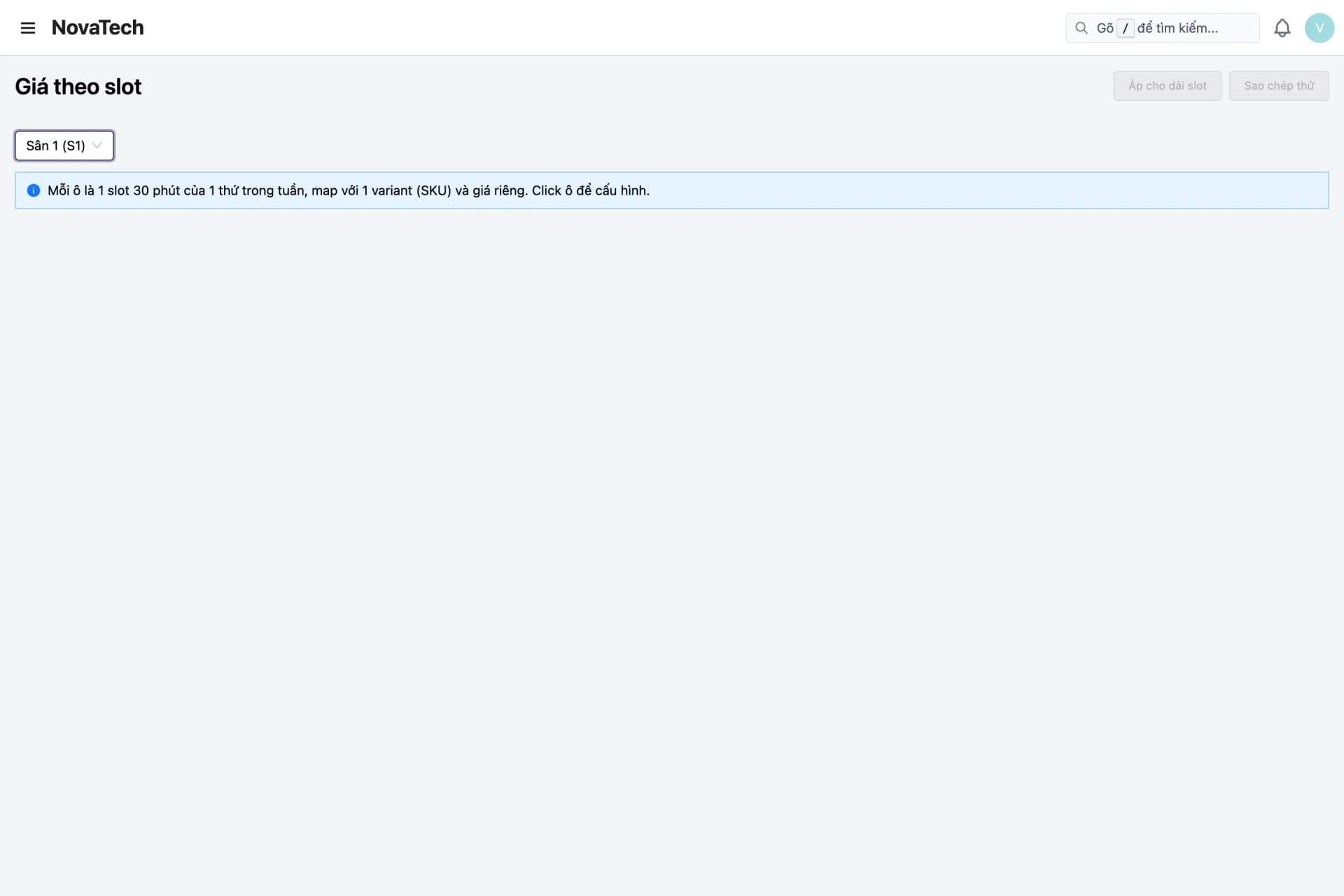
Court list, court calendar by day, week, month, or multiple courts, and court booking in 30-minute slots. Per-slot pricing, day-level price overrides, closed days, and a booked-slot table.
POS & Sales
Court bookings are tied to customers and carry a total price per slot. Upsell drinks, rackets, and accessories right at the counter with POS.
Prepaid wallet (customer balance)
Customers top up in advance and pay for counter orders from their balance, with a balance movement ledger for reconciliation.
Promotions
Coupons and discount programs apply to counter orders. Off-peak pricing is set directly in the price matrix.
Customers & Notifications
Profiles for regular players and loyalty points; order notifications via Zalo ZNS, Email, App in channel order.
Four operational areas of sports courts
From court setup, pricing, and booking to counter upsells and customer retention.
Courts and calendar
One schedule per court, and a view of the whole facility.
- Court list by branch and court type
- Each day split into 48 slots of 30 minutes
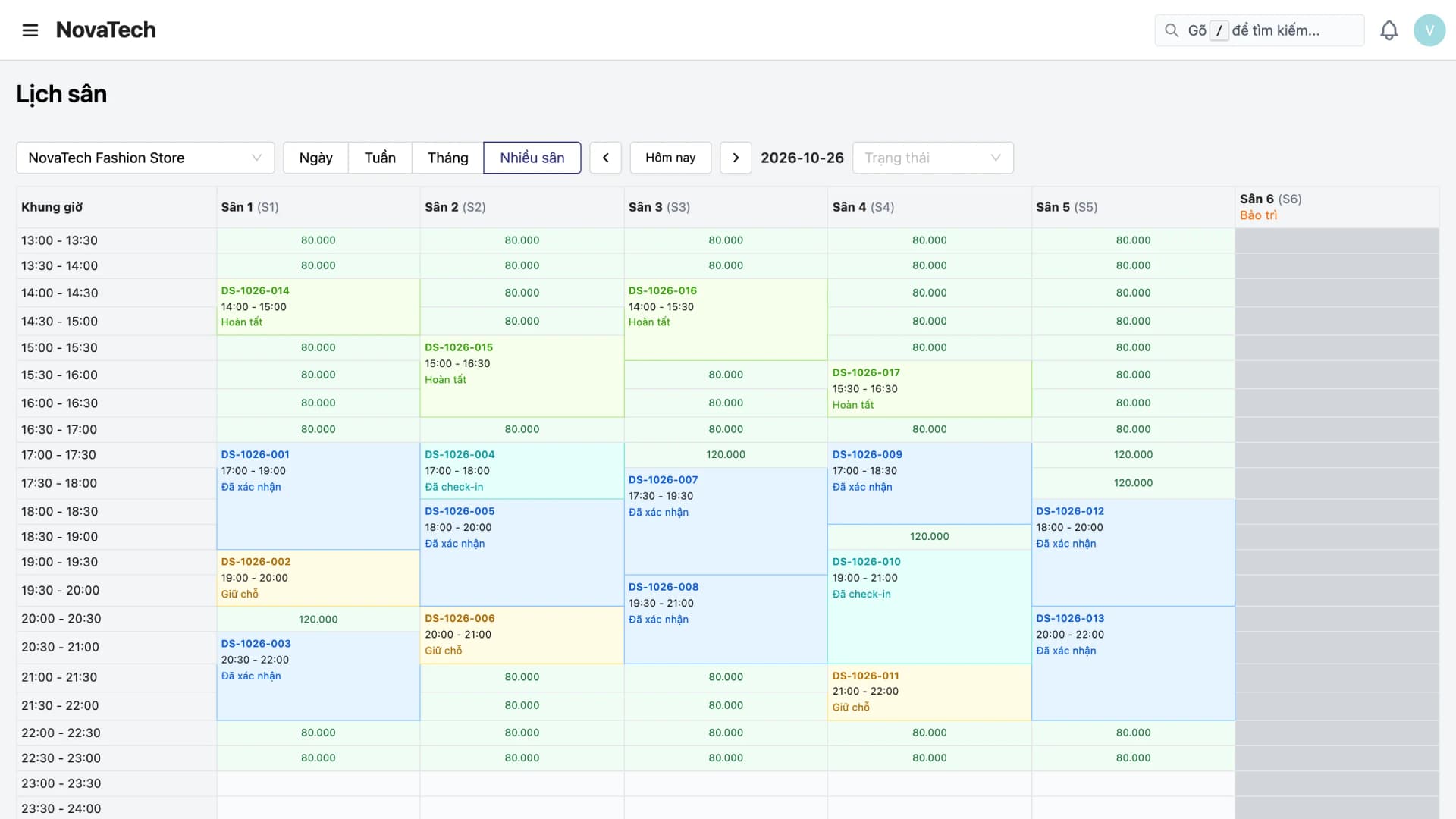
- Calendar by day, week, month, or multiple courts
- Create bookings quickly right on the calendar
Hourly pricing
Premium rates at peak hours, low rates when it is quiet.
- Price matrix by day of the week and slot
- Override prices for holidays and events
- Each slot's price is recorded when the booking is created
- No booking allowed until pricing is configured
Court operations
Close or maintain a court without affecting others.
- Closed days by branch or court
- Statuses: held, confirmed, checked in, completed
- Blocks double-booking of courts and time slots
- Booked-slot table for cross-checking
Upsell and retention
Upsell smoothly at the counter and keep regulars coming back.
- Sell drinks and rackets at the counter with POS
- Prepaid wallet for counter orders
- Promotions and loyalty points on counter orders
- Court calendar shows which slots are full and which are open
The lifecycle of a court booking
From the moment a customer picks a time to when the court is cleared for the next session.
Choose the court and time slot
View the court calendar and pick an open slot. Slots locked by another booking or a closed day cannot be selected.
Calculate the price and hold the slot
The system uses the override price if there is one, otherwise the per-slot price, then holds the slot for the customer.
Confirm
Staff confirm the booking with the customer and move its status from held to confirmed.
Check in and complete
Staff check the customer in on arrival and complete the booking when the session ends.
Review the calendar and adjust pricing
Review the calendar and booked-slot table to see which courts and hours are busy or quiet, then adjust pricing by slot or by day.
Choose the court and time slot
View the court calendar and pick an open slot. Slots locked by another booking or a closed day cannot be selected.
Calculate the price and hold the slot
The system uses the override price if there is one, otherwise the per-slot price, then holds the slot for the customer.
Confirm
Staff confirm the booking with the customer and move its status from held to confirmed.
Check in and complete
Staff check the customer in on arrival and complete the booking when the session ends.
Review the calendar and adjust pricing
Review the calendar and booked-slot table to see which courts and hours are busy or quiet, then adjust pricing by slot or by day.
Fits courts of many sizes
From a small cluster of courts to a multi-branch chain.
Pickleball and badminton court clusters
Many courts run in parallel, customers book multiple time slots a day, and the multi-court calendar gives the front desk the full picture.
Courts with clear peak hours
Evenings and weekends are priced high; lunchtimes are priced low, set directly in the price matrix. The court calendar shows which hours are open so you can adjust pricing.
Multi-branch court chains
Courts per branch with their own closing calendars, and regular players top up a prepaid wallet to pay for counter orders.
Why choose Oviro for sports courts?
Court Management is built around courts and 30-minute slots, not a renamed service-appointment calendar. Court booking and counter sales share customer profiles, while the prepaid wallet and promotions apply to counter orders. Oviro installs on your own infrastructure.
Fully booked courts, no more double bookings
Talk to the Oviro team to see how the court calendar, hourly pricing, and counter sales run at your courts.