Oviro for interiors and construction
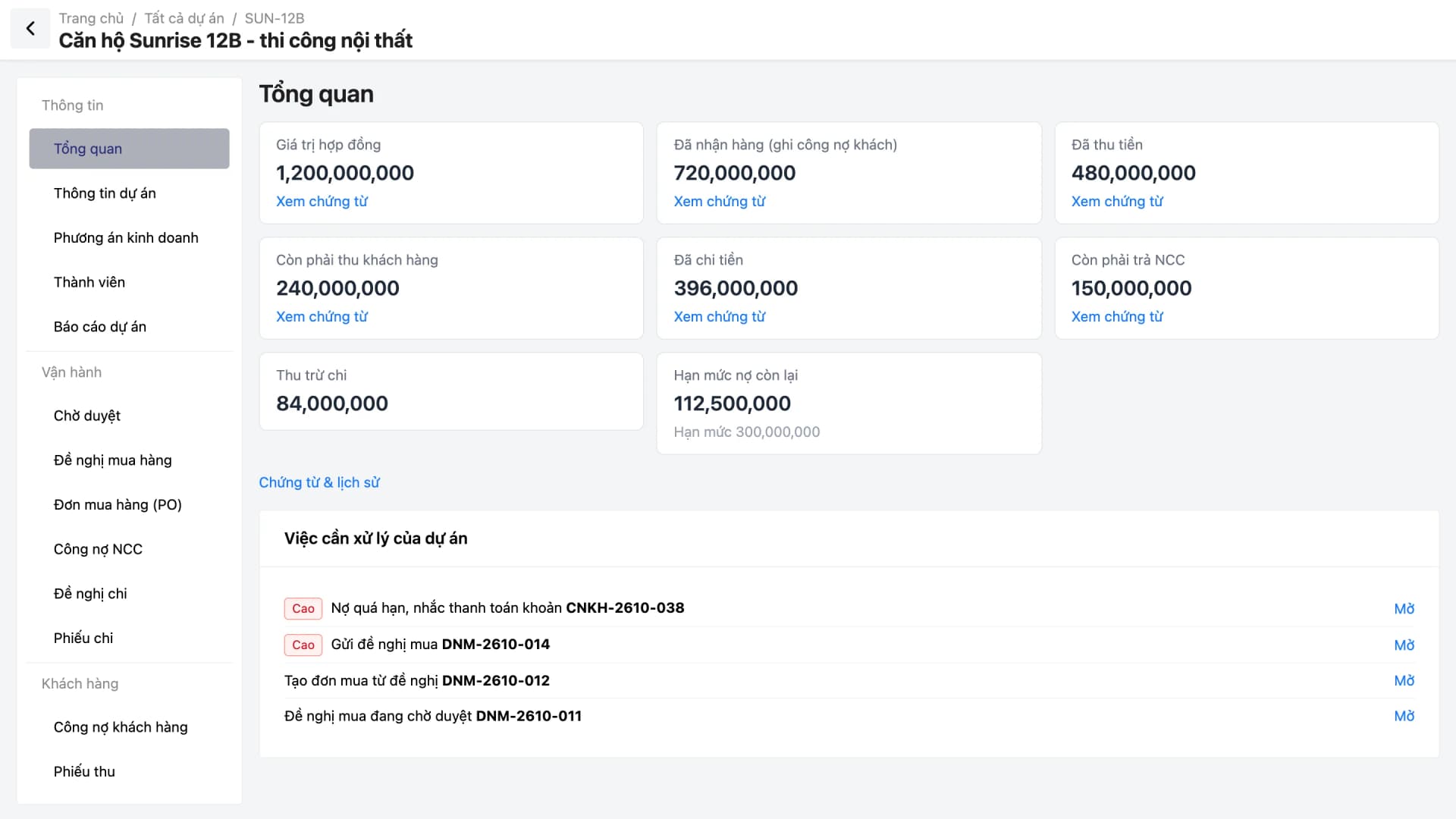
Every job is a project with its own budget, materials, receivables and payables, and cash flow. Oviro connects purchase requests, purchase orders, receiving, receipts and payments, and approvals into one controllable process.
Budgets live in Excel, materials are bought on verbal instructions, and overspending is only discovered at final settlement. Customer receivables for each purchase order are easy to forget to chase, and cash moving in and out of accounts cannot be reconciled with bank statements.
Oviro gives each project a budget and an approved purchasing flow. Every cash movement goes through one shared ledger and can be reconciled against statements, so budget-overrun alerts arrive on time.
Oviro modules for this industry
The three new advanced modules are Project Finance, Cash & Reconciliation, and Approvals, alongside quotations, purchasing, and cost of goods.
Project Finance
Budgets by work item, project members, and a flow of purchase requests, purchase orders, and receiving; once goods are received, create the supplier payable from the purchase order with one click. Includes a collection and payment calendar by due date, customer receivables with internal collection reminders, and credit limits.
Cash & Reconciliation
Cash accounts such as safes and banks, receipt and payment vouchers, transfers, payment requests, and cash counts. Import bank statements from Excel to reconcile, then close each period.
Approvals
eForm templates, policies, and multi-step approval flows. Inboxes for “Awaiting my approval”, “I submitted”, and “I handled”, linked to cancelling confirmed purchase orders, Payment Requests, and project Purchase Requests.
Quotations
Draft quotes per customer, edit during negotiation, and convert closed quotes into orders.
Purchasing, Warehouse & Cost of Goods
Material purchase orders, receiving, stock counts, and weighted-average, FIFO, or specific-identification cost of goods so you can see profit or loss on every order.
Four operational areas of project-based selling
From budgeting and material purchasing to cash control and reports for management.
Budgeting and material purchasing
Buy the right items within budget.
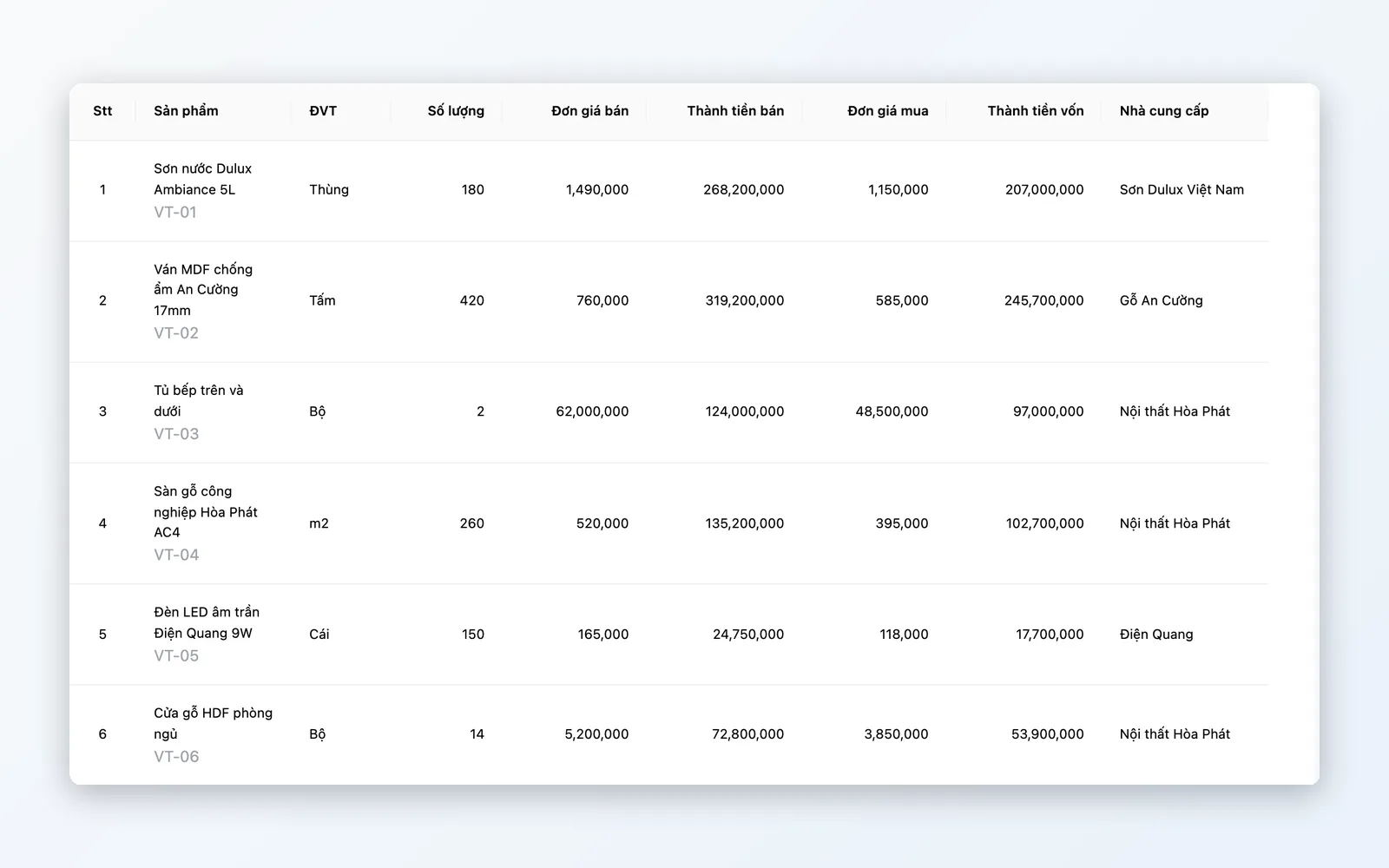
- Budgets by work item and business plan
- Purchase requests, purchase orders, receiving
- Once goods are received, create the supplier payable from the purchase order
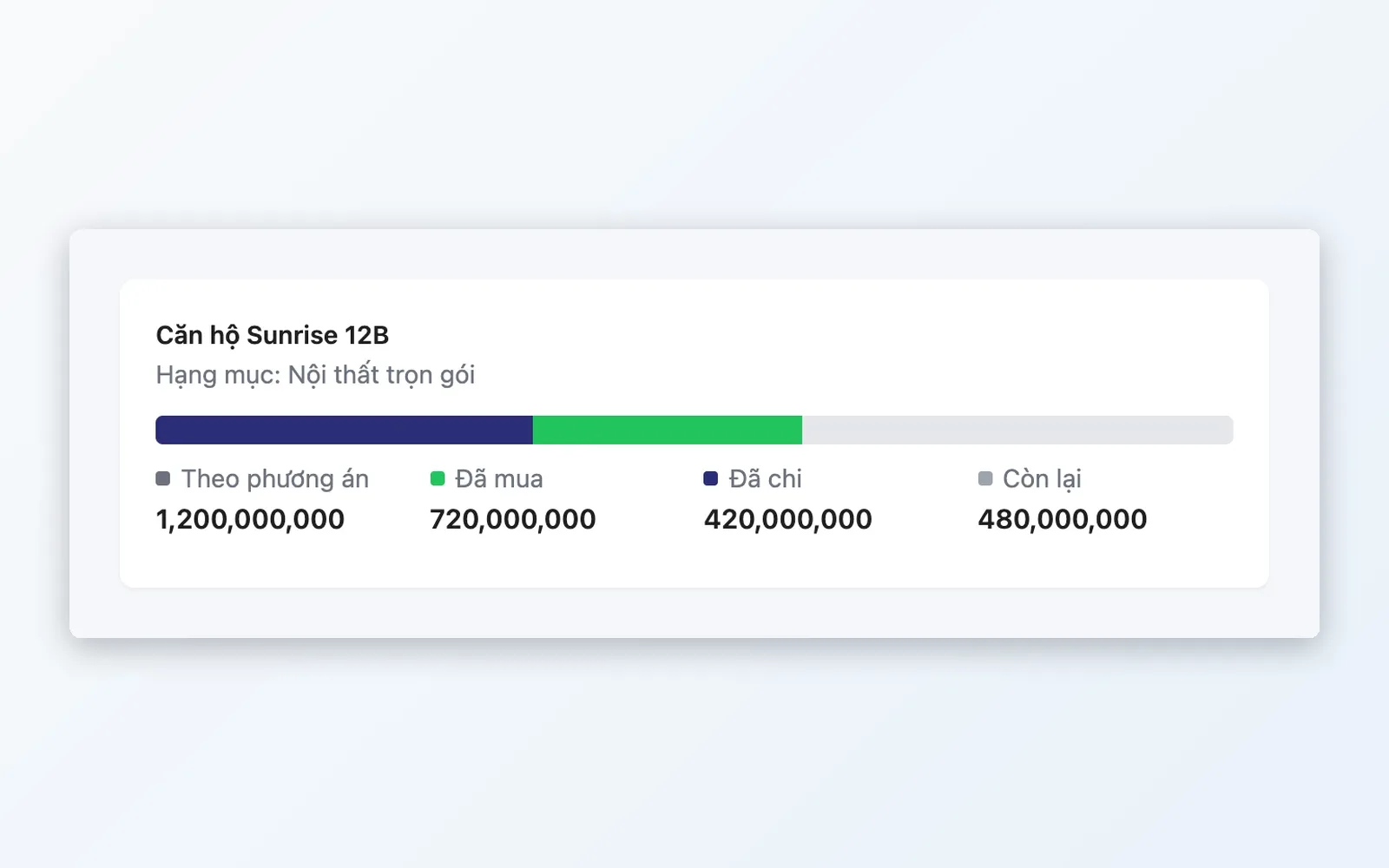
- Alerts when spending exceeds the project budget
Receivables and collection
Collect on time, remind at the right moment.
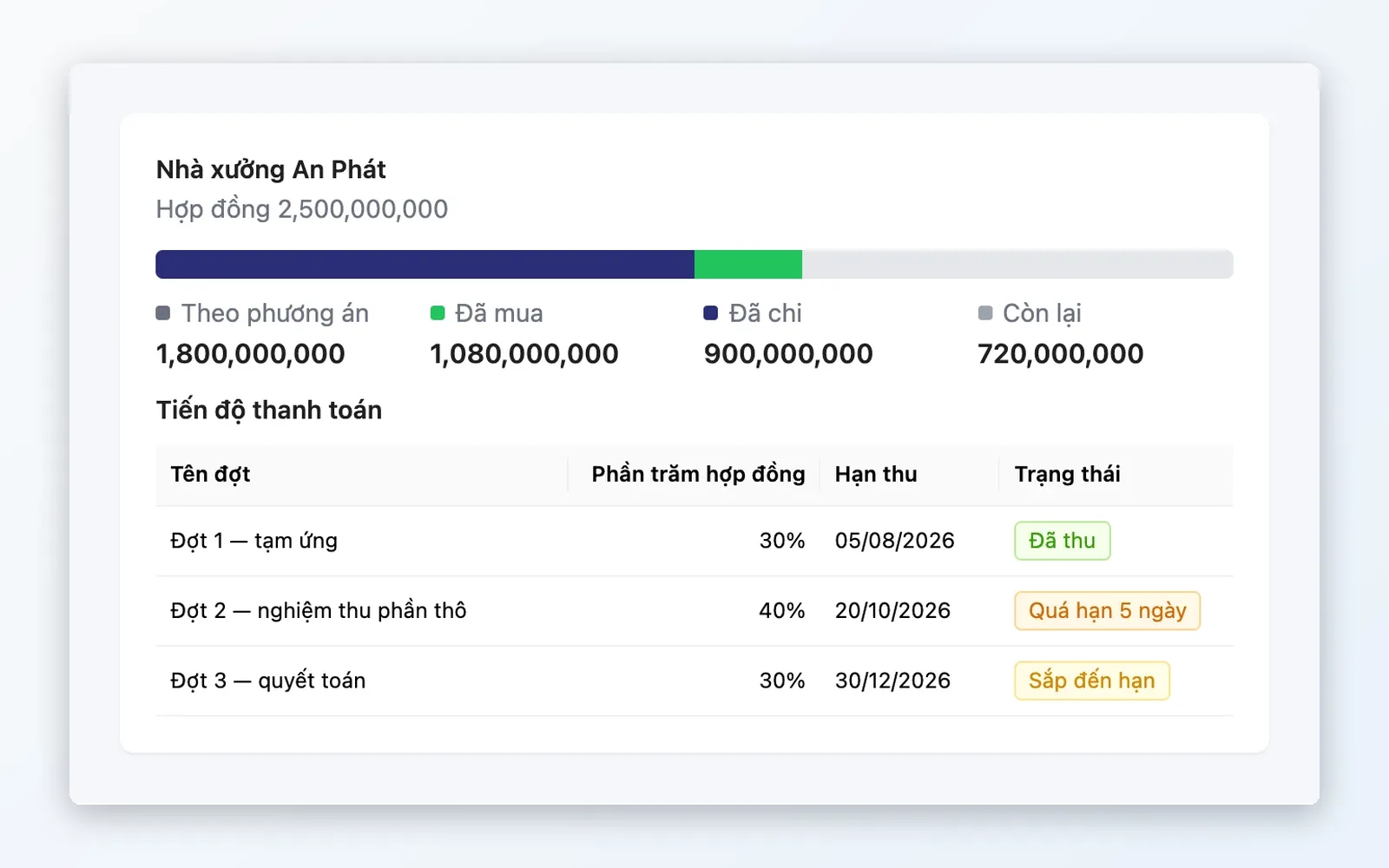
- Collection and payment calendar by due date
- Customer receivables with internal collection reminders
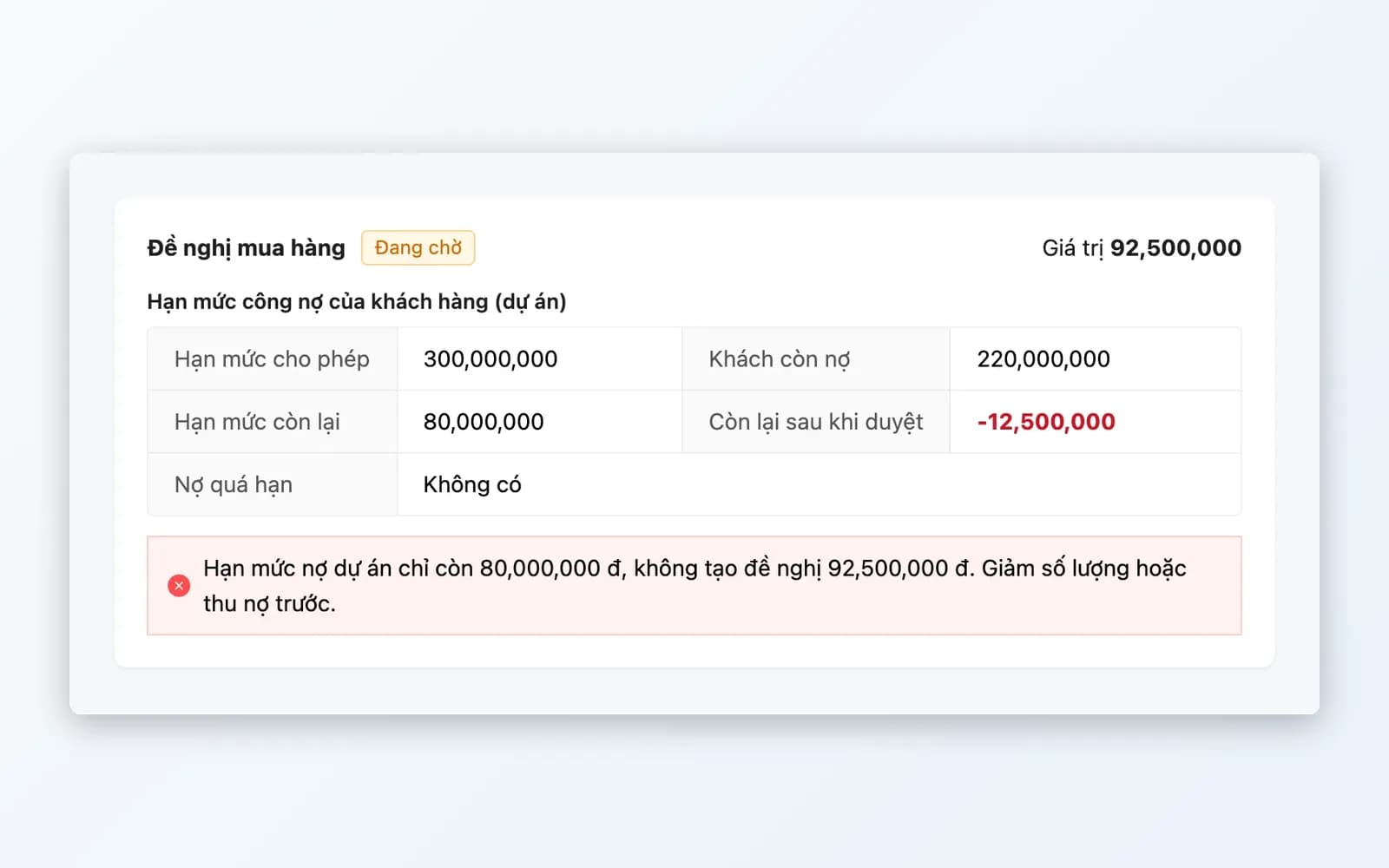
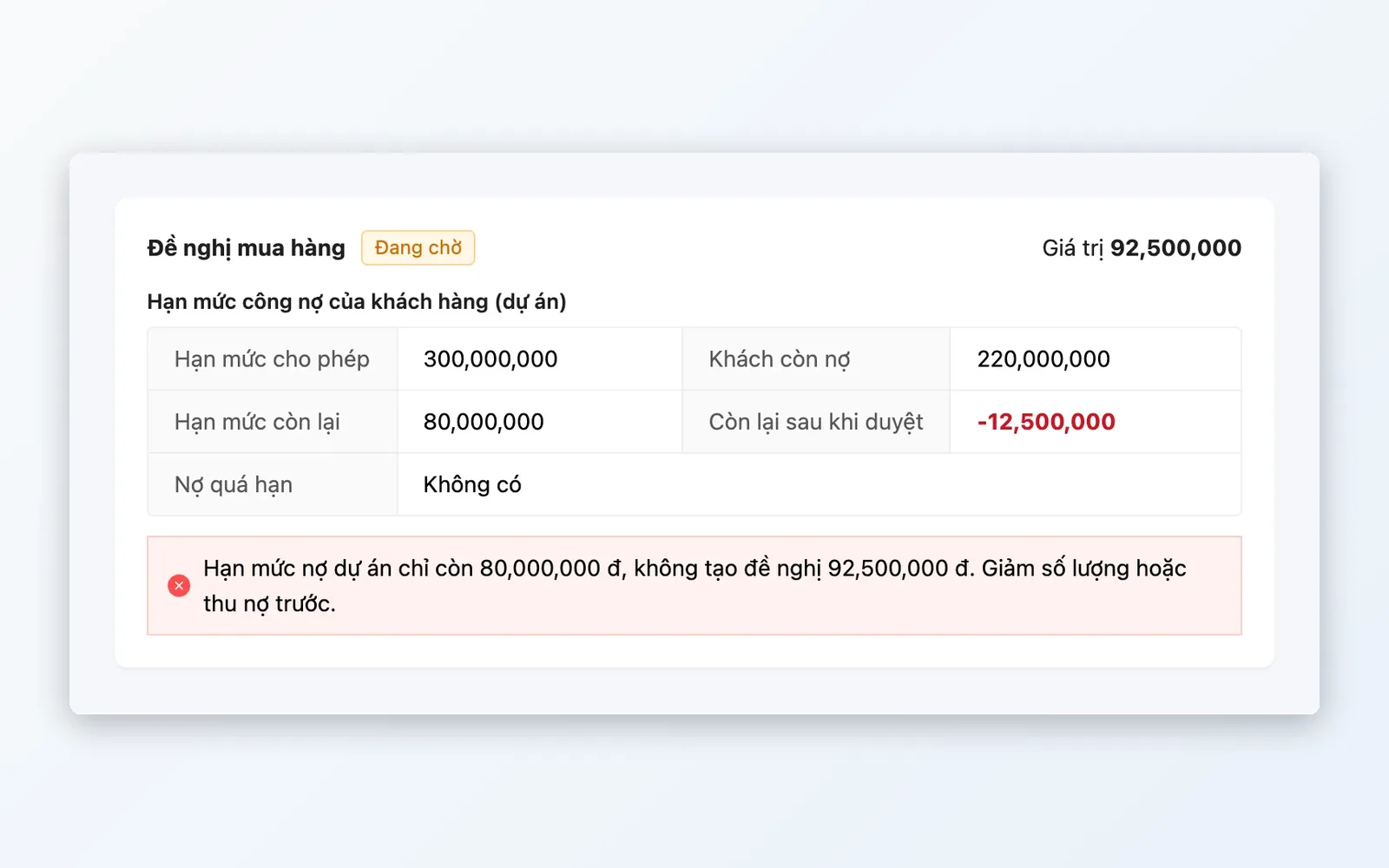
- Credit limits per project
- When a customer is overdue, their projects are blocked from new purchase requests
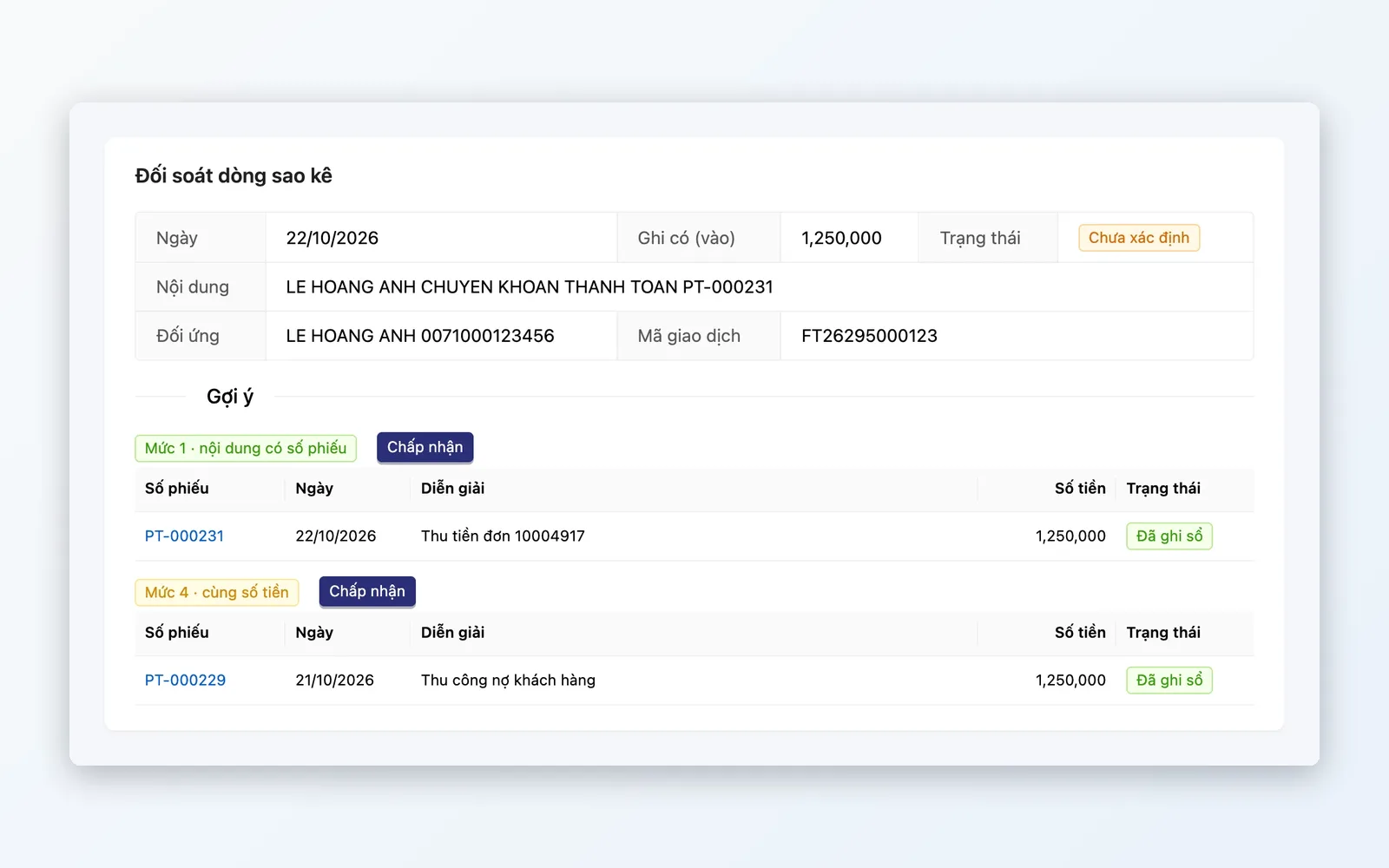
Cash and reconciliation
Every cash movement in one shared ledger.
- Safe and bank accounts, opening balances
- Receipt, payment, and transfer vouchers, with reversal vouchers
- Import bank statements from Excel for reconciliation
- Cash counts and period close
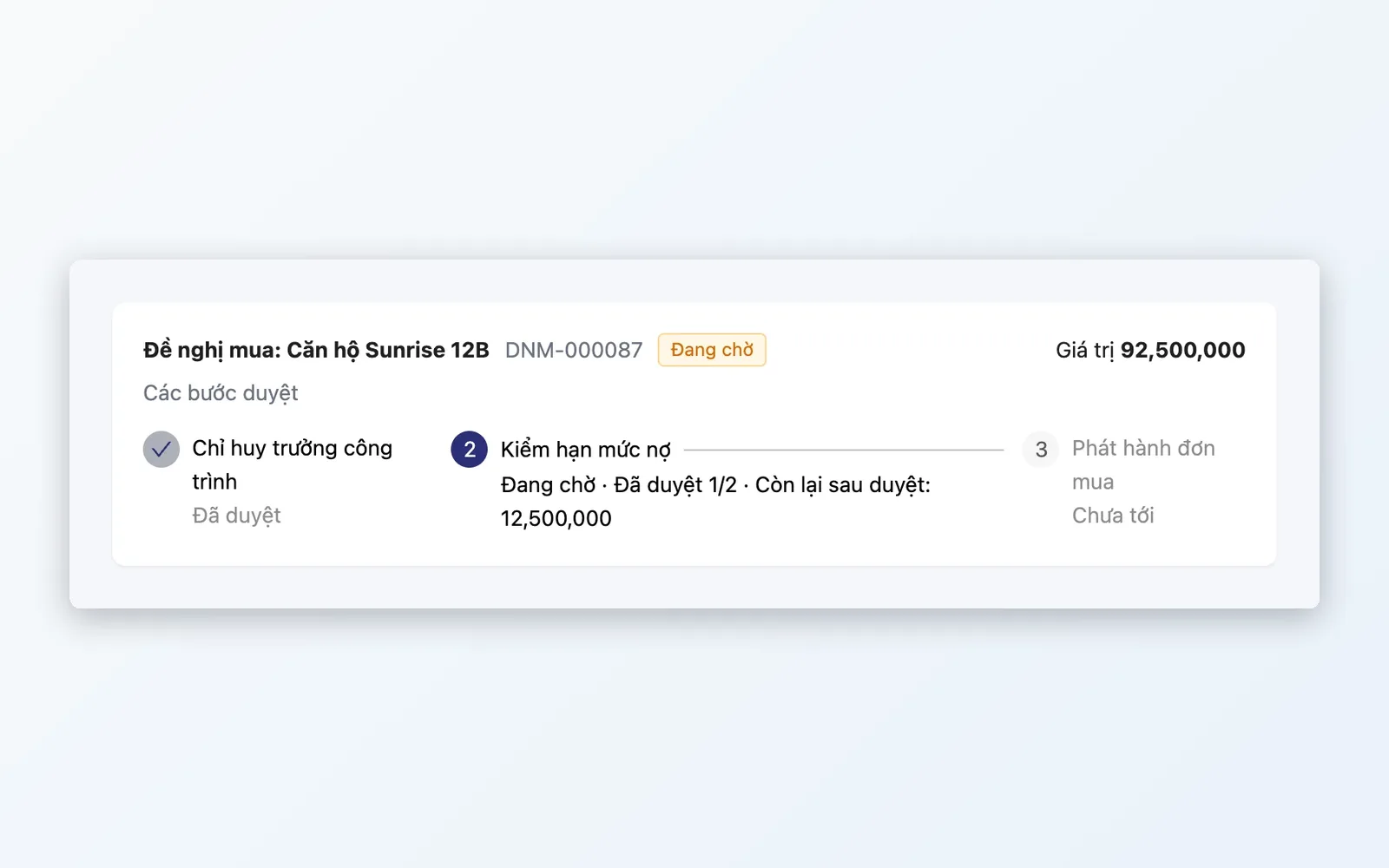
Approvals and reporting
Every expense has a person accountable for it.
- eForm templates and multi-step approval flows
- Change log for approval configuration
- Reports on cash flow, materials, receivables aging, and costs
- My Tasks screen and management dashboard
The lifecycle of a project
From quoting the customer to full collection and final settlement.
Quote and build the budget
Quote the customer in the Quotations module, and convert the quote into an order once it closes. When a contract is signed, create the project, build the budget by work item, and add project members.
Purchase request and approval
The construction team files purchase requests for materials by work item, going through a multi-step Approvals flow.
Order and receive
Approved requests become purchase orders, goods are received into the warehouse, and the supplier payable is then created from the purchase order.
Pay out and reconcile
Payment requests and payment vouchers post to the cash ledger, and bank statements are imported for reconciliation. Spending over budget triggers an alert.
Collect and report
Collect by the due date of each purchase order's receivable, get internal reminders when due, and report on the project's cash flow, materials, and receivables aging.
Quote and build the budget
Quote the customer in the Quotations module, and convert the quote into an order once it closes. When a contract is signed, create the project, build the budget by work item, and add project members.
Purchase request and approval
The construction team files purchase requests for materials by work item, going through a multi-step Approvals flow.
Order and receive
Approved requests become purchase orders, goods are received into the warehouse, and the supplier payable is then created from the purchase order.
Pay out and reconcile
Payment requests and payment vouchers post to the cash ledger, and bank statements are imported for reconciliation. Spending over budget triggers an alert.
Collect and report
Collect by the due date of each purchase order's receivable, get internal reminders when due, and report on the project's cash flow, materials, and receivables aging.
Fits many types of construction work
Any business that sells by project, with many collections and many payments.
Interior companies that work project by project
Each apartment or house is a project with its own budget: materials bought by work item from many suppliers, and customer receivables created per received purchase order.
Construction contractors
Many projects running in parallel, many suppliers, and expenses going through policy-based approval and reconciliation against bank statements.
Equipment sellers with installation
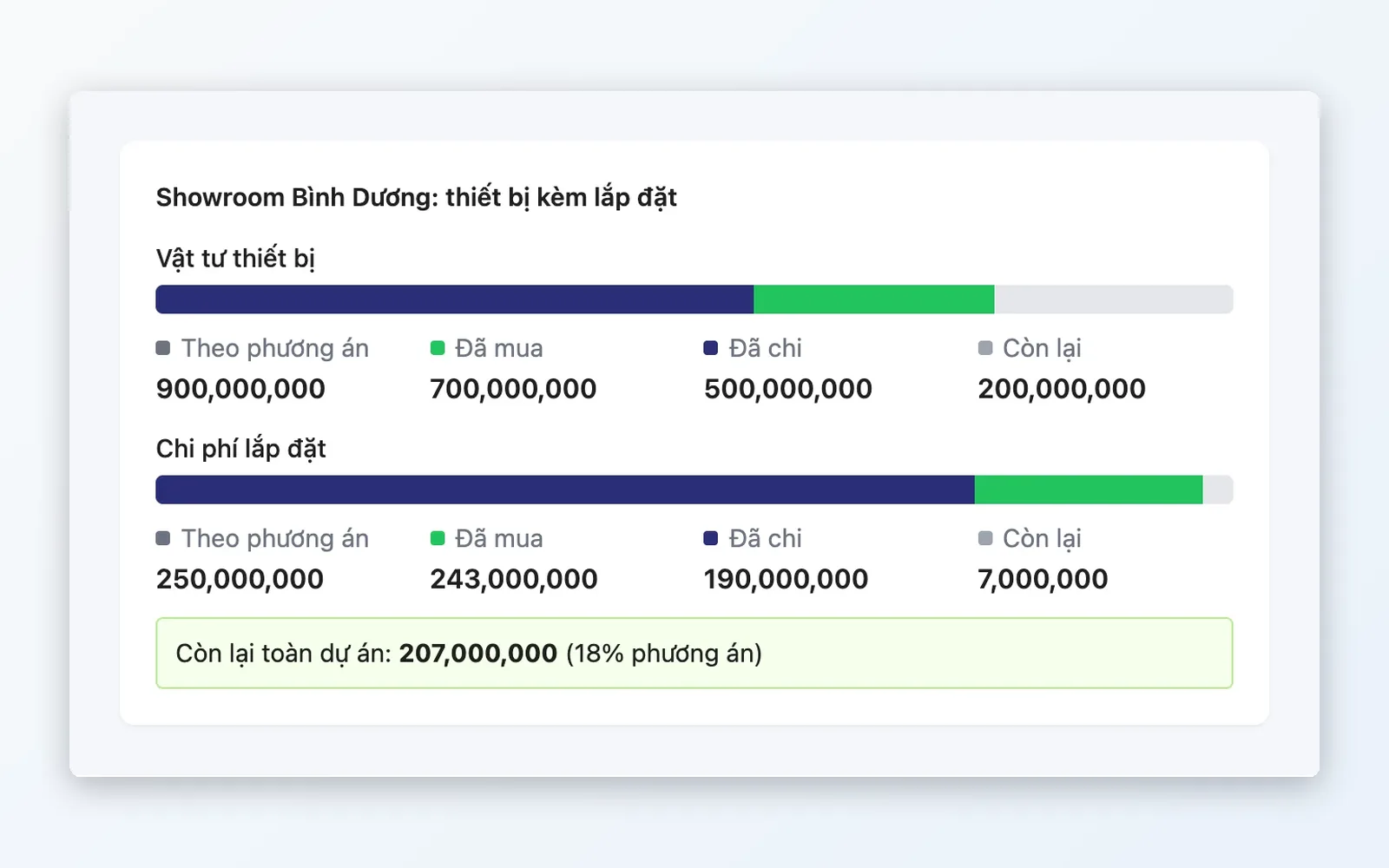
Quote equipment, purchase, receive into stock, then install on site, with each project's profit or loss visible from actual cost of goods.
Why choose Oviro for interiors and construction?
Project budgets, material purchasing, approvals, and cash flow share the same data, with no reconciling between Excel and the books. Every project cash movement goes through the Cash & Reconciliation module, and sensitive actions go through Approvals. Oviro installs on your own infrastructure.
Control every penny of every project
Talk to the Oviro team to see how Project Finance, Approvals, and Cash & Reconciliation run in your construction process.