E-invoice
Automatically issue e-invoices under Decree 123/2020 when orders complete — on POS, your website, or marketplaces. Direct links to providers (VNPT, Viettel, EFY, SInvoice) cut manual errors and tax risk.
Manual entry on the provider portal — retyping customer names, tax IDs, and line items. Hundreds of invoices daily: wrong names, wrong tax IDs, wrong amounts → penalties. Finance loses 2–3 hours a day to data entry alone.
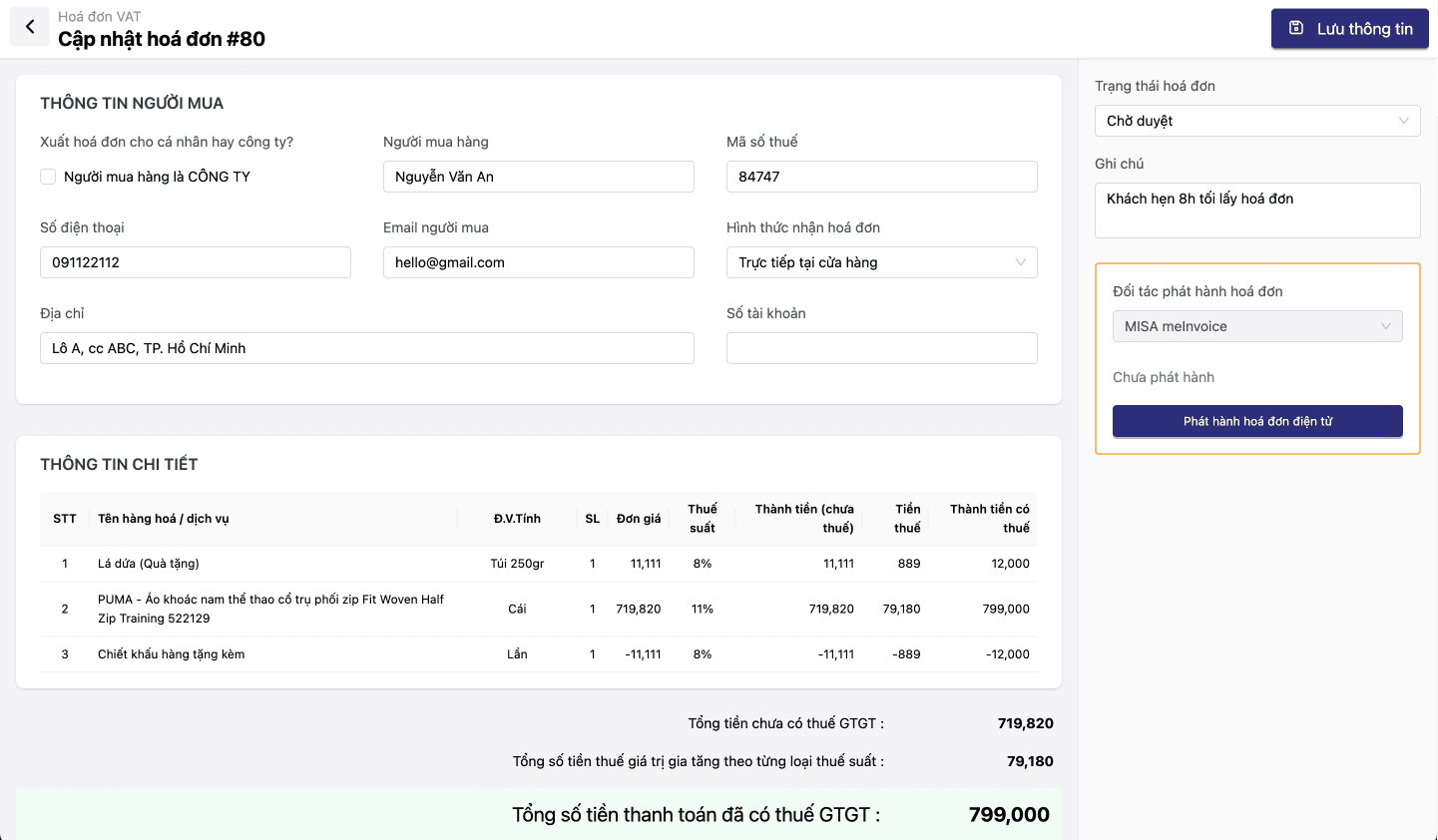
Order complete → e-invoice auto-issues with correct name, tax ID, and amounts. Accounting only reviews exceptions — saving hours every day.
Core capabilities
E-invoicing is not only compliance — it removes hours of manual entry every day. Oviro makes it fully automatic.
Auto issue from orders
When OMS marks an order complete → the e-invoice is generated with customer name, tax ID (MST), address, line items, discounts, and VAT. No re-keying.
Multiple e-invoice providers
Prebuilt APIs for VNPT Invoice, Viettel S-Invoice, EFY, and other major Vietnam providers. Switch vendors without breaking operations.
Exceptions (cancel, replace, adjust)
Wrong tax ID → cancel and re-issue. Returns → adjustment e-invoice generated automatically. Workflows follow Decree 123/2020.
Lookup & legal archive
Customer self-service: enter invoice code → view and download PDF/XML. Ten-year electronic retention. Export data for tax filing.
Detailed features
Full e-invoice flow — from issuance to legal archive.
Automatic issuance
Order complete → e-invoice issues — accounting only handles exceptions.
- Map OMS → e-invoice: name, tax ID (MST), address, items, discounts, VAT
- End-of-day batch or real-time per order
- Auto-send e-invoices by email / SMS / Zalo after issuance
E-invoice provider connectivity
Pre-integrated — no custom connector project.
- API integration: VNPT Invoice, Viettel S-Invoice, EFY, SInvoice
- Switch providers without disrupting operations
- Digital signature sync: invoice number and tax authority code from the provider after issuance
Exception handling
Wrong tax ID, returns, cancellations — each has a defined process.
- Cancel e-invoice: reason, cancellation minutes, issue replacement
- Adjustment invoices: returns or refunds → auto adjustment documents
- Aligned with Decree 123/2020 and Circular 78/2021
Lookup & archive
Customers self-serve lookups; finance exports for VAT returns.
- Customer portal: enter code → view and download PDF/XML
- Ten-year retention: PDF, signed XML, structured data
- Period exports of e-invoices for VAT (GTGT) filing
E-invoice issuance flow
Automated from order to archive — accounting handles only exceptions.
Order complete
OMS confirms the order is fully paid and complete.
Create e-invoice
Auto-map order data to the invoice template.
Sign & issue
Send to the e-invoice provider → digital sign → receive tax authority code.
Deliver to customer
Email / SMS / Zalo with lookup link.
Archive
PDF + signed XML → ten-year retention as required.
Order complete
OMS confirms the order is fully paid and complete.
Create e-invoice
Auto-map order data to the invoice template.
Sign & issue
Send to the e-invoice provider → digital sign → receive tax authority code.
Deliver to customer
Email / SMS / Zalo with lookup link.
Archive
PDF + signed XML → ten-year retention as required.
Fits every invoicing model
From POS retail and B2B wholesale to e-commerce — automated e-invoices for each scenario.
Retail chains with hundreds of orders per day
POS does 200 orders/day; many need e-invoices on request. Auto-issue right after payment — end-of-day review only, no manual typing.
B2B with strict legal entity data
Partners need invoices with correct tax ID and company name for input VAT. CRM stores B2B legal profiles → invoices pre-filled correctly — fewer cancellations and re-issues.
E-commerce & marketplaces
Web and marketplace orders with COD: e-invoices issue only after successful delivery. The system waits for OMS status Delivered, then triggers issuance.
Why choose Oviro E-Invoice?
Most Vietnam e-invoice tools sit apart from commerce — finance re-enters data from the sales system. Oviro embeds e-invoicing in OMS: order complete → invoice issues automatically. Order data, promotions, and split payments flow straight to the e-invoice — no duplicate entry.
Automated e-invoices — aligned with Decree 123
Order complete → e-invoice issues automatically. Connect VNPT, Viettel, EFY. Handle exceptions with the right legal workflow. Ten-year retention.