Purchasing management
Control the Purchase Order lifecycle from purchasing need to receiving — including supplier management, order plans based on real orders, supply plans, and approval (Approvals module) when canceling a confirmed PO. Turn “what to buy, how much, and where” from gut feeling into data.
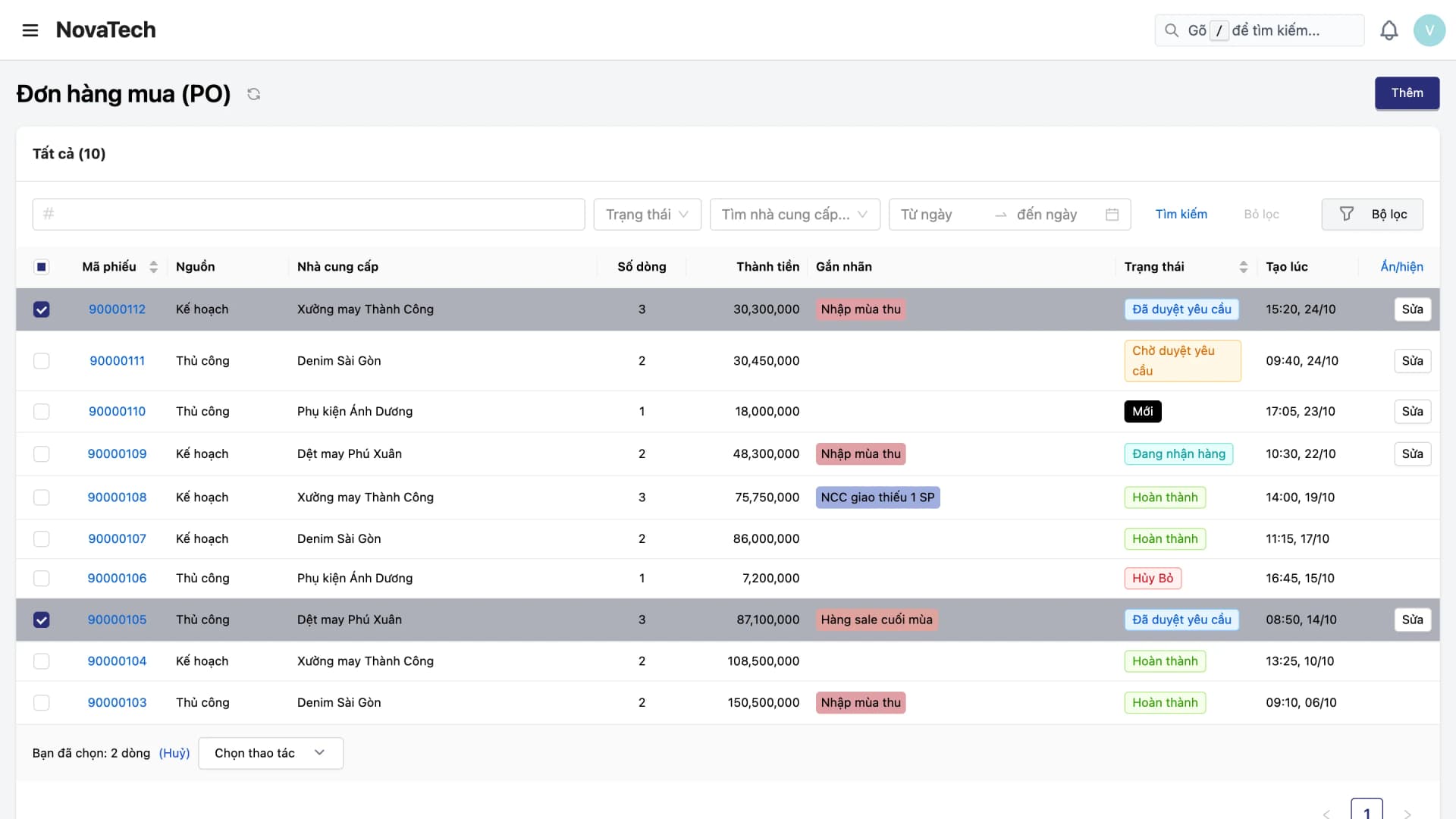
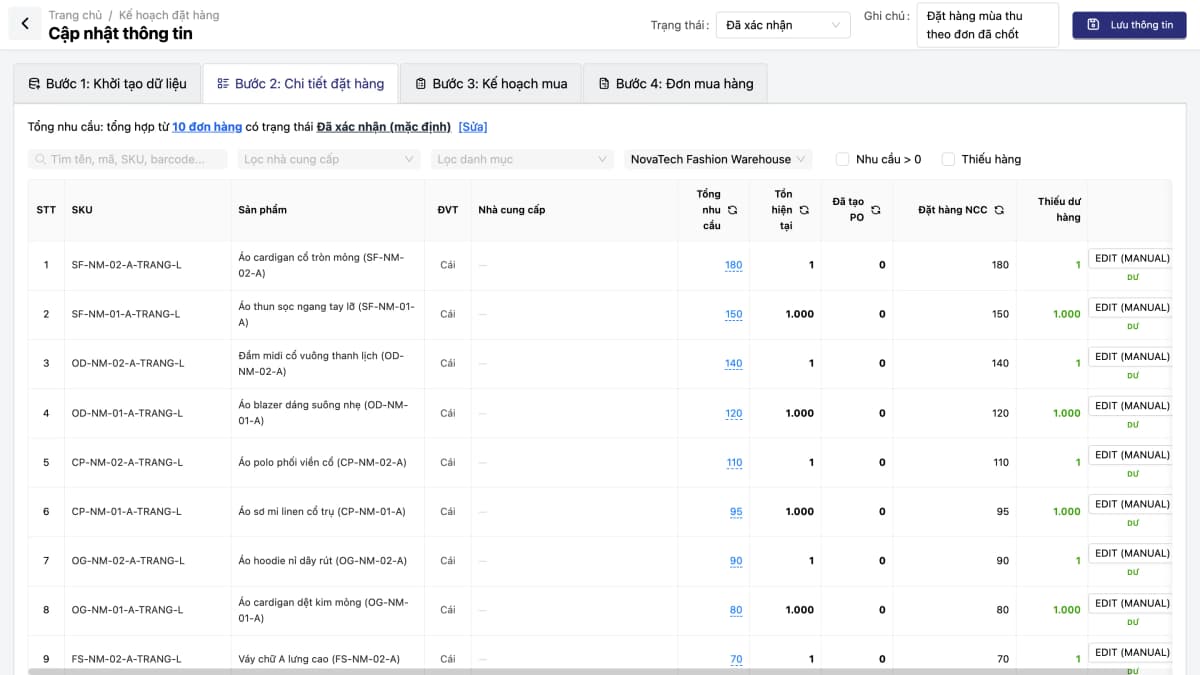
Buying on instinct: no clear view of what to restock, how much is enough, or which supplier is truly cheapest. Excess stock ties up cash; stockouts cost revenue — and nobody has the numbers to answer why.
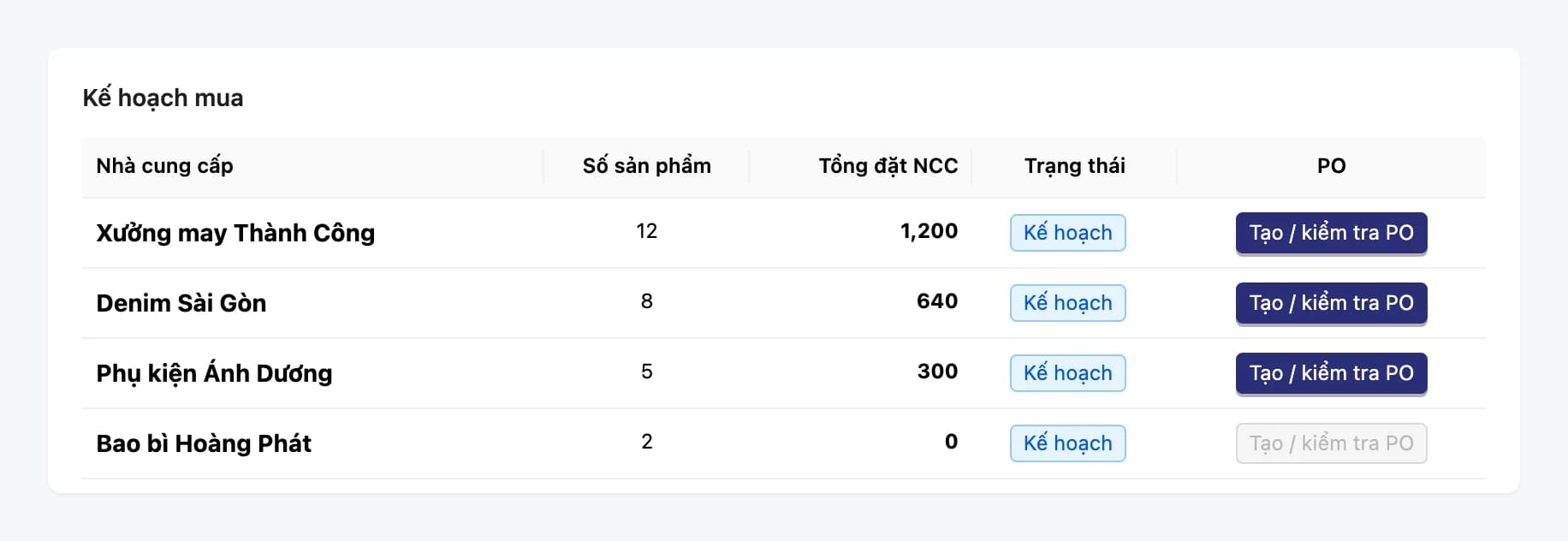
Demand Plan aggregates buy requirements from real orders, allocates suppliers, bulk-creates POs, and reconciles receipts against the PO.
Core capabilities
Turn “what to buy, how much, from whom” from gut feeling into data — the Demand Plan aggregates demand from real orders and checks it against stock and suppliers.
Order & Supply Planning (Demand Plan)
Order plans aggregate demand from orders using your filters and compare it with current stock and quantities already ordered. Supply plans record the supplier, proposed price and lead time for each line. Create POs in bulk with one click.
Supplier management
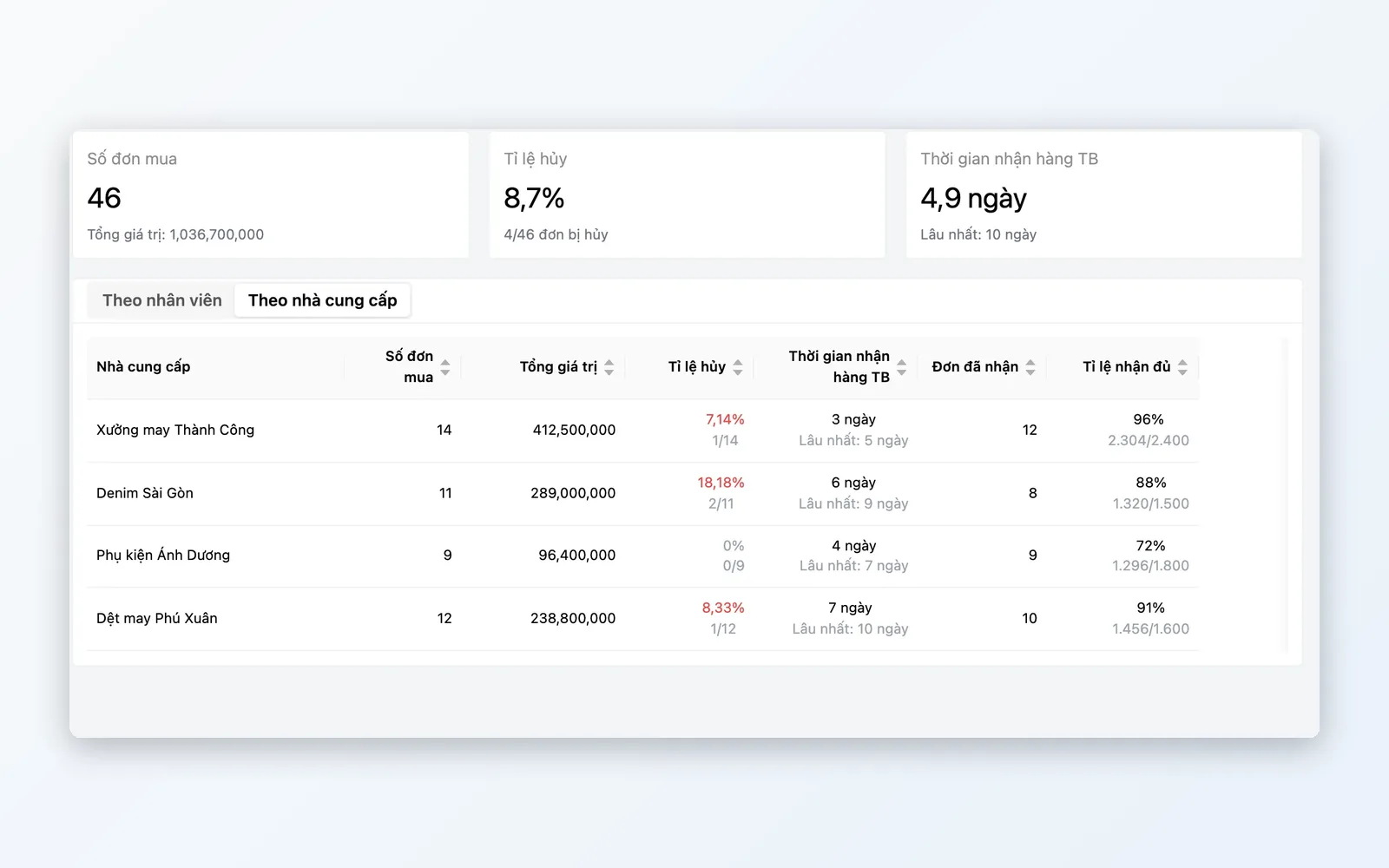
Vendor directory with contact details, cooperation status, purchase prices and payment accounts. The Purchasing Efficiency report shows each supplier's fulfillment rate, lead time, rejection rate and PO cancellation rate. Assign multiple suppliers per SKU to compare pricing and allocation.
Purchase order lifecycle
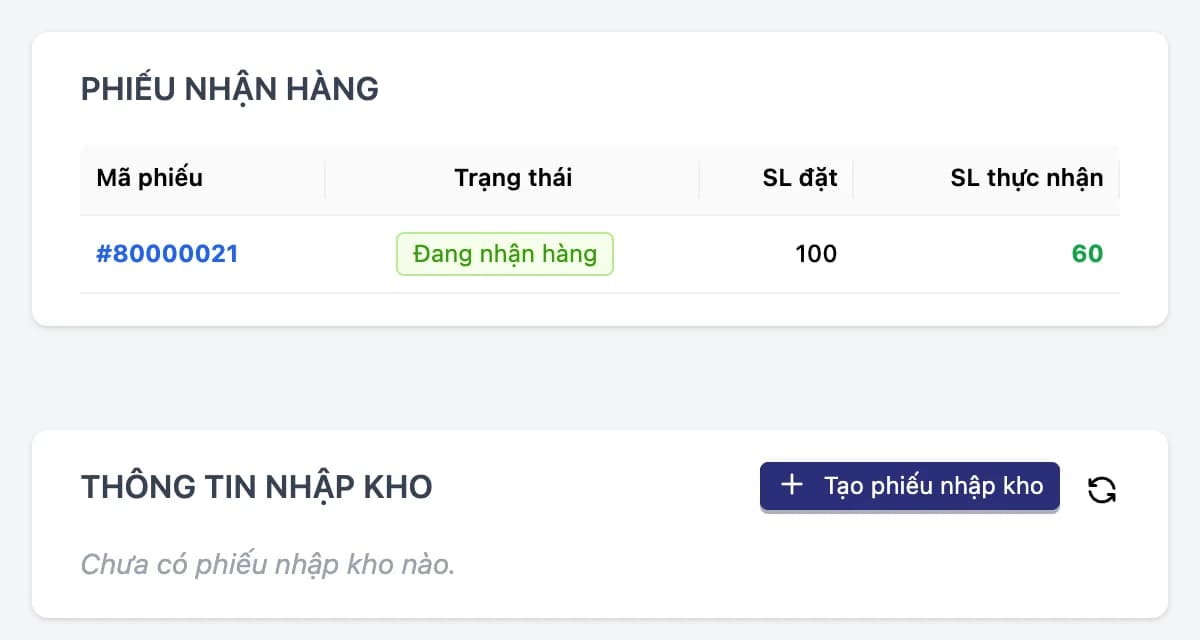
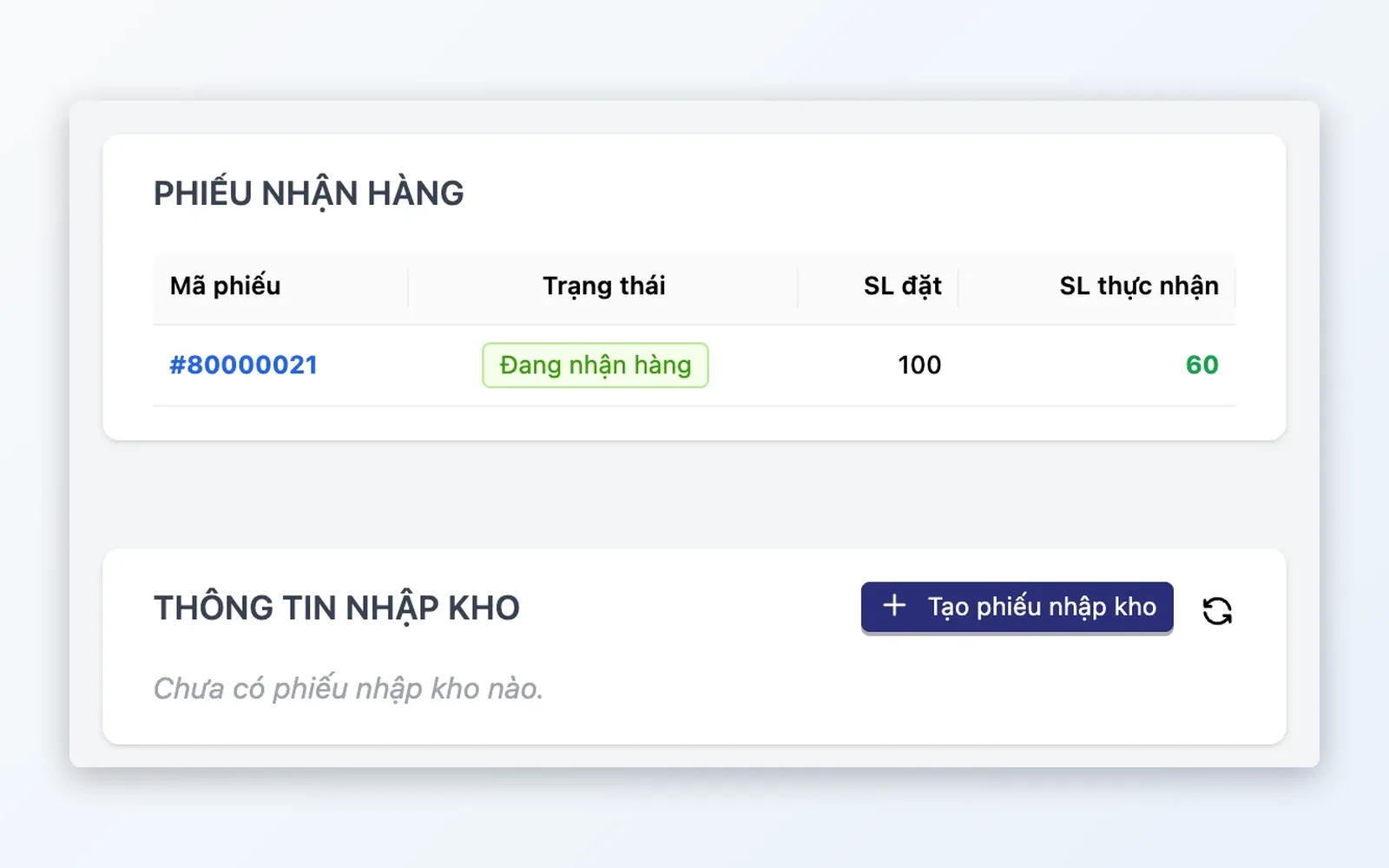
Create → Approve → Receive → Reconcile. Receive goods in partial shipments and reconcile differences between the PO and what was actually received. Canceling a confirmed PO can go through the Approvals module: it is canceled only once approved, and stays unchanged if rejected.
Inbound cost analytics
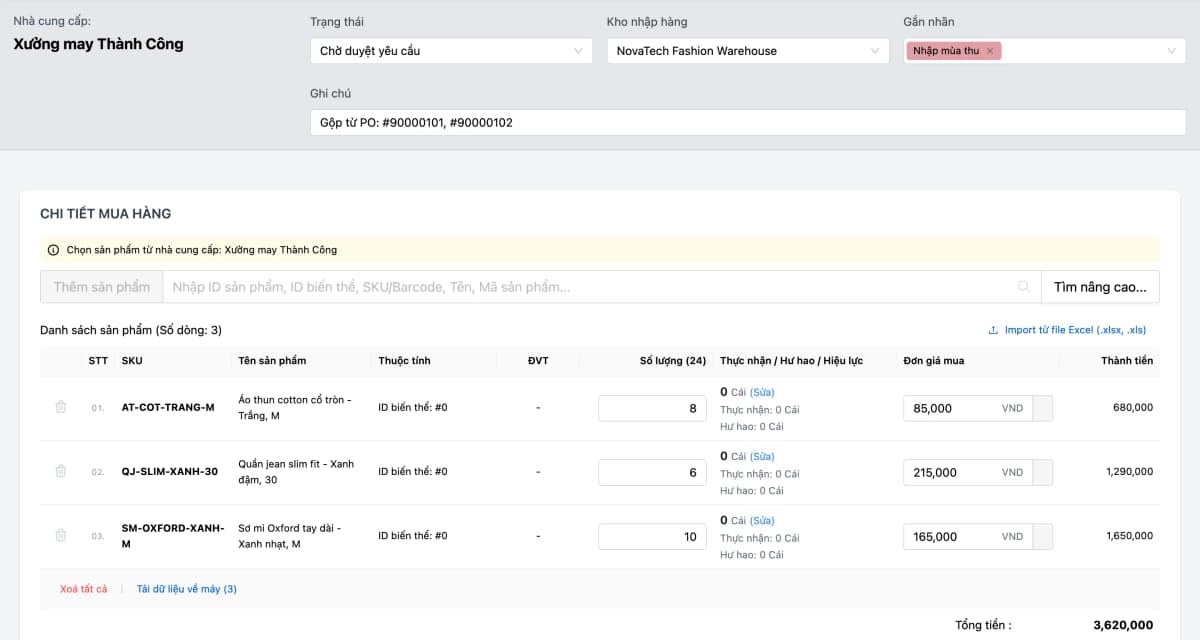
Track purchase price changes over time. When you create a PO, the unit price auto-fills from the effective price: the most recent PO price, or the supplier's purchase price. Compare it with the latest purchase price of each product right when you create the PO.
Detailed features
The full purchasing journey — from planning through receipt and cost reconciliation.
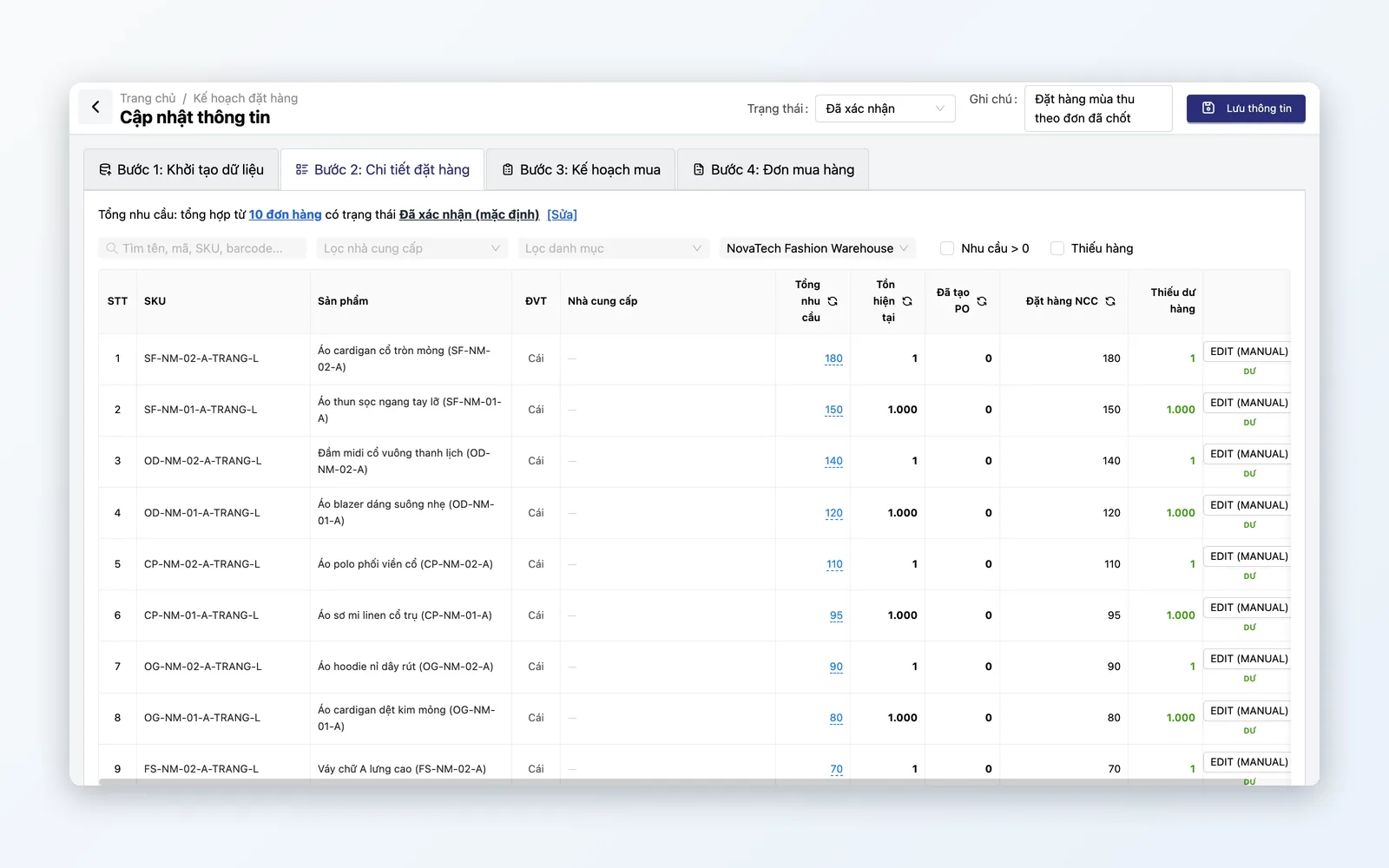
Demand plan
Buy at the right time, in the right quantity, from the right supplier — no more guessing.
- Order plan: aggregates demand from orders using your filters and compares it with current stock and quantities already ordered
- Auto-calculated shortfall or surplus per SKU = on hand + POs created + quantity ordered from suppliers − total demand from orders
- Supply plan: assign suppliers and fulfillment options to purchasing needs, spread across multiple suppliers
- One-click bulk PO creation for every affected supplier
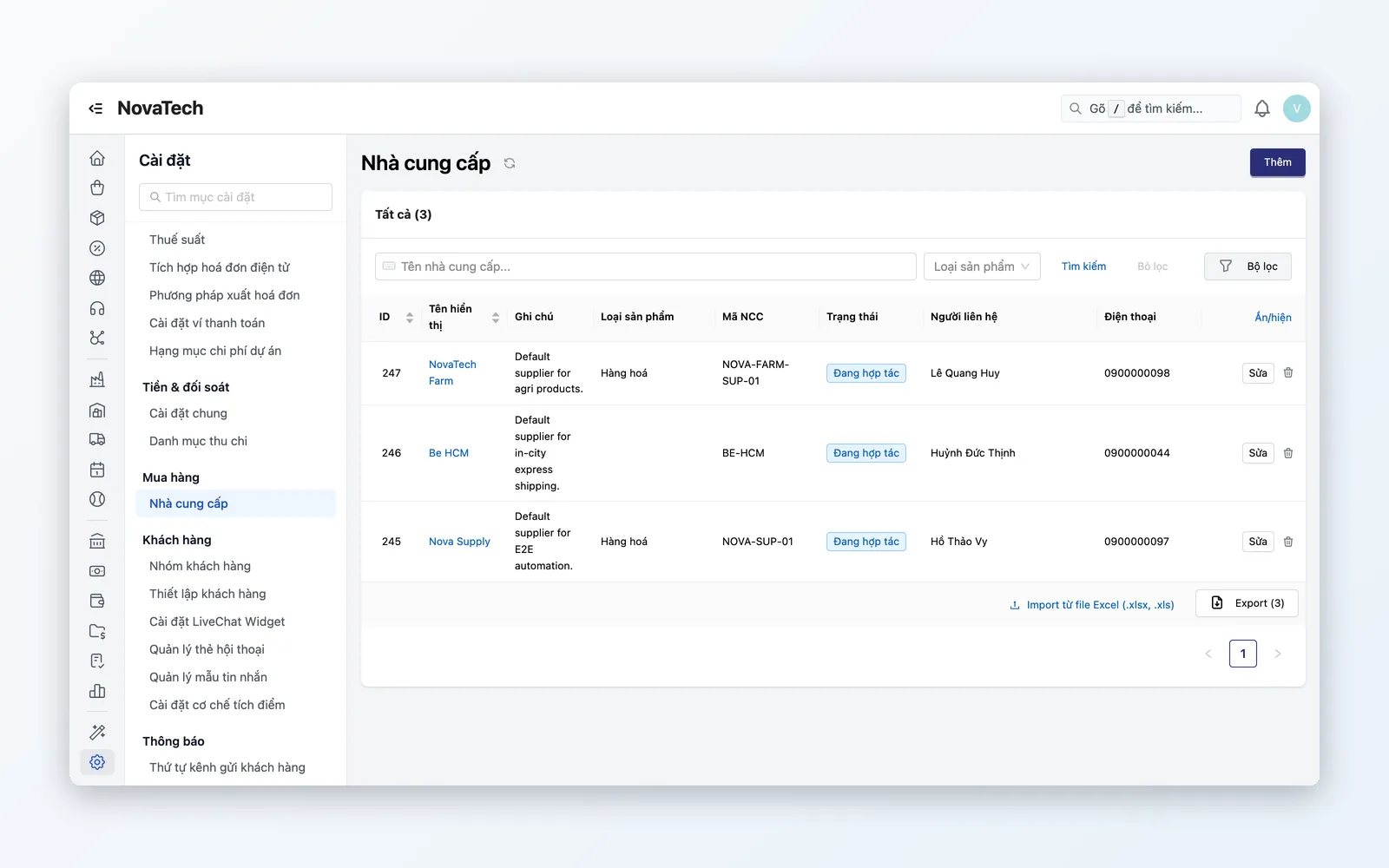
Supplier management
See which supplier offers the best price and who delivers fast or slow, through the purchasing efficiency report.
- Vendor directory: contacts, supplier code, cooperation status, purchase prices and payment accounts
- Multiple suppliers per SKU — compare price and lead time
- Purchasing Efficiency report by supplier: fulfillment rate, lead time, rejection rate and PO cancellation rate
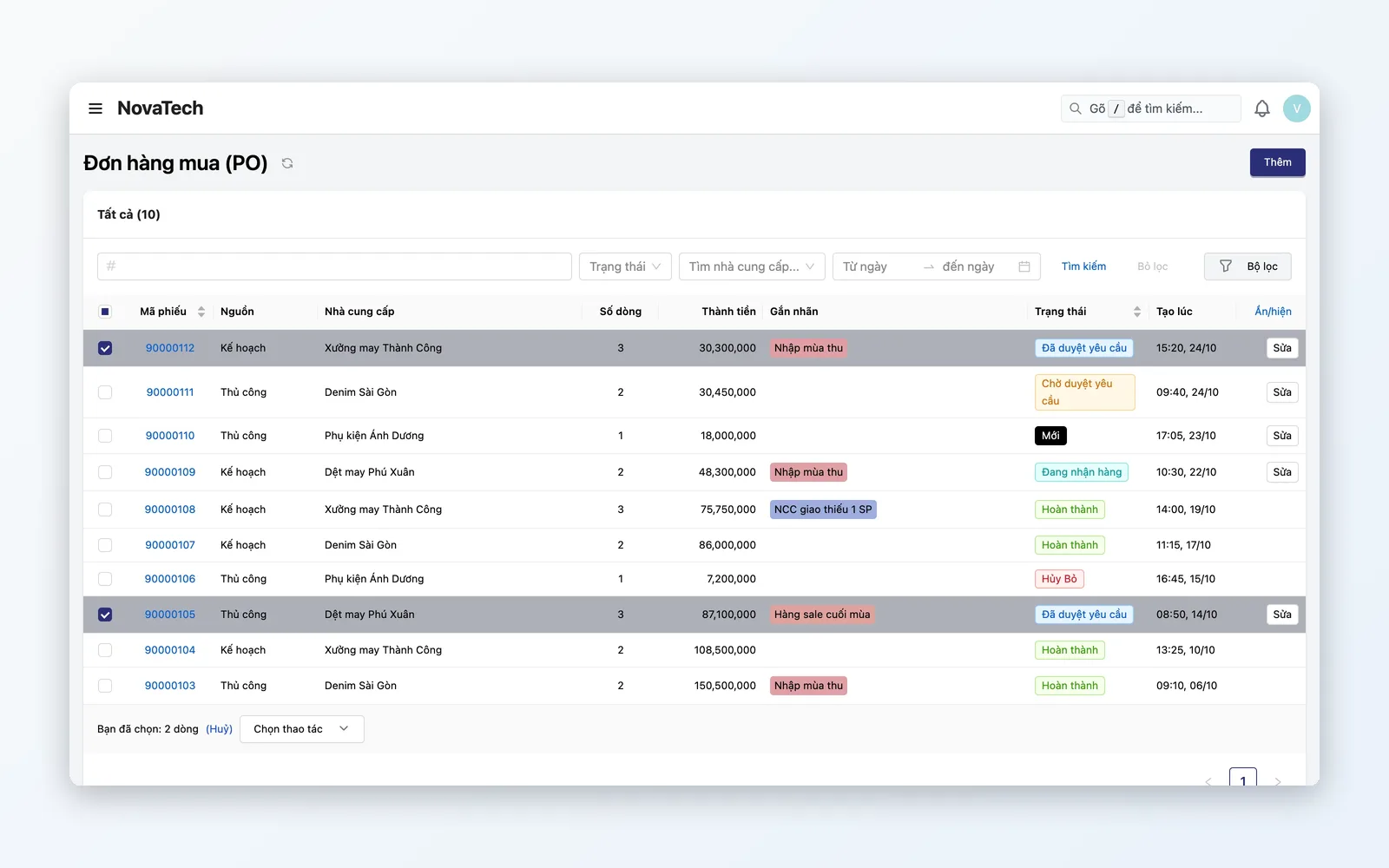
Purchase order lifecycle
From PO creation to receipt — every step approved and traceable.
- Cancel confirmed POs through the Approvals module: wait for approval, cancel only once approved, and keep the PO unchanged if rejected
- Partial receipt: e.g. PO 100 units, receive 60 first — PO stays open
- Match variances between PO lines and goods receipts
- Full audit trail: who created, approved, received, and when
Inbound cost analytics
Track purchase prices by product and supplier, and spot price changes.
- Purchase price variance: purchase price changes by product with price history — spot sudden supplier price hikes
- Effective price lookup: most recent PO price, supplier purchase price
- Auto-fill the unit purchase price when creating a PO: the most recent PO price, or the supplier purchase price if there is none
Purchasing workflow
From plan to stock — every step approved and reconciled.
Demand plan
Aggregate demand from orders → compare with stock → allocate suppliers.
Create PO
Pick supplier, SKU, quantity, price — or generate from the demand plan.
Approval
Approve POs following your company's process; canceling a confirmed PO goes through the Approvals module.
Receiving
Match PO to physical receipt. Partial receipts supported.
Cost reconciliation
Compare the PO price with the effective price and the supplier price, and review purchase price variance.
Demand plan
Aggregate demand from orders → compare with stock → allocate suppliers.
Create PO
Pick supplier, SKU, quantity, price — or generate from the demand plan.
Approval
Approve POs following your company's process; canceling a confirmed PO goes through the Approvals module.
Receiving
Match PO to physical receipt. Partial receipts supported.
Cost reconciliation
Compare the PO price with the effective price and the supplier price, and review purchase price variance.
Fits every buying model
From multi-branch retail to businesses with many suppliers — Purchasing adapts to your supply chain.
Multi-store retail chains
Each store has different needs. Demand Plan aggregates demand from orders across branches, computes total buy requirements → allocates POs to suppliers. Goods hit the DC first, then internal transfers feed each store.
Multiple suppliers for one SKU
For example, product A is available from several suppliers: supplier 1 is cheaper but slower, supplier 2 delivers fast at a higher price. Demand Plan lets you split the order quantity across suppliers for the same SKU, then creates a PO for each supplier.
Goods sourced from multiple suppliers
The same product has multiple suppliers at different purchase prices. Oviro looks up the effective price when you create a PO and reports purchase price variance, helping you set selling prices and protect profit margins.
Why choose Oviro Purchasing?
Oviro Purchasing connects directly to PIM (products), WMS (inventory), and order data — so demand planning uses live data.
Buy on data — not gut feel
Order plans aggregate purchasing needs from real orders, supply plans allocate suppliers, approvals handle PO cancellations, and receiving is reconciled — all in one closed-loop process.