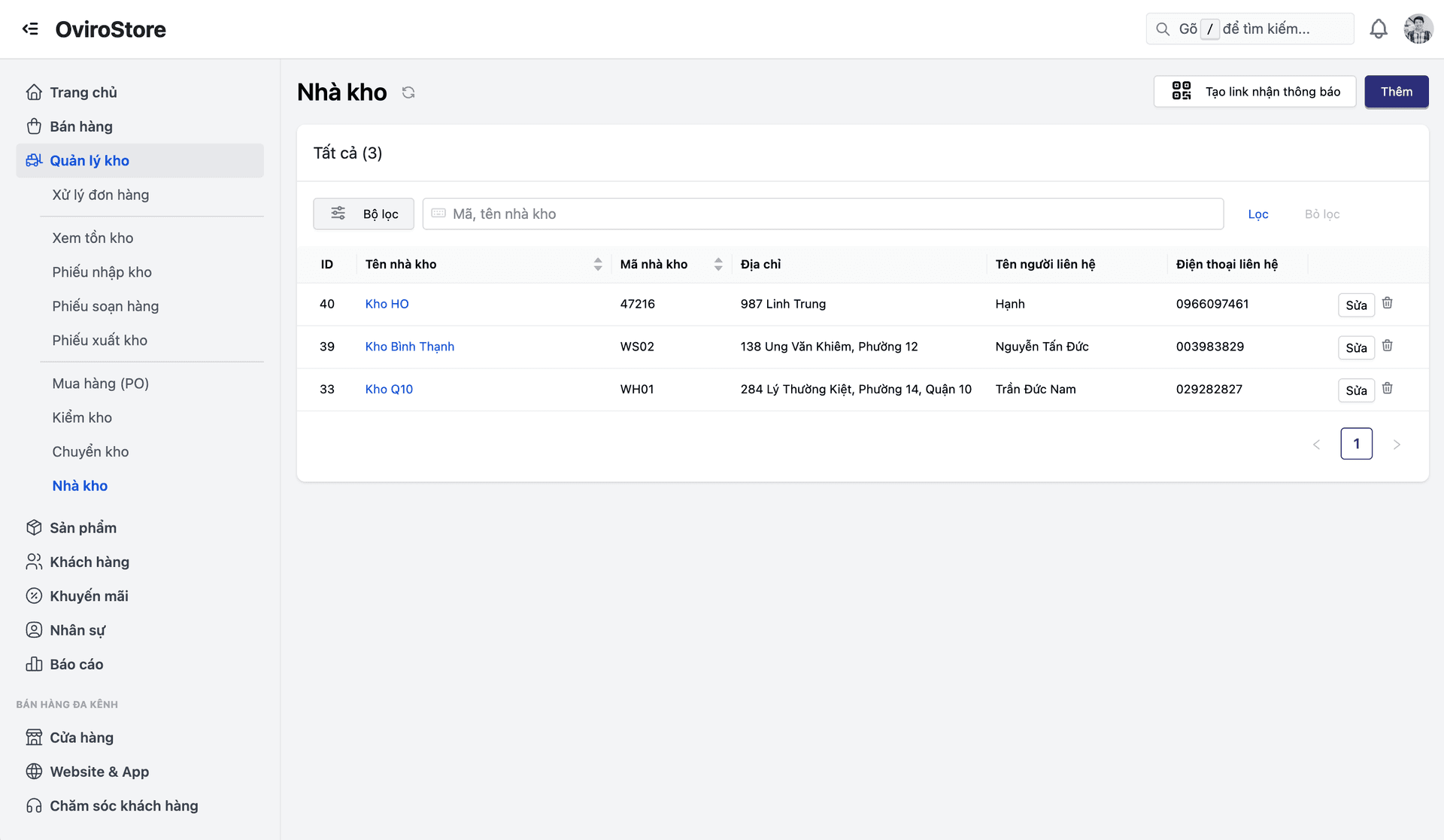
Warehouse management
Digitize physical warehouse operations — layout, inbound/outbound, internal movement, and cycle counts. Keep system inventory aligned with actual stock at all times, eliminate overselling, and reduce unexplained shrinkage.
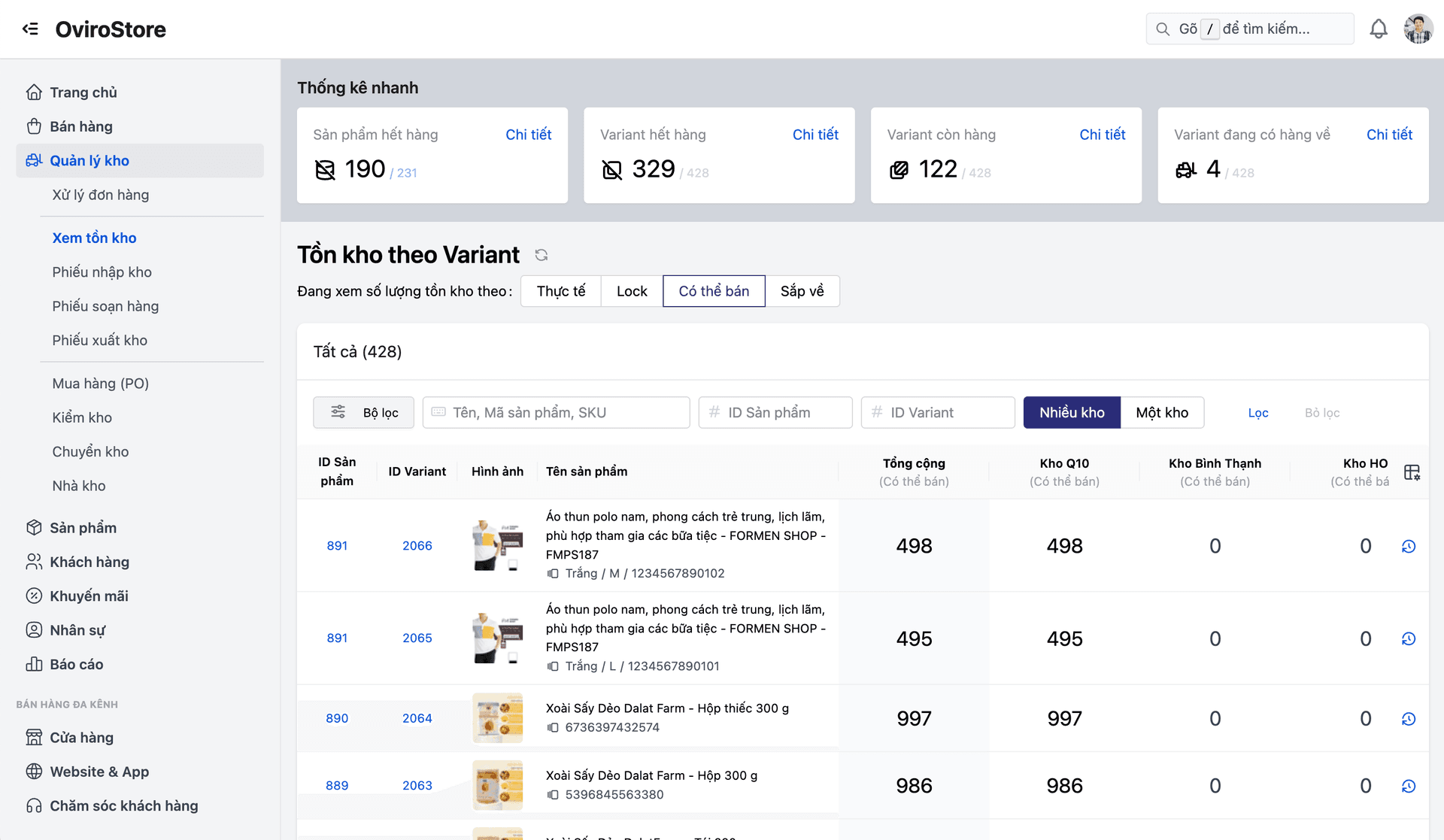
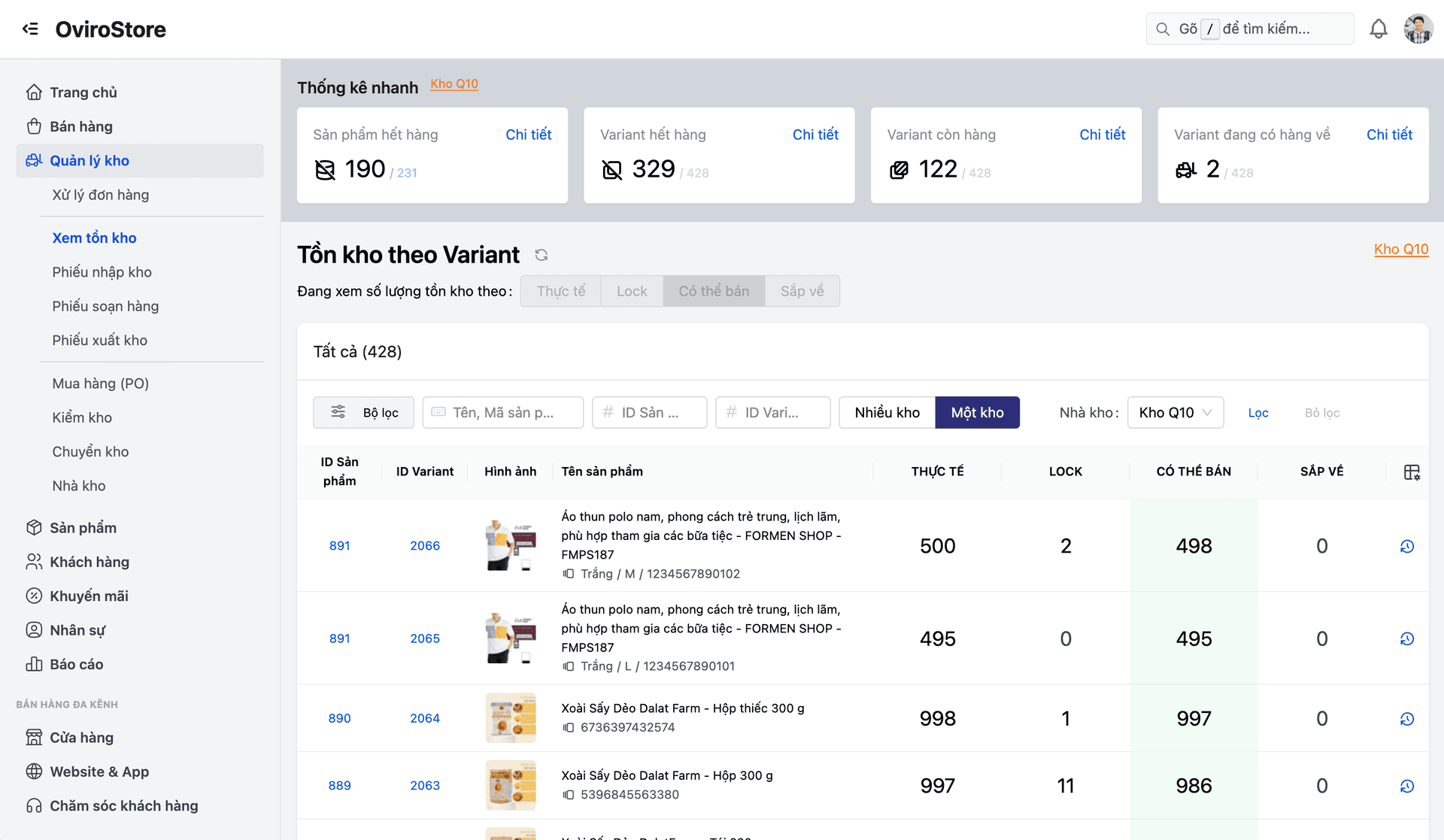
When system stock does not match the warehouse, you get surprise stockouts, overselling, and unexplained shrinkage. Manual processes typically cost 2–5% of revenue every year.
Reduce shrinkage, prevent overselling, and give every sales channel — from POS to marketplaces — accurate inventory data.
Core capabilities
Turn every stock movement into an accountable record — from layout to cycle counting.
Warehouse layout (bin locations)
Structure the warehouse as Zone → Aisle → Shelf → Bin with standardized codes. Even new hires can find items within 30 seconds.
Inbound & put-away
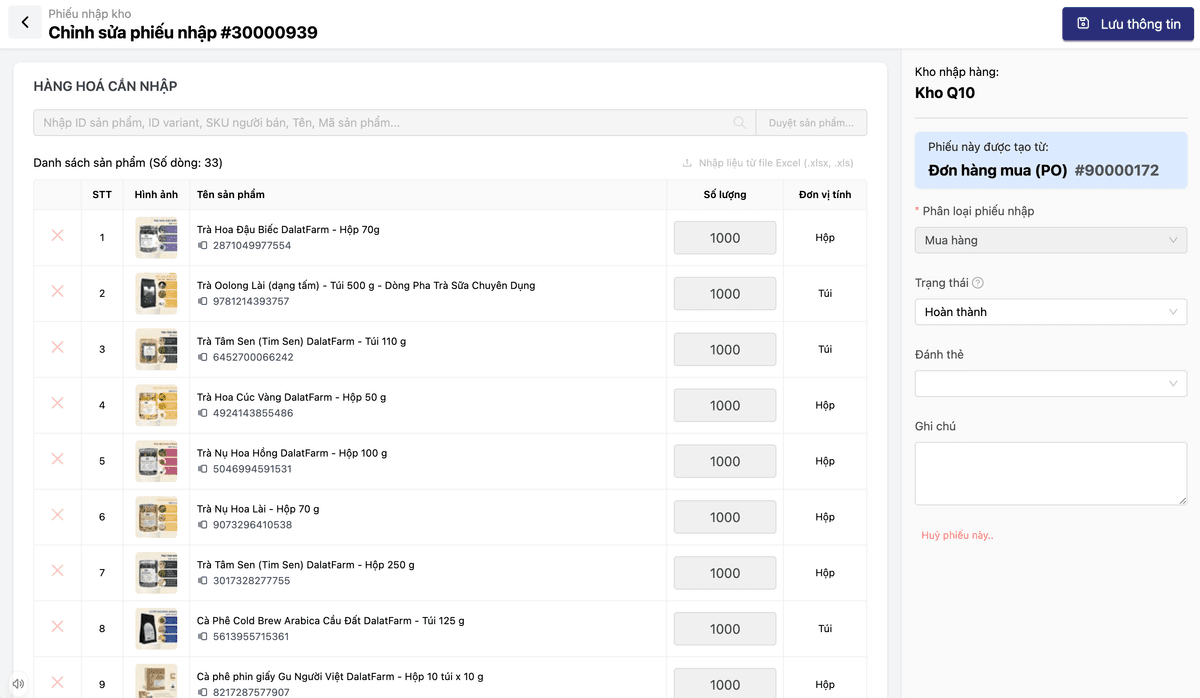
Match receipts to POs and scan barcodes to confirm each line. Get put-away suggestions optimized by sales velocity.
Internal transfers
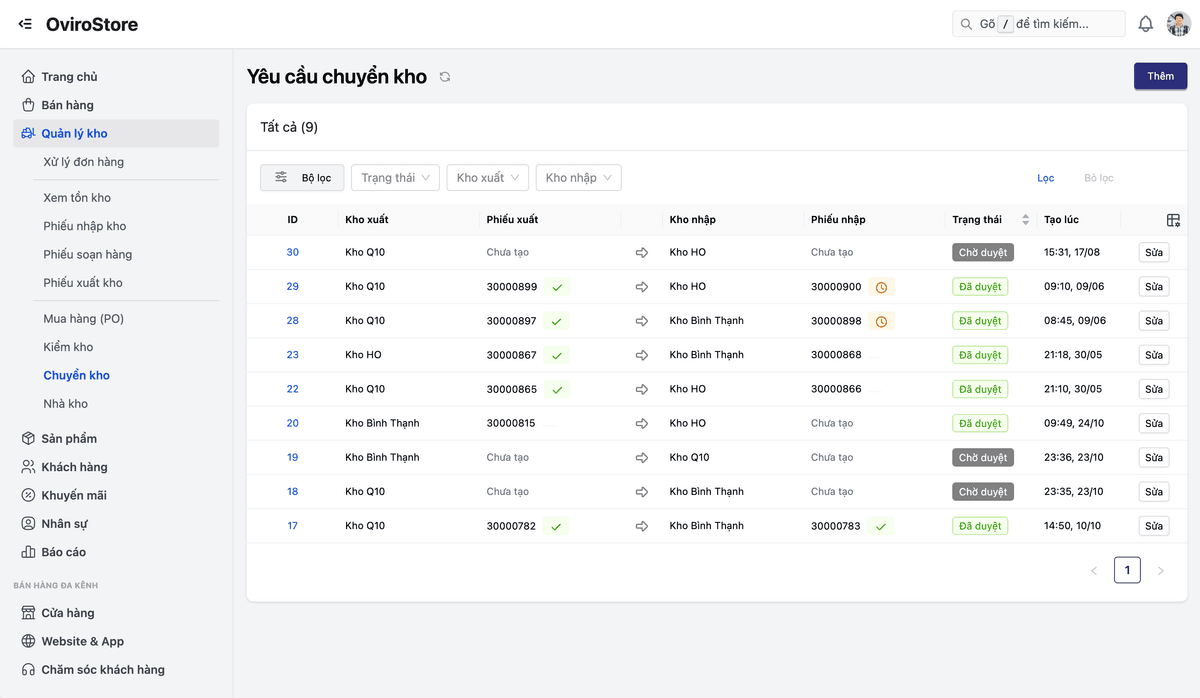
Create transfer orders between branches. Track In-Transit status and update stock at both ends after confirmation.
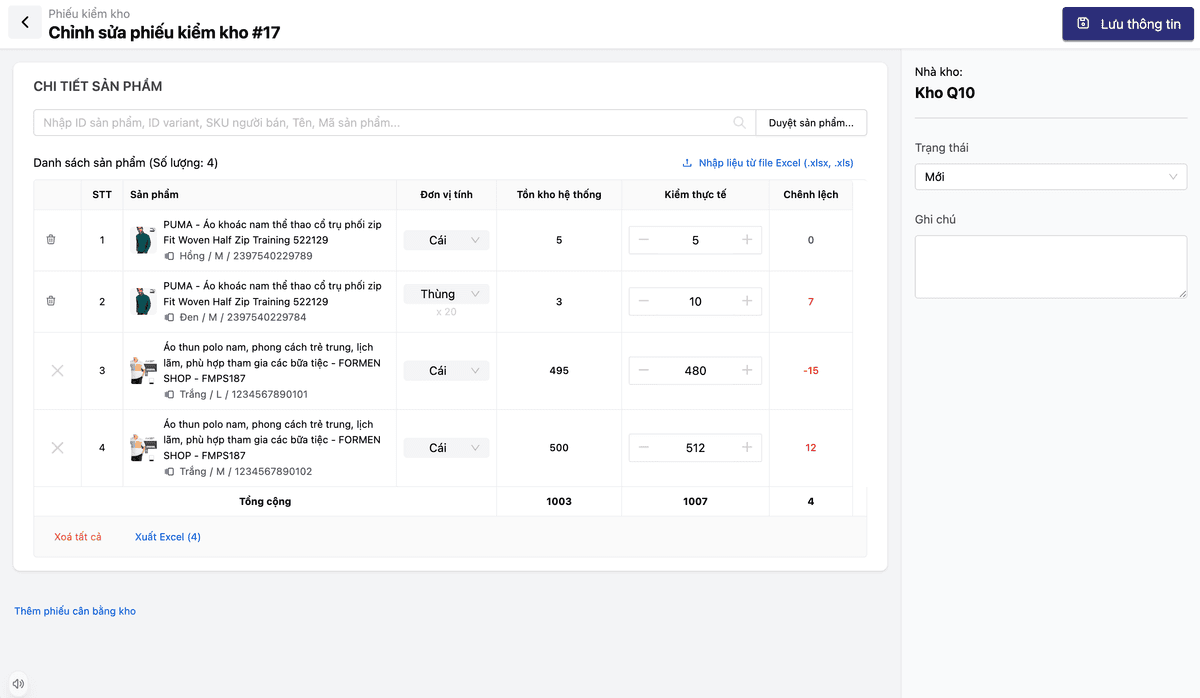
Cycle counting
Rotate counts by zone daily — without disrupting sales. Approval workflows support audit-ready adjustments.
Feature details
Full warehouse operations, grouped by business process.
Warehouse layout
New hires can find stock in 30 seconds — no need to ask the warehouse lead.
- Structure: Zone → Aisle → Shelf → Bin with standardized codes (e.g. WH-HCM-A2-R4-B1)
- Fulfillment integration to optimize pick paths along the shortest route
- Multi-warehouse: central hub, branch warehouses, and transit hubs
Inbound & put-away
Catch shortages and overages at the dock — not at month-end.
- Receipt vs. purchase order (PO) matching with automatic variance detection
- PDA barcode scanning to confirm each inbound line
- Put-away suggestions: fast movers closer to packing zones
Internal transfers
Balance stock across branches without incorrect negative on-hand.
- Transfer orders: Central warehouse ↔ Store, or Store ↔ Store
- In-Transit tracking: goods in transit post to a virtual transit warehouse
- Stock updated at both ends when the transfer is confirmed complete
Cycle counting
Find variances early without shutting down the whole warehouse.
- Rotating cycle counts: one zone per day — sales keep running
- Automatic comparison with clear variance per SKU
- Adjustment approvals: warehouse managers sign off before updates — audit-ready
Warehouse operations flow
From layout design to cycle counting — every step is an accountable record.
Design the warehouse map
Zone, Aisle, Shelf, Bin.
Inbound
Match to PO, scan to confirm, update on-hand.
Put-away
Assign storage locations optimized by sales velocity.
Transfer
Move stock between warehouses / branches with In-Transit tracking.
Cycle count
Scheduled counts, reconcile to the system, approve adjustments.
Design the warehouse map
Zone, Aisle, Shelf, Bin.
Inbound
Match to PO, scan to confirm, update on-hand.
Put-away
Assign storage locations optimized by sales velocity.
Transfer
Move stock between warehouses / branches with In-Transit tracking.
Cycle count
Scheduled counts, reconcile to the system, approve adjustments.
Built for every warehouse scale
From a single small warehouse to a complex distribution network — WMS fits your operating model.
Multi-branch retail
Many stores need balanced stock. Internal transfers with In-Transit status, cycle counts that do not stop trading, and multi-warehouse visibility on one screen.
Distribution / wholesale warehouse
Large warehouses run by pallet and zone. Bin-location mapping helps staff find items fast, inbound is auto-matched to POs, and put-away optimizes placement by sales velocity.
Omnichannel (online + offline)
Inventory must stay accurate for POS, your website, and marketplaces at once. WMS updates stock in real time on any sale, prevents overselling, and can sync availability to marketplaces automatically.
Why choose Oviro WMS?
Oviro WMS is fully separated from OMS (orders) and Fulfillment (delivery) — each module solves its own problem. That architecture stays stable as you scale to dozens of warehouses, unlike traditional ERPs that bundle everything and create confusion.
Control inventory down to every bin
Digitize the full warehouse workflow — from layout and inbound/outbound to transfers and cycle counts. System stock reflects reality at all times, on every channel.