In-store checkout (POS)
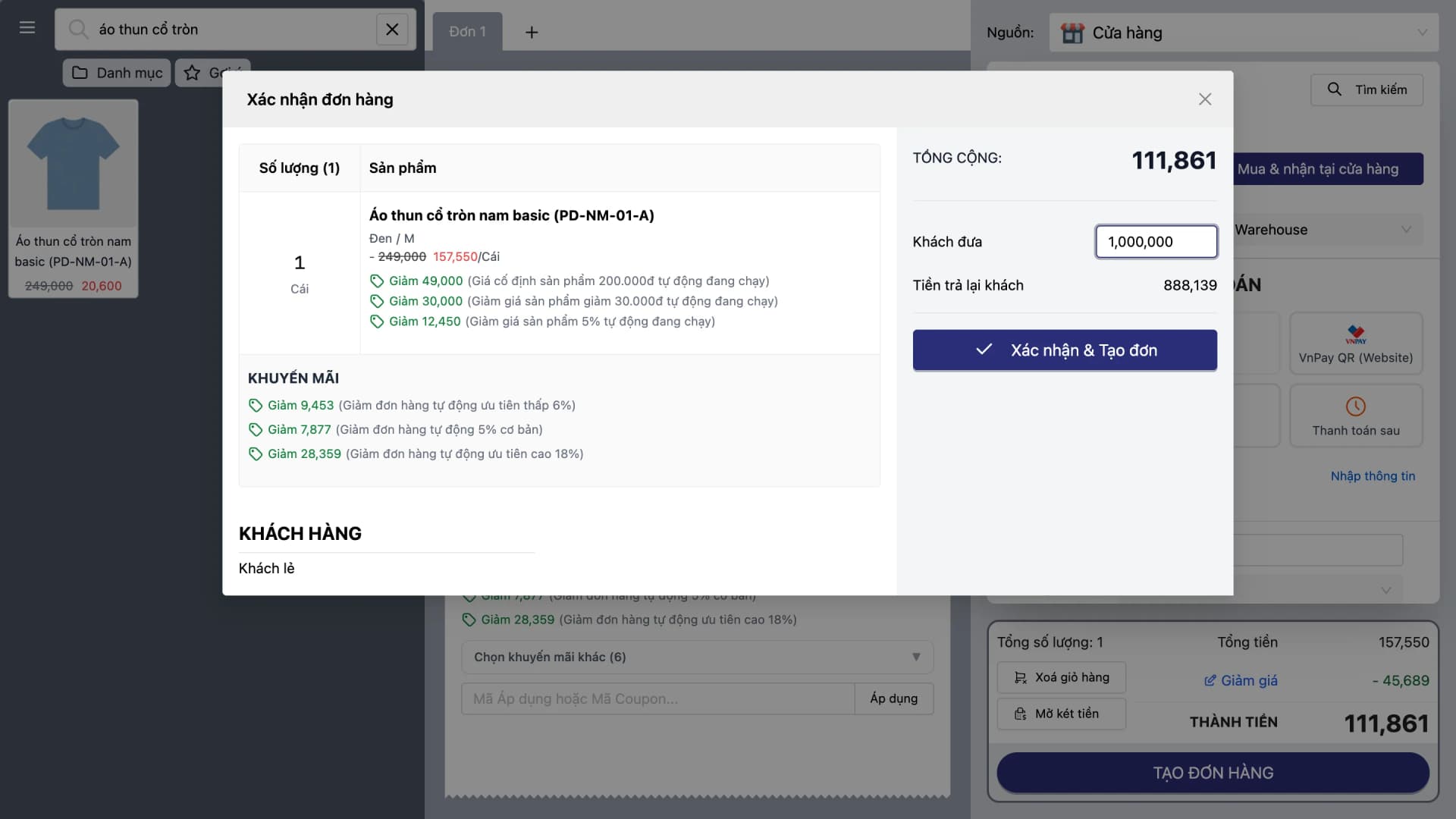
A POS built for speed — quick operation thanks to a minimal interface, barcode and RFID scanning. Deeply integrated with CRM, loyalty, and warehouse — making POS a complete touchpoint in an omnichannel retail model.
Slow POS, too many taps, no link to warehouse or web — associates lose time, queues grow, and channel data drifts apart.
Shorten checkout time, remove extra steps, and record every transaction in the central system.
Core capabilities
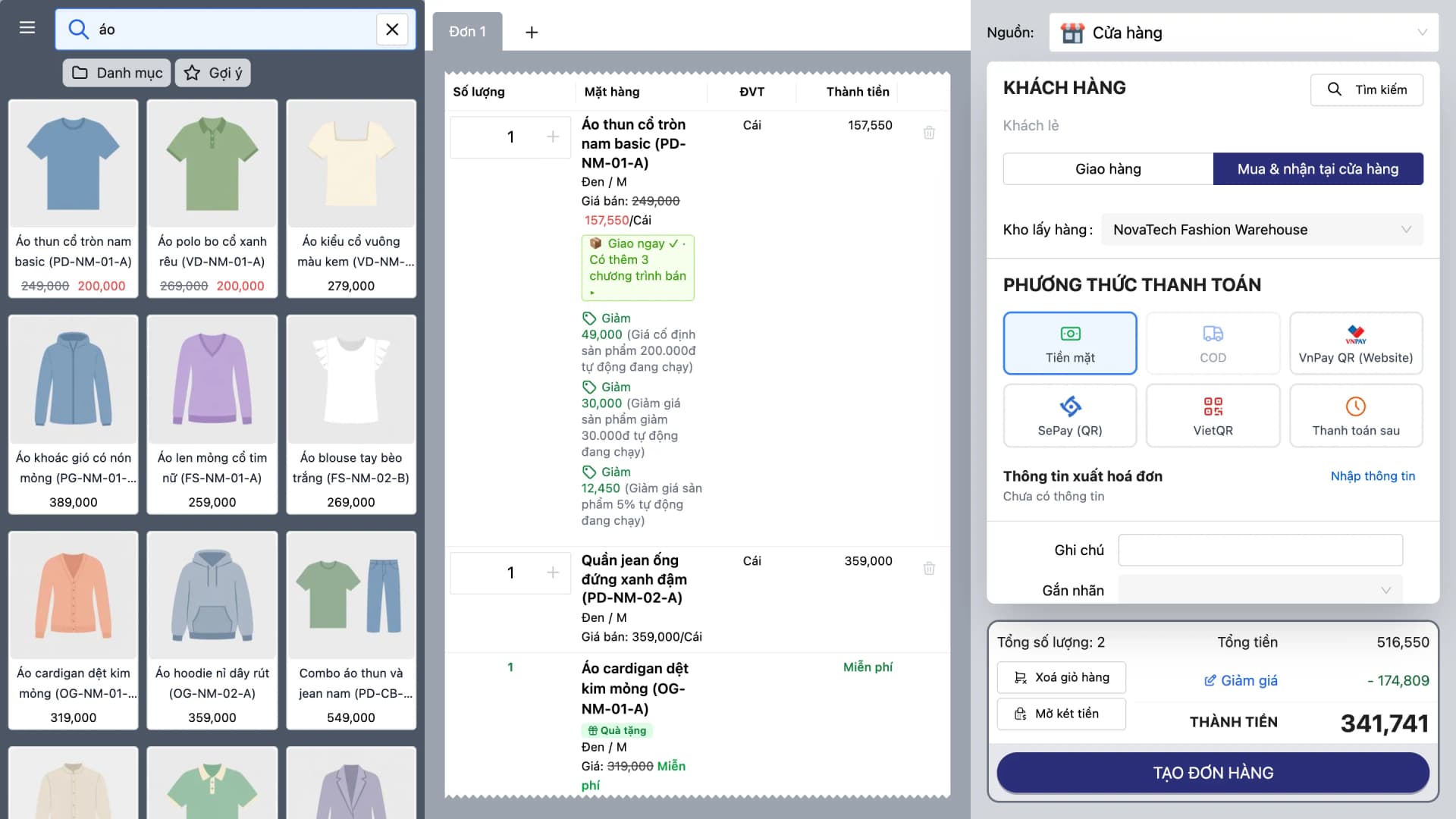
Every second at the counter counts — Oviro POS uses a minimal interface so each transaction takes as few steps as possible.
High-speed checkout
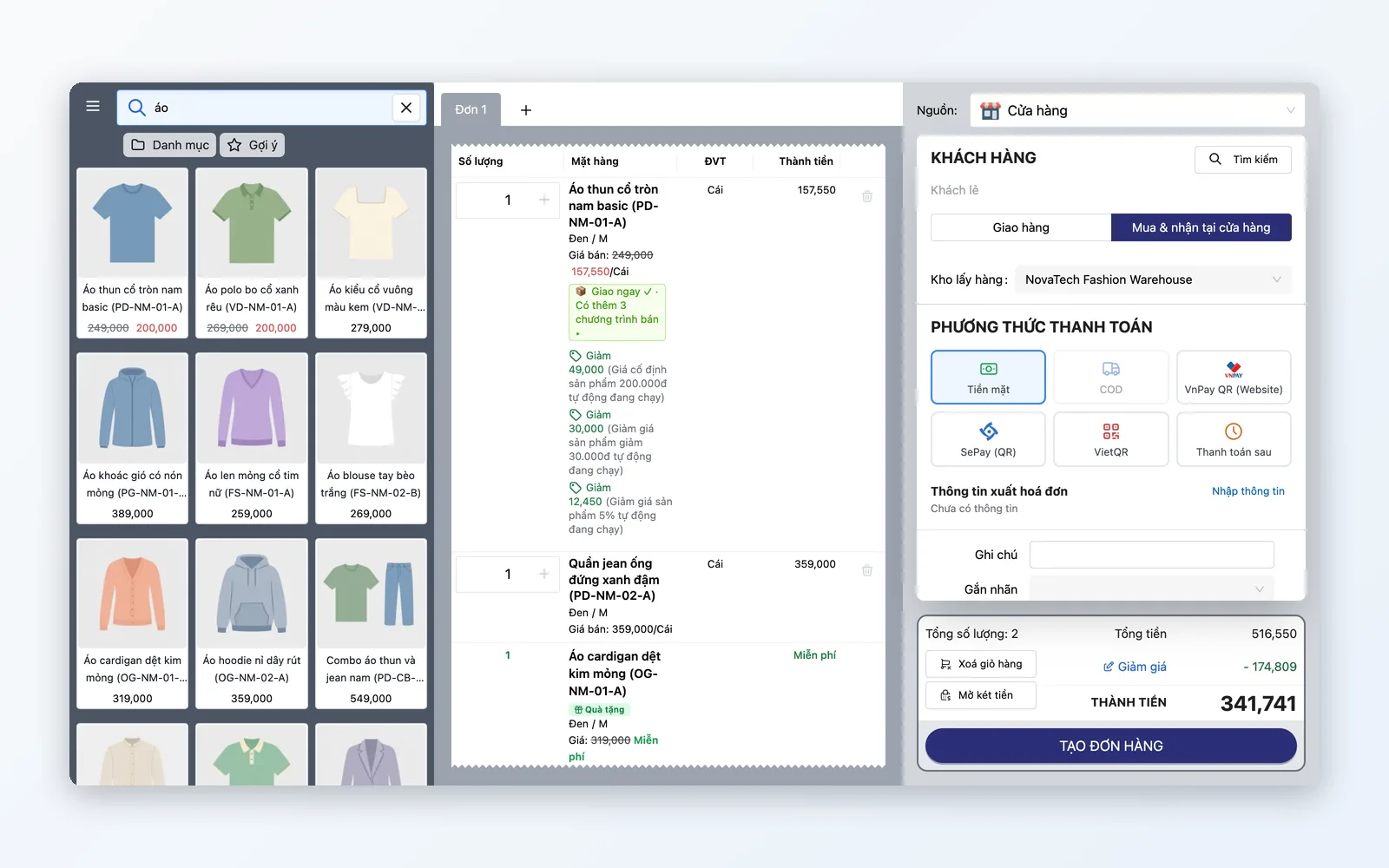
Minimal UI, keyboard product search, and barcode scanning. Weighted goods are supported through barcode labels that carry the weight, and the POS calculates the amount for you.
CRM & loyalty at the counter
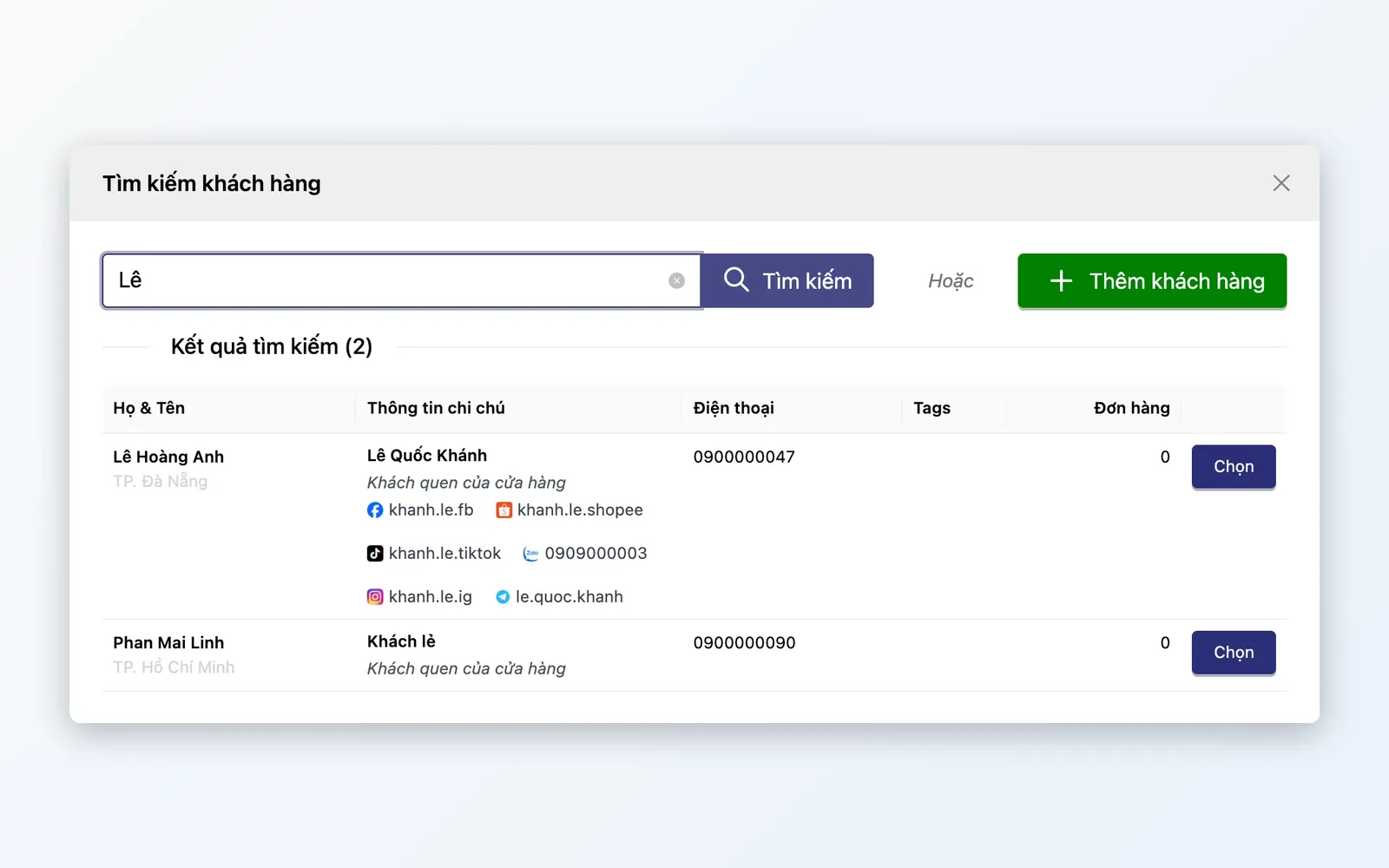
Look up CRM instantly by phone — tier, exclusive offers, points. Redeem points straight on the receipt.
Hardware ecosystem
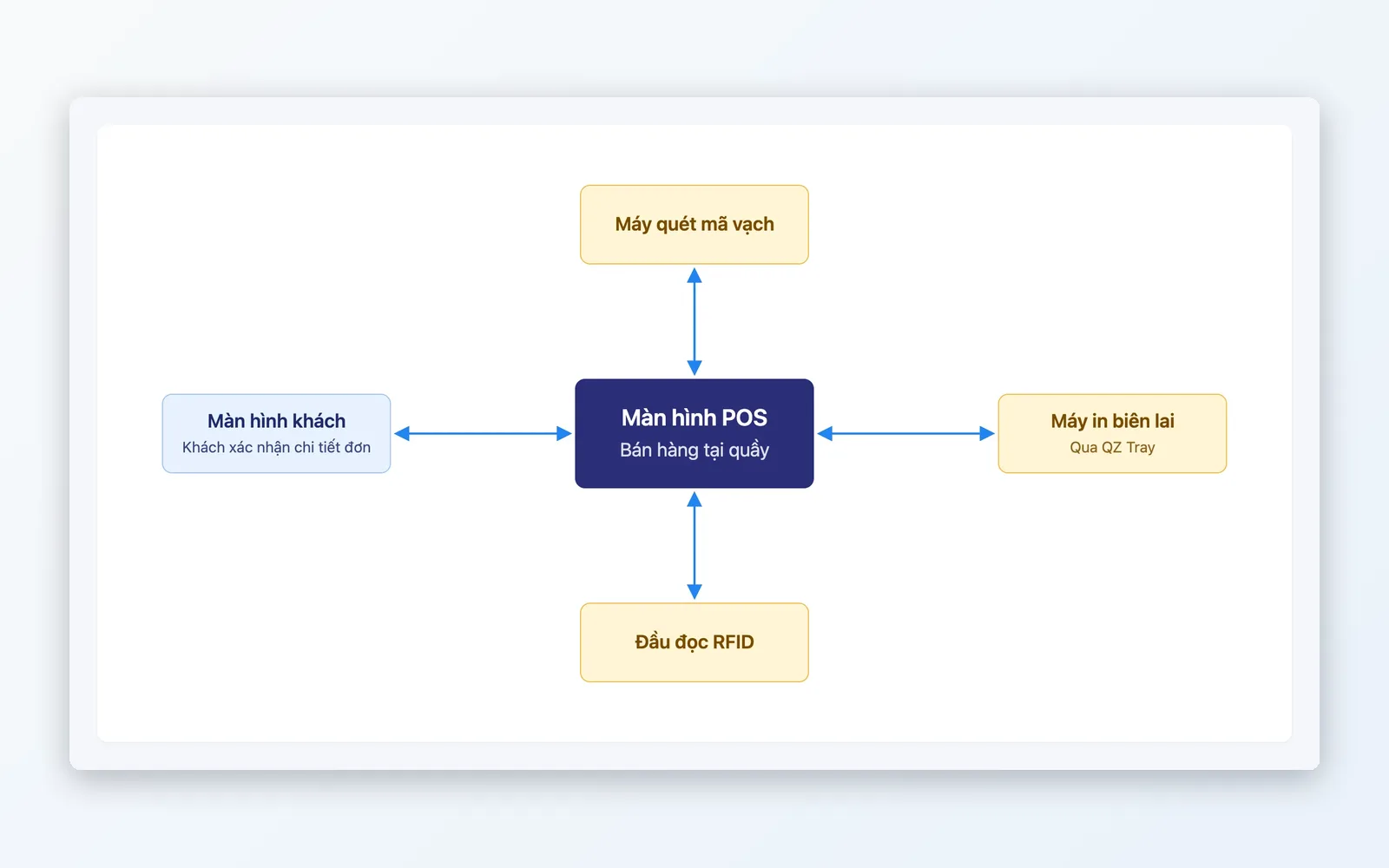
Scan barcodes with a scanner, print receipts via QZ Tray, RFID readers, and customer-facing displays.
Multiple payment methods
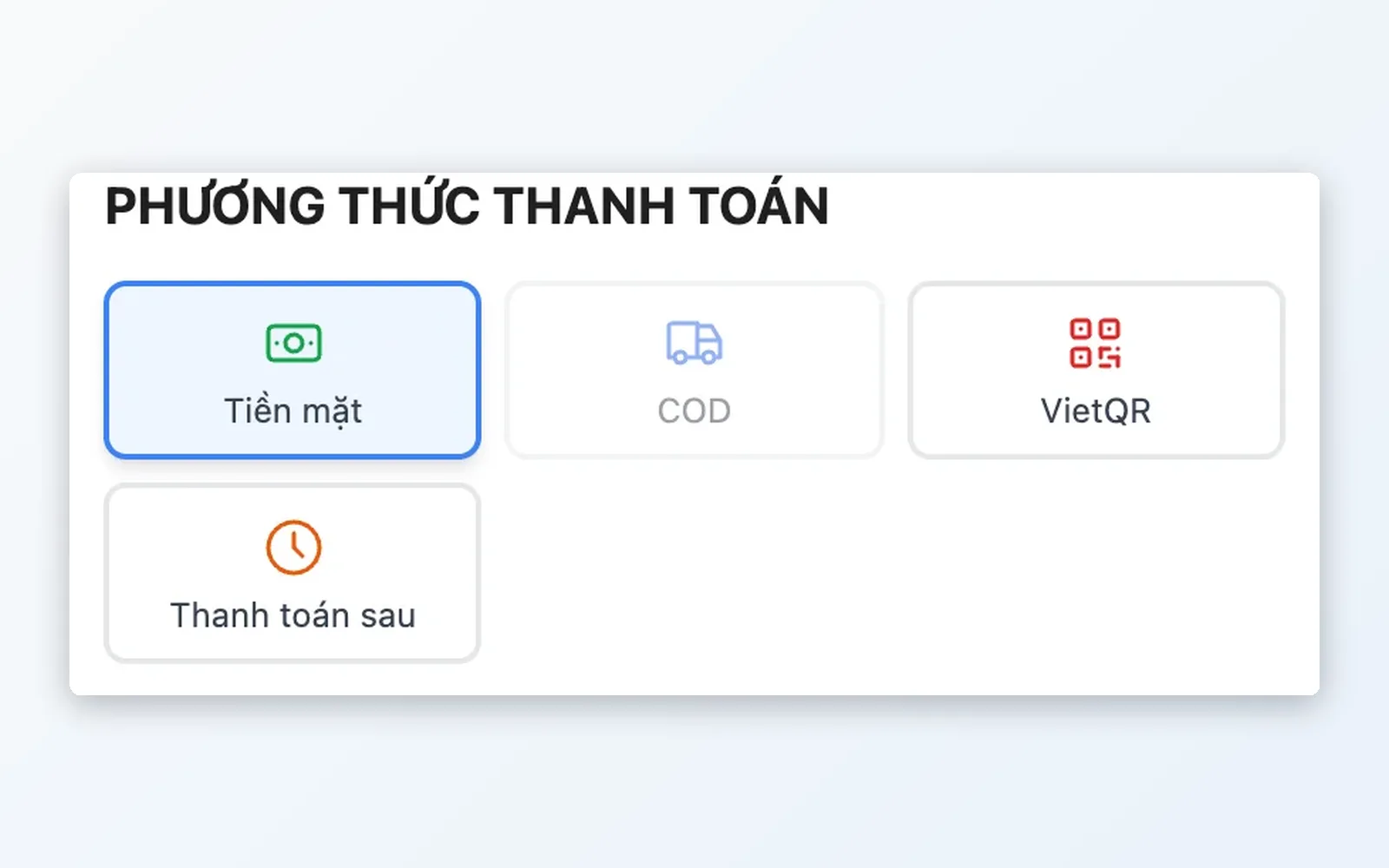
Multiple payment methods: cash, bank transfer/QR (VNPAY QR, VietQR, SePay, ZaloPay), card, and loyalty points — chosen per order.
Shift & cash management
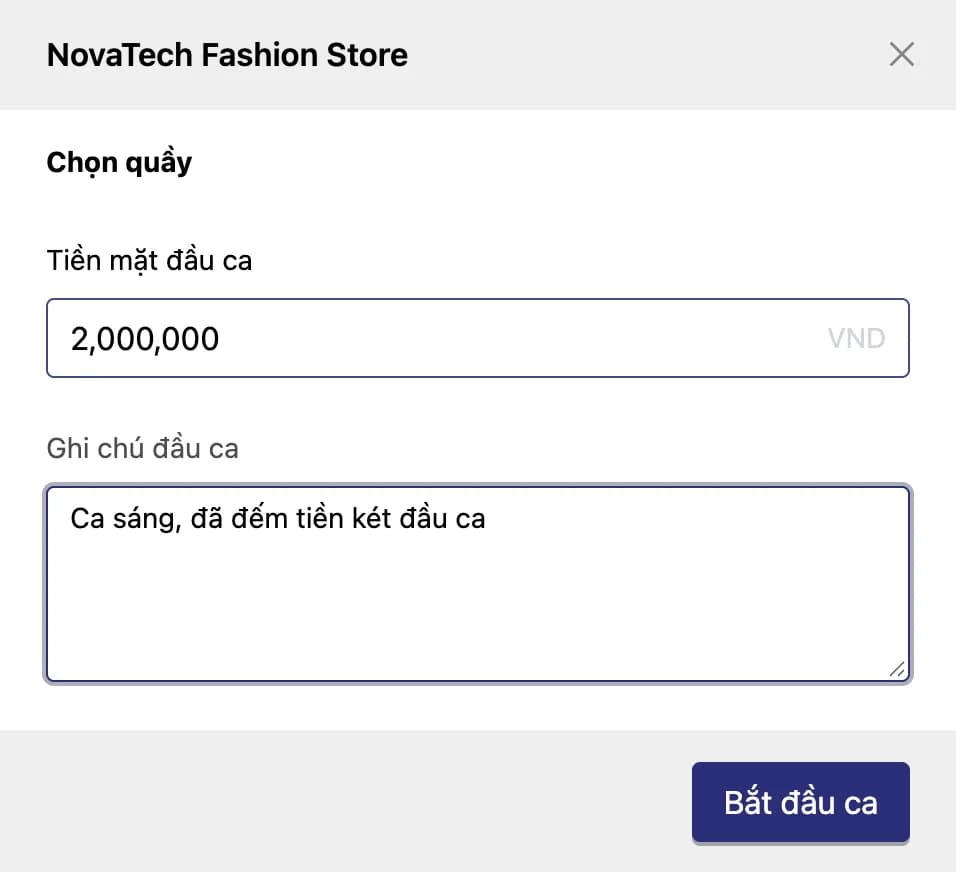
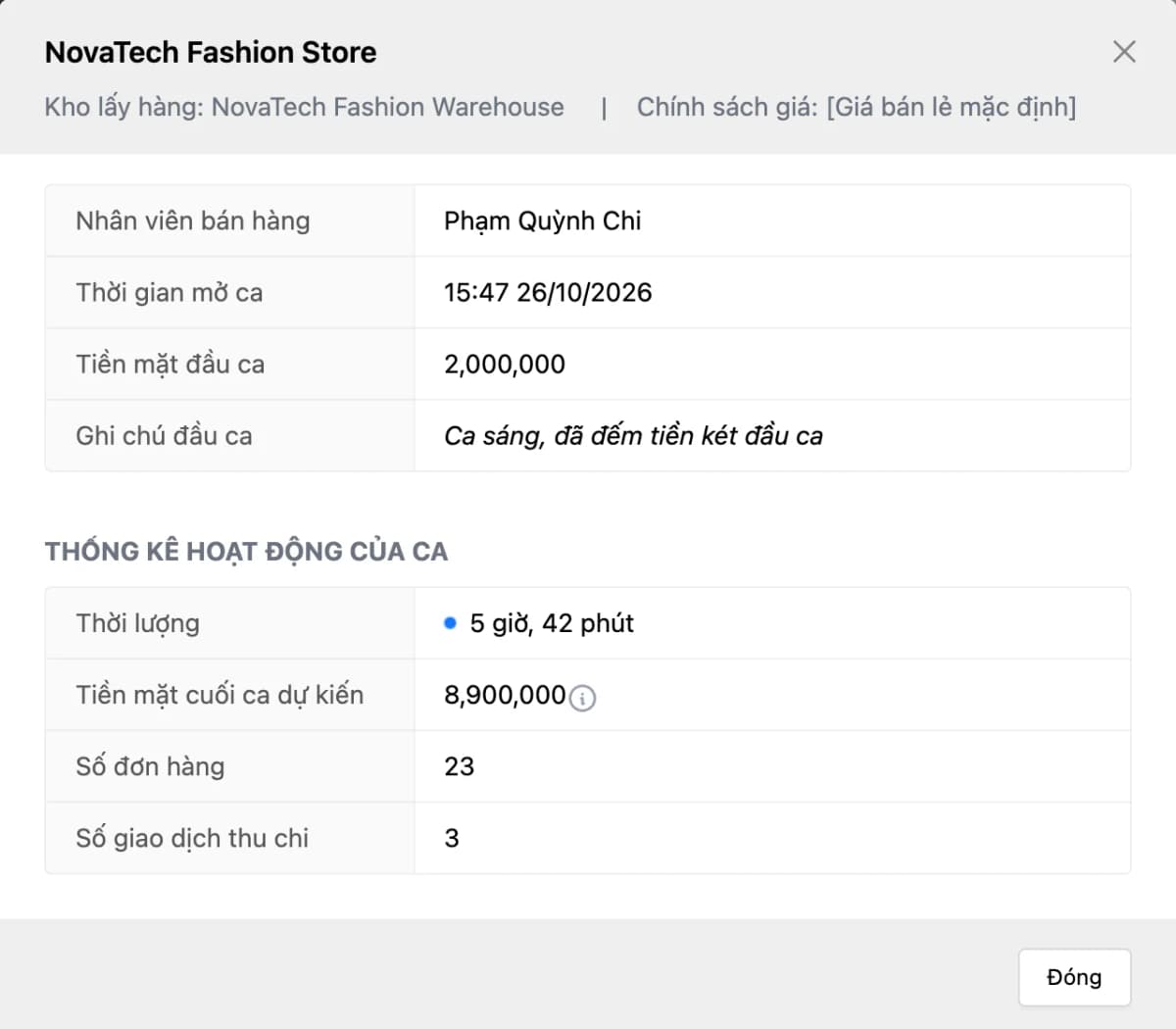
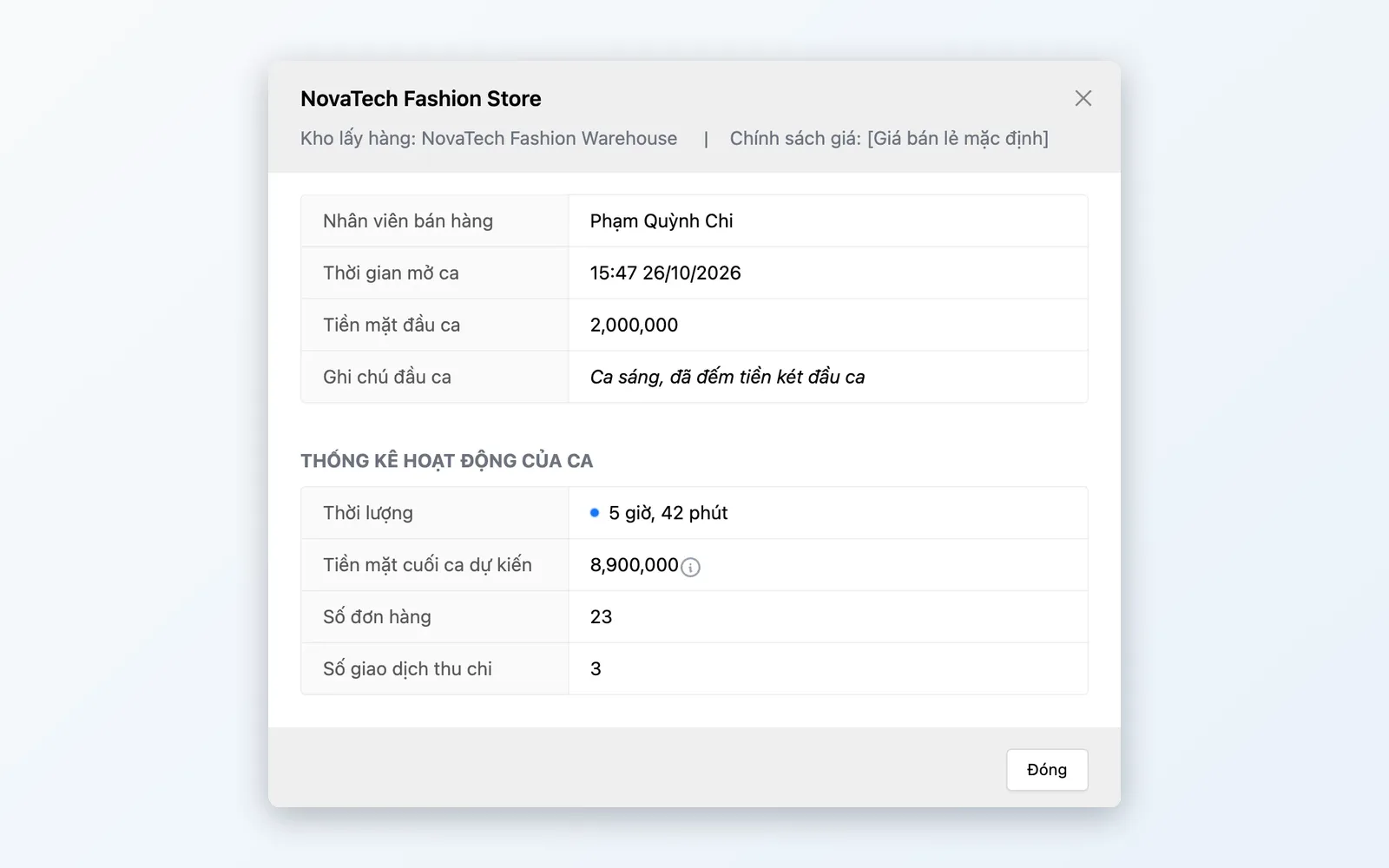
Close shift: staff enter the actual cash and a note; shift stats show opening cash, cash in/out, and expected cash.
Detailed features
Full POS capability, grouped for front-of-store operations.
High-speed checkout
Fewer taps = faster lines = more customers served.
- Minimal UI; keyboard product search (arrow keys, Enter), barcode scanning; F2/Space starts RFID scanning
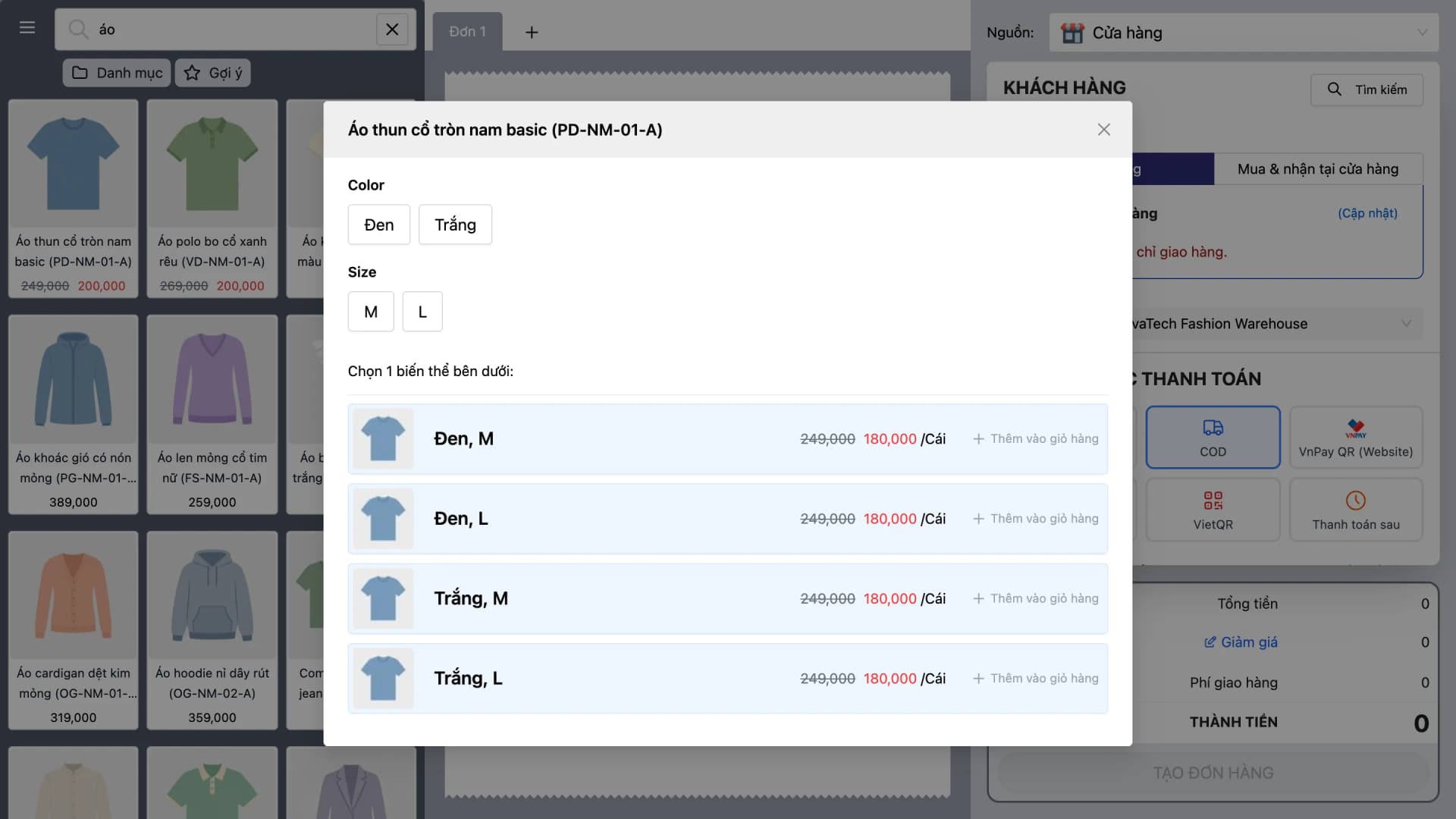
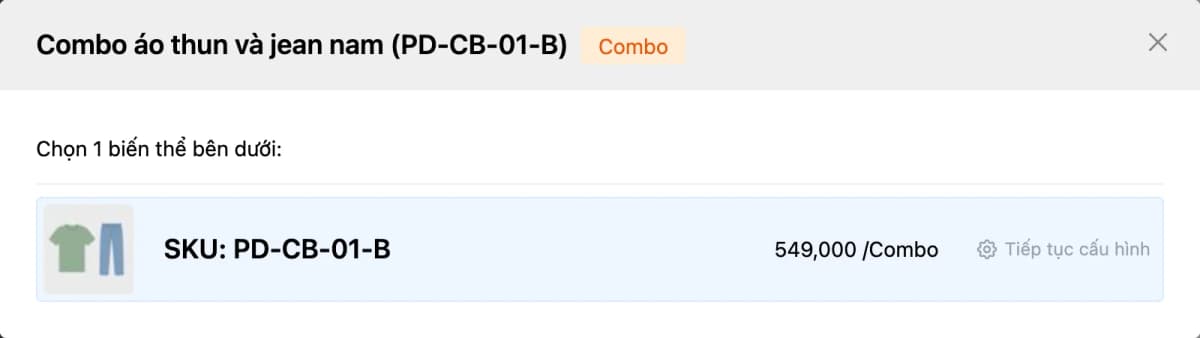
- Pick variants and combos right while selling
- Weighted goods: scan the scale label (weighted barcode) and the amount is calculated from the weight
CRM & loyalty at the counter
Recognize loyal customers the moment they pay.
- Instant lookup: enter phone → tier, exclusive offers, points
- Redeem points at POS: value calculated and deducted on the receipt
- Attach the customer to the order to build purchase history
Hardware ecosystem
Works with the retail peripherals teams already use.
- Scan barcodes with a scanner (keyboard-style input), print receipts via QZ Tray or the browser, RFID readers
- Customer-facing display: show line items for shopper confirmation
- Bulk RFID scanning: pass the whole basket over the reader and items are added to the cart
Multiple payment methods
Customers choose the payment method that suits each order.
- Multiple methods: cash, bank transfer/QR (VNPAY QR, VietQR, SePay, ZaloPay), card (VNPAY SmartPOS), loyalty points
- Review orders and reprint receipts from the order list
- Pay with accrued loyalty points
Cash & shift management
Track cash per shift — opening cash, cash in/out, and expected cash.
- Close shift: staff enter the actual cash and a note
- Each shift is tied to a staff member and a counter; orders are stored per shift
- Shift stats: opening cash, cash in/out, expected cash
Returns & service
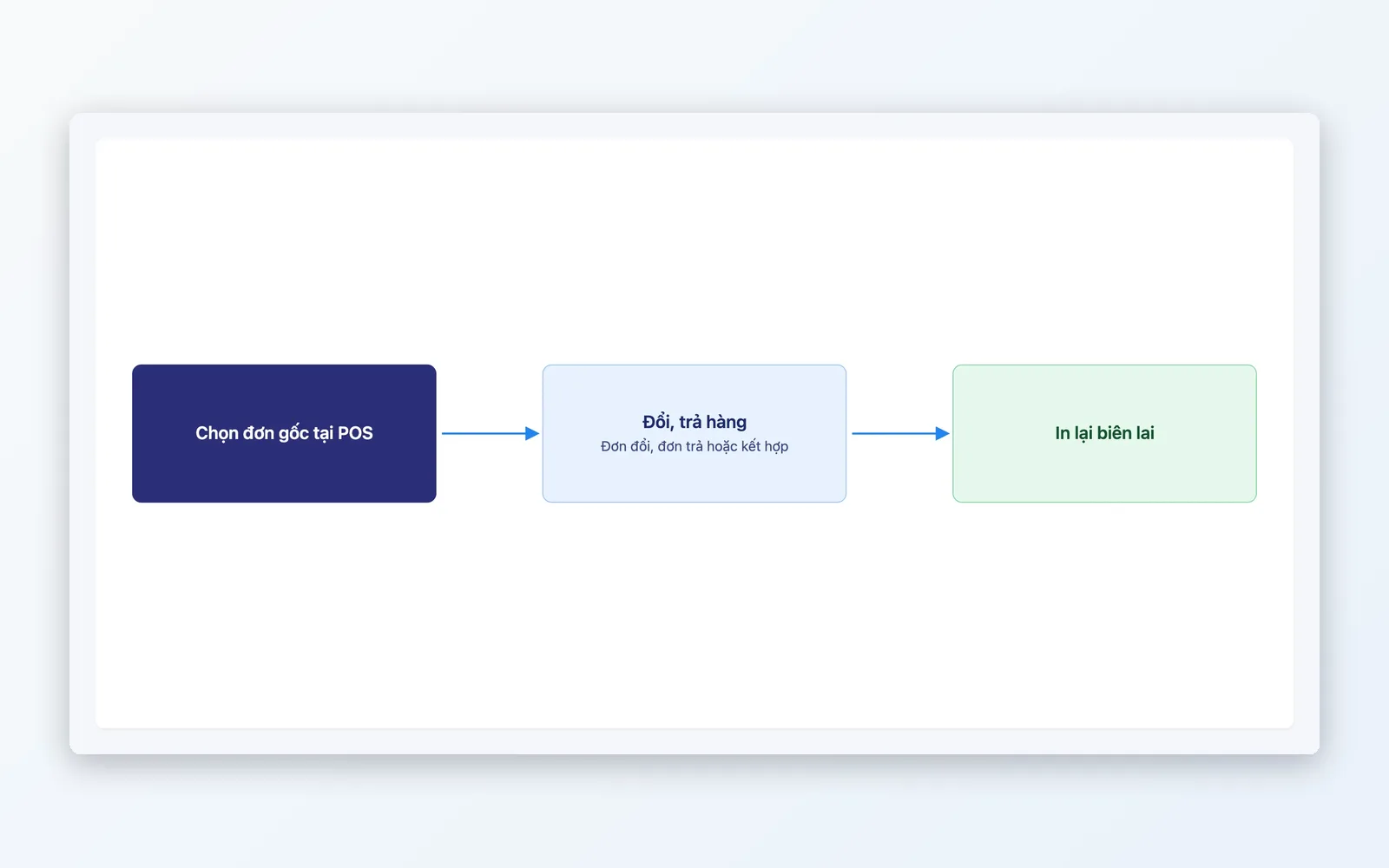
Handle returns and exchanges in OMS — linked to the original order, a standard process with no manual work.
- Return/exchange requests: link the original order, with the difference to refund or collect calculated automatically
- Supports exchange orders, return orders, or a mix of both
- Reprint POS sales receipts
In-store selling flow
From open to close — every step is transparent and accountable.
Open shift
Authenticate staff, select store, count opening cash.
Sell
Scan barcode/RFID, auto-apply promos, pick variants.
Identify customer
CRM lookup, loyalty earn/redeem, VIP pricing.
Pay
Cash, card, QR, loyalty points — chosen per order.
Close shift
Enter actual cash, add a note, view shift stats.
Open shift
Authenticate staff, select store, count opening cash.
Sell
Scan barcode/RFID, auto-apply promos, pick variants.
Identify customer
CRM lookup, loyalty earn/redeem, VIP pricing.
Pay
Cash, card, QR, loyalty points — chosen per order.
Close shift
Enter actual cash, add a note, view shift stats.
Built for every retail vertical
From fashion and F&B to multi-branch chains — POS adapts to how you sell.
Fashion & accessories chains
Many size/color variants — RFID scans the whole basket and items are added to the cart. Promotions apply automatically per campaign; staff just scan and charge.
F&B & fresh grocery
Weighted goods use barcode labels printed by the scale with the weight. The POS reads the label and calculates the amount, so orders finish quickly. Multiple payment methods at the counter.
Multi-branch businesses
Each shift is tied to a staff member and a counter, with orders stored per shift. Shift stats show opening cash, cash in/out, and expected cash.
Why choose Oviro POS?
Oviro POS is not standalone retail software — it is part of the omnichannel ecosystem. Sales, inventory, and customer data live in the same system as your website, marketplaces, and warehouse — a POS order is recorded in the same system as inventory and your other sales channels.
Sell faster — seamless data across every channel
Minimal POS UI, barcode and RFID scanning, and deep CRM, loyalty, and warehouse integration — every checkout feels seamless.