Bookings & services
Built for time- and people-based services — spa, healthcare, sports, hospitality. Control the appointment lifecycle, each resource's operating schedule, and prepaid packages inside ERP.
Overlapping appointments and paper package tracking erode trust and leak service revenue.
Each resource has its own operating schedule, entitlements are created from sales orders, and credits used are totalled from completed appointments.
Core capabilities
Turn scarce service capacity into a transparent asset — from catalog to appointments and prepaid packages.
Service catalog (booking catalog)
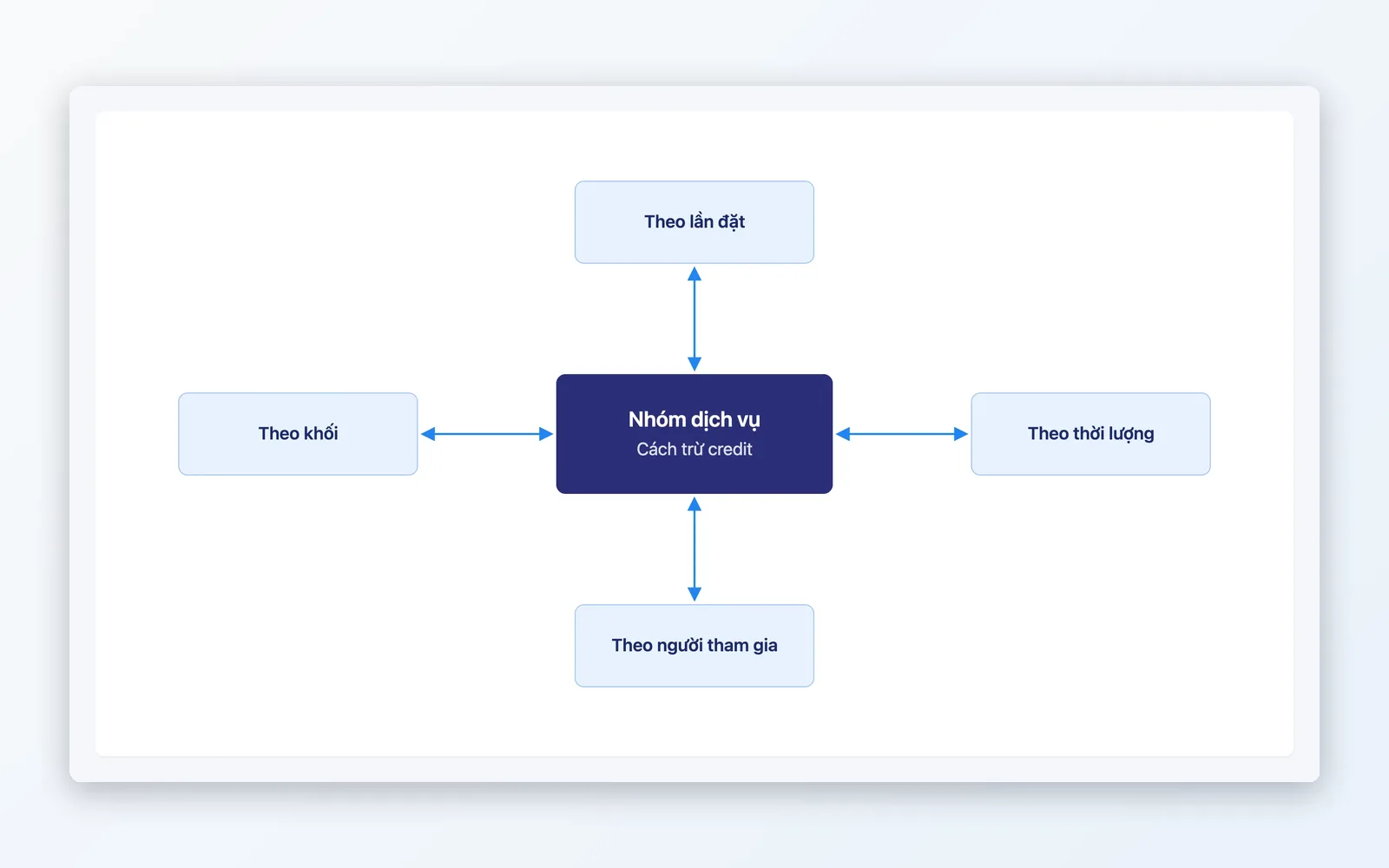
Service groups with their own credit-debit rules (per session, by duration, or per attendee), and service packages linked to the products you sell.
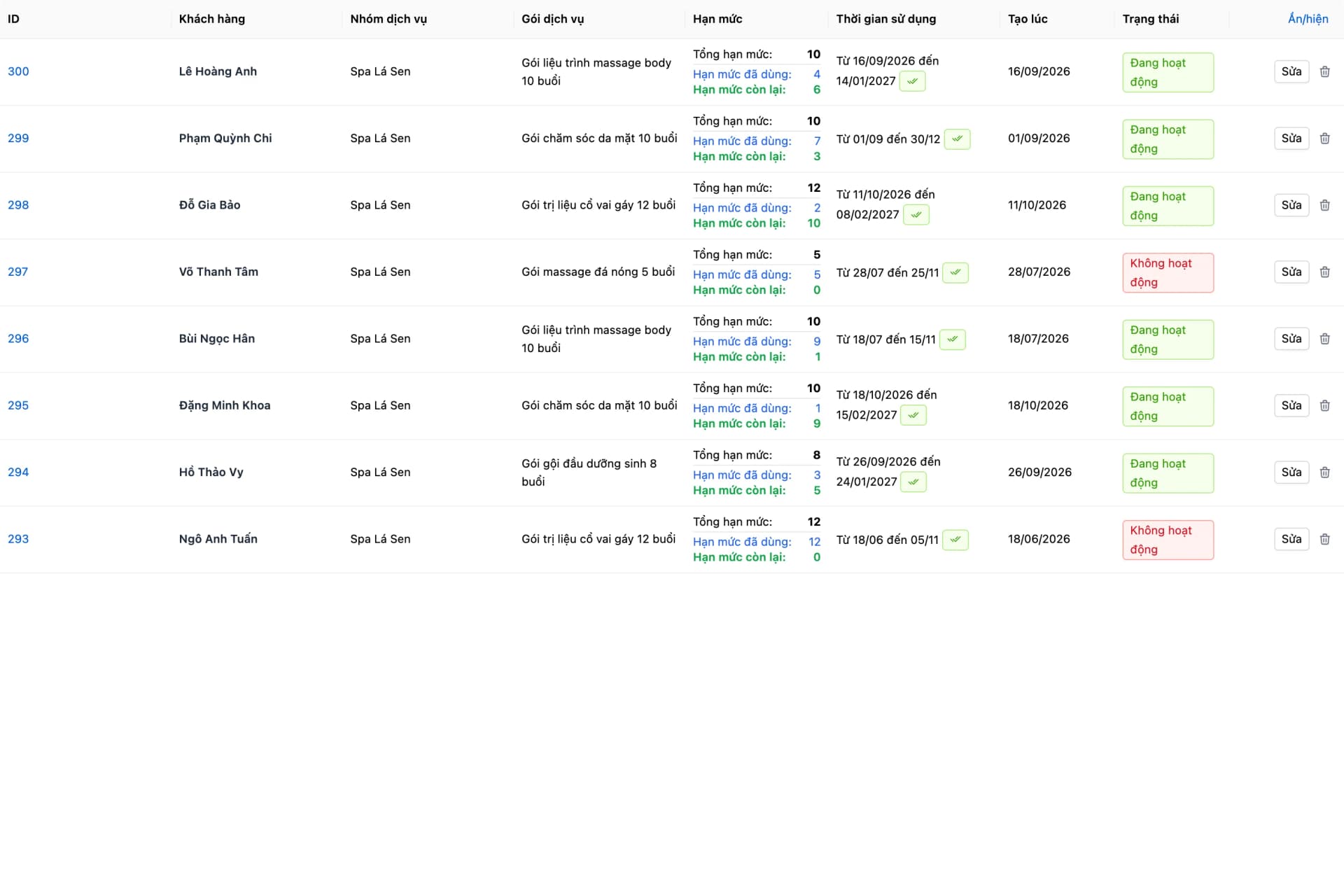
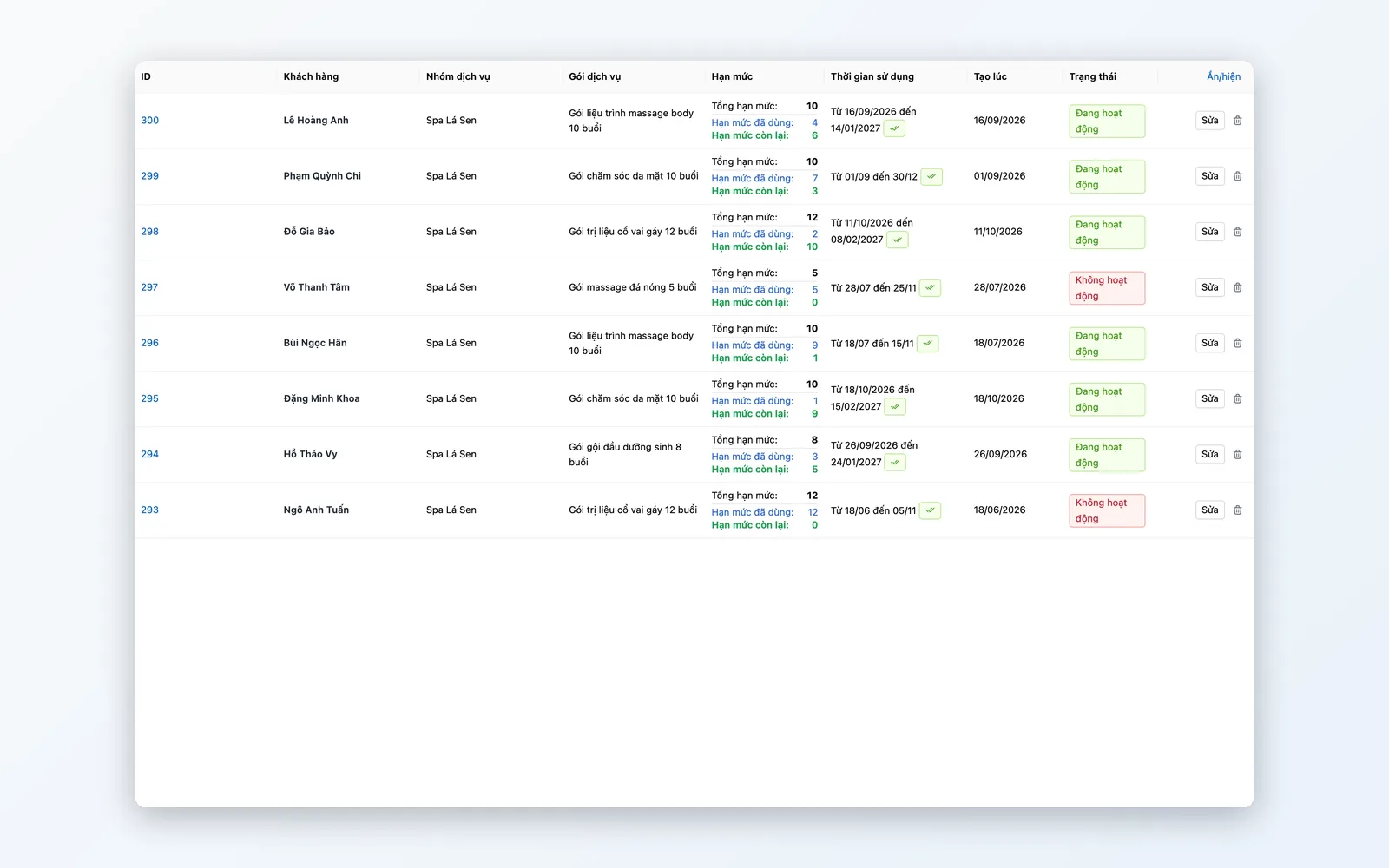
Prepaid service packages (entitlement)
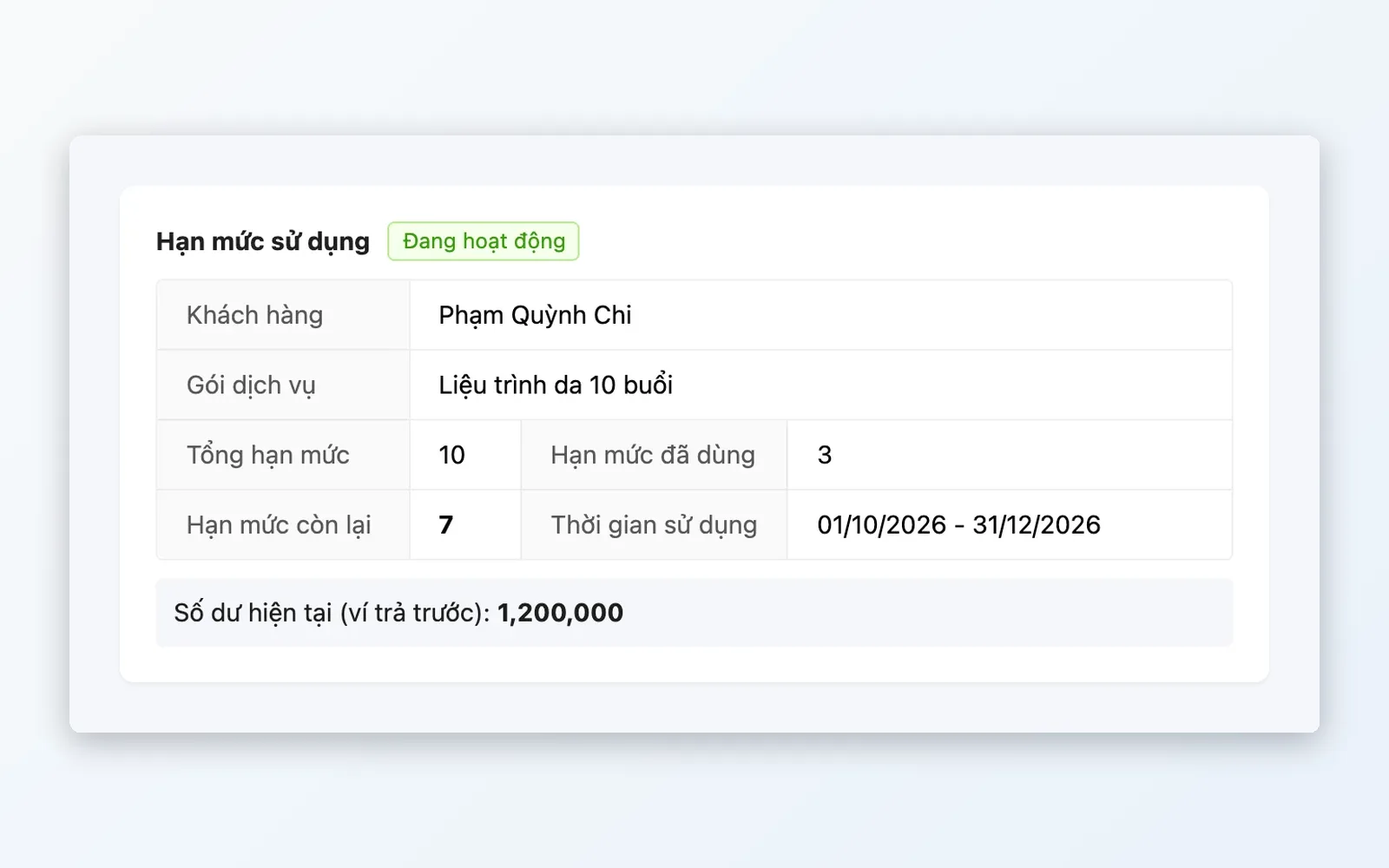
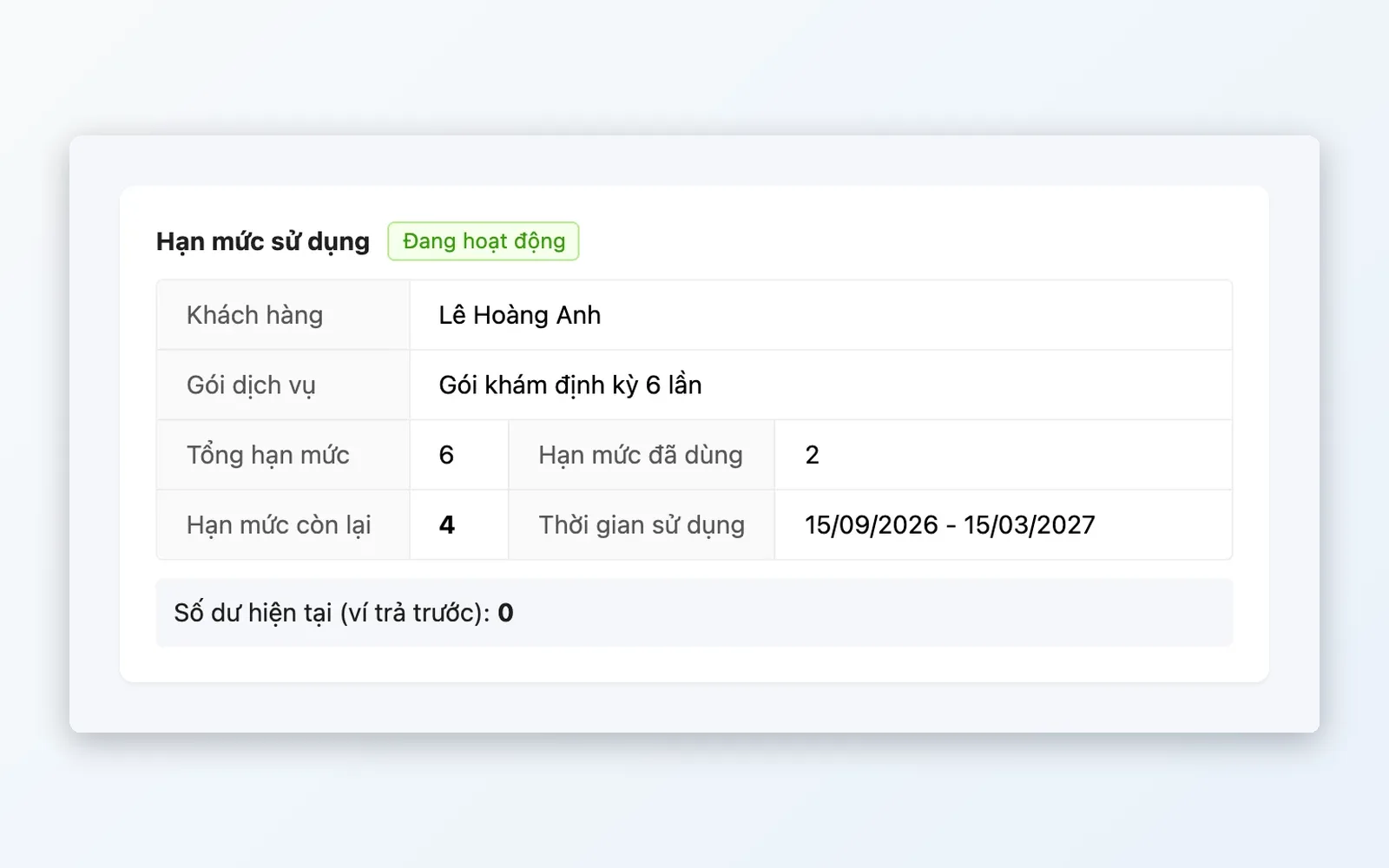
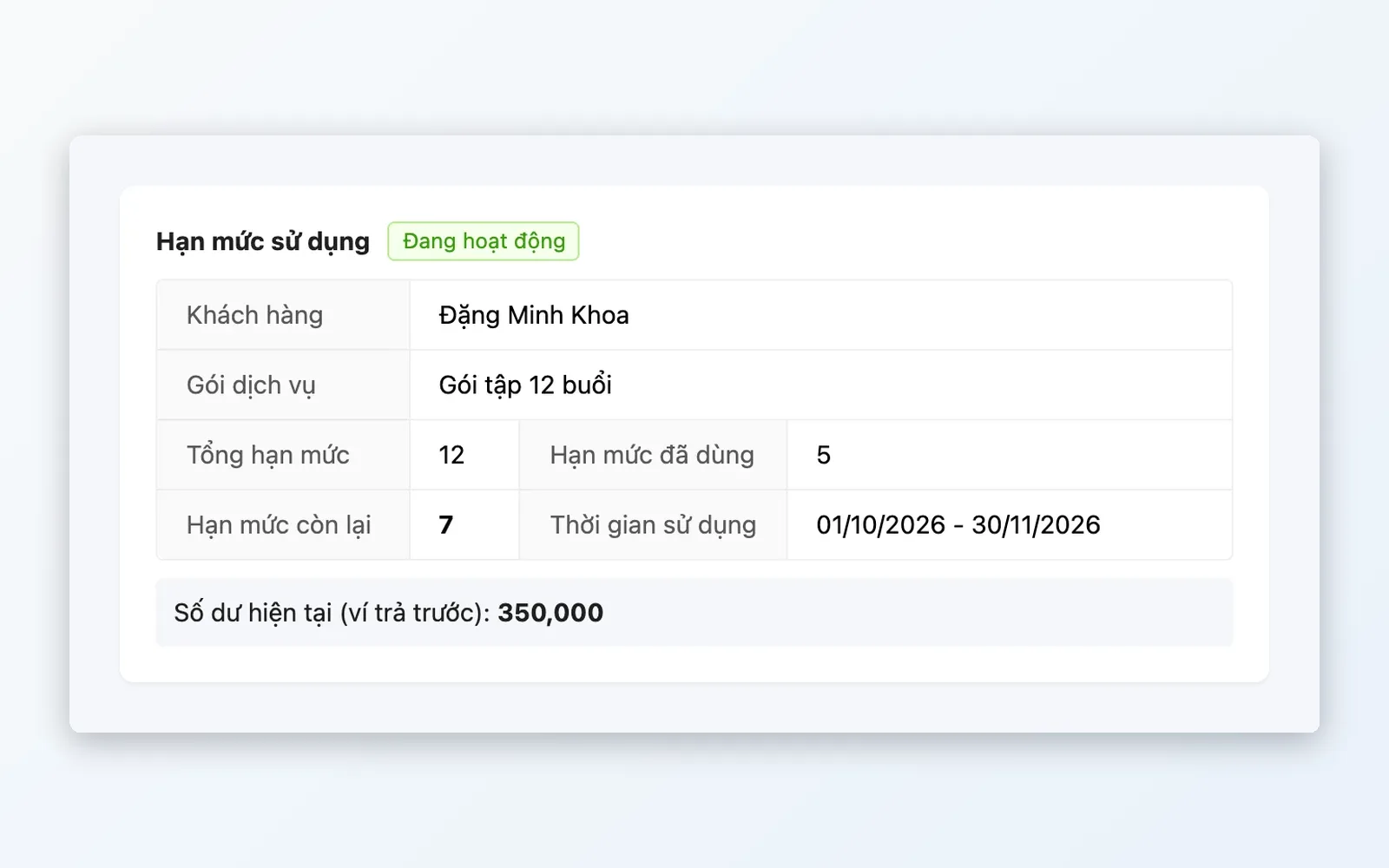
Sales of Booking products land in a queue awaiting entitlements; staff click Create entitlement with the form pre-filled. Credits used and remaining are totalled from completed appointments.
Resource allocation
Specialists, rooms, equipment — each has its own operating schedule by week and by exception day, and is assigned to each appointment.
Booking desk
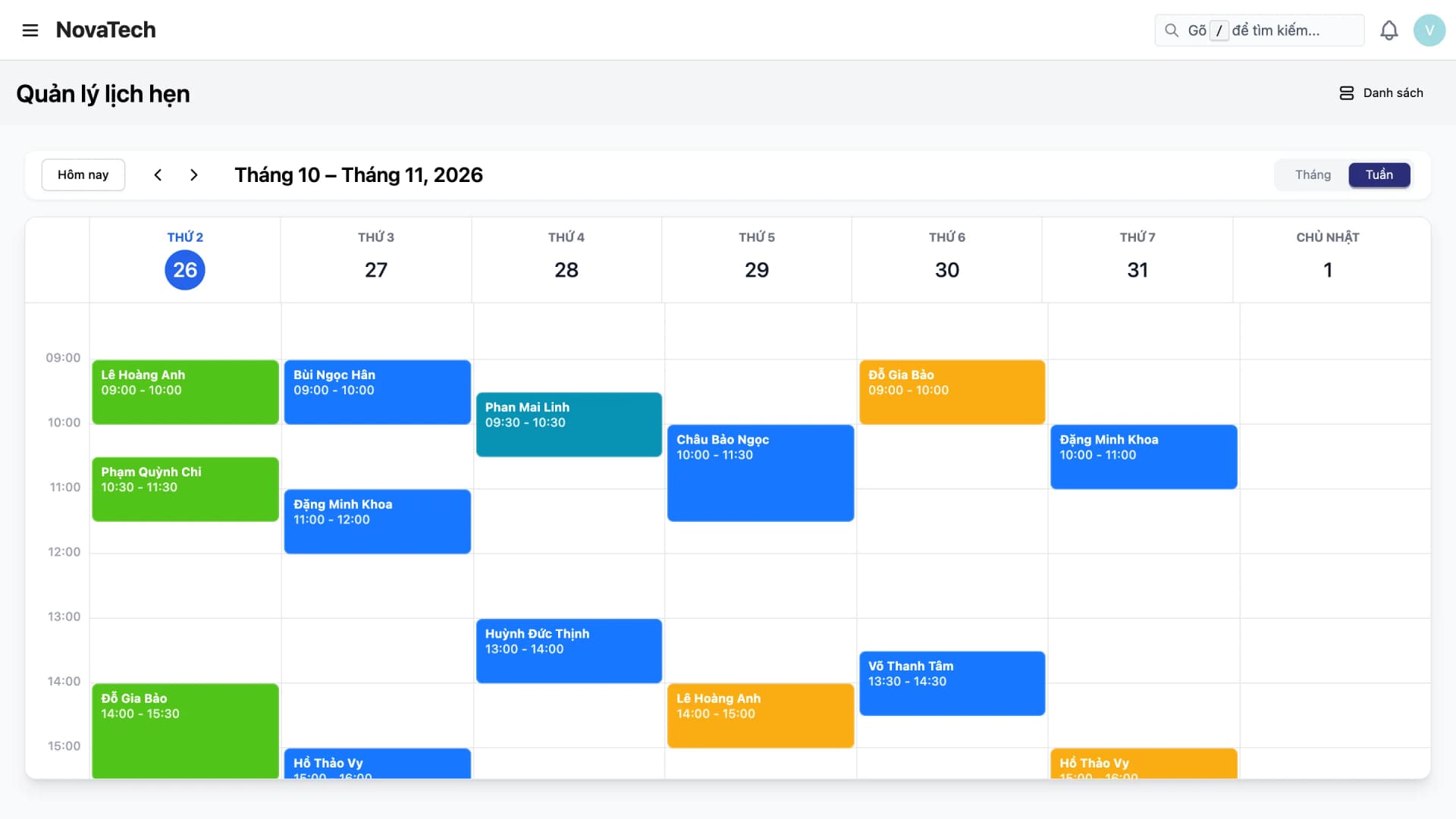
Month and week calendar views show appointments with their status (pending, confirmed, in progress, completed, no-show, cancelled); open an appointment card to view or edit it.
Service packages linked to products
Service packages are mapped to product variants, so you sell a package through an order and then issue the customer's entitlement.
Feature deep dive
Everything for appointments and services, grouped by job to be done.
Service catalog
Manage services by group — each with its own package debit rules and resource requirements.
- Service packages linked to the product variants you sell
- Package debit rules — e.g. one premium session = two basic credits
- Group services by category and assigned specialist
Prepaid service packages
Manage prepaid packages — credits used and remaining are totalled from appointments.
- Sales of Booking products land in a queue; staff click Create entitlement with the form pre-filled
- Credits used and remaining on an entitlement are totalled from completed appointments
- Entitlements carry an expiry date
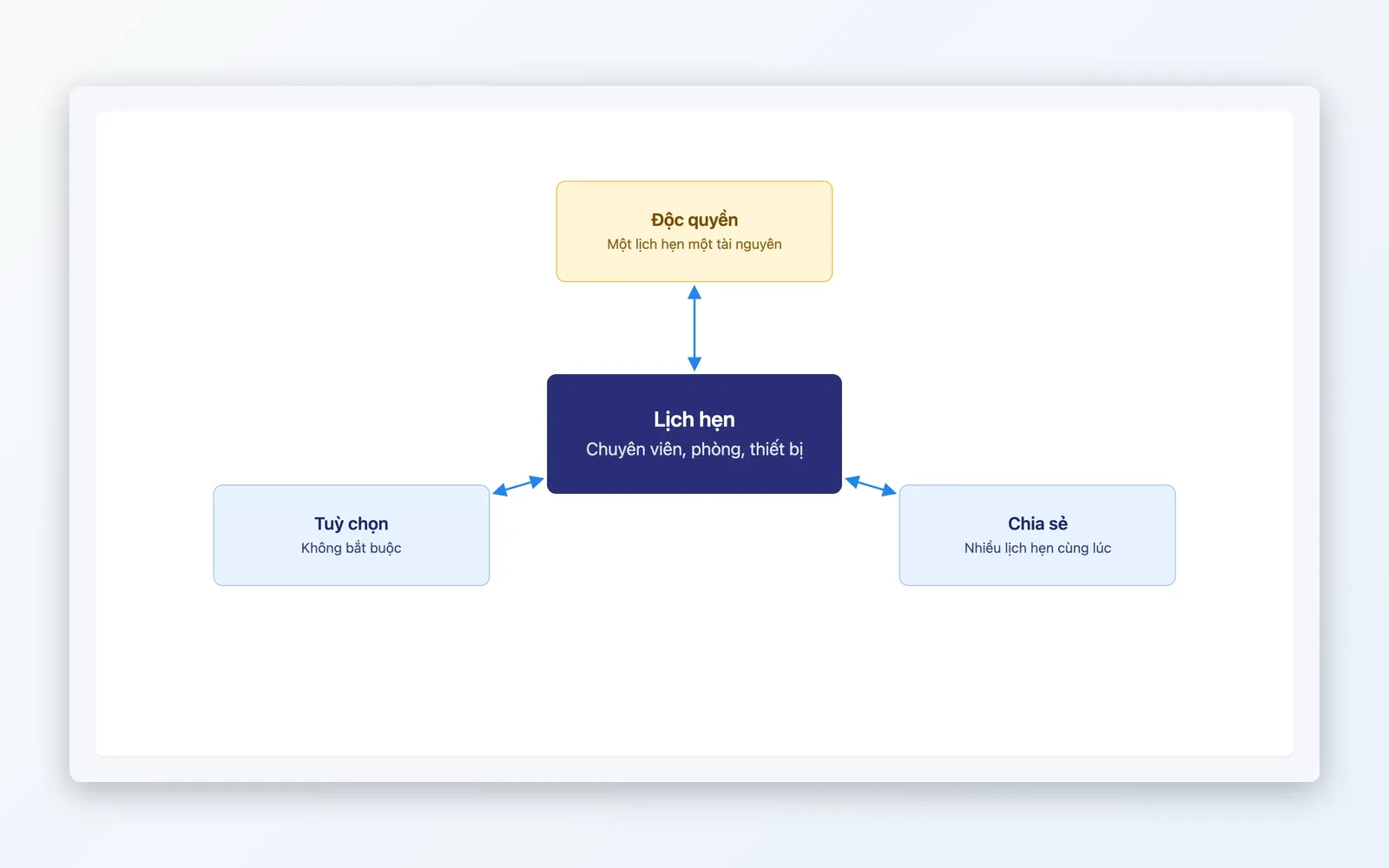
Resource allocation
Every specialist, room, and piece of equipment has its own operating schedule.
- Digitize operations assets: specialists, rooms, equipment — each with its own schedule
- Assign specialists, rooms, and equipment to each appointment by the service group's roles
- Operating schedules by week plus exception days
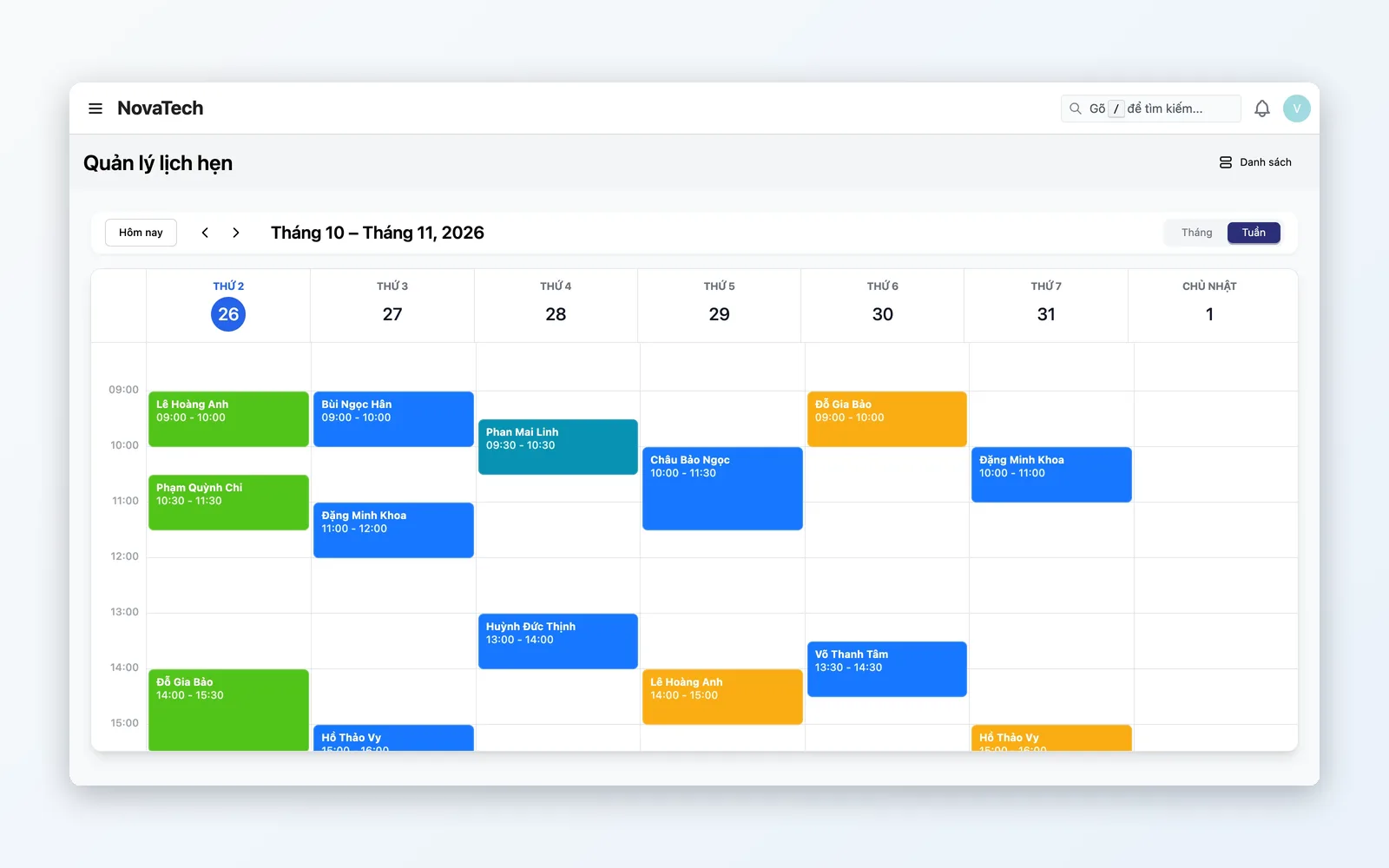
Appointments & calendar
Visual schedule oversight by month and week, with the status of each appointment.
- Month/week calendar showing the status of each appointment
- Six appointment statuses: pending, confirmed, in progress, completed, no-show, cancelled
- Open an appointment card on the calendar to view or edit it
- Track missed appointments with a dedicated no-show status
Appointment lifecycle
From catalog setup to entitlement tracking — every step clearly recorded.
Service setup
Create the catalog and define how resources are consumed.
Buy a package & create the entitlement
The customer buys a package, then staff click Create entitlement from the queue with the form pre-filled.
Book appointments
Staff create the appointment, choosing the customer and the service.
Allocate resources
Assign specialist, room, and equipment for each session.
Complete & total usage
Complete the session — credits used on the entitlement are totalled from completed appointments.
Service setup
Create the catalog and define how resources are consumed.
Buy a package & create the entitlement
The customer buys a package, then staff click Create entitlement from the queue with the form pre-filled.
Book appointments
Staff create the appointment, choosing the customer and the service.
Allocate resources
Assign specialist, room, and equipment for each session.
Complete & total usage
Complete the session — credits used on the entitlement are totalled from completed appointments.
Built for every service model
From spa and clinics to fitness studios — Booking manages scarce capacity professionally.
Spa & aesthetics
Five beds, three therapists — without tight scheduling, guests arrive with no one free. Each bed and therapist has its own operating schedule, and treatment packages track sessions used from completed appointments.
Clinics & healthcare
Staff book by doctor and slot. Each doctor and room has its own weekly operating schedule, plus exception days off.
Fitness & yoga studios
Members buy a session package; the entitlement tracks sessions used and remaining from completed appointments. Debit rules can count per session, by duration, or per attendee.
Why Oviro Booking?
Oviro Booking is not a disconnected scheduling plugin — it connects to sales orders and prepaid packages (entitlement). Customers buy a service-package product, the order lands in a queue awaiting entitlements, staff create the card with pre-filled data, and sessions used are totalled from completed appointments — one system.
Appointments and treatment packages — inside your ERP
Appointments by resource, treatment packages created from sales orders with pre-filled data, and sessions used totalled from completed appointments — all native to the platform.