Promotions & coupons
A standalone Promotion Engine, no hard-coding — Marketing designs campaigns without IT support. Product discounts, Flash Sales with quotas, free gifts, shipping discounts, cart discounts, and coupons — all work consistently across POS, website, and quick order creation, with a Promotion Test page to verify before Go-live.
Every campaign needs engineering, every channel runs different rules, and nobody can prove logic is correct until month-end. Stacked promos silently destroy margin.
Marketing configures campaigns on its own, test-runs promotions to see the result, and goes live with confidence — promotions consistent across POS, website, and quick order creation, with stacking modes set up to prevent overlapping losses.
Core capabilities
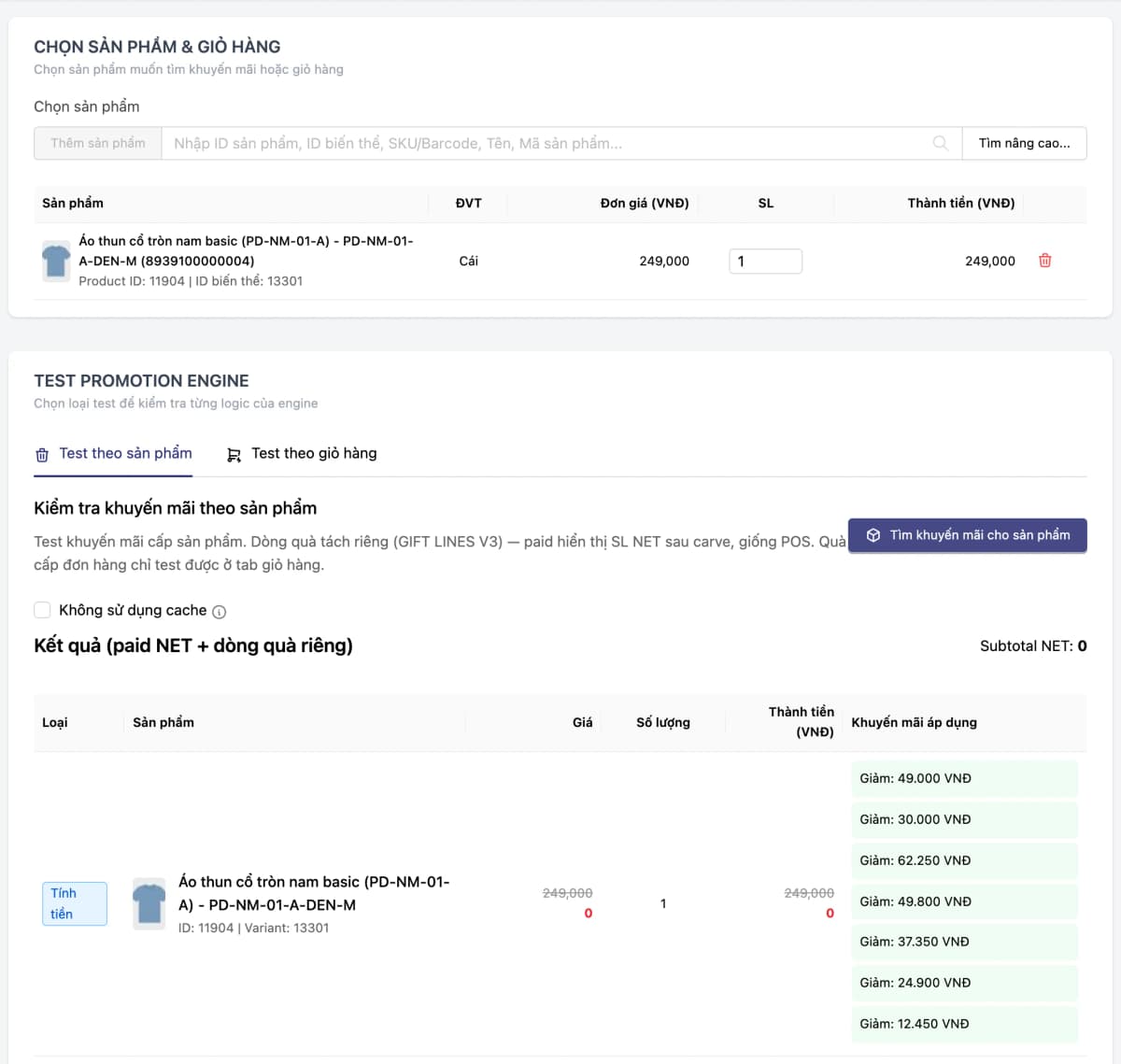
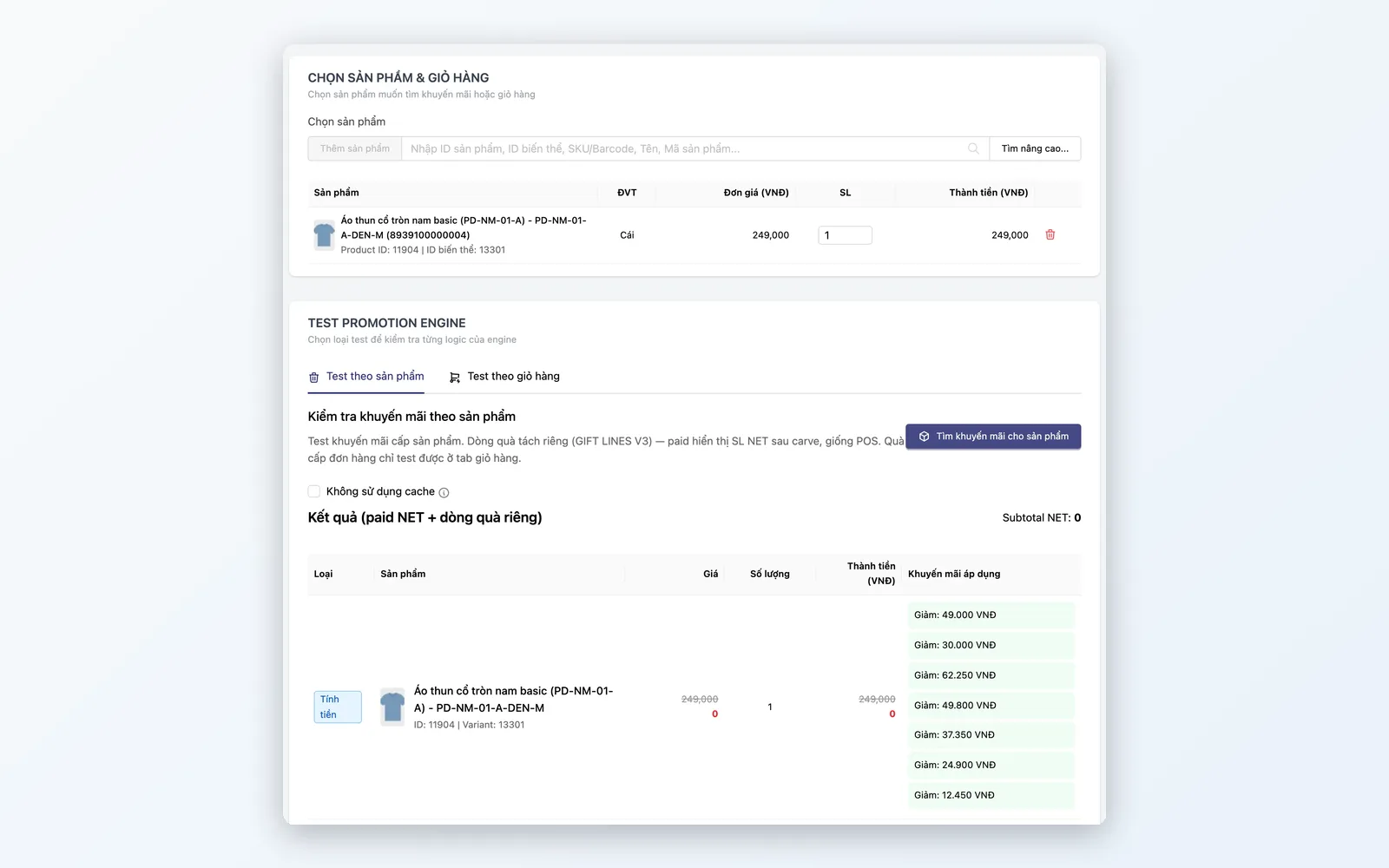
The Promotion Engine works as a standalone Rule Engine — Marketing designs campaigns without IT involvement. The Promotion Test page simulates a cart (customer, coupon, shipping fee, even catch-weight goods) to verify rules before Go-live.
Product discount
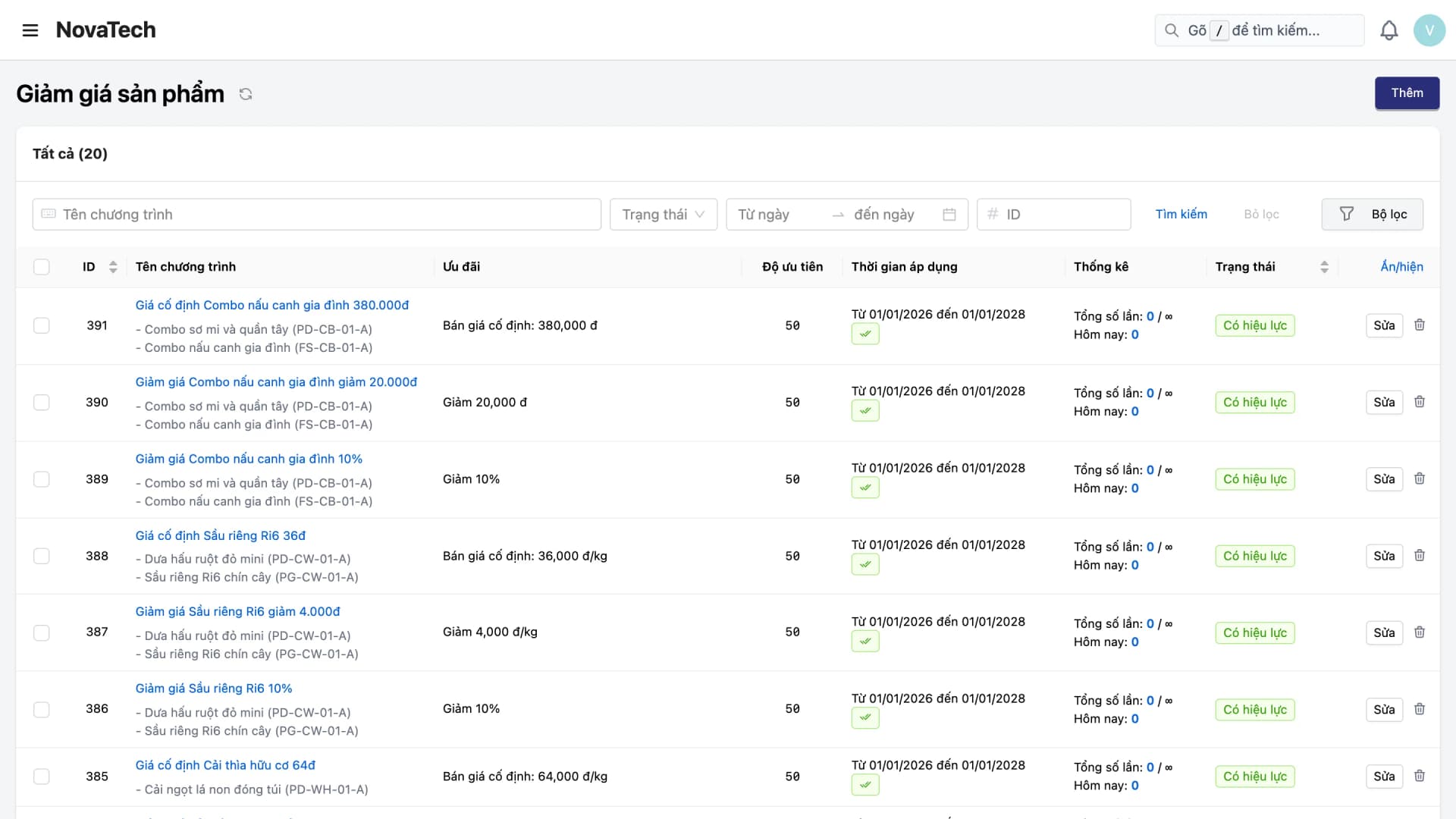
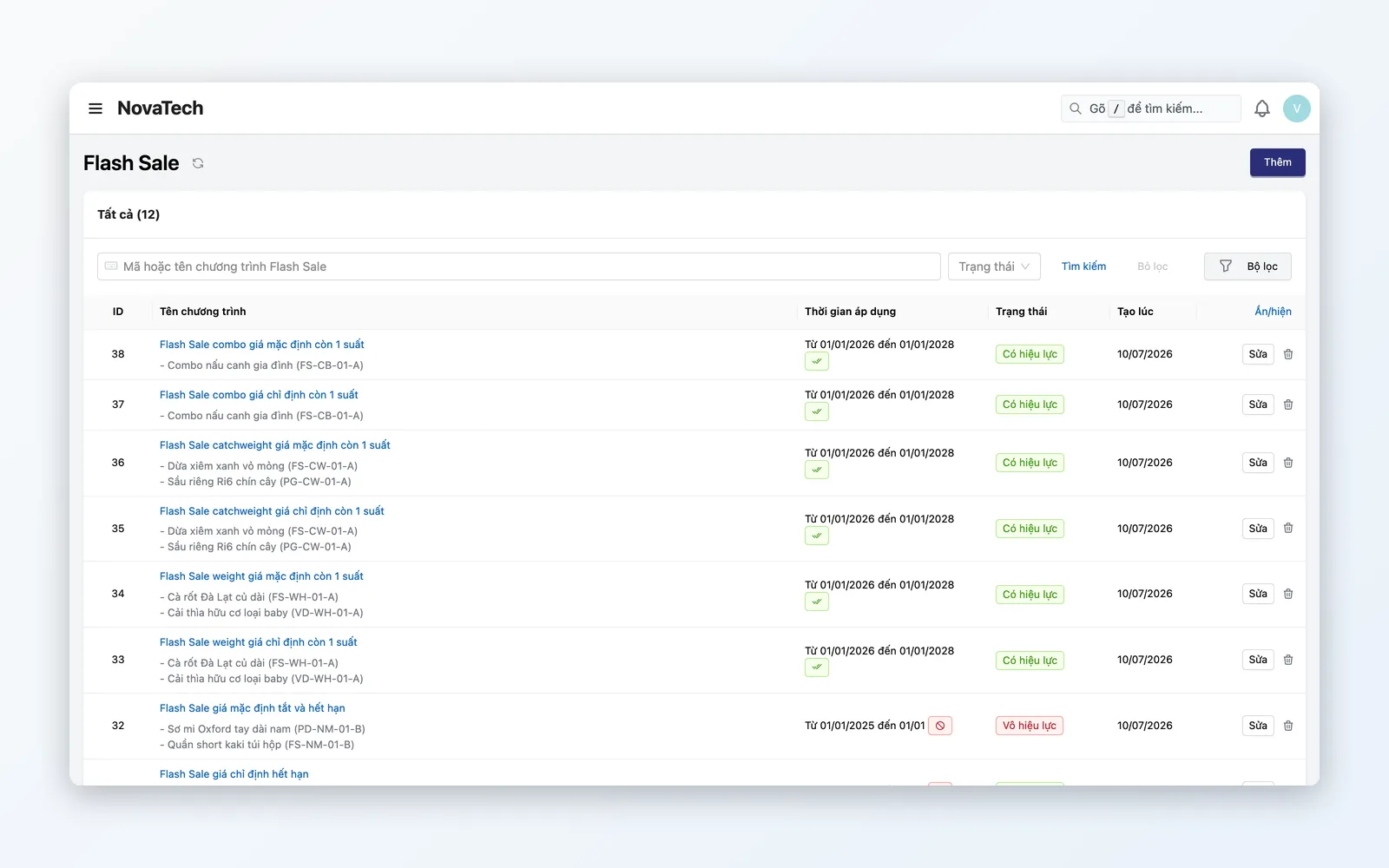
Flash Sales with time windows and quantity quotas, % discounts, fixed discounts, volume discounts (import price tiers in bulk from a file), and buy X get Y. Apply by product group, customer tier, or sales channel.
Cart discount
Discount by cart value (e.g. spend ≥ 500K get 10% off). Stack member and event discounts with configurable priority.
Shipping discount
Free or reduced shipping past an order threshold. Rules by region — e.g. free shipping in HCMC, 50% off elsewhere. Helps lift average order value (AOV).
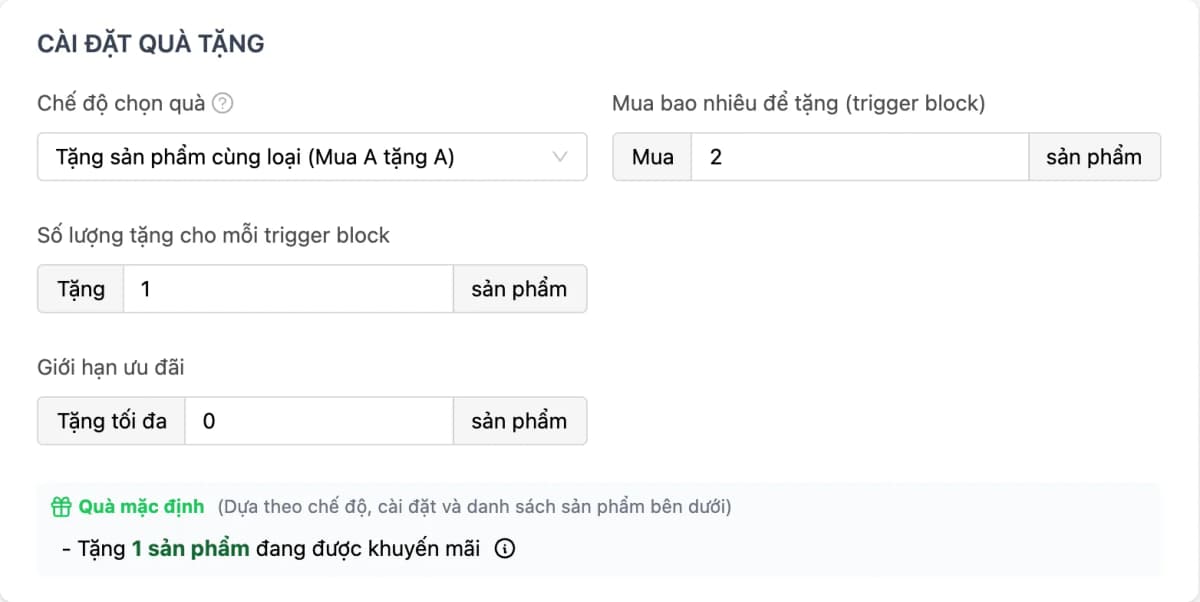
Gift-with-purchase
Add free items to the cart when conditions are met. Gifts enter the order as zero-price lines; POS warns when a gift is out of stock and kiosks drop out-of-stock gifts automatically. Cap gifts per order and total redemptions of the program; the program ends on the schedule you set.
Coupons & vouchers
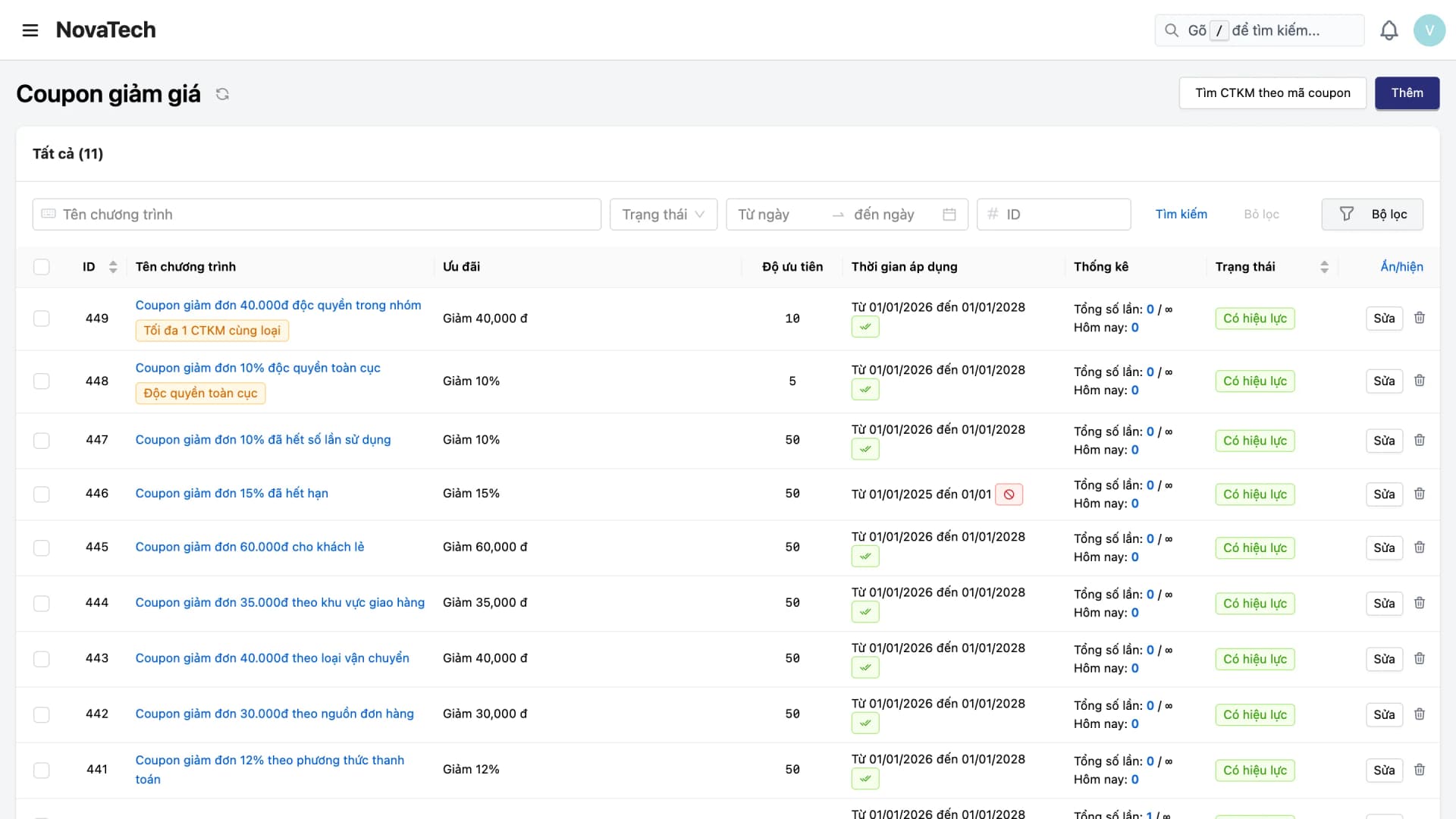
Create coupon codes one by one or import them in bulk from an Excel file; each code has a usage limit. Track usage history per code: order, store, discount value, and time used.
Feature details
From Flash Sales, Vouchers, and Free Gifts to scheduling, test runs, and application history lookup.
Product discount
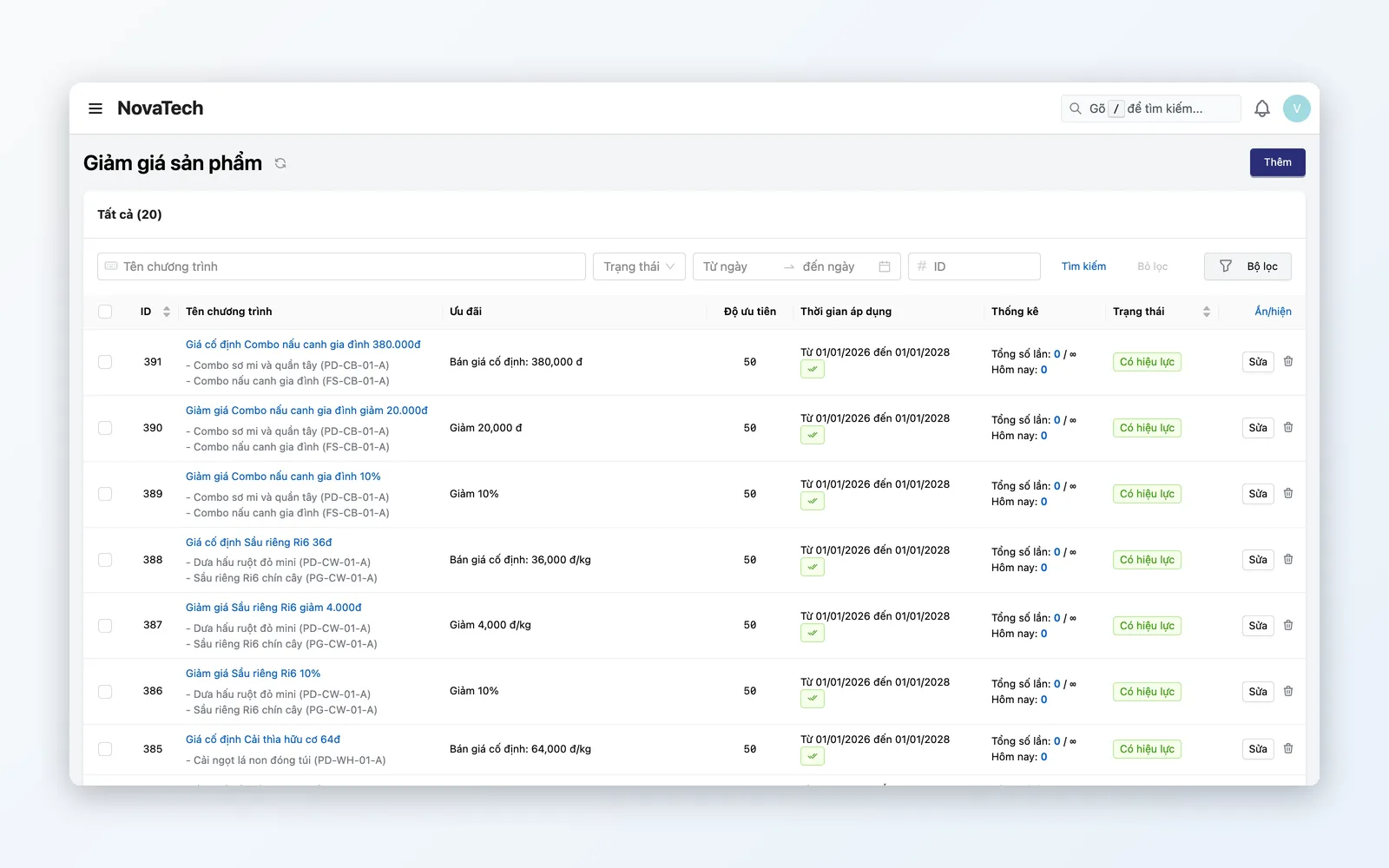
Straight discount campaigns — Marketing’s everyday tool.
- Flash Sale: sale time windows and quantity quotas per product
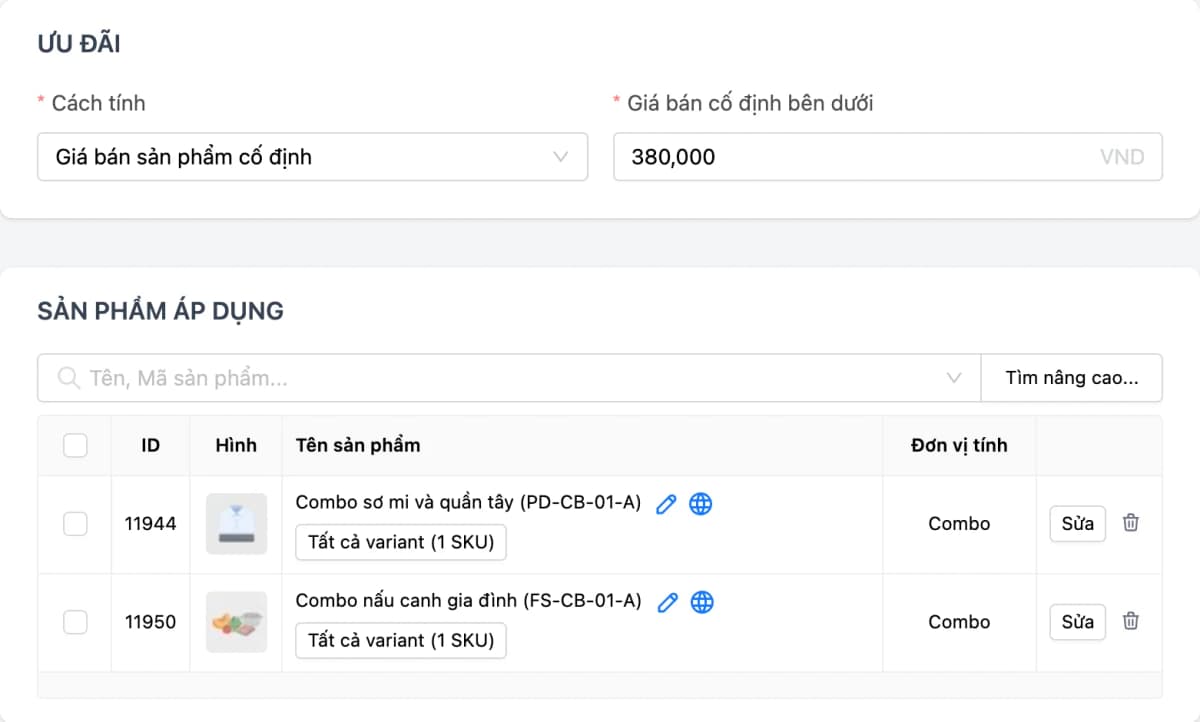
- % discount, fixed-amount discount, or flat price — per product or an entire category
- Buy X get Y: give the same product or a different one (e.g. buy 4 get 1), repeating at each threshold
- Scope by product group, VIP tier, or website-only
Cart discount
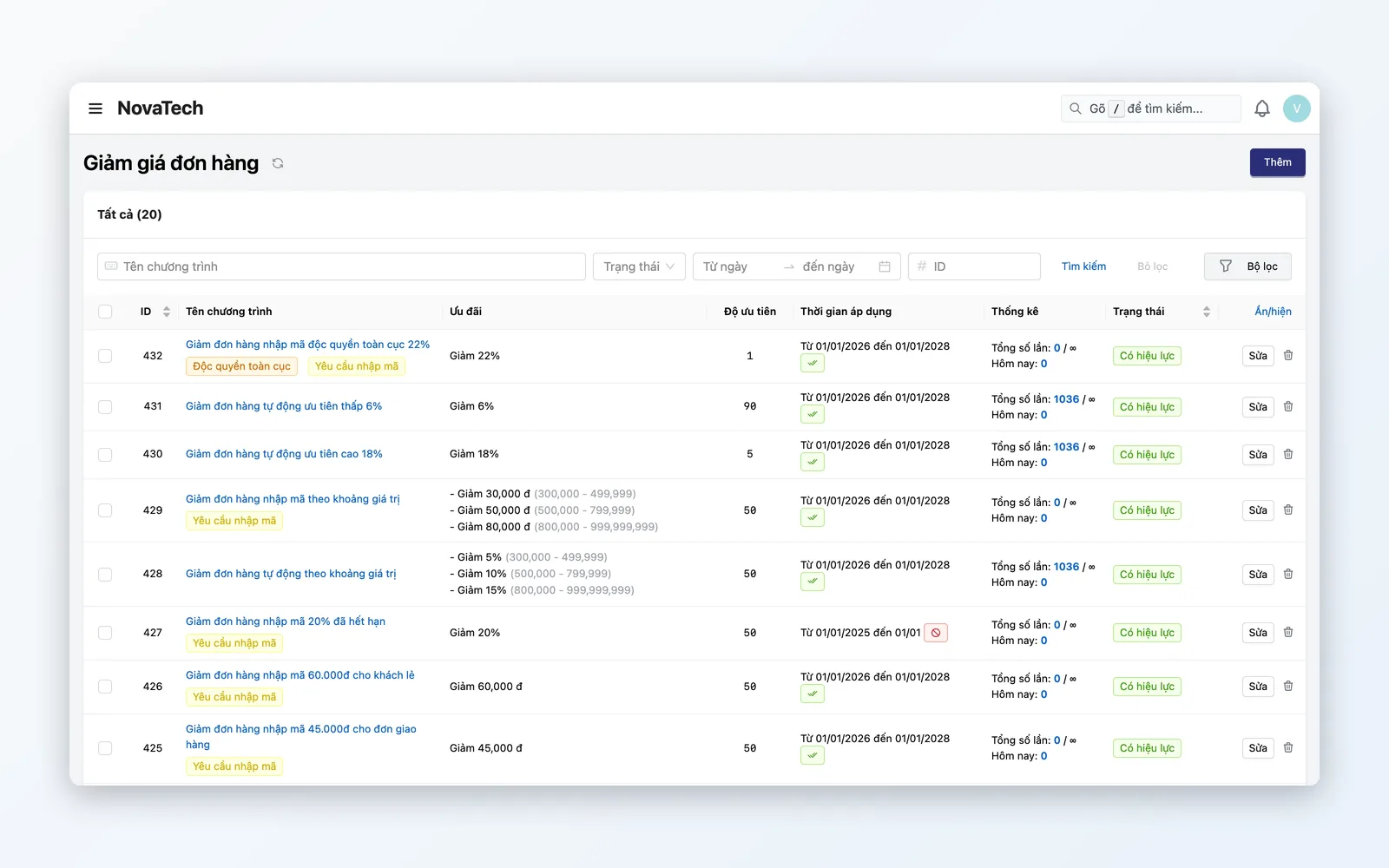
Encourage larger baskets with cart-level offers.
- Tiered discounts: e.g. ≥ 500K → 5%, ≥ 1M → 10%
- Fixed amount off: e.g. 100K off orders from 800K
- Stacking rules: allow or block combining promotions — Marketing configures
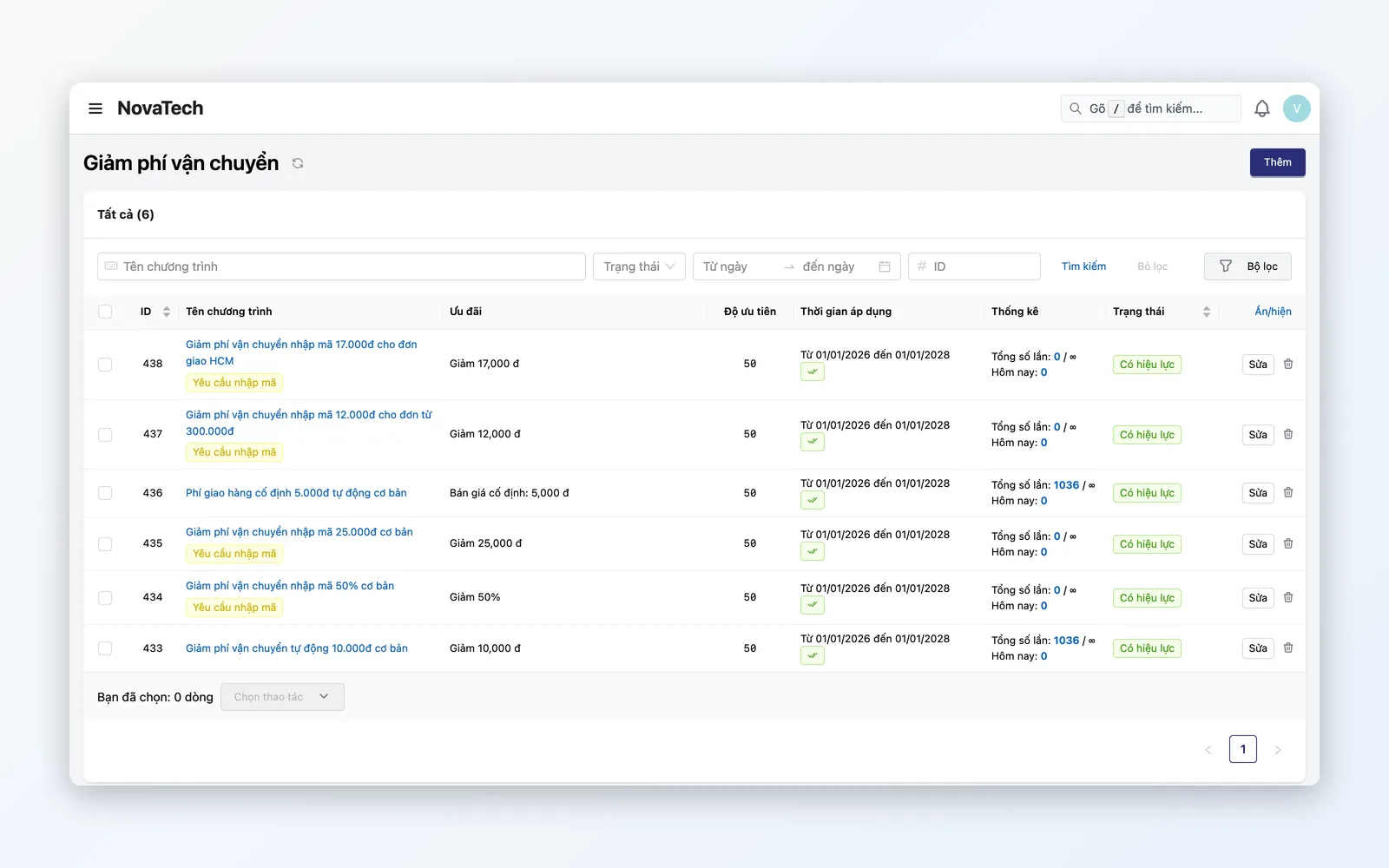
Free / discounted shipping
Free or reduced shipping at the right threshold helps customers check out.
- Free shipping past a minimum order value (e.g. ≥ 300K)
- Regional rules: free in HCMC, 50% off provinces, max fee caps
- Partial or full shipping fee waiver based on order conditions
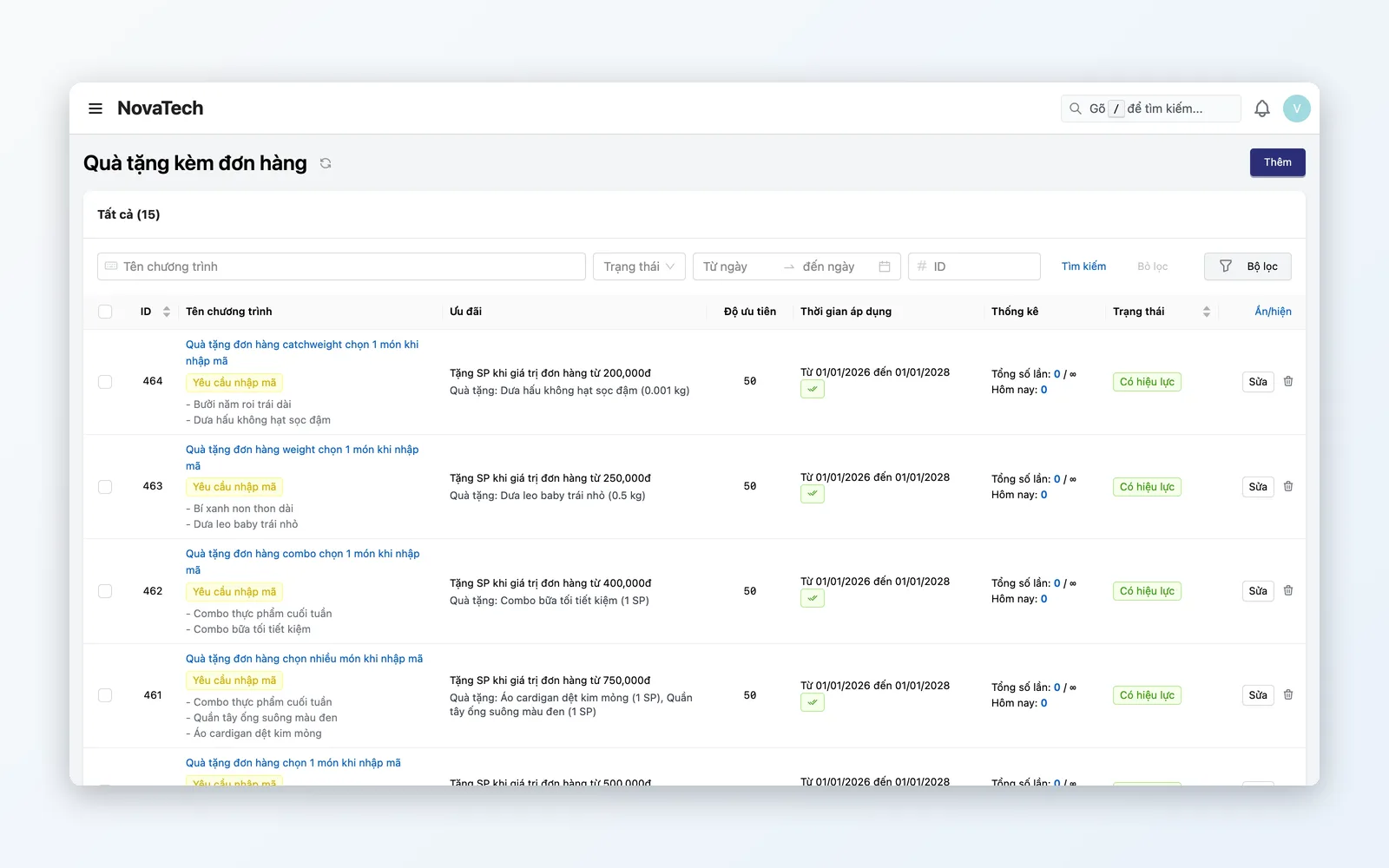
Gift-with-purchase
Physical gifts that enter the order as zero-price lines.
- Add free products when conditions are met (e.g. buy lipstick get mirror)
- Gifts enter the order as zero-price lines; POS warns when a gift is out of stock and kiosks drop out-of-stock gifts
- Cap gifts per order and total redemptions of the program
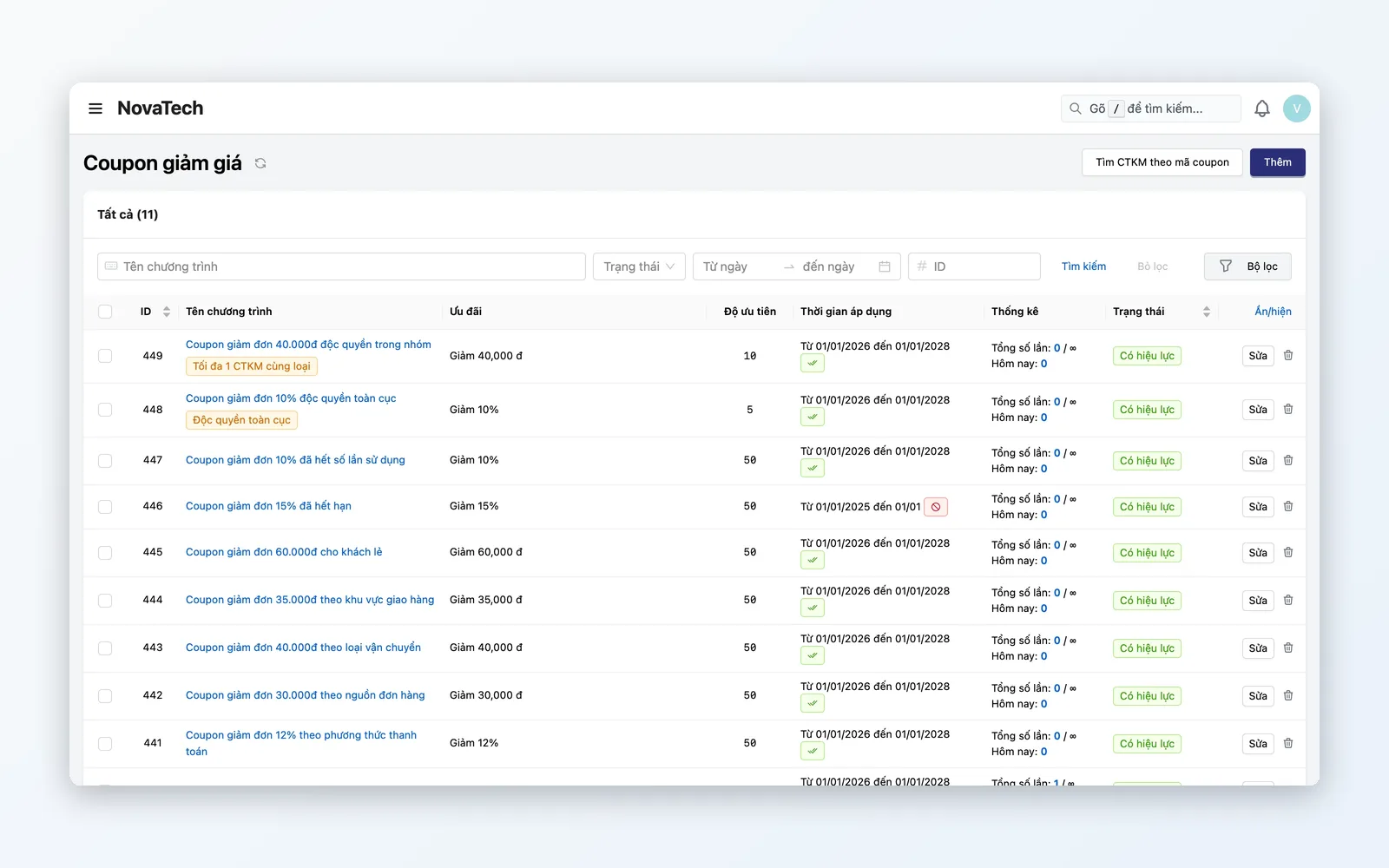
Coupons & vouchers
Discount codes that work at POS and on the website — with usage history per code.
- Create coupon codes one by one or import them in bulk from an Excel file
- Usage limit per code; limits per customer or on total redemptions of the program
- Track usage history per code: order, store, discount value, and time used
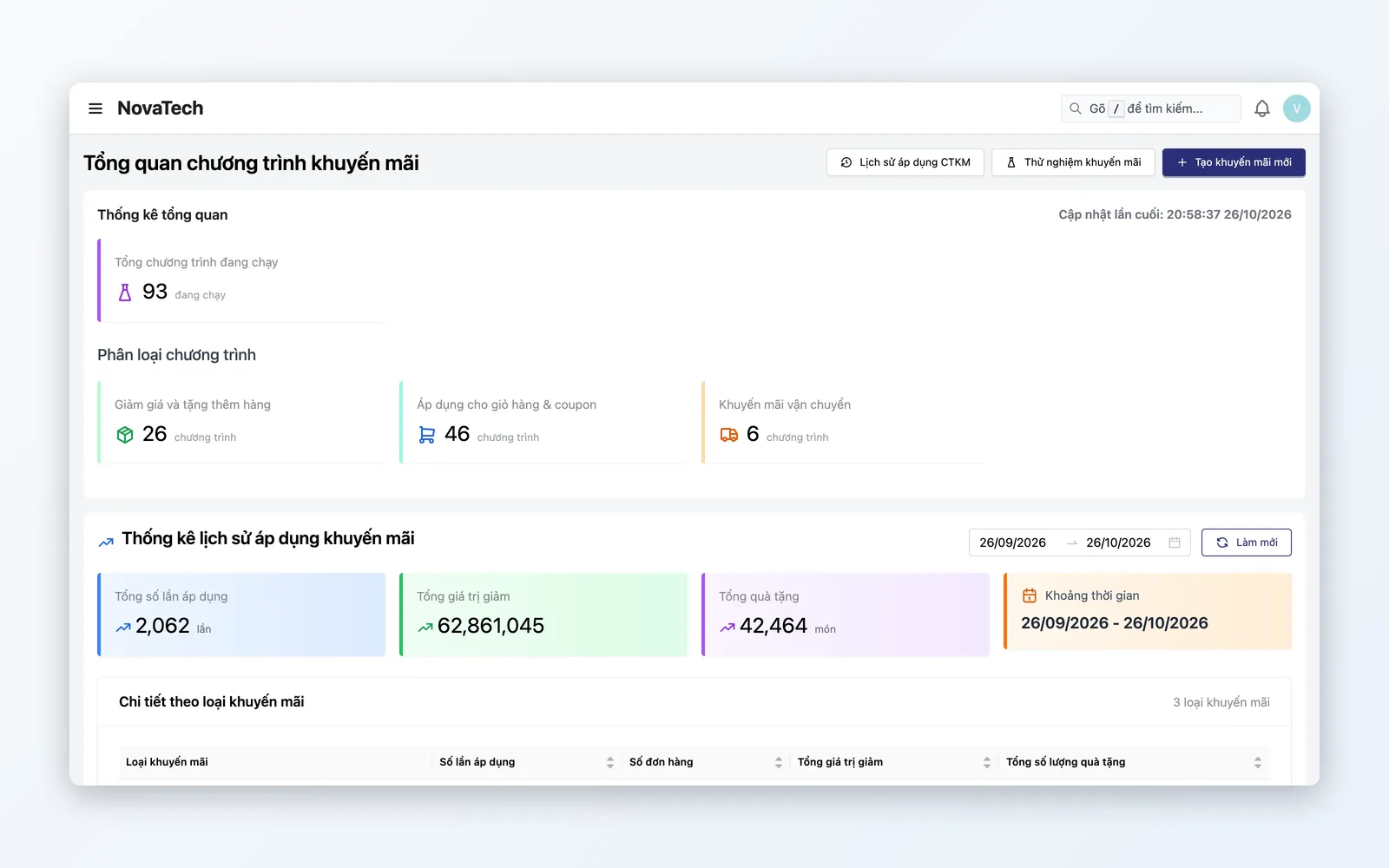
Campaign ops & measurement
Schedule, test-run, and look up the application history of every promotion campaign from one place.
- Campaign scheduling: auto start/end — no manual toggles
- Application history by order: know why an order did or did not get a discount
- Promotion test run: simulate a cart, customer, coupon, and shipping fee before opening the program
Promotion lifecycle
From rule design → Test run → Go-live → Monitor → Reconcile — a closed, verified loop.
Design rules
Marketing configures promo type, conditions, and schedule.
Test run
Simulate a cart and verify the rule works correctly before Go-live.
Go-live
Activate the campaign across POS, web, and quick order creation at once.
Monitor
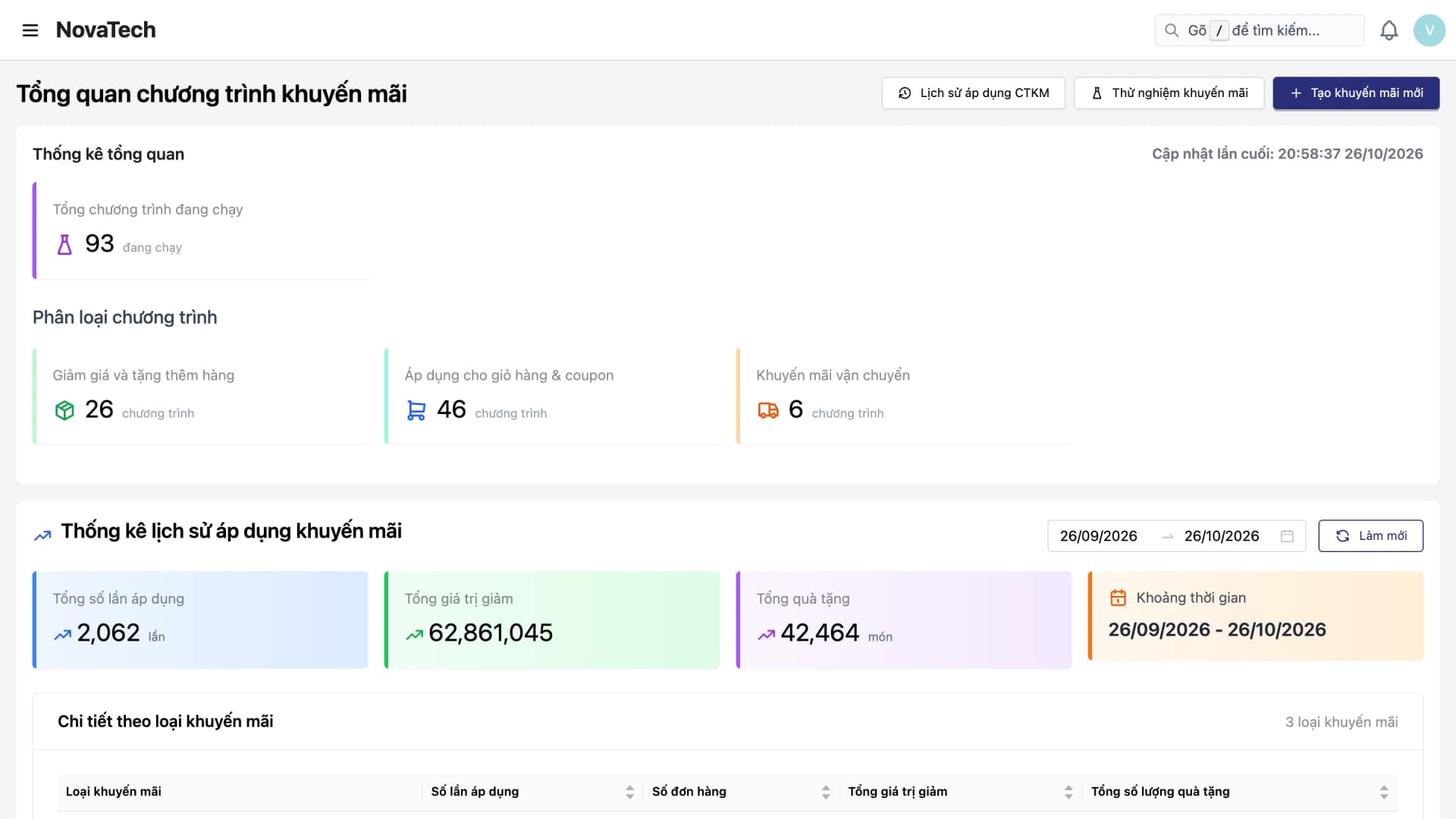
Statistics by date range: redemptions, total discount value, gifts given, and a breakdown by promotion type.
Reconcile
Split discounts in revenue — OMS posts accurately to the ledger.
Design rules
Marketing configures promo type, conditions, and schedule.
Test run
Simulate a cart and verify the rule works correctly before Go-live.
Go-live
Activate the campaign across POS, web, and quick order creation at once.
Monitor
Statistics by date range: redemptions, total discount value, gifts given, and a breakdown by promotion type.
Reconcile
Split discounts in revenue — OMS posts accurately to the ledger.
Real-world campaigns
Not theory — this is how teams run the promotion engine every day.
Large flash events (11.11, 12.12)
Many products on sale at once: time-window Flash Sales with quantity quotas per product. Stacking modes and exclusion groups can block product discounts from stacking with cart discounts when configured — avoiding negative margin. Promotion test runs check everything before launch.
Loyalty combo: points + voucher + gift
Gold-tier customers: tier discounts, free shipping, and a free gift when conditions are met. Loyalty points can be used as an offer right in the cart. Every applied program can be looked up again per order.
Consistent omnichannel campaigns
The same promotion rule applies on POS, website, and quick order creation — customers get the same offer wherever they buy. No more web discounting 20% while POS forgot to update. Promotion test runs check the rule before go-live.
Why choose the Oviro Promotion Engine?
Most systems in Vietnam hard-code promotions — every new campaign needs a developer. Oviro built the Promotion Engine as a standalone Rule Engine, shared across POS, website, and quick order creation. Marketing designs the rules, test-runs promotions to verify them, and goes live right away — no waiting for a Sprint.
Smart promotions — stay in control of stacked discounts that erode margin
Marketing configures campaigns on its own, test-runs promotions to verify them before Go-live, and looks up application history — consistent across POS, website, and quick order creation.