Content management (CMS)
Integrated content: landing pages, multi-level menus, blog and news, and promotional banners. Marketing ships campaign pages, updates navigation, and publishes content without developers — always in sync with PIM and the storefront.
Every campaign needs a new landing page — then you wait on IT to code, deploy, and test. Menu changes mean code changes. The blog sits in a separate system, disconnected from products. Marketing is fully dependent on engineering.
Marketing builds landing pages, updates menus, and publishes the blog — without waiting on IT. On-page products come straight from PIM.
Core capabilities
Because CMS lives inside ERP, landing pages show live PIM products and CTAs route straight to checkout — no separate website stack.
Landing Page Builder
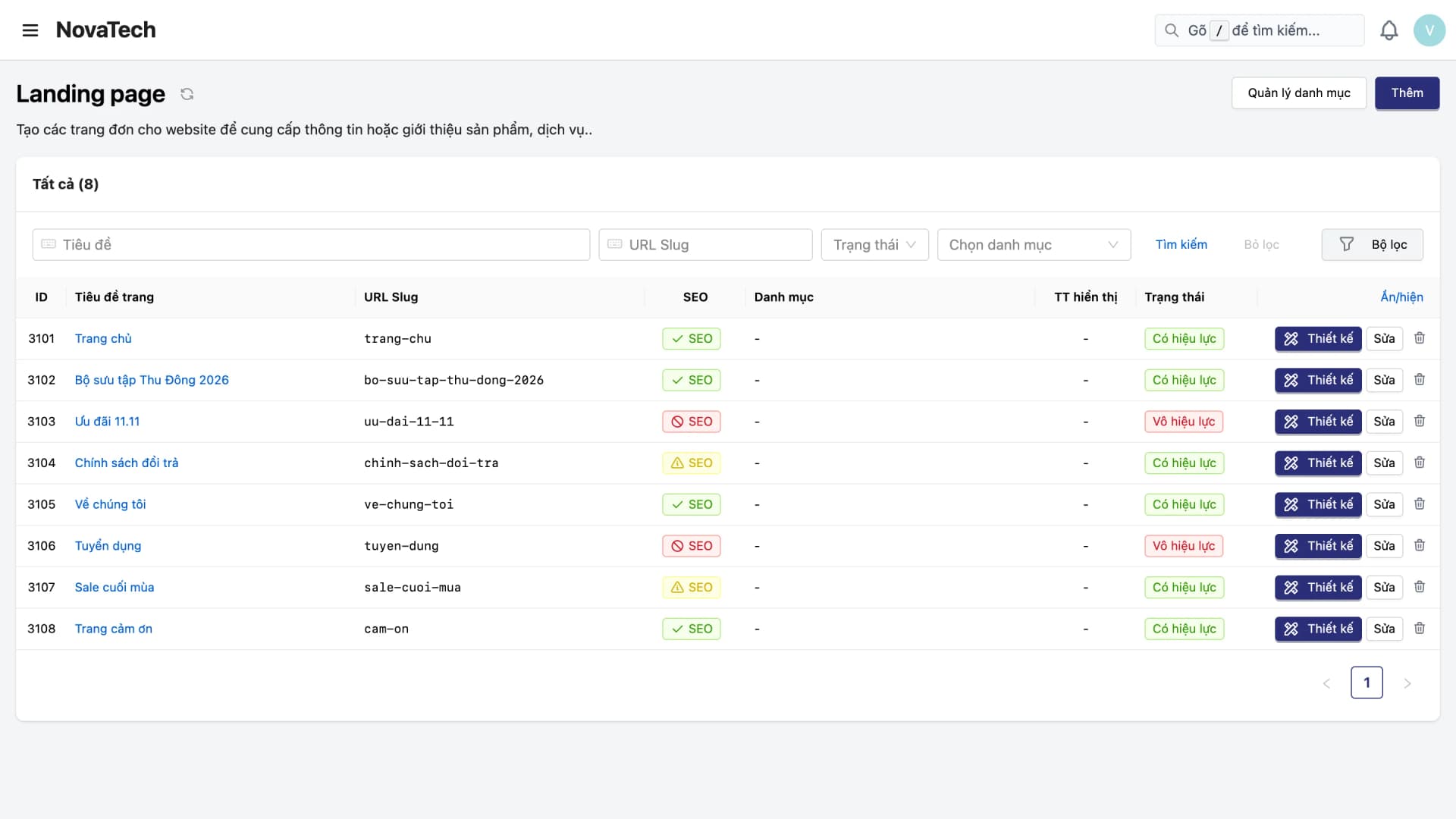
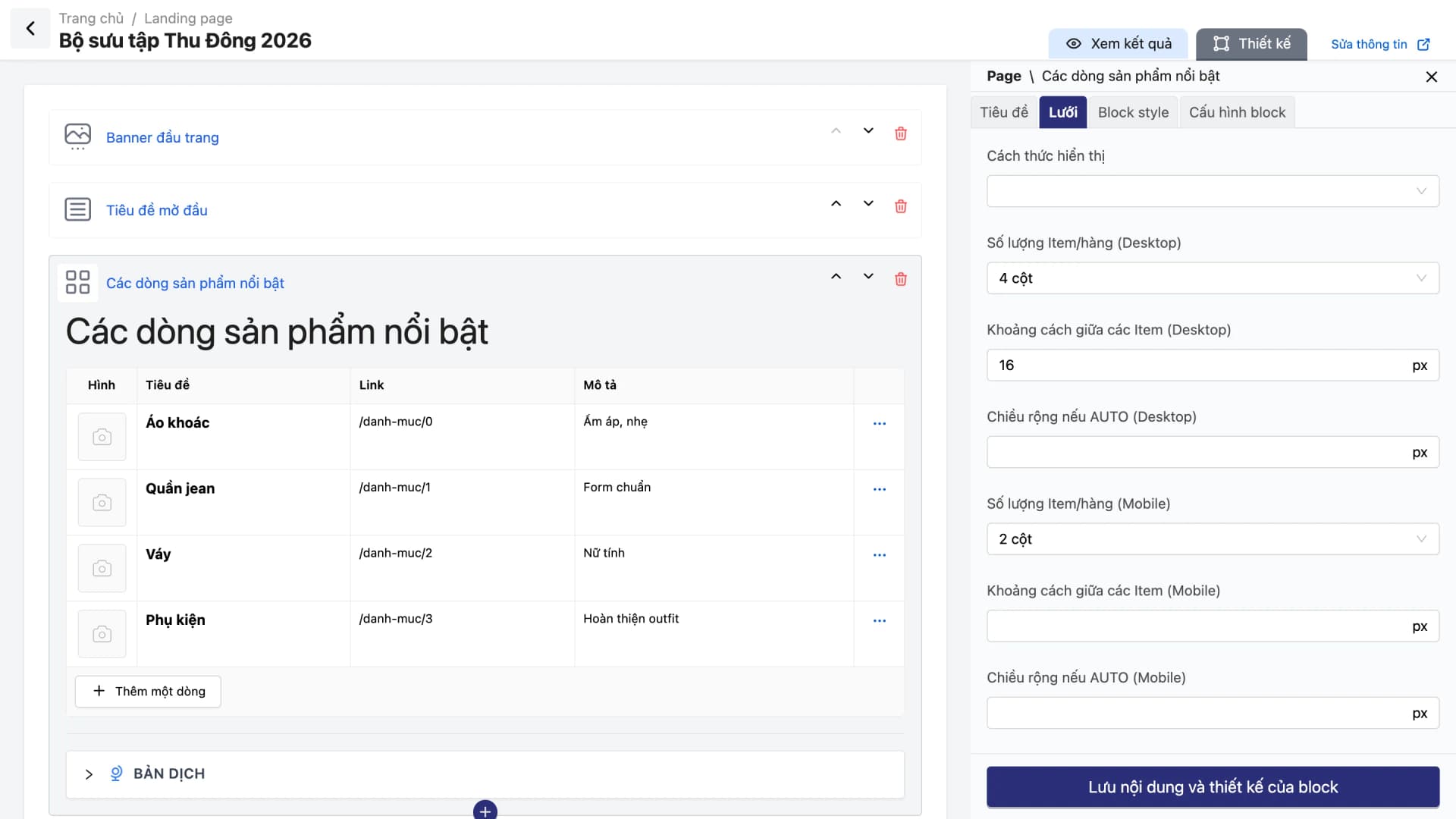
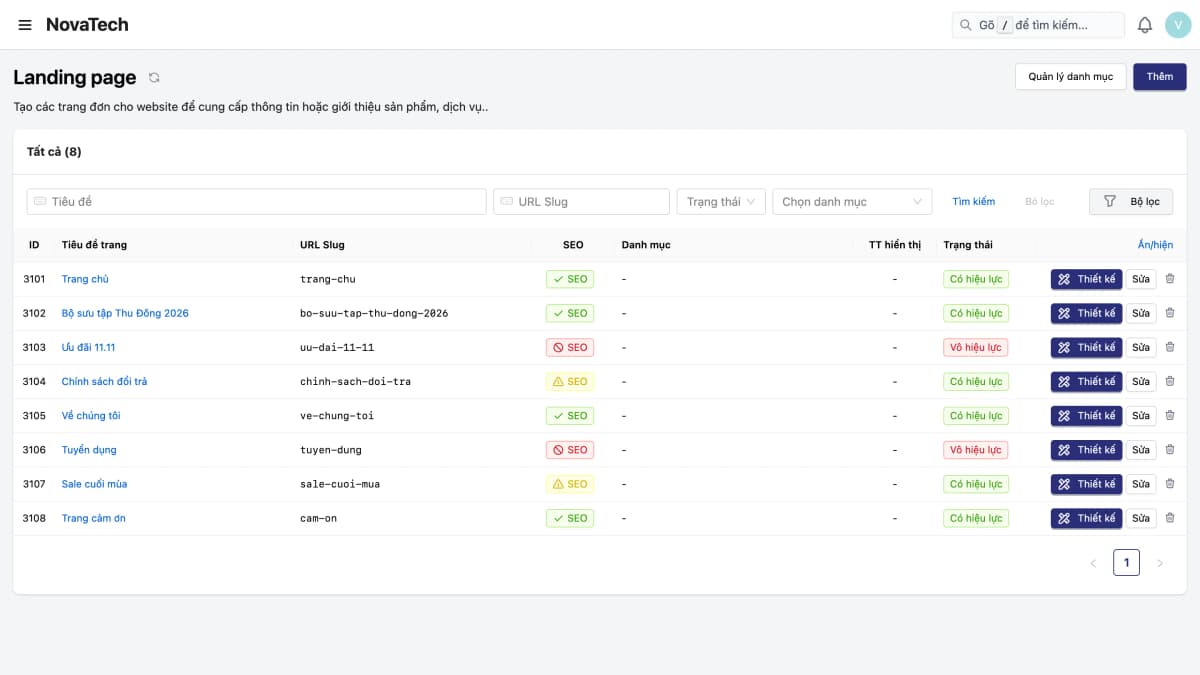
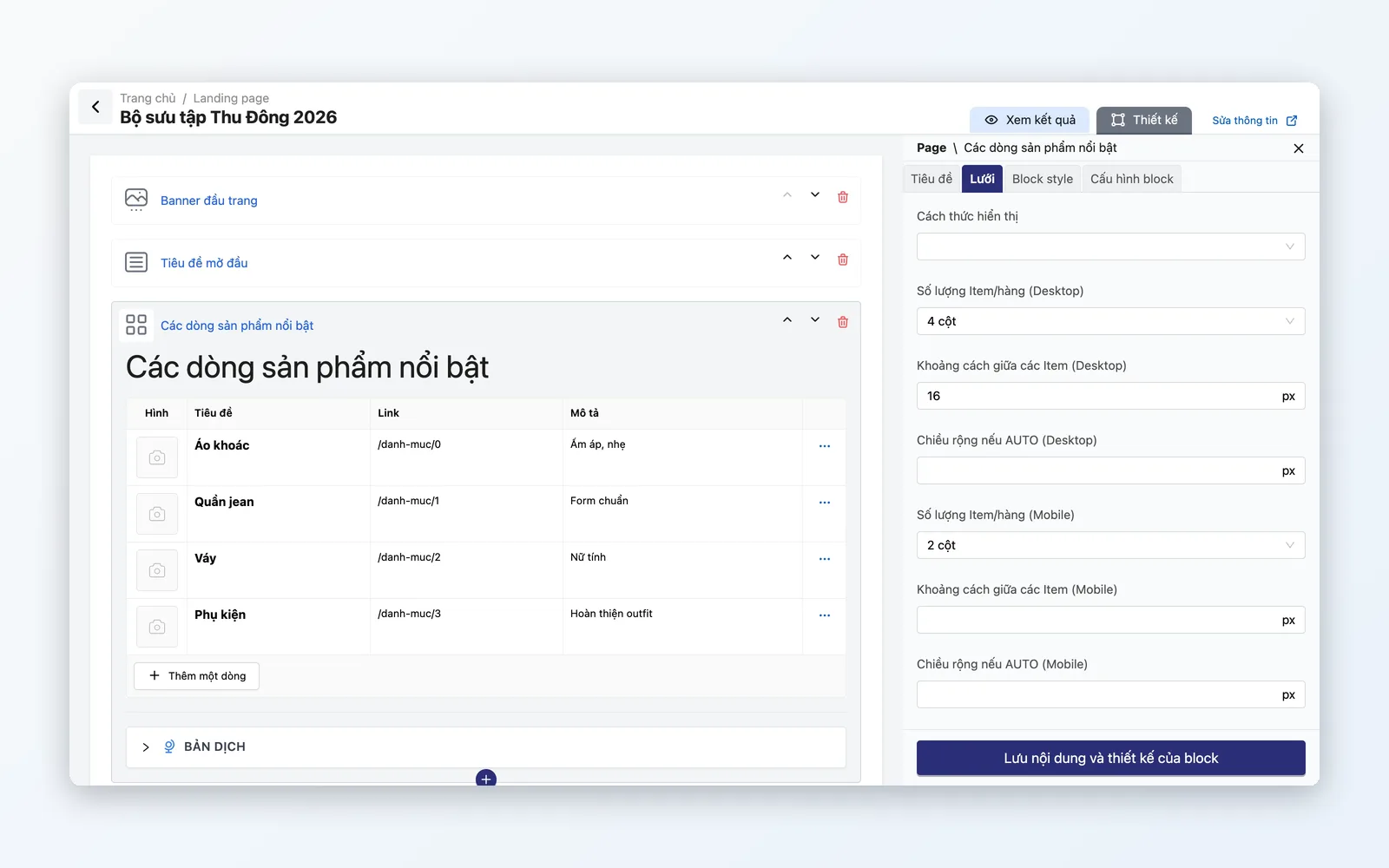
Build campaign pages from blocks: Text, Text and Image, Grid, Banner, Product list, FORM, INLINE HTML. The Product list block pulls products straight from PIM. Show or hide a page by status.
Multi-level menu editor
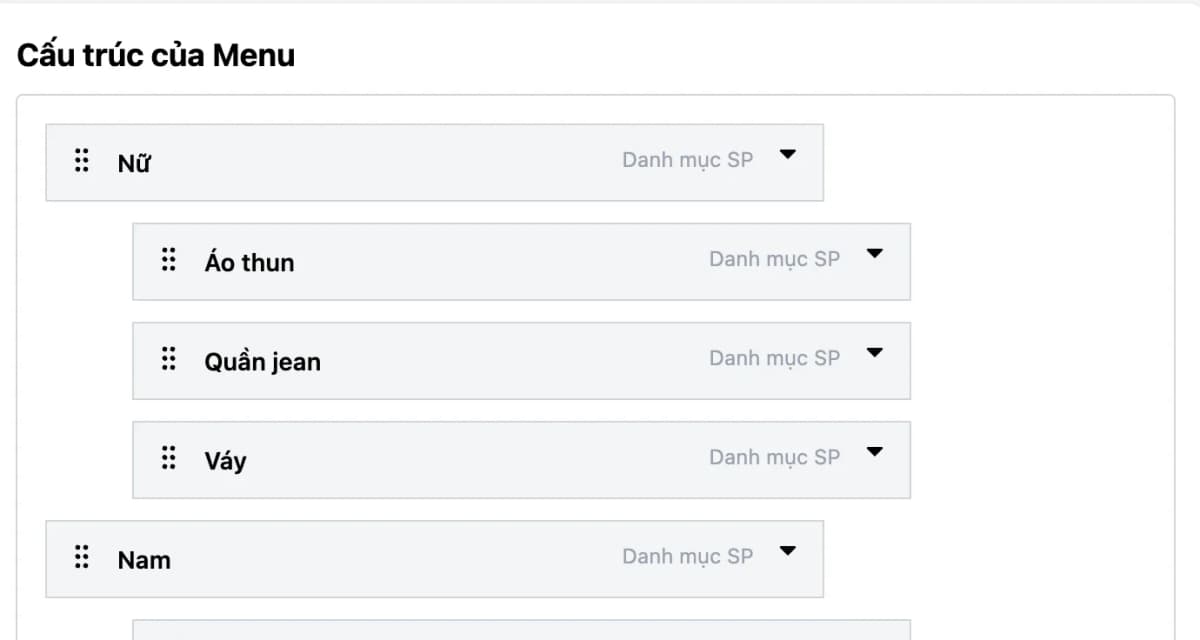
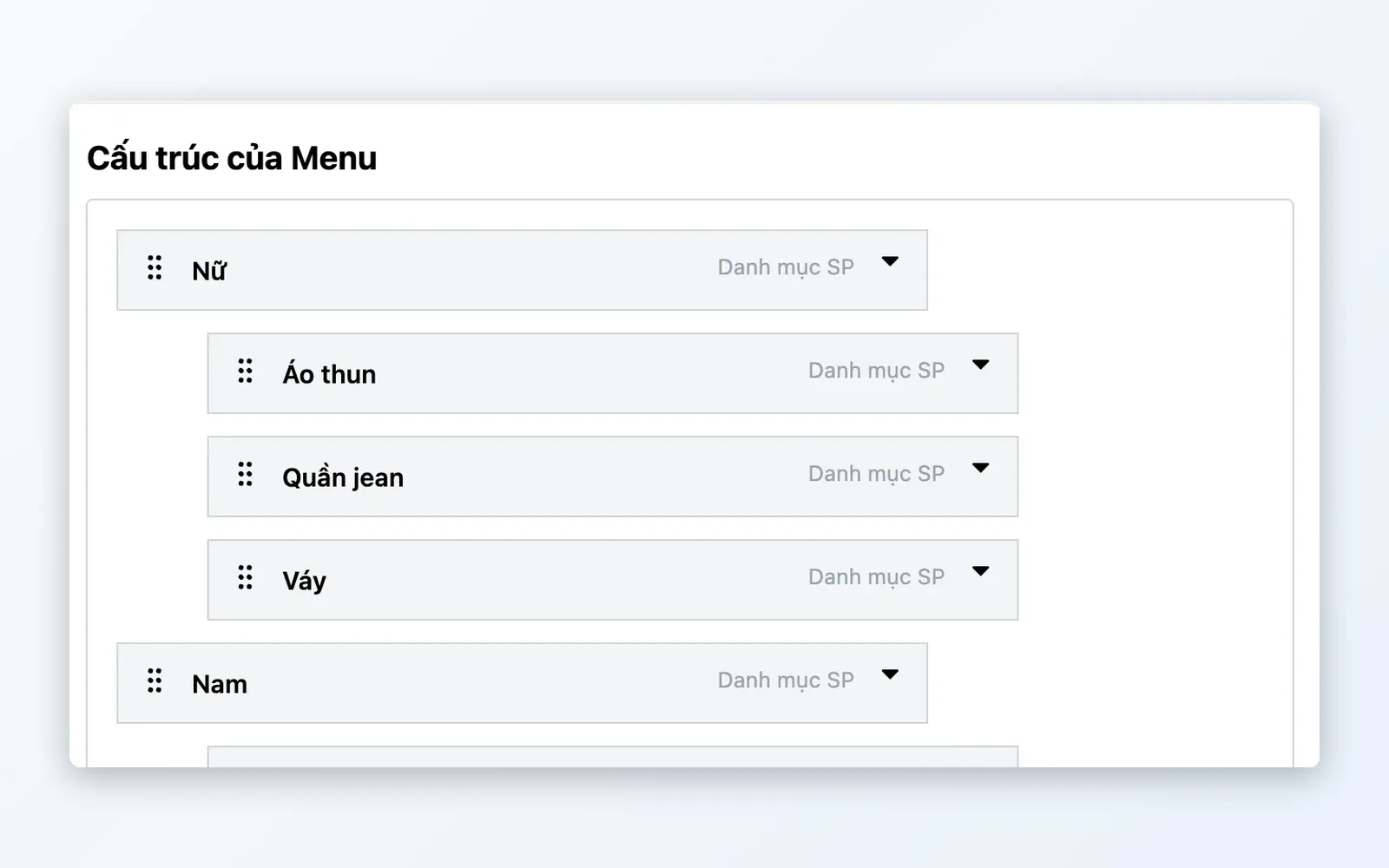
Tree-structured storefront navigation: drag to reorder, link to pages, categories, collections or external URLs. Mega menus with imagery.
Blog & news
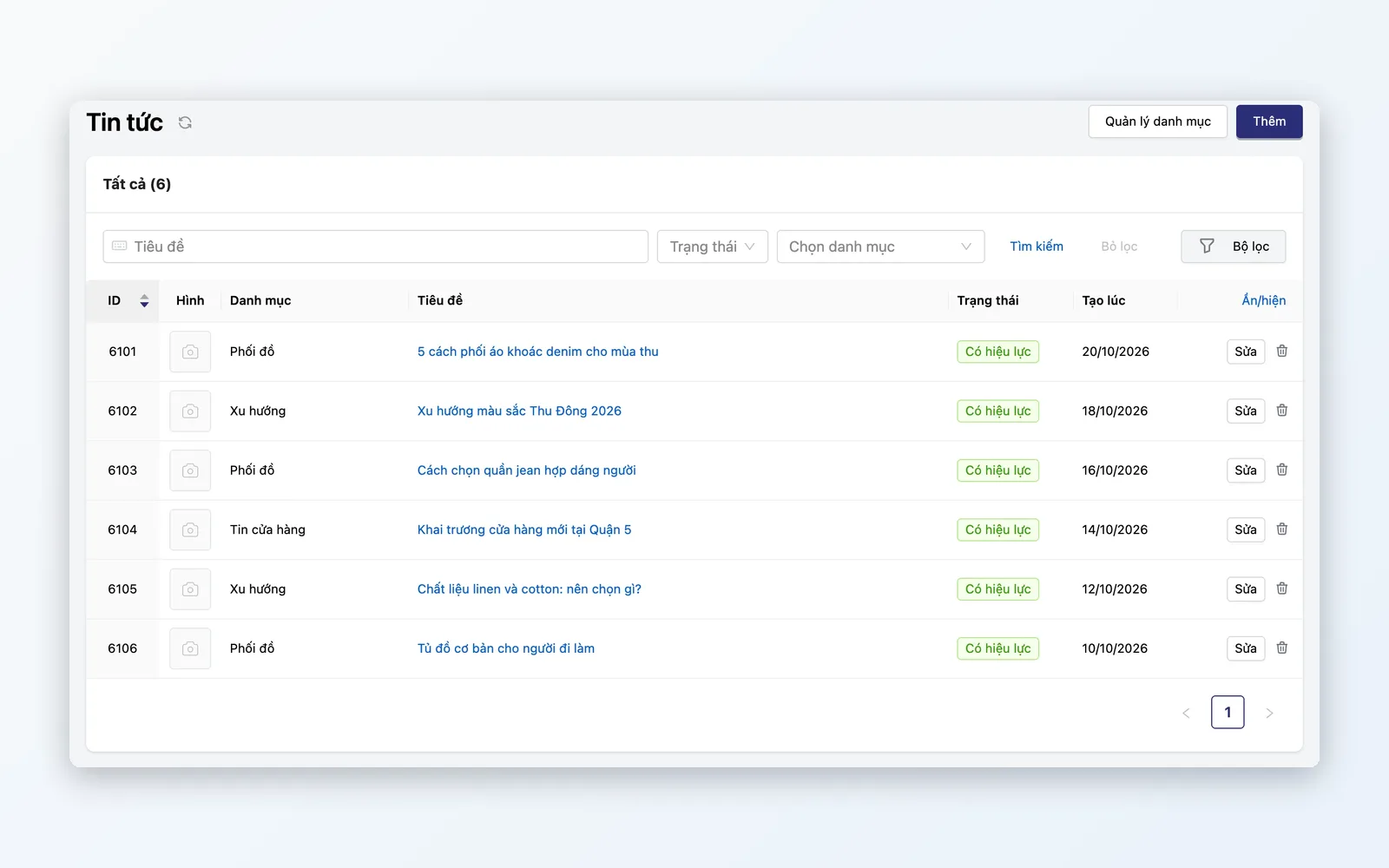
Write posts with the editor, a featured image, tags and categories. SEO metadata (title, description, OG image, canonical) per post. Auto-generated XML sitemap.
Banners & promotional popups
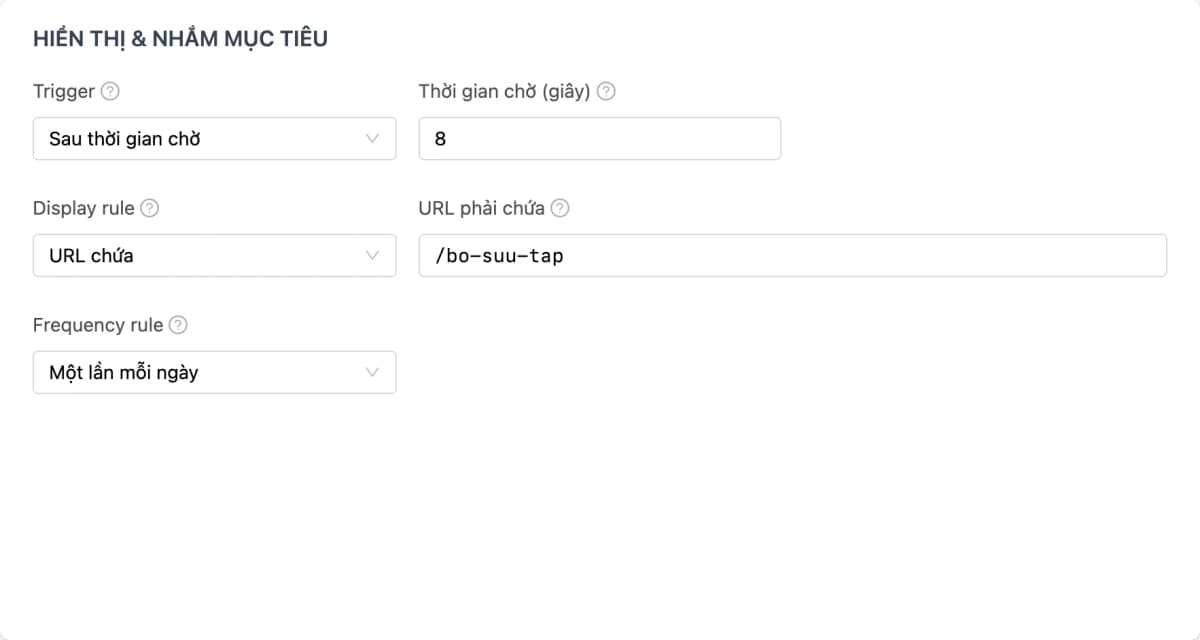
Homepage carousel banners. Popups for flash sales, promos, and email capture, with triggers and display frequency, switched on or off by status.
Detailed features
The full content toolkit — from pages to banners.
Landing Page Builder
Launch a campaign page — no developer required.
- Build pages from blocks: Text, Text and Image, Grid, Banner, Product list, FORM, INLINE HTML
- The Product list block pulls products straight from PIM
- Preview the page before it goes live; set separate column counts for desktop and mobile on each block
- Show or hide a page by status
Menu Editor
Flexible storefront navigation — drag-and-drop, no code edits.
- Multi-level tree: drag to reorder, nested items
- Mega menu: show an image for each menu item
- Link to internal pages, PIM categories, collections, landing pages, or external URLs
Blog & news
Integrated content marketing — articles tied to real products.
- Write posts with the editor, a featured image, tags and categories
- SEO metadata: title, description, OG image, canonical URL per post
- Categories, tags, search, and auto-generated XML sitemap
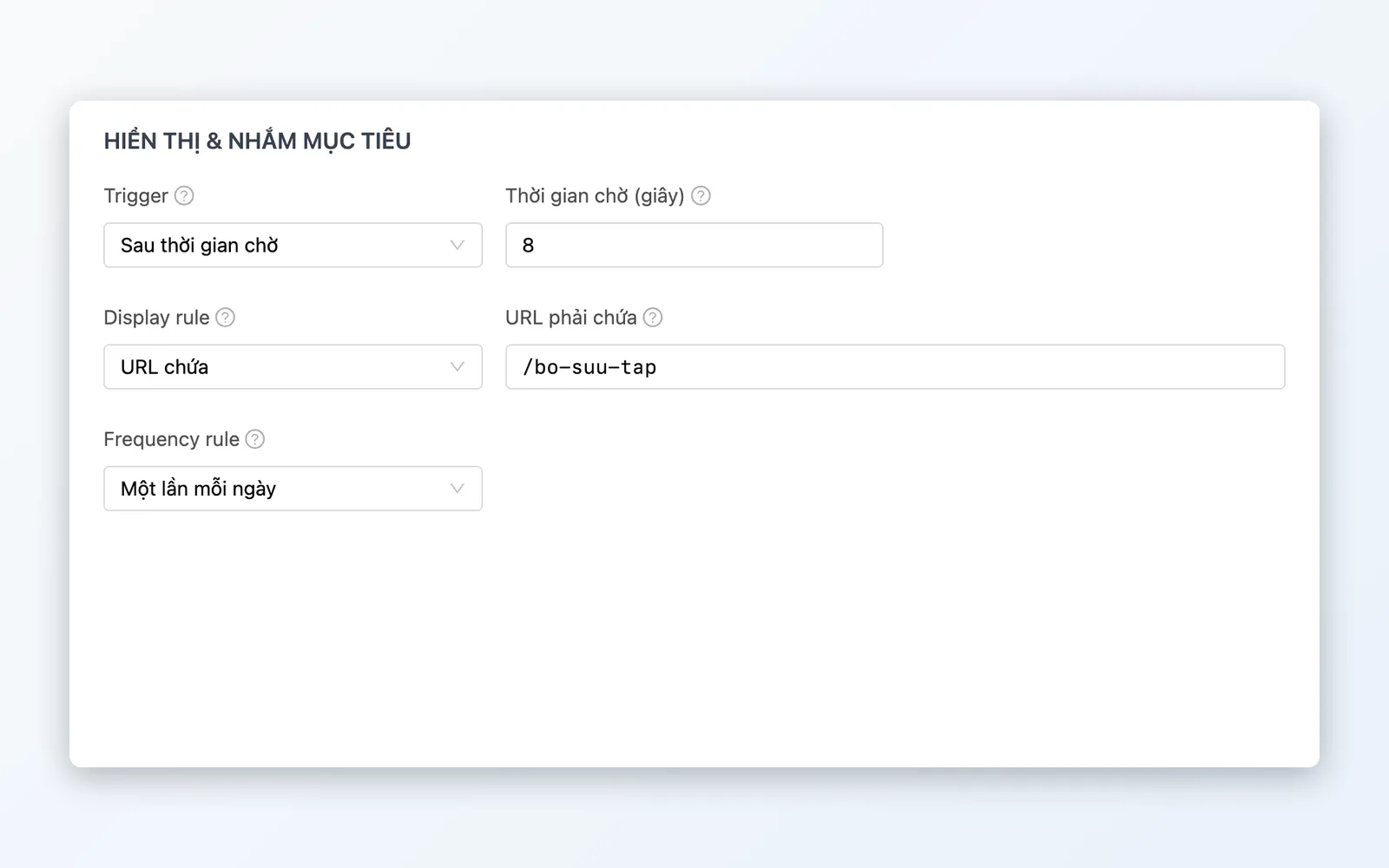
Banners & popups
Promote on the storefront — self-serve, switched on and off by you.
- Homepage carousel: manage images, links, and display order
- Popups for flash sales, email capture, and critical announcements
- Popups have triggers and display frequency; switch them on or off by status — no IT request
Content production flow
From design to publish — marketing stays fully in control.
Design
Marketing adds and configures blocks to build pages or articles in CMS.
Embed products
Attach PIM products to the page — price and stock auto-sync.
Preview
Preview the page before it goes live; set desktop and mobile column counts on each block.
Go live
Switch pages, banners and popups on by status when the campaign starts.
Track
Track displays, CTA clicks and form submissions of Web Popups.
Design
Marketing adds and configures blocks to build pages or articles in CMS.
Embed products
Attach PIM products to the page — price and stock auto-sync.
Preview
Preview the page before it goes live; set desktop and mobile column counts on each block.
Go live
Switch pages, banners and popups on by status when the campaign starts.
Track
Track displays, CTA clicks and form submissions of Web Popups.
Covers every content need
From campaign pages to content marketing — self-serve, no IT queue.
Flash Sale Campaign
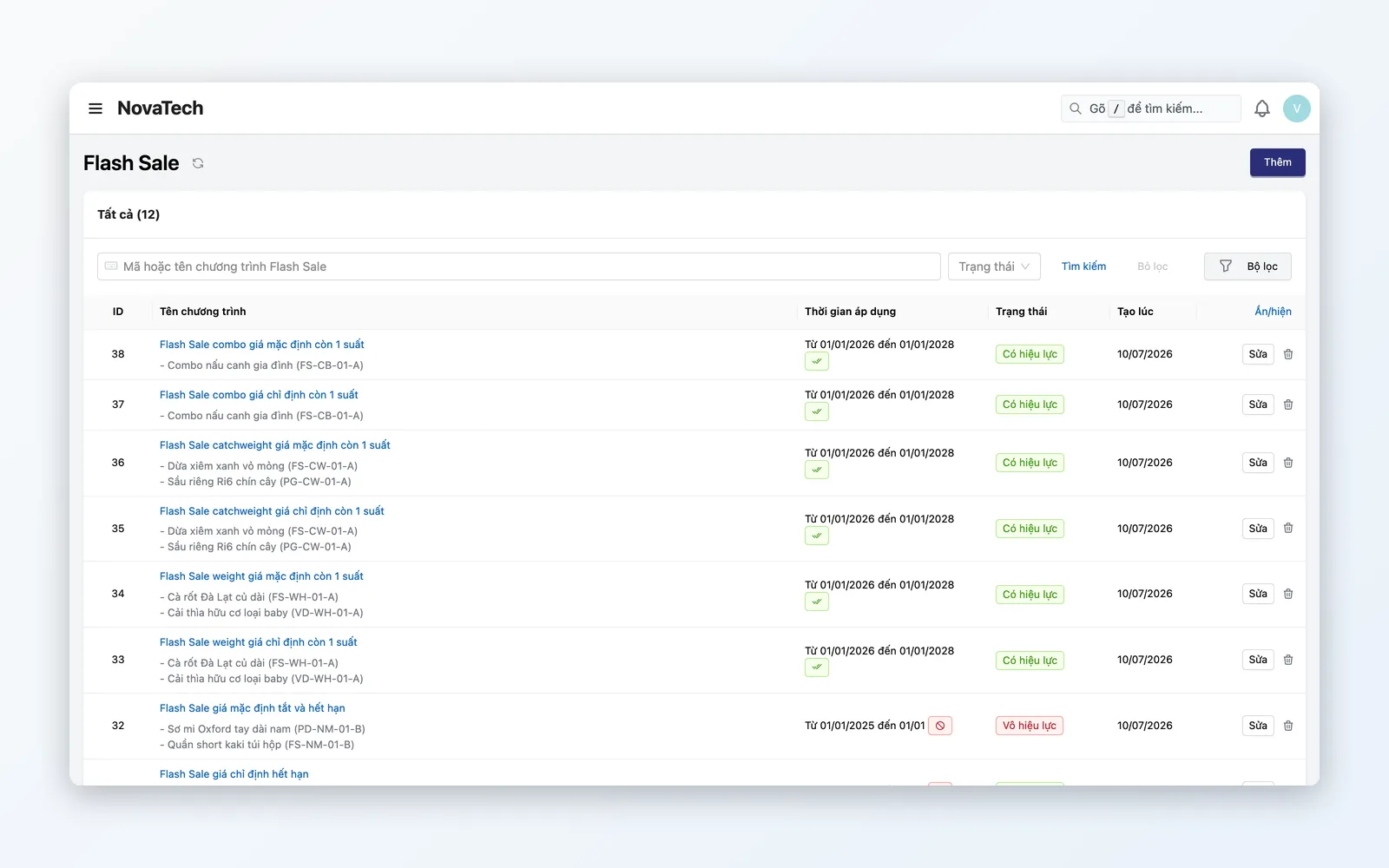
Marketing builds an 11.11-style campaign page: a banner, a Product list block pulling flash sale products from PIM, and a CTA leading to purchase.
Blog SEO & content marketing
Publish how-to articles with full SEO metadata, categories, tags and an auto-generated XML sitemap.
Mega menu for complex storefronts
A storefront with many products needs a clear menu hierarchy. Mega menus show imagery and link quickly to pages, categories or campaign landing pages — drag-and-drop ordering, zero code.
Why Oviro CMS?
A beautiful page is not enough if products are typed in by hand, prices updated manually and orders copy-pasted into sales software. Oviro CMS shows PIM products directly through the Product list block. A “Buy now” CTA leads straight to Checkout — a closed loop from content to conversion.
Ship content yourself — no waiting on IT
Landing page builder, multi-level menu editor, SEO-ready blog — PIM products appear directly in your pages through the Product list block.