Quotes & B2B pipeline
The whole quoting pipeline — from creating the quote and negotiating to conversion into an order — in a single system, with a clear status at every step. No more quotes lost in email or chat, and when the customer commits, the quote becomes a live order without re-entry.
B2B and wholesale customers want a quote before they commit, yet many companies still track this in spreadsheets, email, or scattered chat messages. Quotes get lost, negotiation rounds are never recorded, and when the customer finally agrees, turning the quote into an order means re-entering everything by hand.
The entire quoting pipeline — from creating the quote and negotiating to order conversion — lives in one system with clear status tracking, so no wholesale opportunity slips away.
Core capabilities
The whole quoting pipeline — from creating the quote and negotiating to conversion into an order — lives in the OMS Quotation module, under its own "Quote" navigation entry, separate from Orders.
Create quotes & open them from notifications
Create quotes for customers right in the system, instead of relying on scattered emails and chat threads; open any quote quickly from a notification or an internal link.
Draft & revise detailed quotes
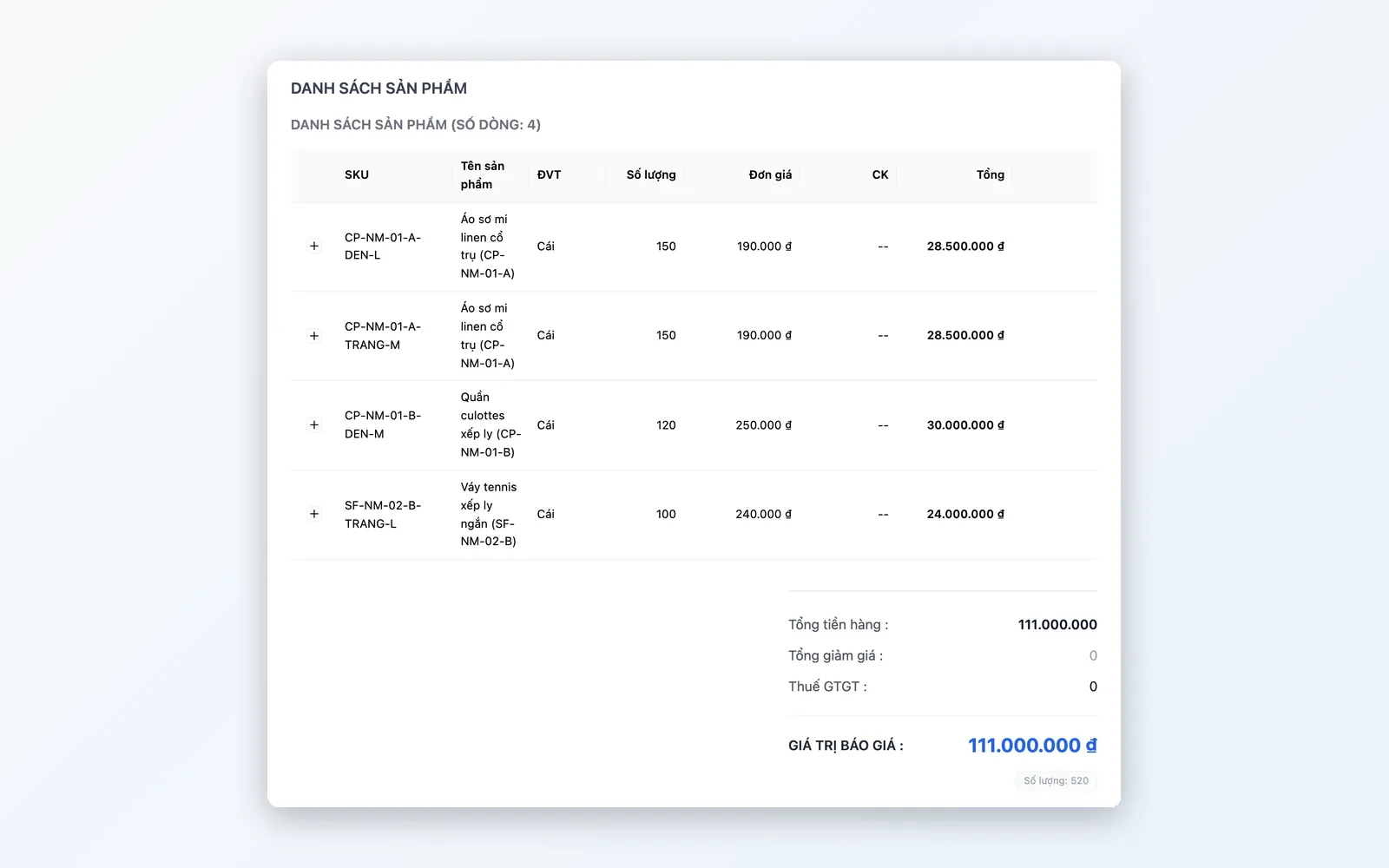
Build quotes line by line with product, quantity, and the unit price negotiated for that specific customer. Revise as the customer keeps negotiating — every change is logged.
Quote list & status tracking
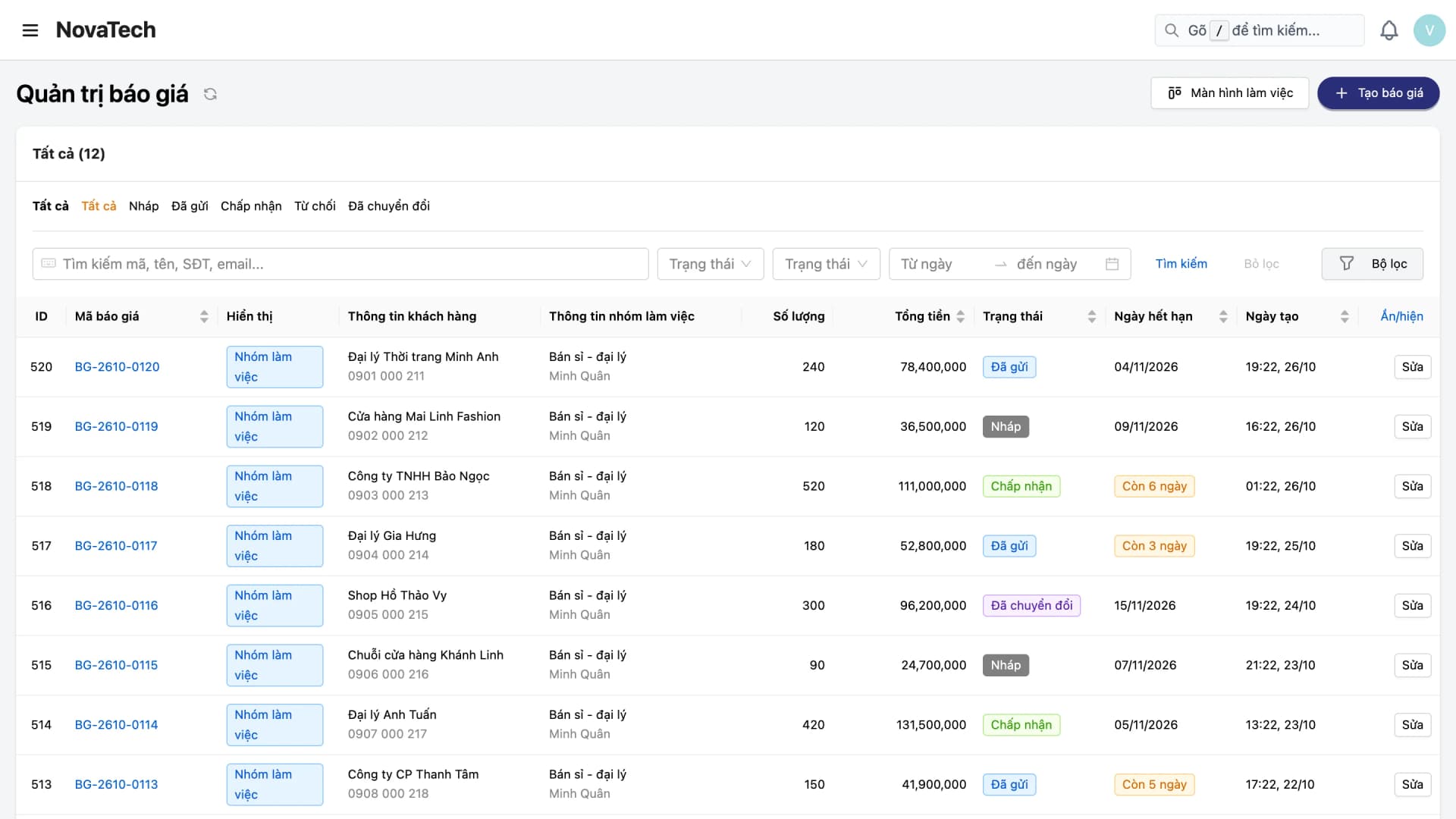
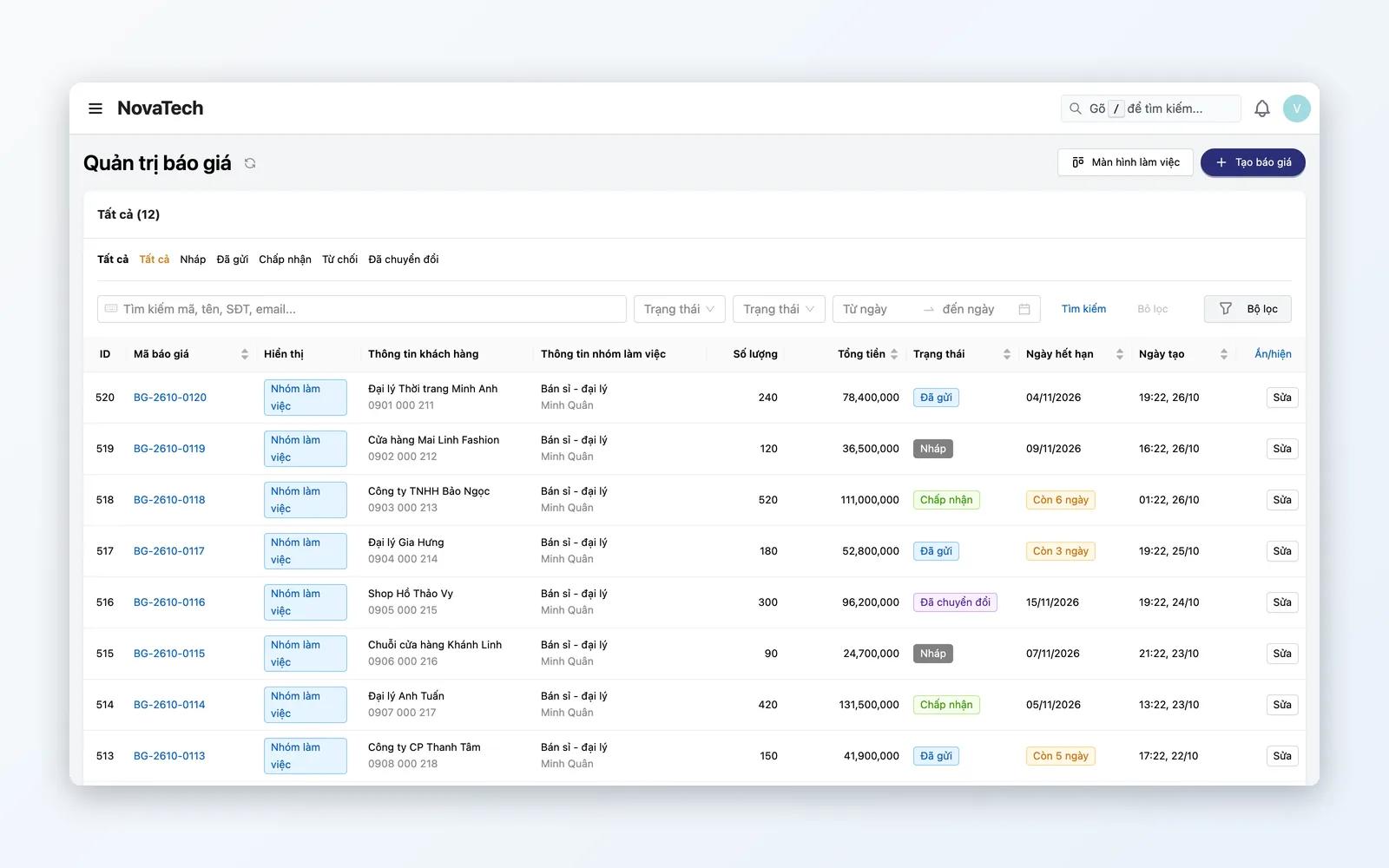
Track every quote by its real status in the system: Draft, Sent, Accepted, Rejected, Converted — so you can see at a glance which quotes are waiting on the customer and which need chasing.
Convert an accepted quote into an order
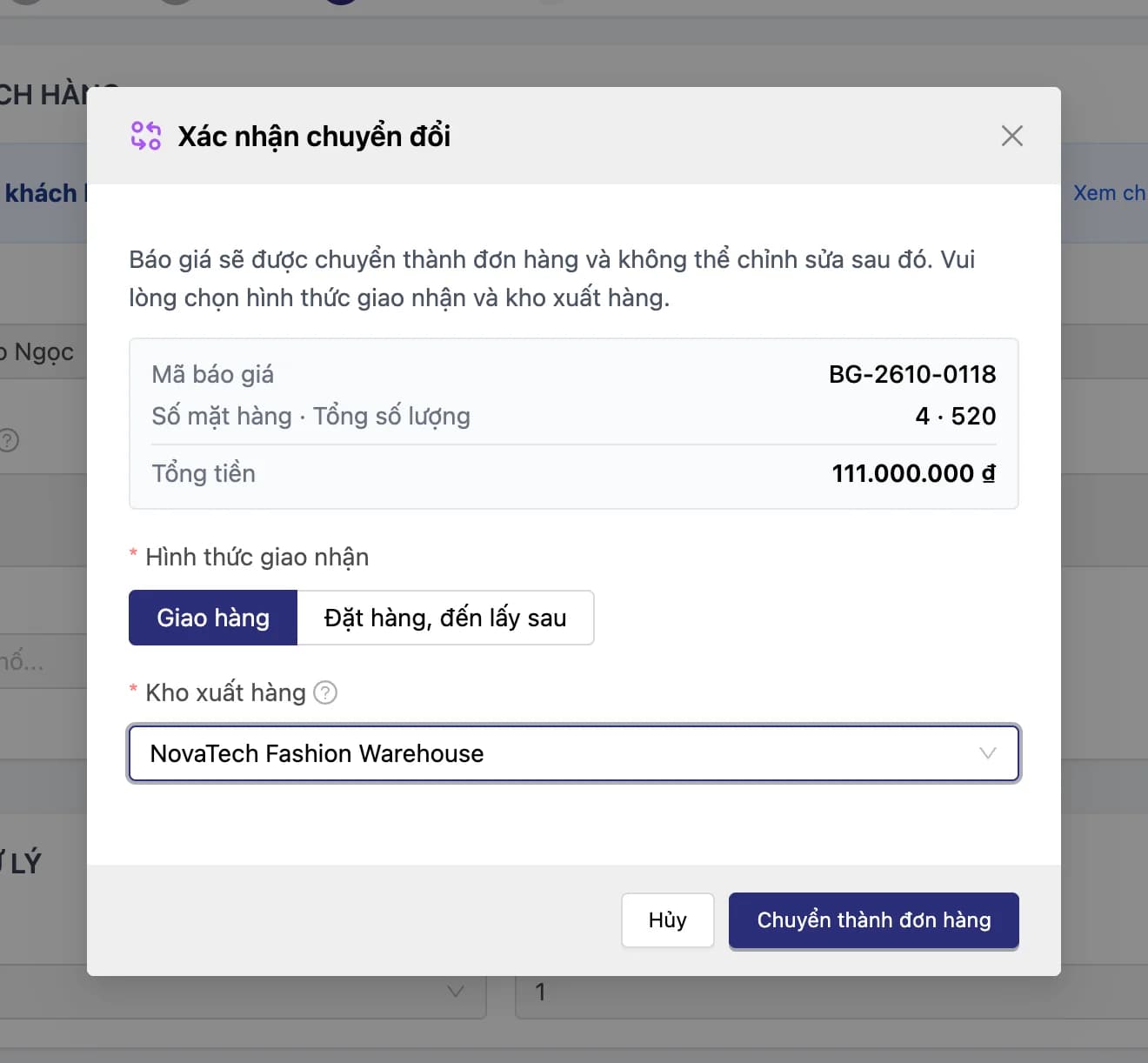
When the customer says yes, turn the quote into a live order in OMS, choosing the fulfillment method and source warehouse — nothing re-entered.
Feature details
From creating quotes and negotiating through pipeline tracking to order conversion — one closed loop for B2B selling.
Creating quotes
Your team creates quotes for customers right in the system, so no selling opportunity drifts outside your sight.
- Create a quote for a customer right in the system
- No dependence on scattered emails, messages, or notes
- Open a quote quickly from a notification or an internal link
Drafting quotes
Detailed quotes by product, quantity, and the price you negotiated.
- Add each product, quantity, and the unit price negotiated for that customer
- Revise the quote when the customer asks for another round
- Every change and the quote's version number are logged
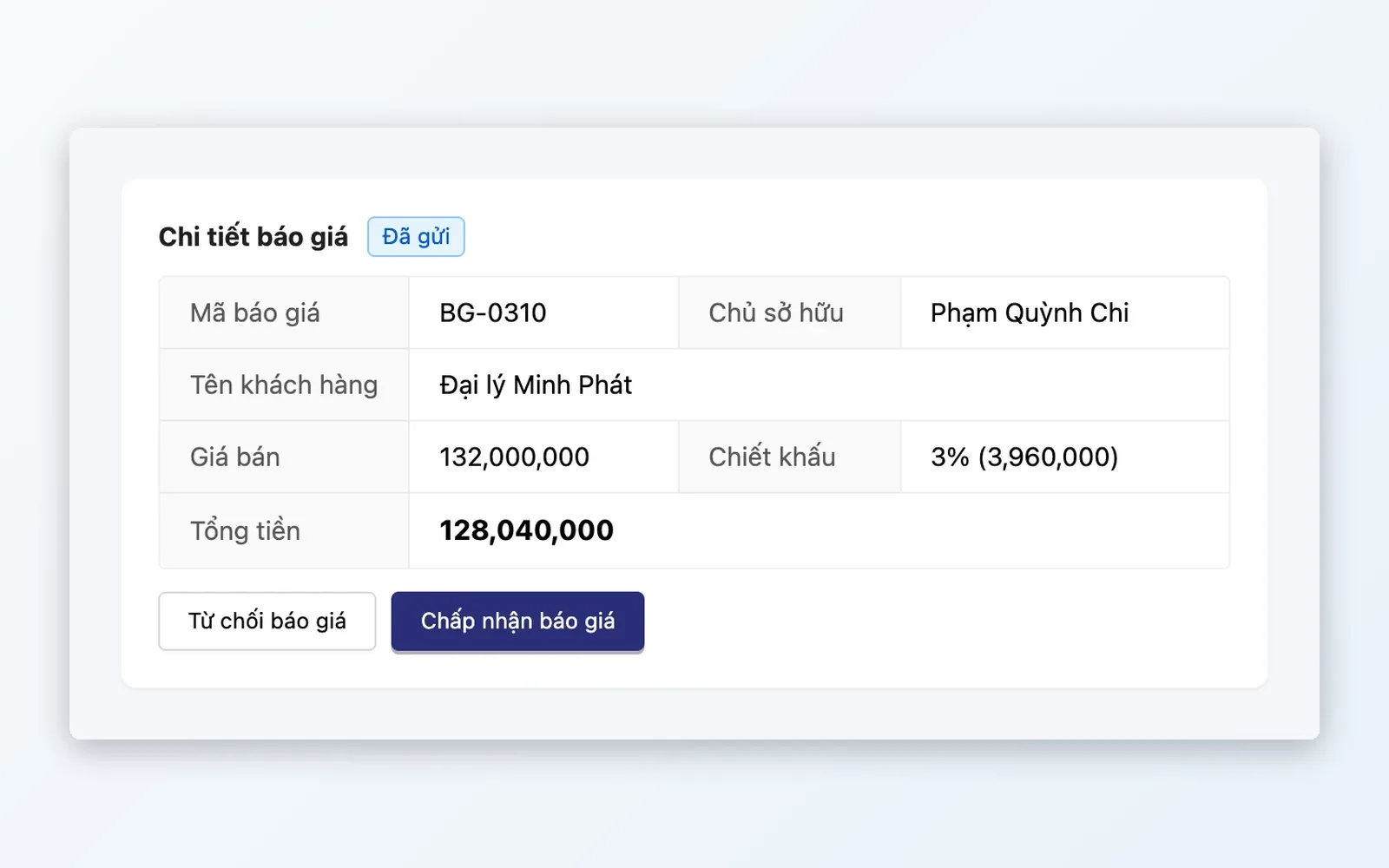
Quote status tracking
Know where each quote sits in its lifecycle, so nothing goes quiet.
- Statuses that follow the real lifecycle: Draft, Sent, Accepted, Rejected, Converted
- Filter the list by customer, status, owner, or date
- Recall a sent quote to edit it when needed
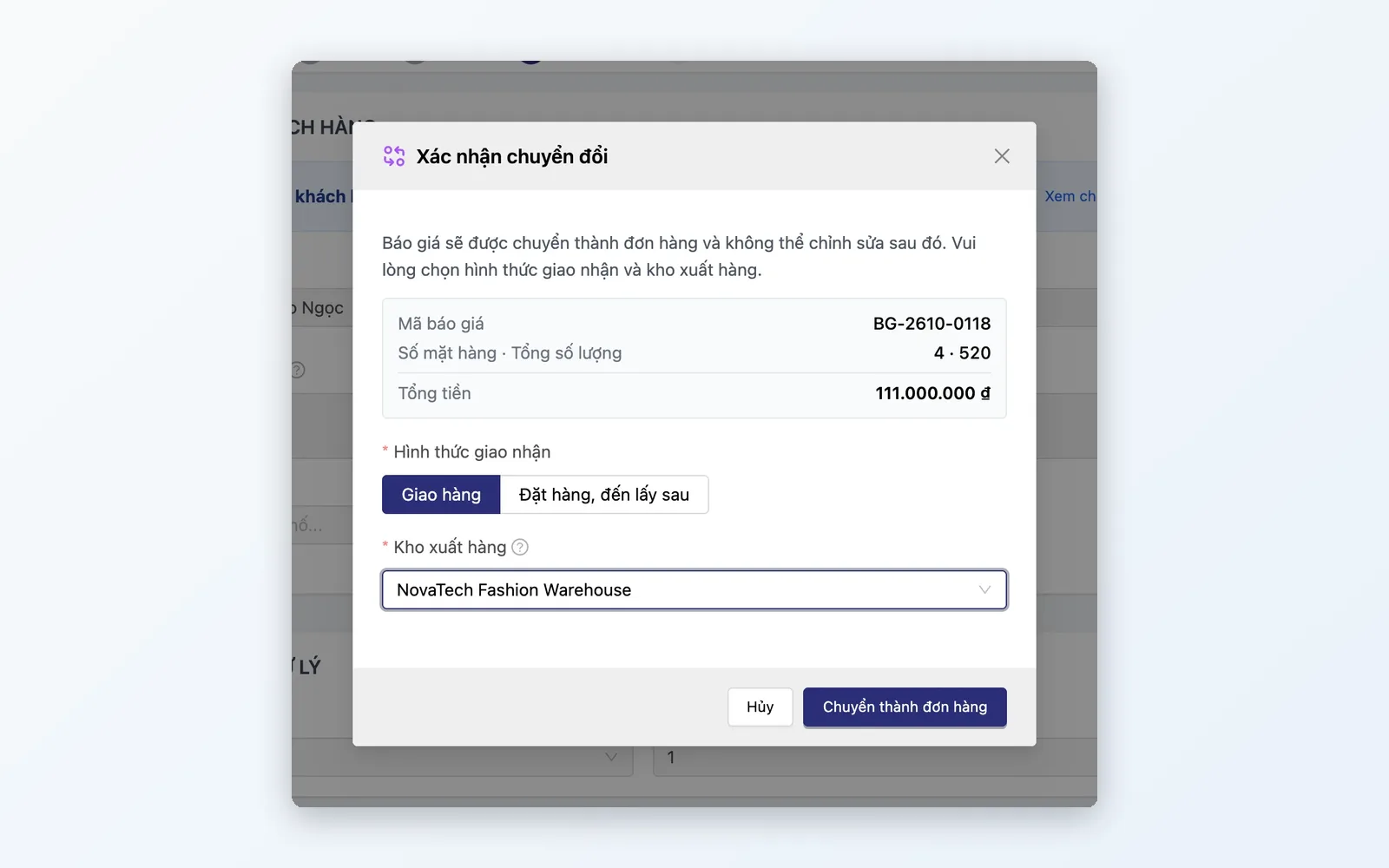
Conversion into an order
A single action turns an agreed quote into a live order.
- Convert a quote into an order in one action
- Choose the fulfillment method and source warehouse at conversion
- No re-entry of product, quantity, or customer details
The lifecycle of a B2B quote
From creating the quote → drafting the details → sending and negotiating → chasing open quotes → conversion into an order.
Create the quote
Create a quote for the customer right in the system, or open one quickly from a notification.
Draft the details
Build the quote line by line with product, quantity, and negotiated unit price.
Send & negotiate
Send it for confirmation, and revise if the customer keeps negotiating.
Chase open quotes
Filter by status and owner so no quote awaiting a reply gets forgotten.
Convert into an order
The customer accepts, and the quote becomes a live order, with fulfillment method and source warehouse chosen.
Create the quote
Create a quote for the customer right in the system, or open one quickly from a notification.
Draft the details
Build the quote line by line with product, quantity, and negotiated unit price.
Send & negotiate
Send it for confirmation, and revise if the customer keeps negotiating.
Chase open quotes
Filter by status and owner so no quote awaiting a reply gets forgotten.
Convert into an order
The customer accepts, and the quote becomes a live order, with fulfillment method and source warehouse chosen.
Real-world scenarios
Three common situations when customers ask for a price first and decide later.
Wholesale buyers and dealers asking for bulk pricing
Wholesale customers or dealers need a quote for large volumes before placing a firm order. Your team drafts the quote by product and exact quantity, and sends it for confirmation before the order is placed.
Several rounds of price negotiation before a deal closes
Customers negotiate across several rounds before agreeing to buy. Every revision is logged, so the sales team always knows where a quote stands.
No sent quote left unattended
Sales managers filter the quote list by status and owner to see which quotes were sent without a reply, and which were rejected — instead of asking each rep one by one.
A quote is not a draft order
Many systems treat a quote as nothing more than a draft order. Oviro builds Quotation as its own pipeline, with an independent lifecycle and status set, kept separate from OMS until the customer actually commits. That matches how B2B and wholesale selling really works — several rounds of price negotiation before any commitment, quite unlike the instant cart-to-order flow of ordinary e-commerce.
Never lose a wholesale deal to a misplaced quote
Create quotes, negotiate, and convert them into orders in one flow — no re-entering of products, quantities, or customer details.