Court booking
A sports-court booking system on fixed 30-minute slots — a separate calendar per court, automatic double-booking prevention, flexible per-slot pricing, and free/booked status on the court calendar. Purpose-built for pickleball, badminton, tennis, and any operation renting courts by the hour.
Many court rental venues still take bookings by phone or in a paper diary — which regularly puts two customers on the same court in the same slot. There is no way to charge more for a busy evening slot than for a quiet midday one, and it is hard to see at a glance which court is free in which slot.
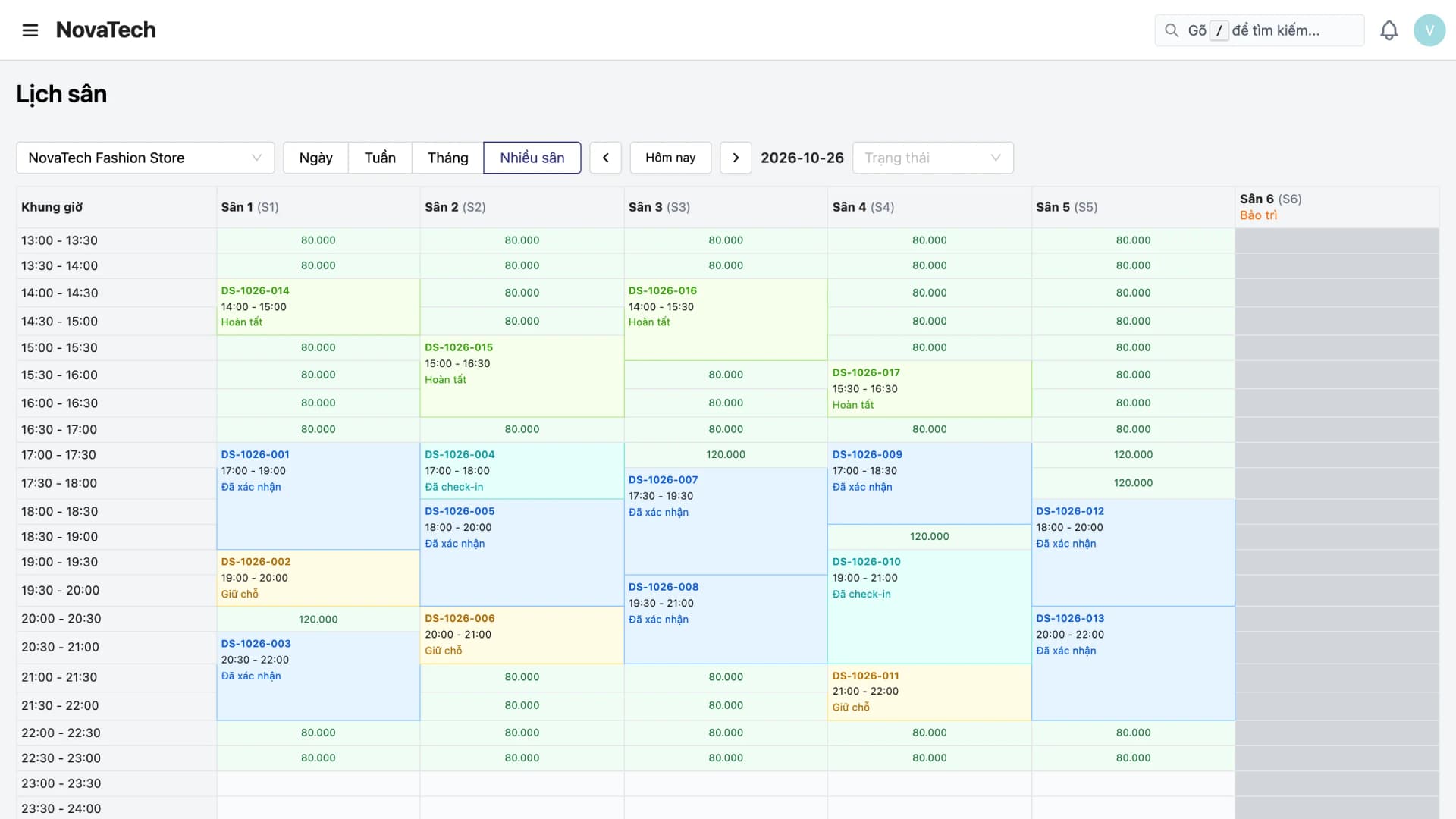
Court Booking gives every court its own calendar on 30-minute slots, automatically blocks any same-court, same-slot clash, allows flexible pricing per slot, and shows each court's free and booked slots on the court calendar.
Core capabilities
Court Booking is built as a physical-resource calendar system — one calendar per court, divided into fixed slots, with the engineering focus on blocking clashes at booking time.
A separate calendar per court on 30-minute slots
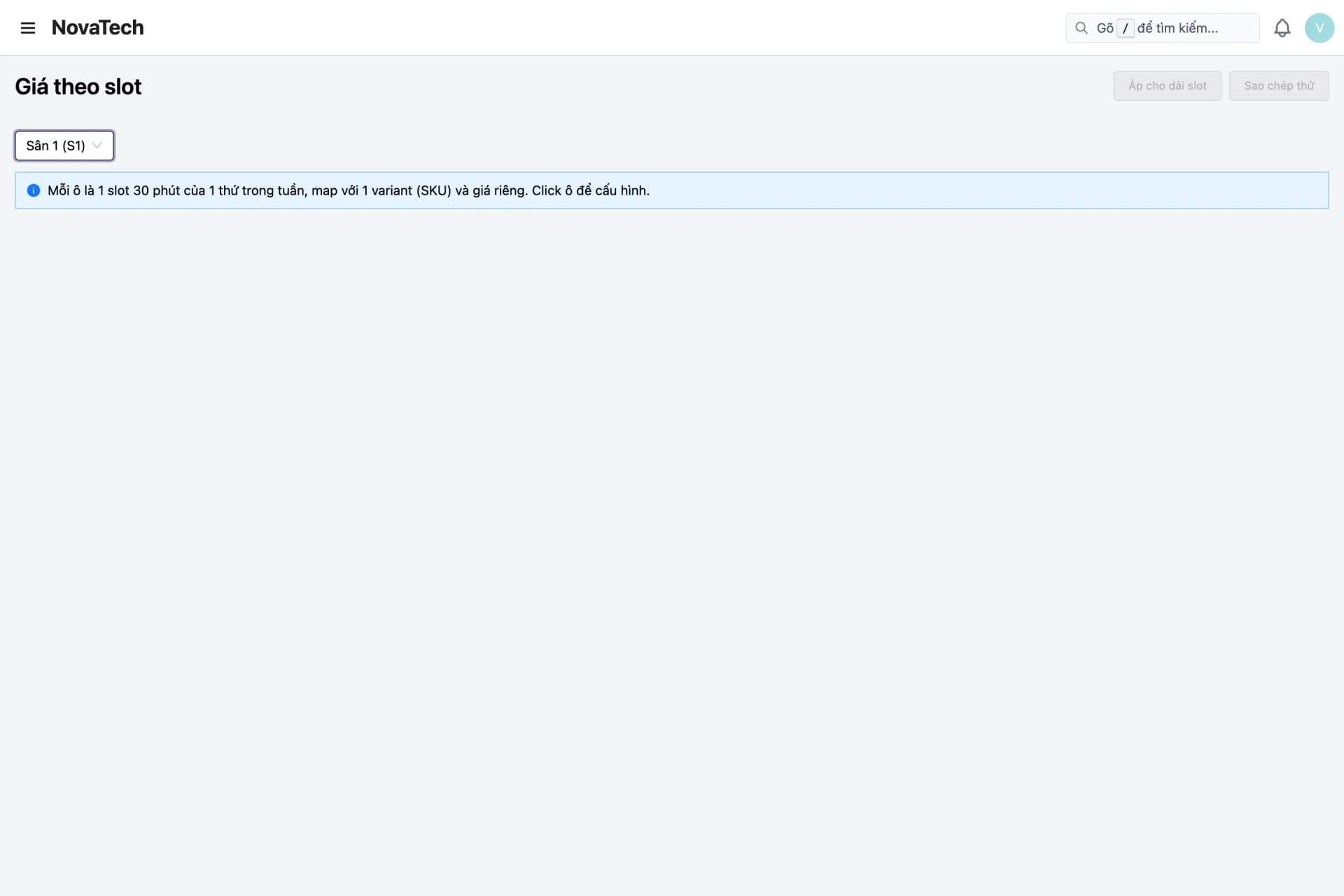
Each court runs its own independent calendar, split into fixed 30-minute slots — easy to follow, easy to book, and never mixed up between courts.
Automatic double-booking prevention
Each slot is locked once it is booked, so the system blocks the moment two customers try to take the same court in the same slot.
Pricing by court, weekday & time slot
Set prices per court, per weekday, and per 30-minute slot, then override the price for a specific date such as a holiday or special event.
Slot status on the court calendar
The court calendar shows by day, week, month, or several courts at once, with the number of bookings and free slots per day.
Closure & maintenance schedules
Mark a court as out of service for maintenance or a public holiday without affecting bookings on any other court.
Feature details
From per-court calendars and clash prevention to flexible pricing, operations, and closure schedules.
Per-court calendars
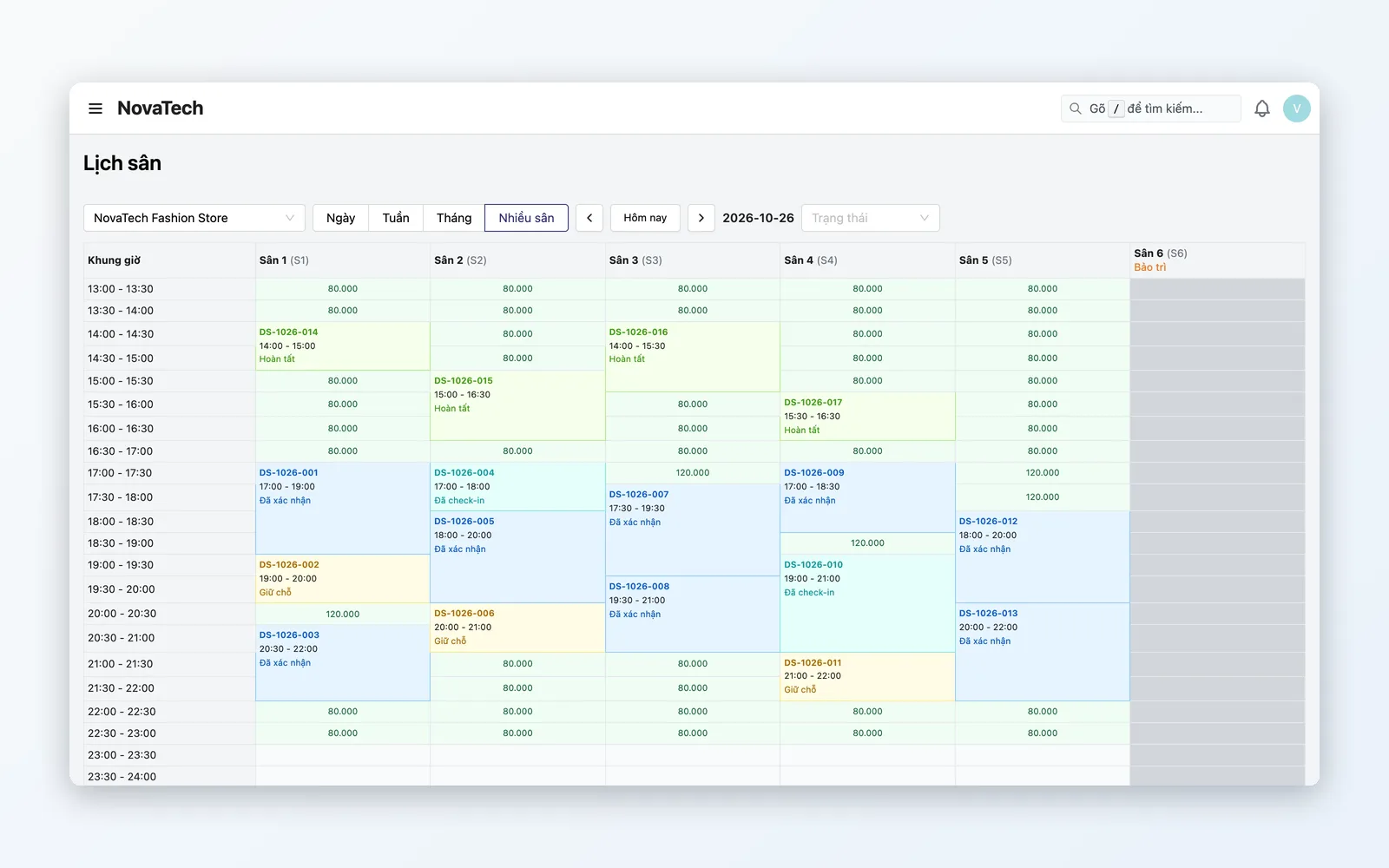
Each court has its own calendar, transparent slot by slot.
- Split each court's calendar into fixed 30-minute slots — easy to read, easy to book
- Every court — even courts of the same type (pickleball, badminton, tennis) — runs an independent calendar
- Staff see free/booked status on the court calendar and create bookings quickly
Double-booking prevention
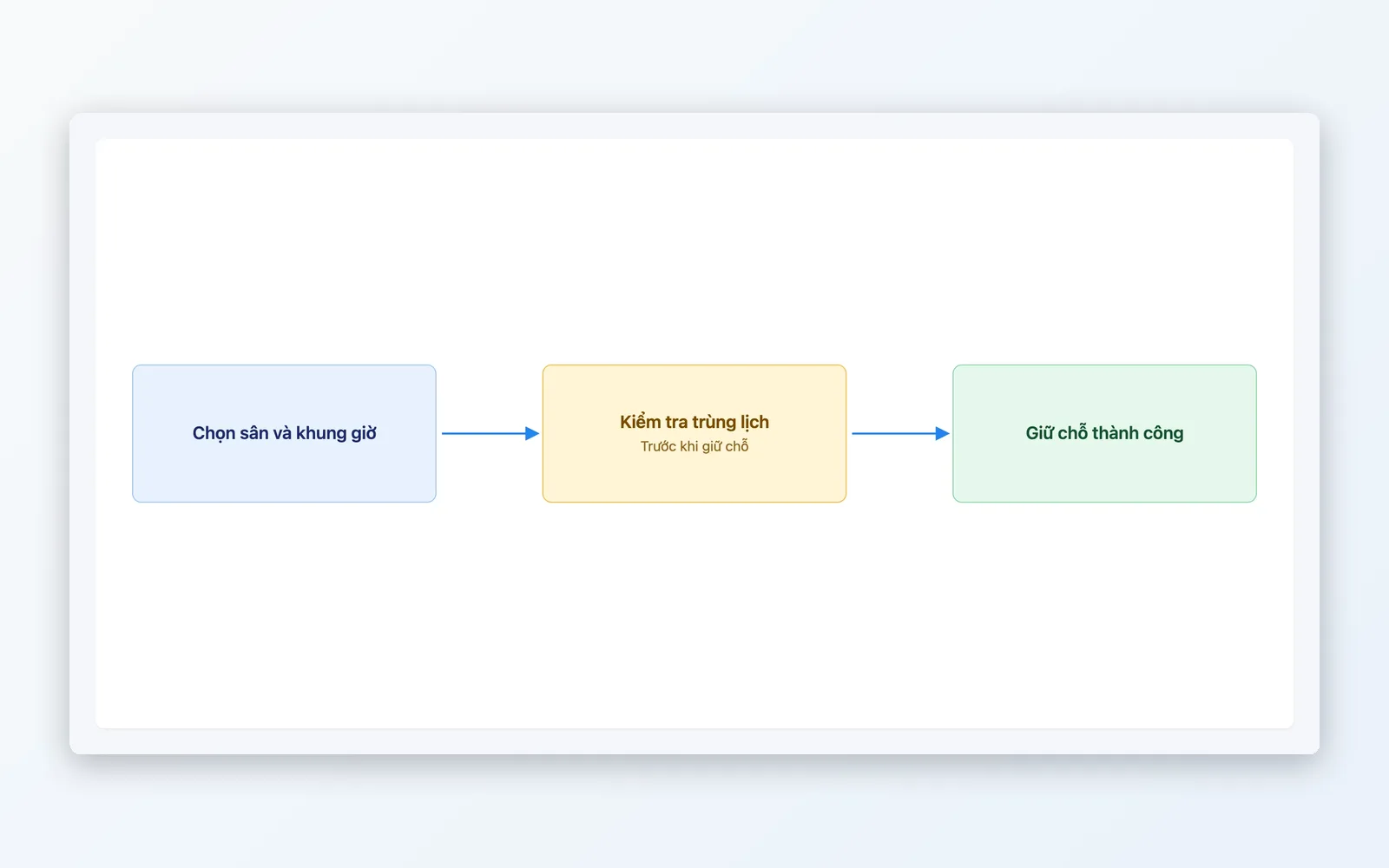
Stop clashes at the moment of booking.
- The system checks for court + slot conflicts automatically before confirming a booking
- Blocks instantly when a second customer tries to take a court and slot someone already holds
- No staff having to remember or hand-check the calendar to avoid clashes
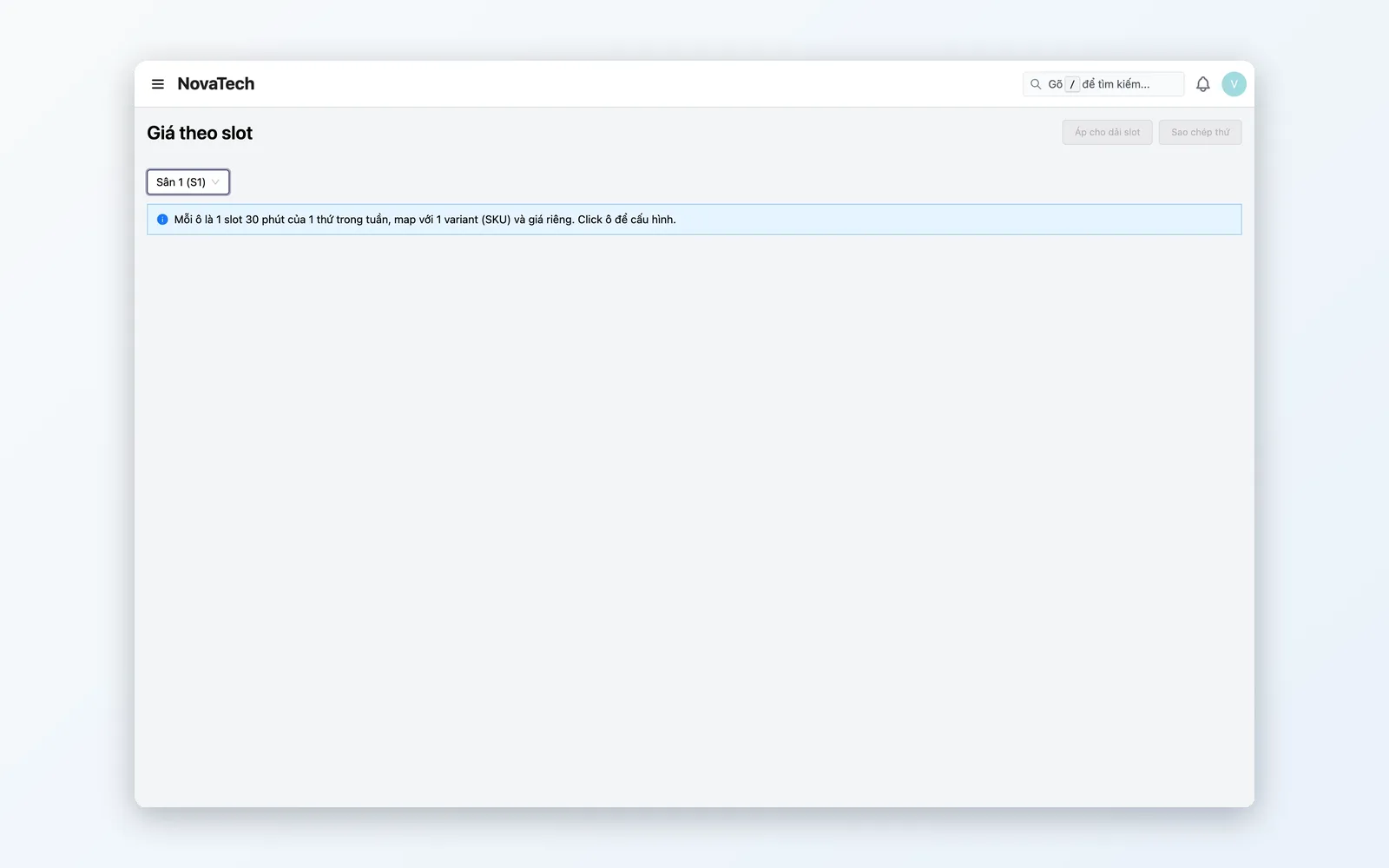
Flexible pricing
Prices per court and slot, overridden by specific date.
- Set prices per court by weekday and 30-minute slot
- Override the price for a specific date, such as a holiday or event
- Charge differently on weekdays and weekends without creating a new court
Operations & court calendar
See slot status and manage the days a court is out of service.
- See each court's free and booked slots on the court calendar by day, week, or month
- Mark closure/maintenance days per individual court, leaving other courts unaffected
- The Booked slots table records every slot locked by a booking
The lifecycle of a court booking
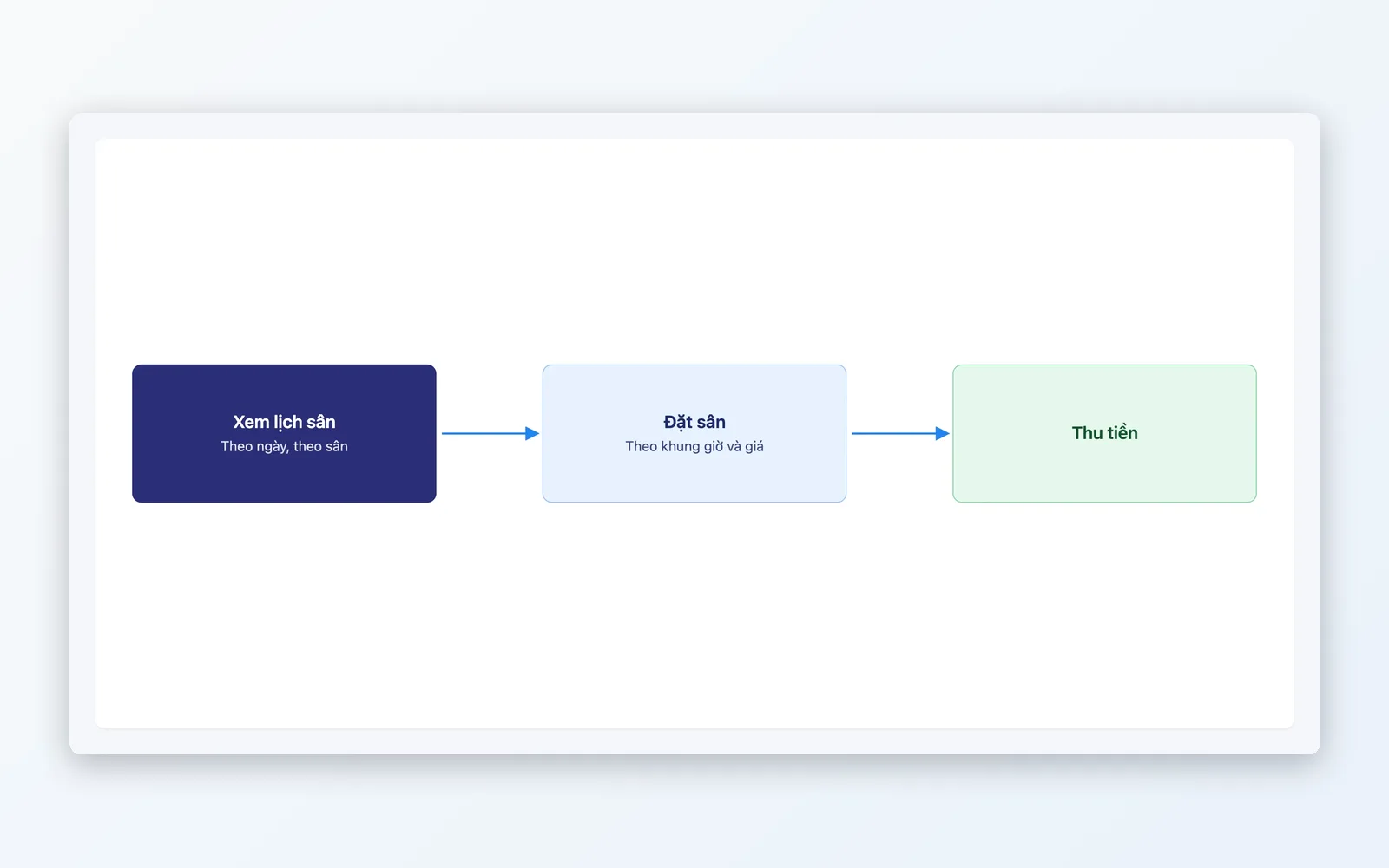
From picking the court → checking for clashes → confirming → viewing the court calendar → adjusting prices — closed-loop in one system.
Pick a court & slot
Staff check availability on the court calendar and create a booking for the court and slot the customer wants.
Check for clashes
The system checks availability automatically and blocks immediately if it detects a same-court, same-slot clash.
Confirm the booking
Confirm at the price that applies to that slot — the base price or an override.
Follow the court calendar
See the number of bookings and free slots per day on the court calendar.
Adjust prices by slot
Adjust the price of a slot or a specific date with price overrides.
Pick a court & slot
Staff check availability on the court calendar and create a booking for the court and slot the customer wants.
Check for clashes
The system checks availability automatically and blocks immediately if it detects a same-court, same-slot clash.
Confirm the booking
Confirm at the price that applies to that slot — the base price or an override.
Follow the court calendar
See the number of bookings and free slots per day on the court calendar.
Adjust prices by slot
Adjust the price of a slot or a specific date with price overrides.
How it works in practice
From a multi-court complex running in parallel to golden-hour pricing and routine maintenance — Court Booking serves exactly what hourly court rental needs.
Pickleball and badminton complexes rented by the hour
Several courts running in parallel while staff take bookings for customers — and the system still guarantees no court is booked twice in the same slot.
Adjusting prices for the golden hours
Charge more for prime evening slots than for quiet midday ones using per-slot prices and date overrides, without an across-the-board price change.
Managing routine court maintenance
Mark a court as temporarily closed for maintenance or a holiday without disturbing bookings on the other courts, which keep running normally.
How Court Booking differs from Booking
These are two systems for two completely different business models, serving two different customer segments — not the same feature under another name. Booking (service scheduling) is for spas, gyms, and clinics: the customer buys a prepaid service package (say, 10 gym sessions), and each visit deducts one entitlement from that package — the focus is allocating staff and service resources and managing treatment cards. Court Booking is for venues renting sports courts and facilities by the hour: each court has its own calendar, bookings sit on fixed 30-minute slots, and the engineering focus is preventing clashes between customers wanting the same court in the same slot. There is no concept of a service package or a deducted entitlement here — every booking is priced independently by slot (pay-per-slot).
Court booking without clashes
Manage each court's calendar on 30-minute slots, prevent clashes automatically, and apply flexible peak-hour pricing — all in one system.