Finance & accounting
Finance & Accounting runs inside the same system as your orders and inventory — not a separate accounting package that needs manual reconciliation. Customer and supplier balances, cash flow, cost of goods sold (weighted average, FIFO, or specific identification), and e-invoices all draw on order and receiving data, giving the finance team figures that are ready instead of waiting for month-end.
In most retail software, finance and accounting sit apart from the sales and inventory system. Accountants have to pull data from several sources, reconcile it by hand in Excel, and only get accurate numbers at month-end — by which point it is too late to act on them.
Every financial entry is recorded automatically the moment it arises on an order or a receiving slip — no month-end manual consolidation, and every figure comes from one source.
Core capabilities
Every financial figure lives in the same system as your orders and inventory — no syncing data between disconnected accounting packages.
Customer receivables & supplier payables
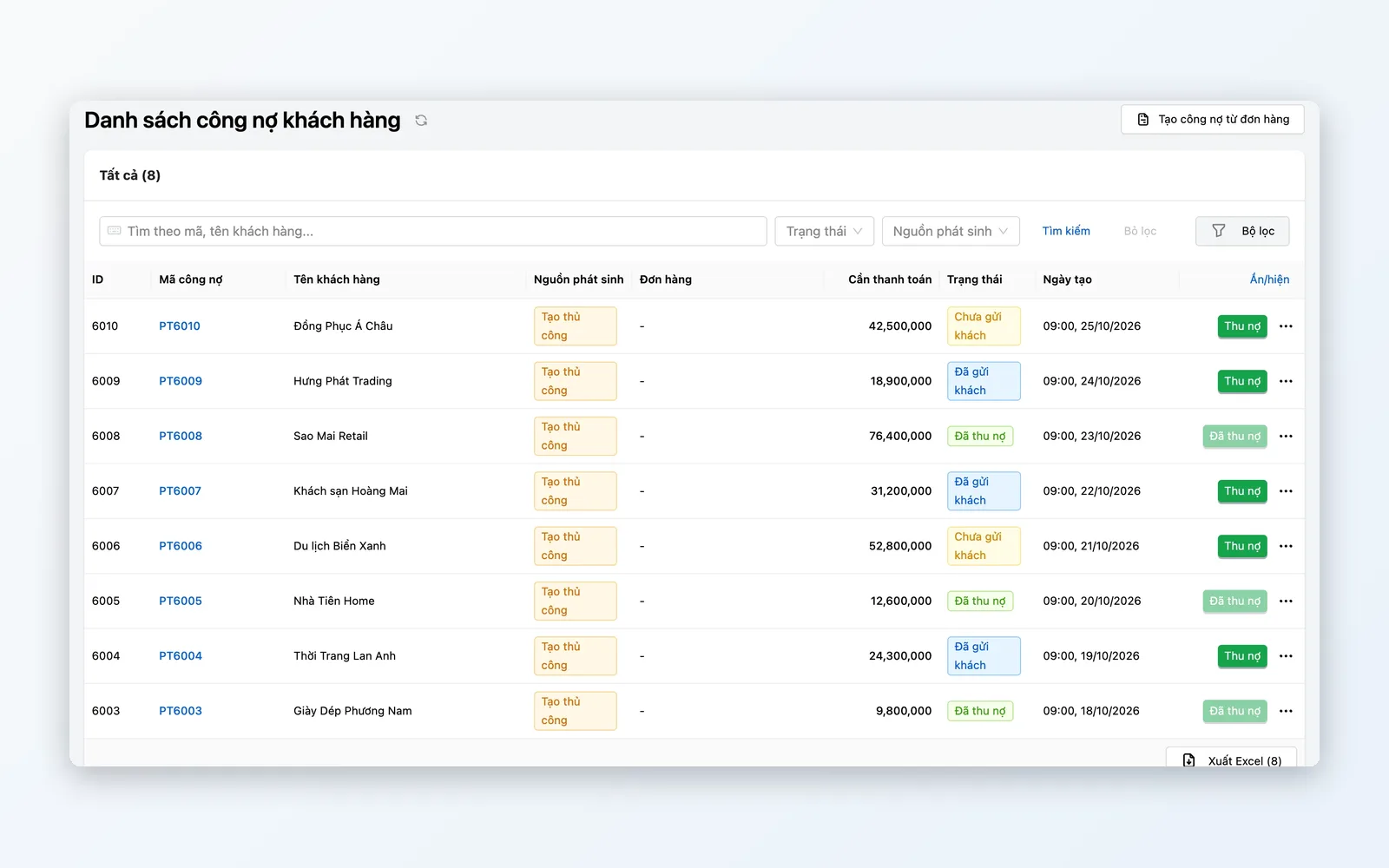
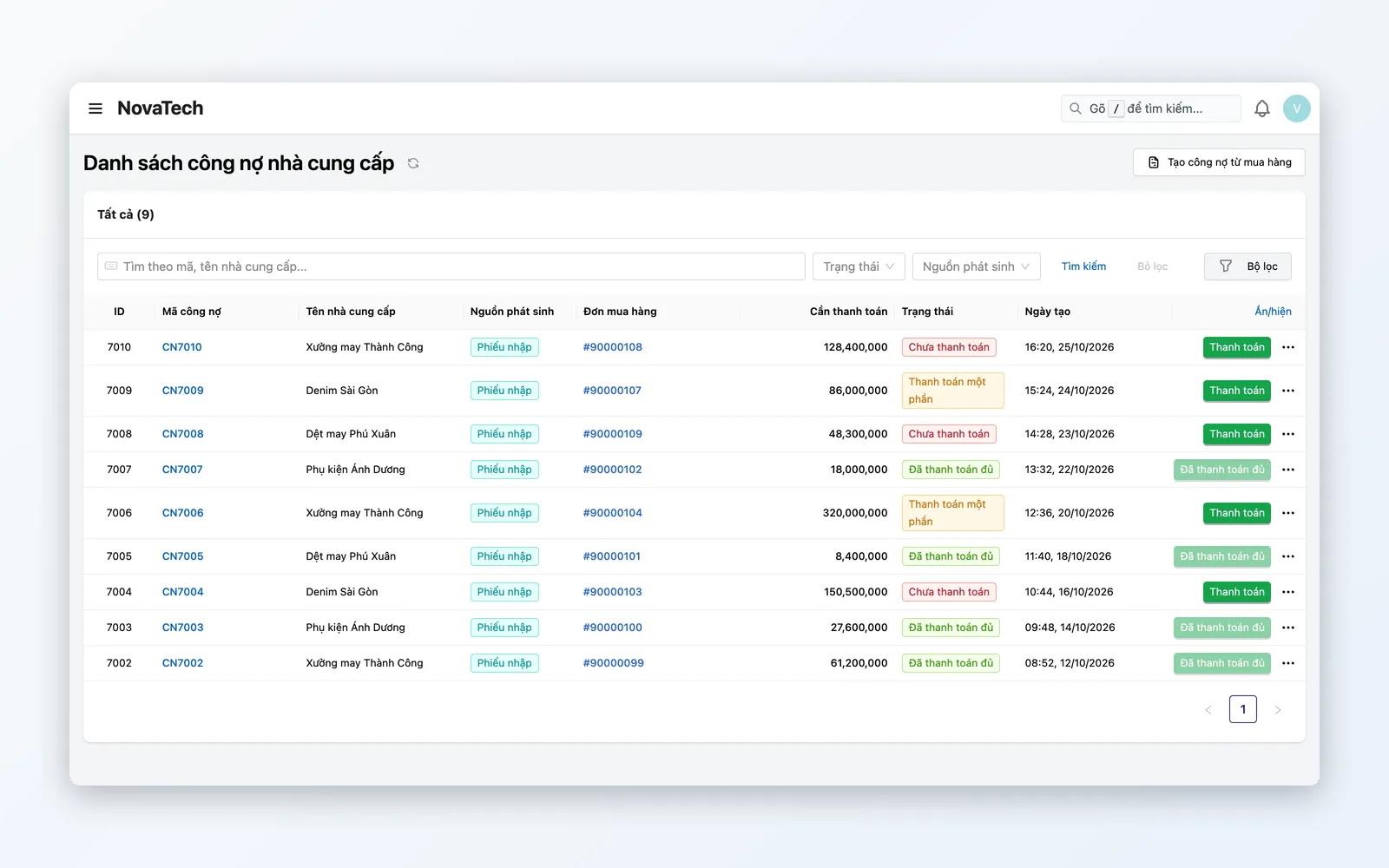
Track two-way balances with every customer and supplier: what is receivable or payable, what has already been settled, the current status, and the source documents behind it — orders and POs.
Cash flow journal
Record actual cash receipts and payments from orders and payments. For deeper cash control, the advanced Cash & Reconciliation module adds payment requests, bank statement reconciliation, partner settlement statements (COD, payment gateways, marketplaces), and period close.
Cost of goods sold (COGS)
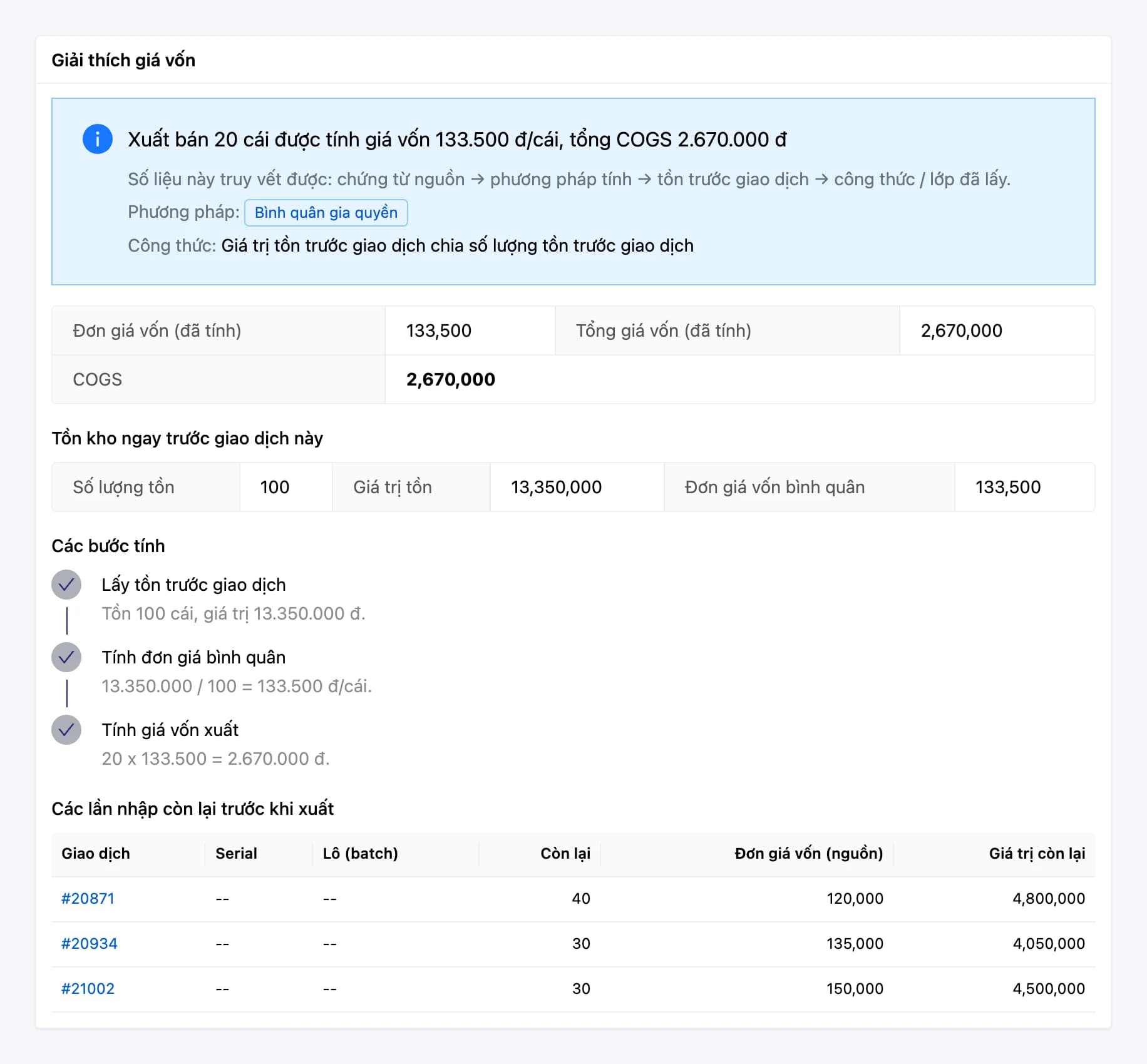
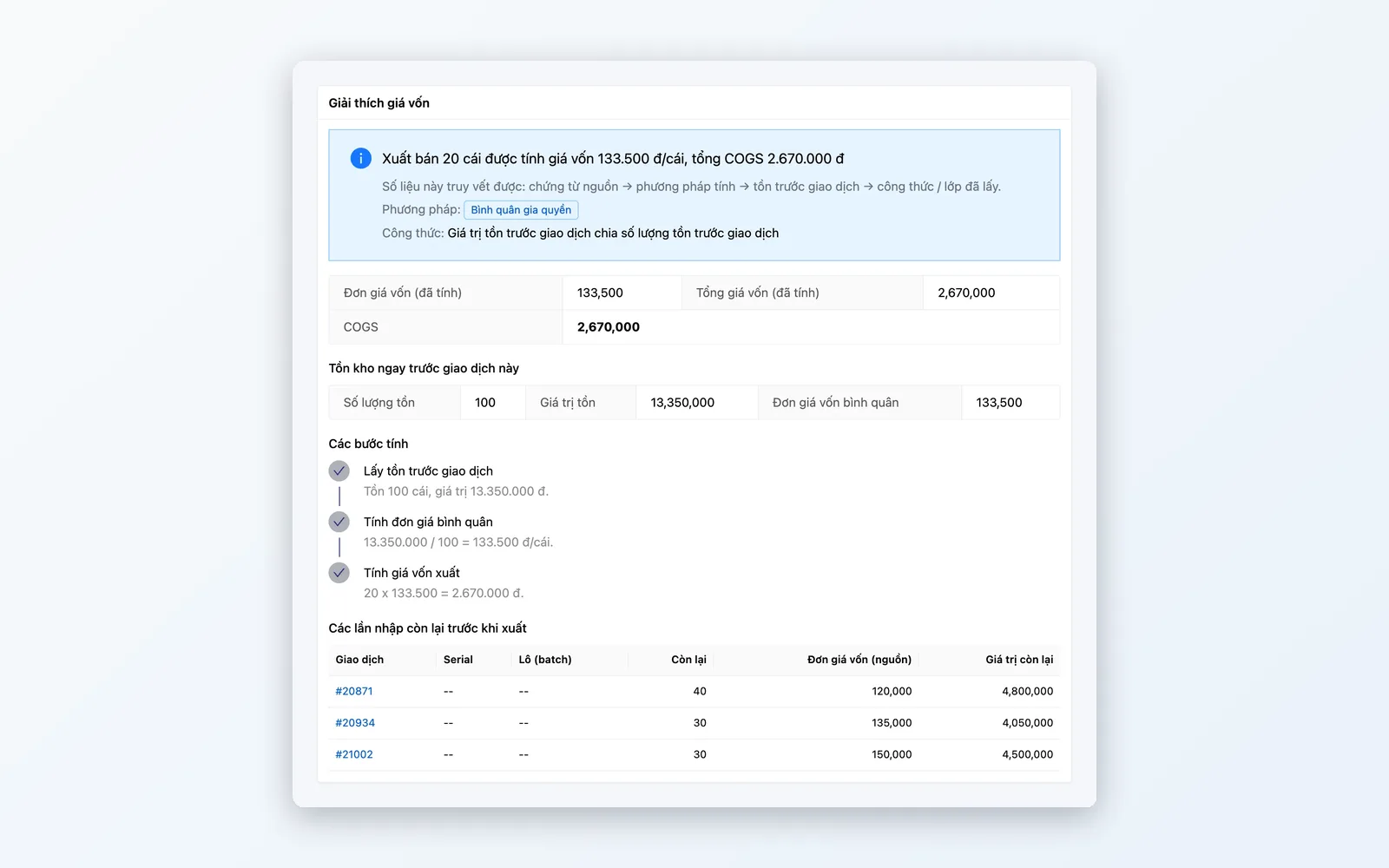
Choose weighted average, FIFO, or specific identification; cost is calculated per cost layer of each received lot. Every figure comes with a cost explanation — know which lot and which transaction it came from.
E-invoicing
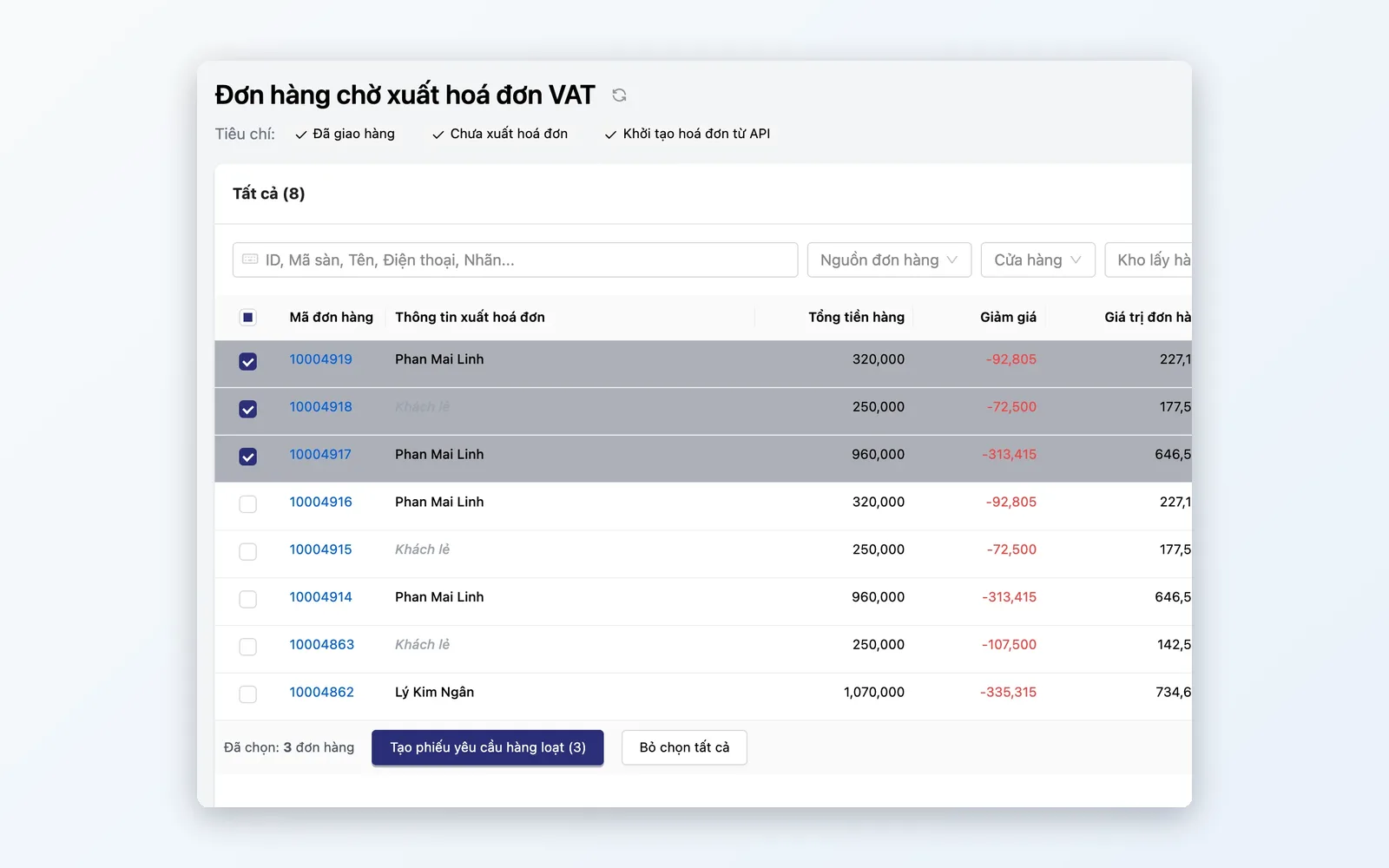
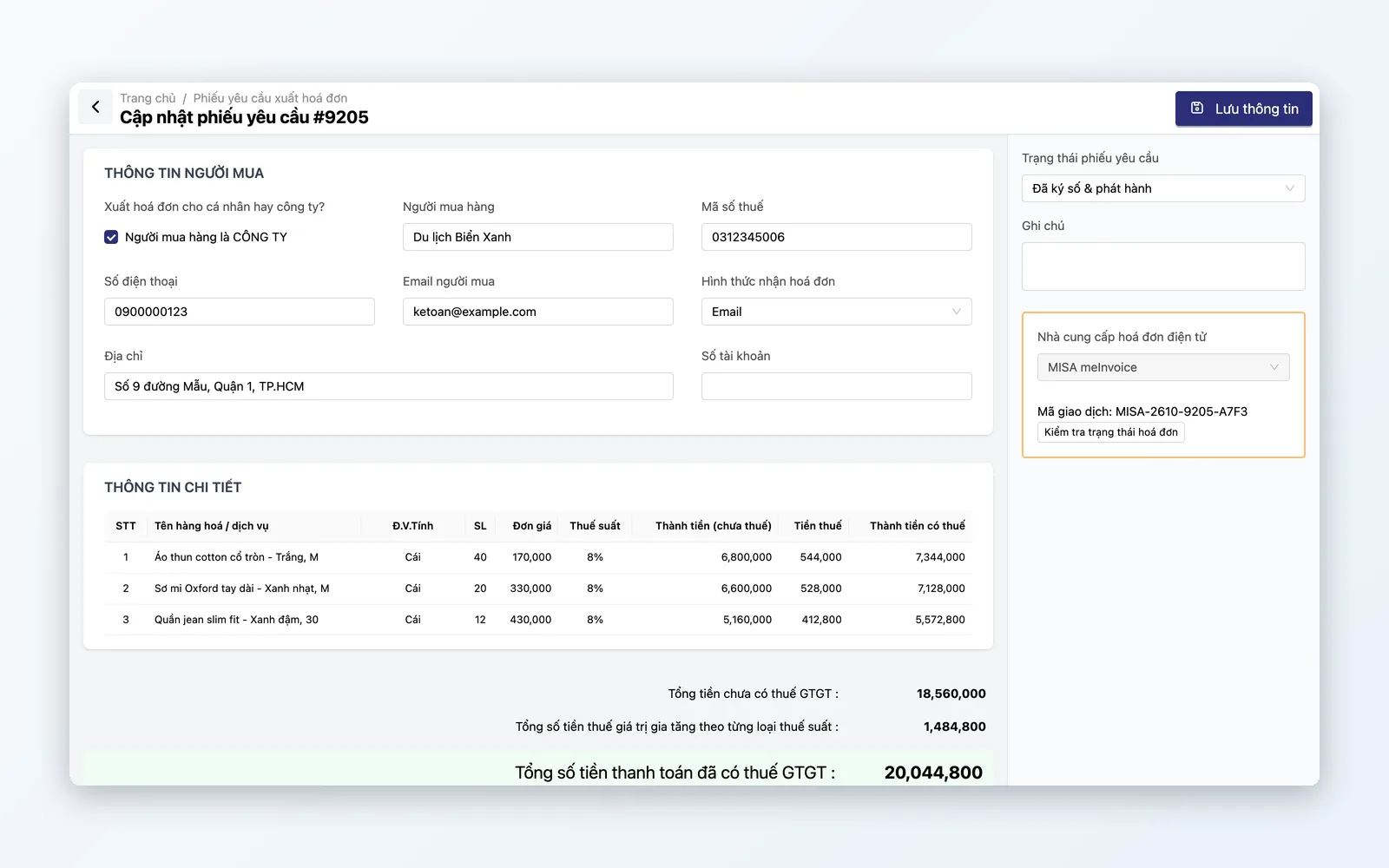
Invoice requests pre-fill from order data; accounting issues them through MISA, Viettel, or MatBao one by one or in bulk — nothing re-keyed by hand.
Product margin analysis
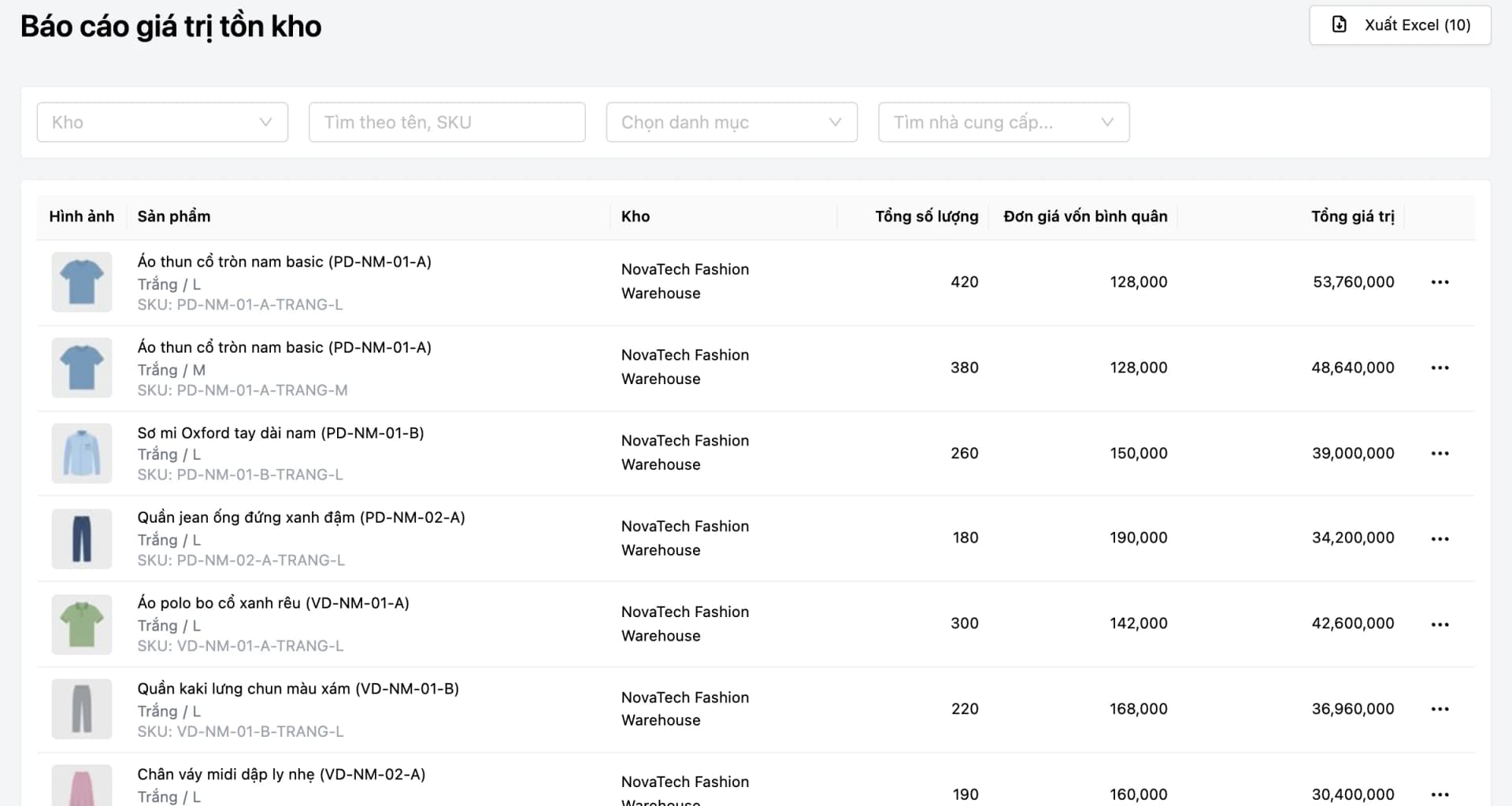
Compare selling price, cost, absolute profit, margin percentage, and stock on hand for every product/SKU — filter by category or supplier to see which product groups actually earn their margin.
Feature details
From receivables and cash flow to cost of goods and e-invoicing — complete financial management inside your sales system.
Receivables & payables
Track two-way balances with customers and suppliers — nothing slips through.
- Customer receivables and supplier payables, tracked partner by partner
- Reconcile amounts due against amounts already settled, partner by partner
- Detailed reconciliation history per partner — fast to look up when a dispute arises
Cash flow
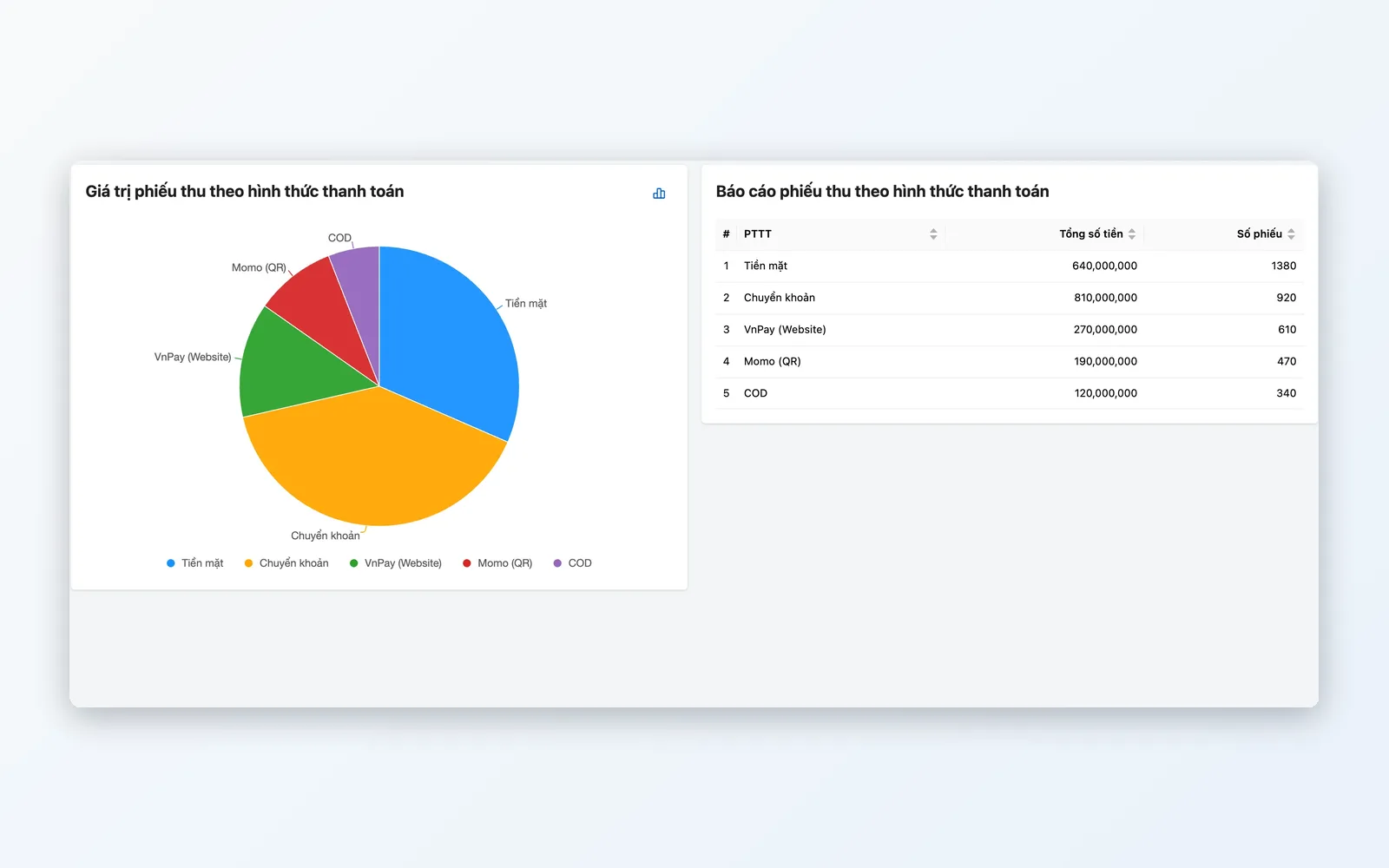
Record actual receipts and payments in one journal, and reconcile bank statements and partner settlements when needed.
- Cash flow journal covering cash, bank transfers, and online gateway payments
- Reconcile bank statements and partner settlements: import the file, then match, in the Cash & Reconciliation module
- Payment requests and period close in the advanced Cash & Reconciliation module
Cost & margin
Cost calculated per order and per inbound batch, so you can read margin item by item.
- Cost by weighted average, FIFO, or specific identification, calculated on the cost layer of each received lot
- Profit analysis by product/SKU, filterable by category or supplier
- Cost explanation for each transaction; COGS and inventory value reports, exportable to Excel
E-invoicing
Issue invoices straight from order data — no re-keying.
- Invoice requests pre-fill from order data; accounting issues them one by one or in bulk
- Integrated with e-invoice provider MISA
- Viettel and MatBao supported as alternative providers
- No manual cross-checking or re-entry of invoice details between two systems
The lifecycle of a financial transaction
From recording the entry → reconciling cash flow → tracking balances → issuing the invoice → reading the report — closed-loop, in one system.
Record the transaction
Financial entries are recorded automatically as soon as an order or a receiving slip is created.
Reconcile cash flow
The cash flow journal records receipts and payments from orders and payments; bank statements and partner settlements are reconciled in the Cash & Reconciliation module.
Track balances
Customer and supplier balances are tracked on two separate screens, traceable to orders and POs.
Issue the e-invoice
The invoice request pre-fills from order data; accounting issues it through MISA or another integrated provider.
Read the reports
COGS reports, inventory value, and per-item profit margins update along with sales data and export to Excel — no waiting for period-end close.
Record the transaction
Financial entries are recorded automatically as soon as an order or a receiving slip is created.
Reconcile cash flow
The cash flow journal records receipts and payments from orders and payments; bank statements and partner settlements are reconciled in the Cash & Reconciliation module.
Track balances
Customer and supplier balances are tracked on two separate screens, traceable to orders and POs.
Issue the e-invoice
The invoice request pre-fills from order data; accounting issues it through MISA or another integrated provider.
Read the reports
COGS reports, inventory value, and per-item profit margins update along with sales data and export to Excel — no waiting for period-end close.
Real-world scenarios
Three jobs finance teams still do in Excel at most companies — and how they run natively here.
Period-end supplier reconciliation
Accounting sees the full balance with each supplier — payable, paid, and the related documents and POs — without stitching together several Excel files.
Issue e-invoices from order data
Invoice requests pre-fill from order data; accounting issues them through MISA one by one or in bulk from the awaiting-invoice list — no re-keying invoice details by hand.
Tracking cash flow across payment channels
Cash, bank transfers, and online gateway payments all land in a single cash flow journal; bank statements and partner settlements are reconciled in the Cash & Reconciliation module.
Accounting inside the sales system, not beside it
Most accounting software is a separate system that needs exports, imports, or periodic syncs with your sales system. Oviro puts Finance & Accounting inside the same system as orders and inventory — receivables and payables, cash flow, cost of goods, and e-invoices all draw on the same source data, so figures trace back to the original document without re-keying between systems.
Financial control inside your sales system
No waiting for the month-end report — receivables, payables, cash flow, cost of goods, and margins come from the same system as your orders and inventory.