Session commerce & supply planning
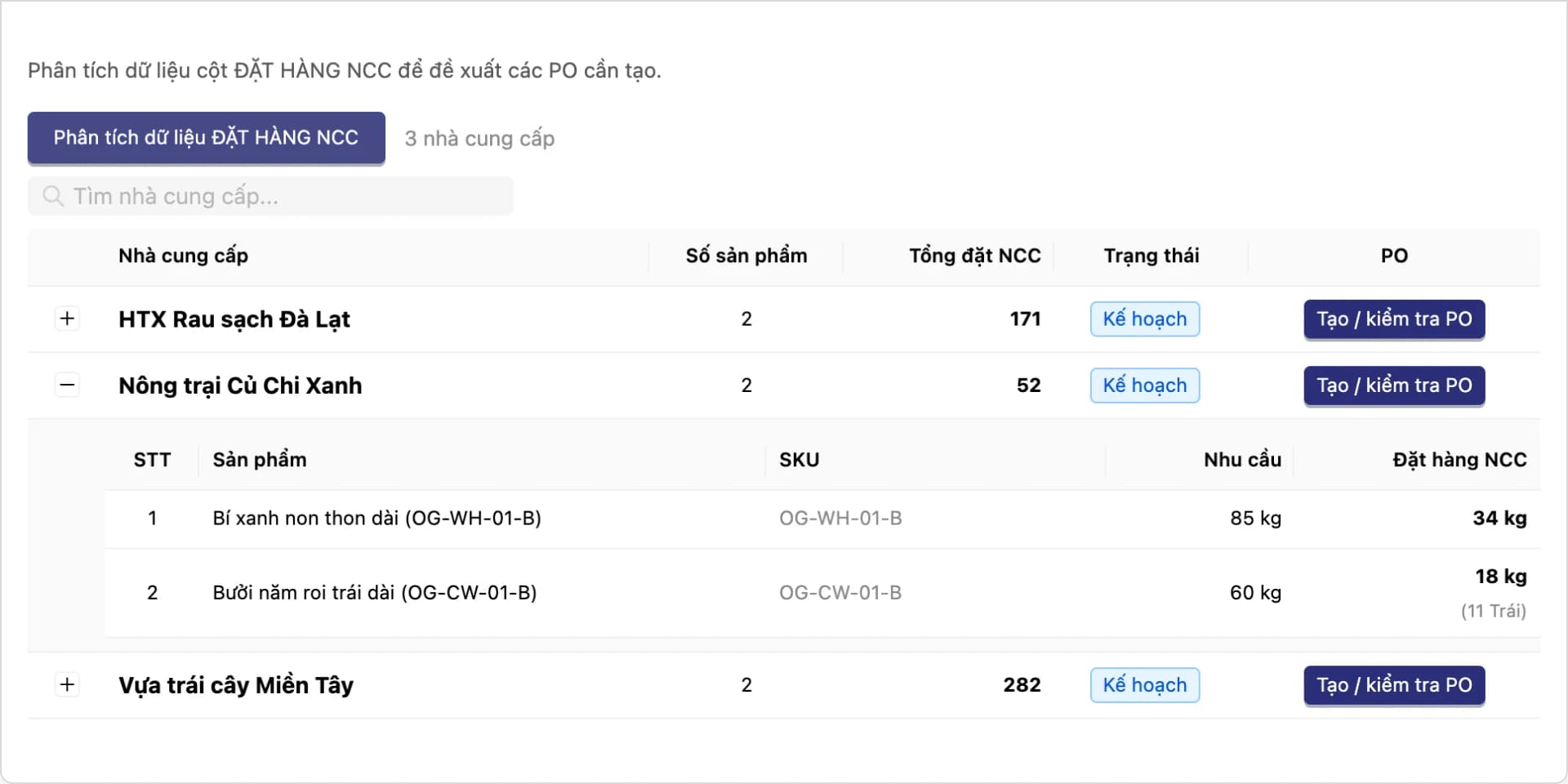
Order Window organizes selling into sessions on fixed time windows, instead of always-on, unlimited selling. The Supply Plan is set up before the session opens: suppliers, quantities, prices, and lead times are declared in advance to cap what you sell. The Demand Plan (order plan) rolls up demand from the orders placed in the session, then creates a purchase order (PO) for each supplier — so you buy what was actually sold, with less stock-out and leftover.
Businesses selling fresh produce or seasonal goods — in morning and afternoon runs, or by harvest cycle — often struggle to pin down how much to bring in for each selling session. Running out mid-session or being left with unsold stock is easy to hit, because "how much customers ordered" and "how much to buy from each supplier" live in disconnected spreadsheets.
Session selling and supply planning are connected in one system — supply is declared up front to cap what you sell, demand is rolled up from the session's own orders, and POs are created from the order plan.
Core capabilities
Session selling and supply planning live in the same system — not two disconnected tools.
Session selling (Order Window)
Organize selling into sessions or fixed time windows, instead of always-on, unlimited selling.
Order planning (Demand Plan)
Roll up purchasing demand from the session's placed and confirmed orders, check it against current stock, and allocate it to suppliers.
Supply planning (Supply Plan)
Declare the products, suppliers, quantities, prices, and lead times for a selling run in advance; link it to the session so you only sell what has a source.
A direct link into Purchasing
From the order plan, create a PO for each supplier — nothing re-entered by hand.
Feature details
From the supply plan and opening a selling session to the order plan and POs — all in one system.
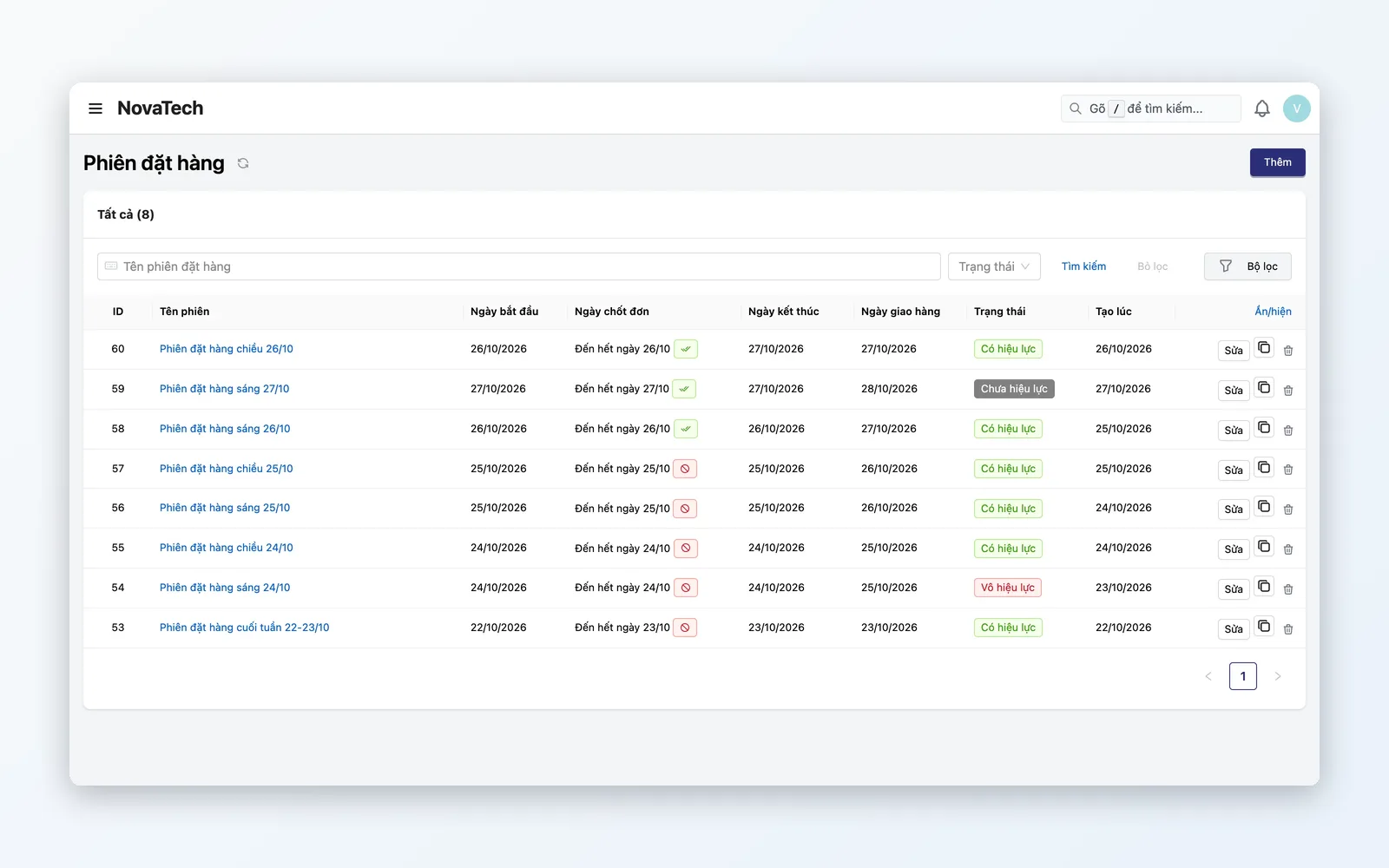
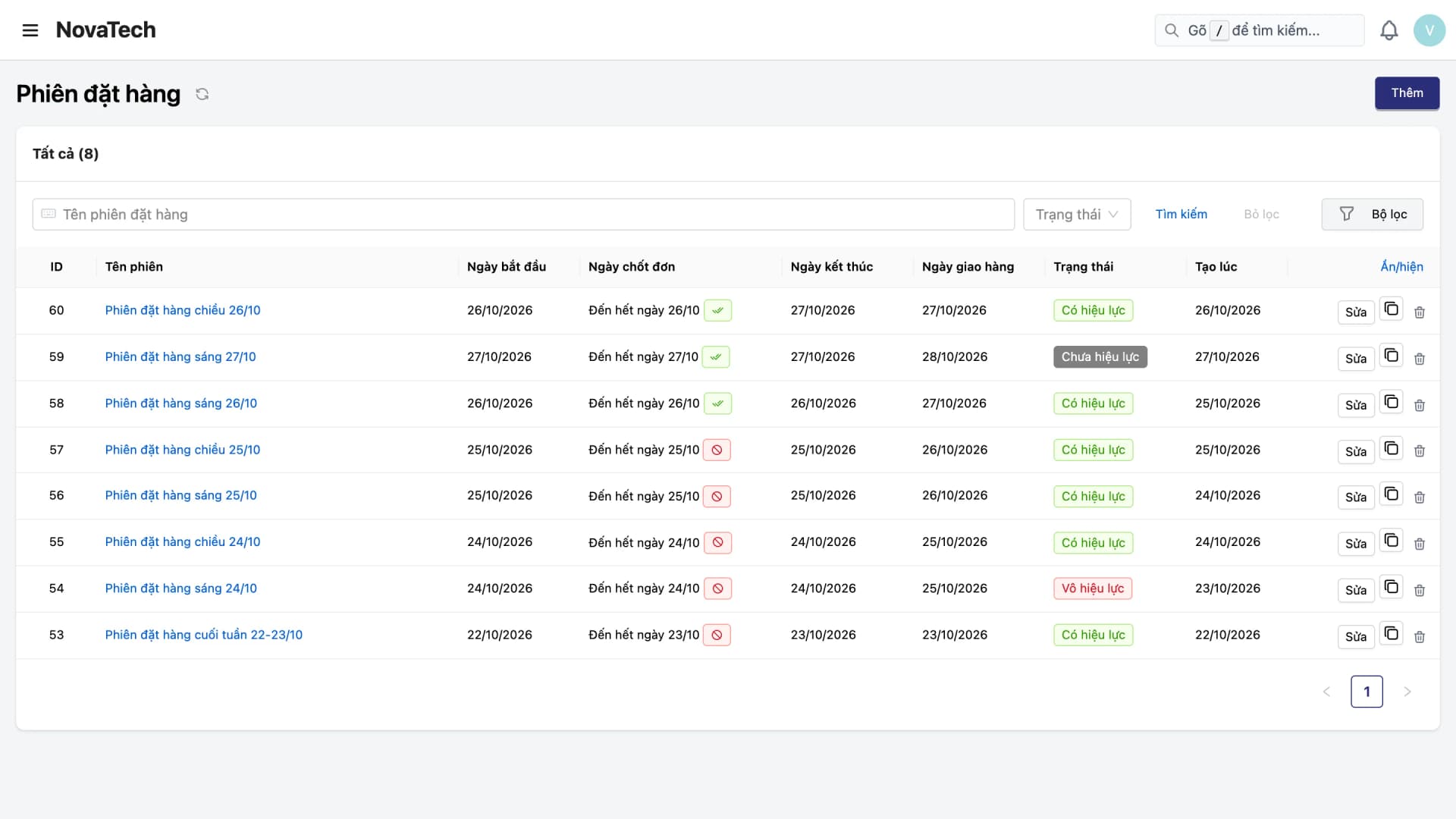
Session selling (Order Window)
Organize selling into defined time windows or runs, instead of an always-open, unlimited storefront.
- Open and close selling sessions on fixed time windows or runs
- Cap the sellable quantity per product within each session
- Each session is its own selling cycle, with data kept separate for analysis
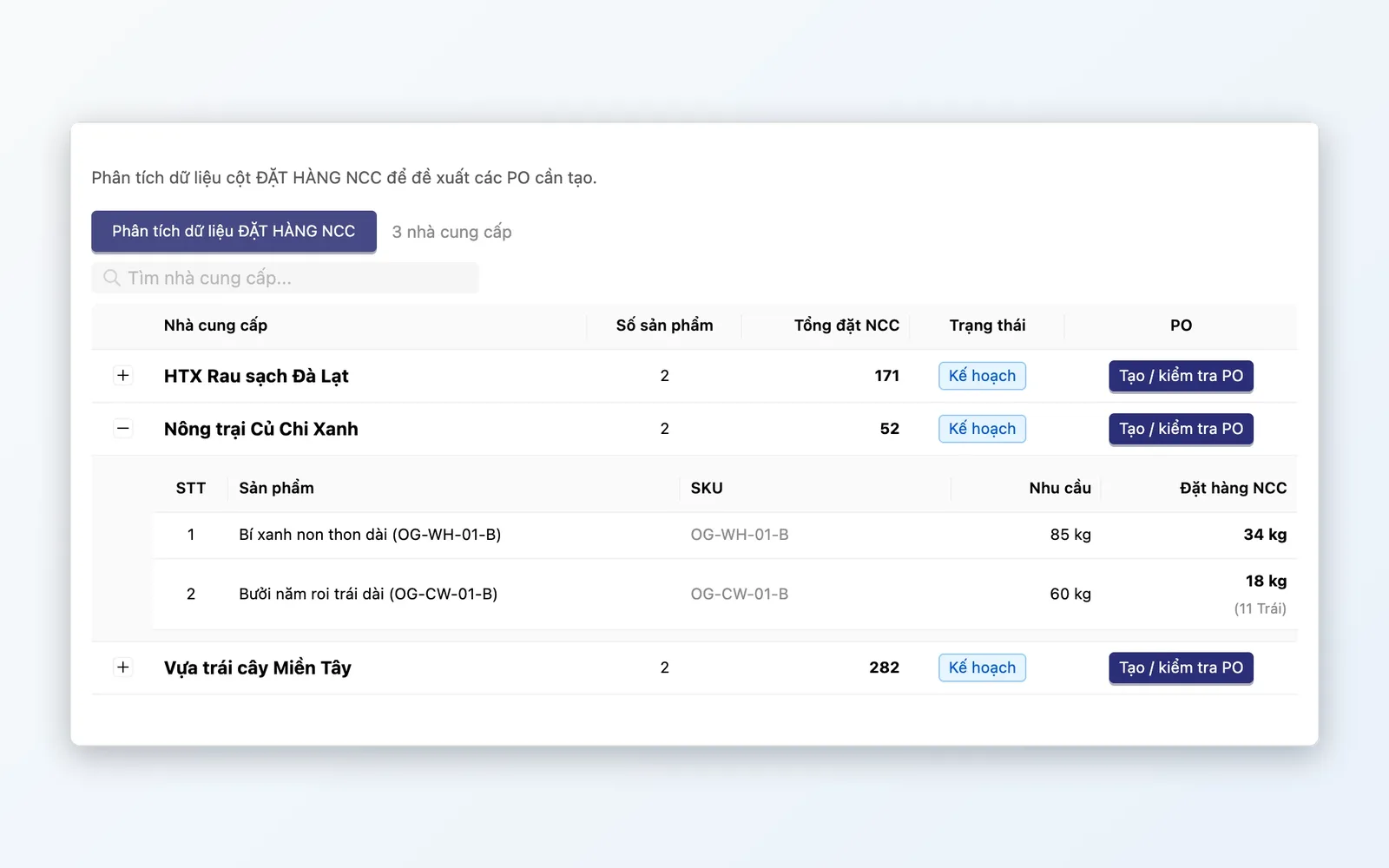
Order planning (Demand Plan)
No guesswork — purchasing demand is rolled up from the session's real orders.
- Gather purchasing demand from the session's placed and confirmed orders
- Check against current stock and allocate to each supplier
- The direct basis for creating a PO for each supplier
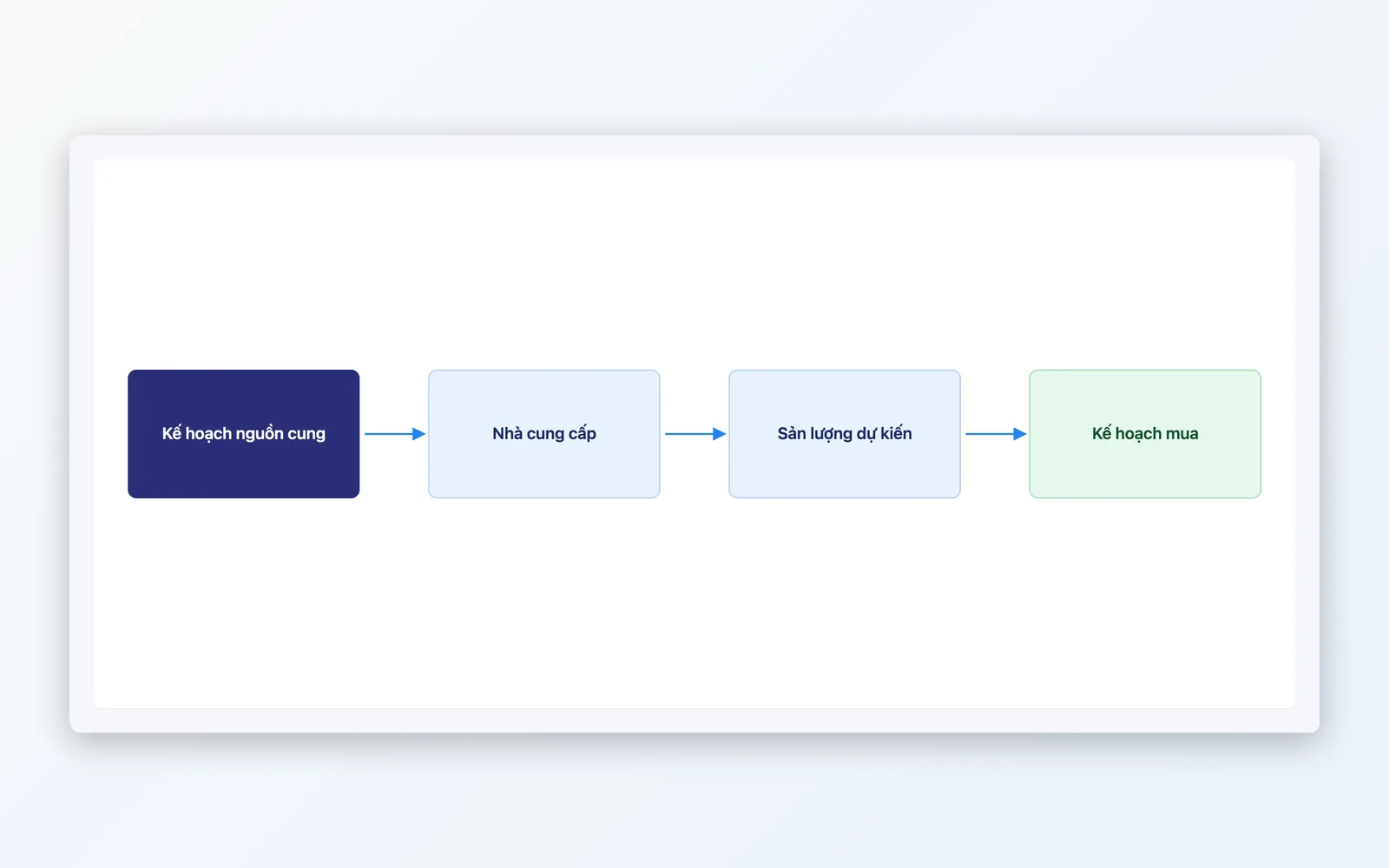
Supply planning (Supply Plan)
Declare the sourcing for a selling run in advance, instead of a disconnected spreadsheet.
- Build the supply plan before the session opens: suppliers, expected/maximum quantities, prices, lead times
- Link the supply plan to the order session to cap what you sell
- The step before opening a session, tying sourcing to the selling window
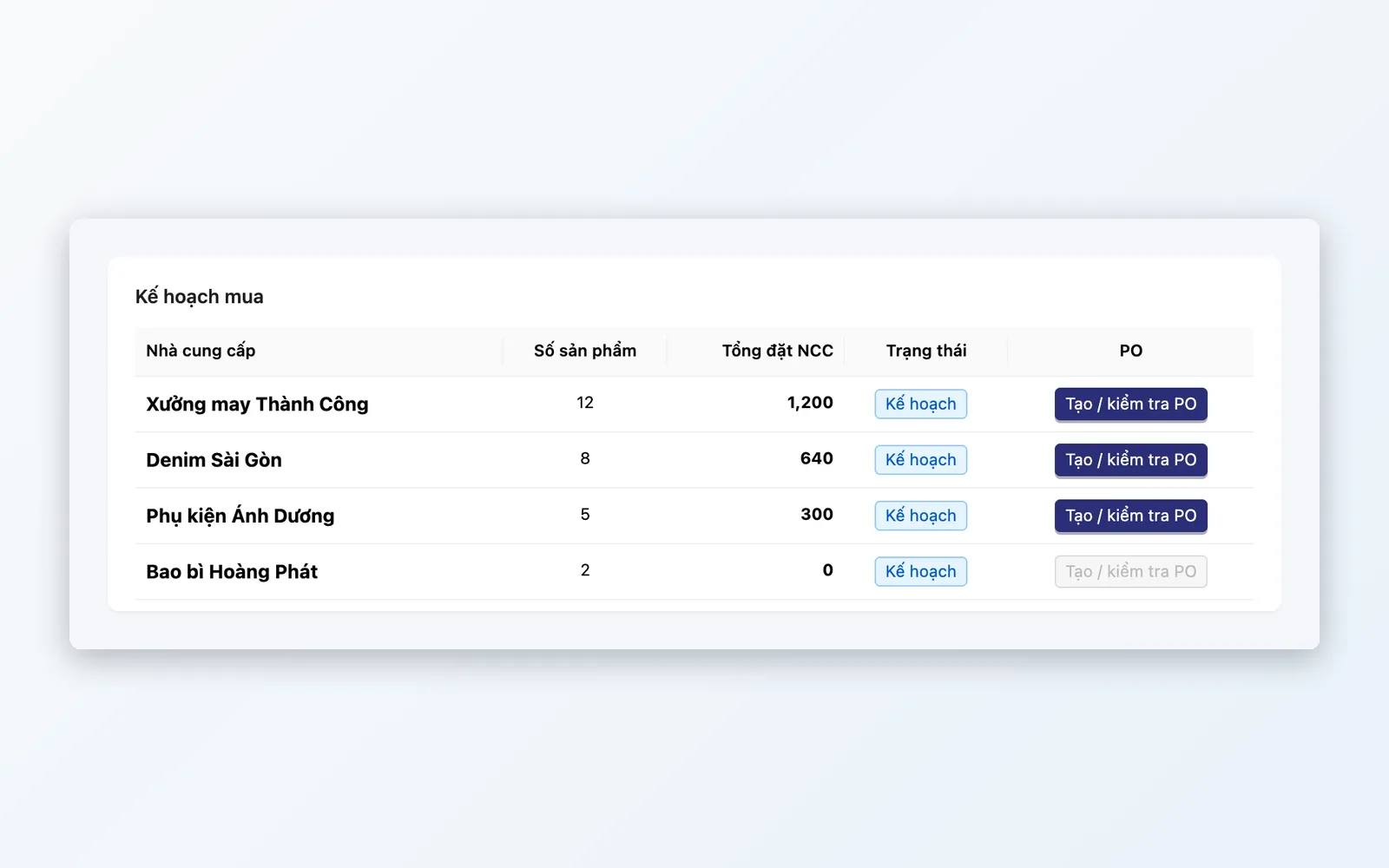
A direct connection into Purchasing
From the order plan, create a PO for each supplier — nothing re-entered by hand.
- Create a PO for each supplier from the order plan, right in the system
- The whole chain from session selling to PO sits in one system
- Fewer manual entry steps between the order plan and the purchase order
From session selling to a purchase proposal
One closed loop: build the supply plan → open the session → record the orders → build the order plan → create POs for suppliers.
Build the supply plan
Declare the products, suppliers, quantities, prices, and lead times for a selling run in advance.
Open the selling session
Open a session by time window or run, link the supply plan, and set a quantity cap per product.
Record orders within the session
Orders placed during the session are recorded per session and rolled up when you build the order plan.
Build the order plan
Demand Plan gathers purchasing demand from the session's confirmed orders, checks stock, and allocates it to suppliers.
Create POs
From the order plan, create a PO for each supplier.
Build the supply plan
Declare the products, suppliers, quantities, prices, and lead times for a selling run in advance.
Open the selling session
Open a session by time window or run, link the supply plan, and set a quantity cap per product.
Record orders within the session
Orders placed during the session are recorded per session and rolled up when you build the order plan.
Build the order plan
Demand Plan gathers purchasing demand from the session's confirmed orders, checks stock, and allocates it to suppliers.
Create POs
From the order plan, create a PO for each supplier.
Where it applies
Session selling and supply planning suit business models with selling cycles and a supply that has to be planned ahead.
Fresh produce and agricultural goods sold in morning and afternoon runs
Each morning or afternoon session is its own selling run — declare sourcing in advance, cap what you sell per session, and buy according to the orders actually placed.
Seasonal suppliers and distributors
Declare the supply for each selling run in advance — supplier, quantity, price, and lead time — then open the session to match the sourcing you actually have.
Businesses selling in limited batches or drops
Each drop carries only a set quantity — set a quantity cap per product in the session, and clone the session for later drops.
What makes Oviro's supply planning different
Many businesses plan inbound goods in a spreadsheet that sits apart from the sales system. Oviro connects the advance supply plan, the selling session, the session's orders, and POs in one system, so purchasing stays close to the real orders of the session.
Sell by session, buy what was ordered
From the supply plan and session selling to the order plan and POs — a closed loop in one system, so every PO tracks the orders placed in the session.