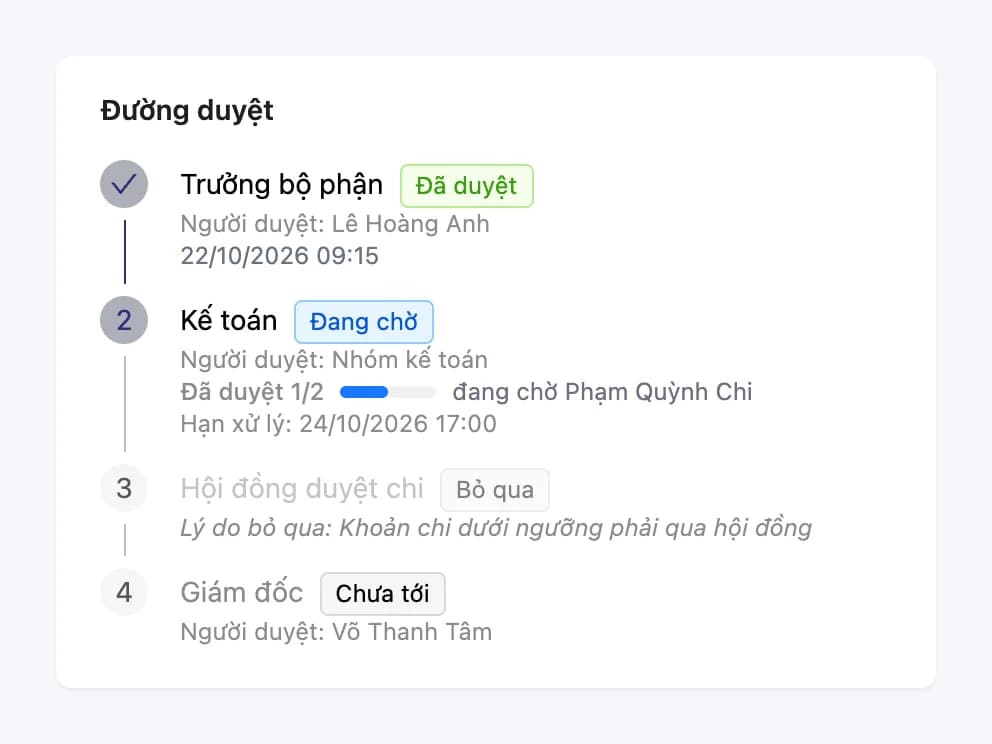
Approvals: important actions get a signature
Build request templates, set up multi-step approval flows, and attach them directly to sensitive actions such as canceling purchase orders, payment requests, and project purchase requests. An advanced Oviro module.
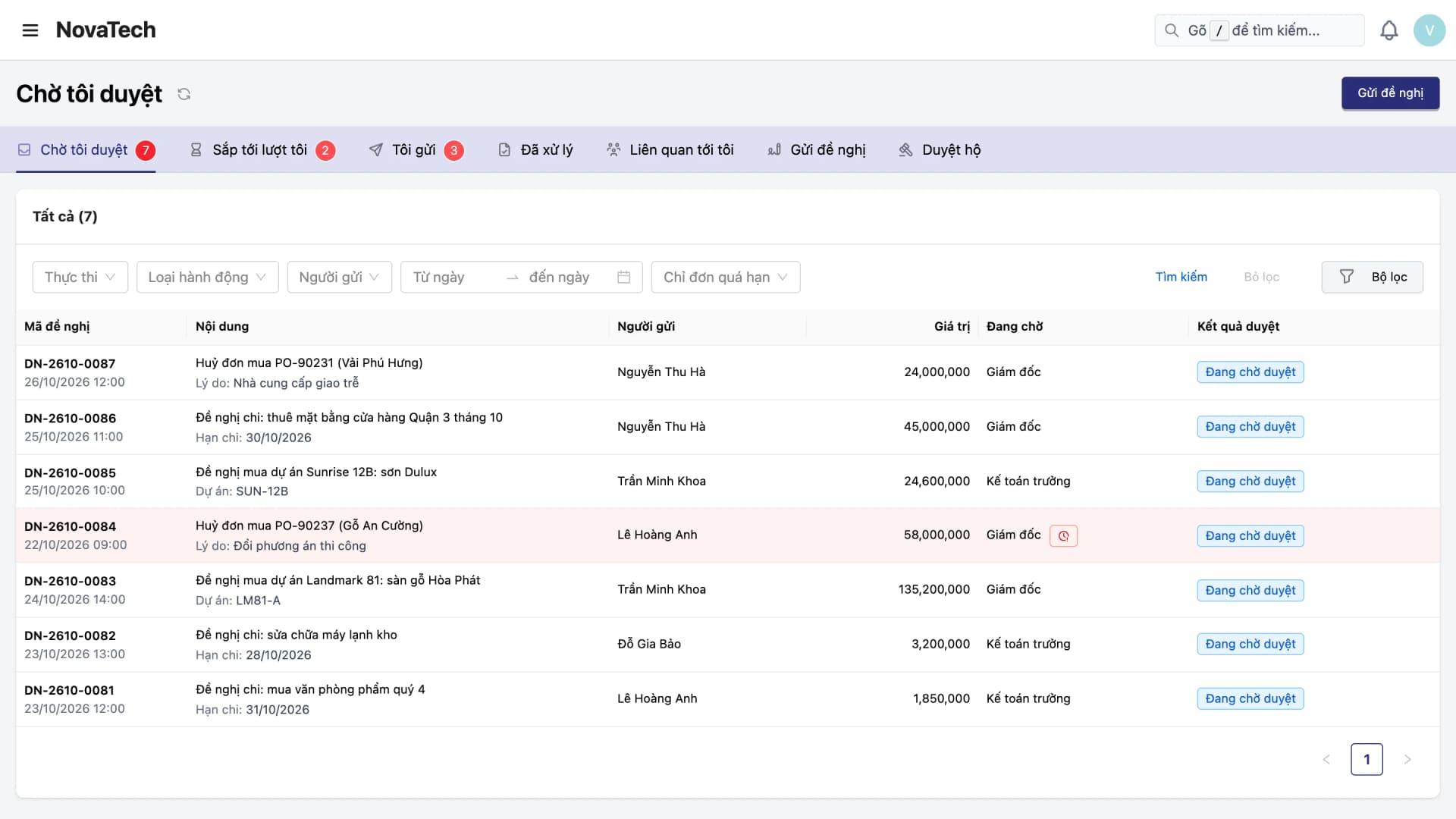
Approvals happen over messages and phone calls: no one knows where a request is, who agreed, or who has not replied. Sensitive actions like canceling a purchase order or paying out money should need an approver, but the system still lets people go ahead directly.
With Oviro, requests follow the right approval path, approvers get their own inbox, and the action happens only after approval is complete.
From request template to approval result, in one place
Admins set it up once, staff use it every day, and managers stay in the loop.
Custom eForm templates
Admins add fields themselves: text, amount, date, and pickers for staff, warehouse, supplier, product, purchase order, and sales order. Staff just fill in and submit.
Multi-step approval flows
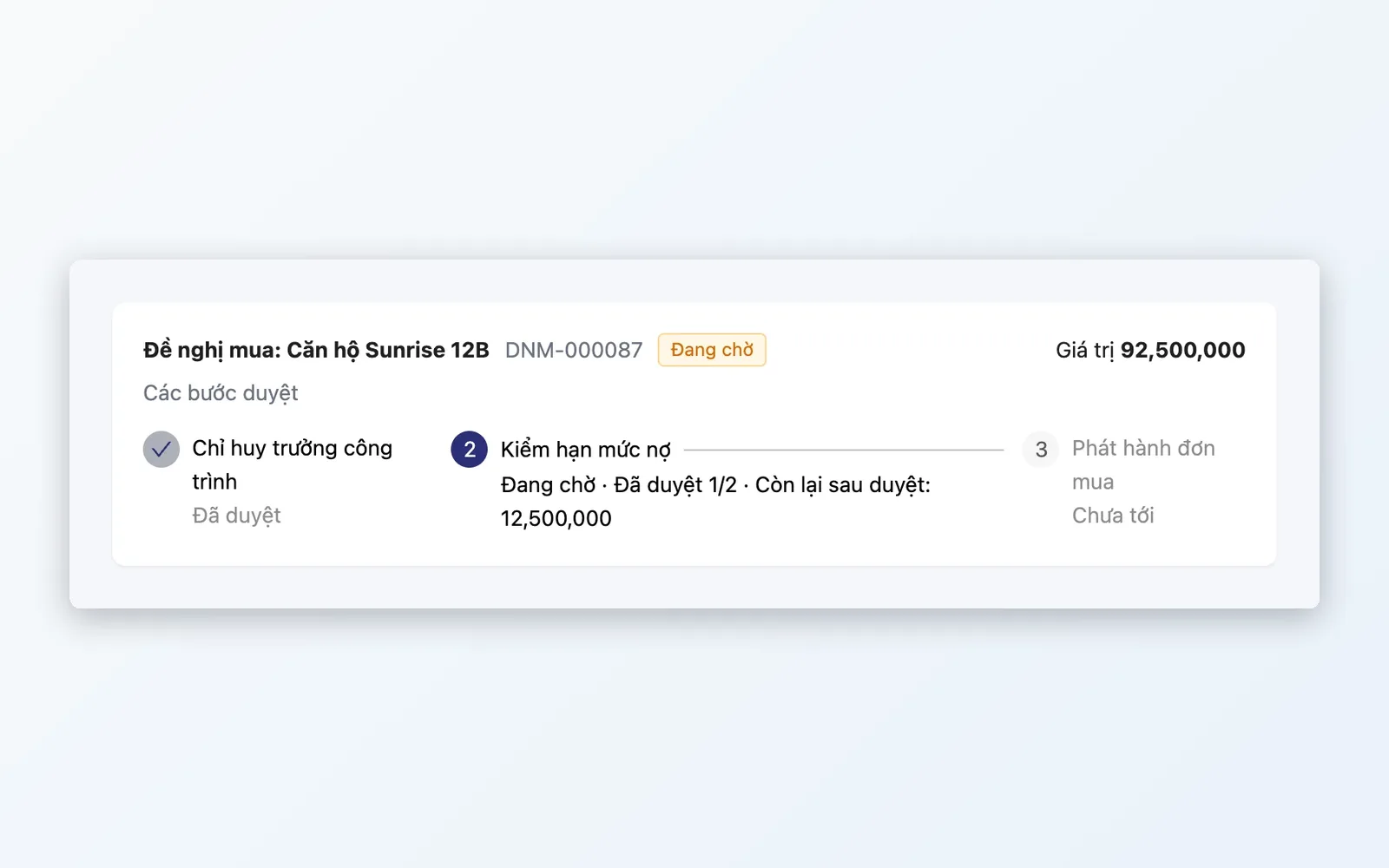
Each step has approvers, a deadline, a requirement for comments or attachments, and the number of people who must agree. Approval flows are versioned, and a submitted request keeps the steps it had at submission.
Conditional approval policies
Decide which requests take which approval path, for example approval needed only when the value reaches a certain level. Policies have priority order and effective dates.
Approval inbox
Awaiting my approval, Sent by me, Handled by me. Open the details to view content, approve, reject, return, or withdraw.
Attached to operations
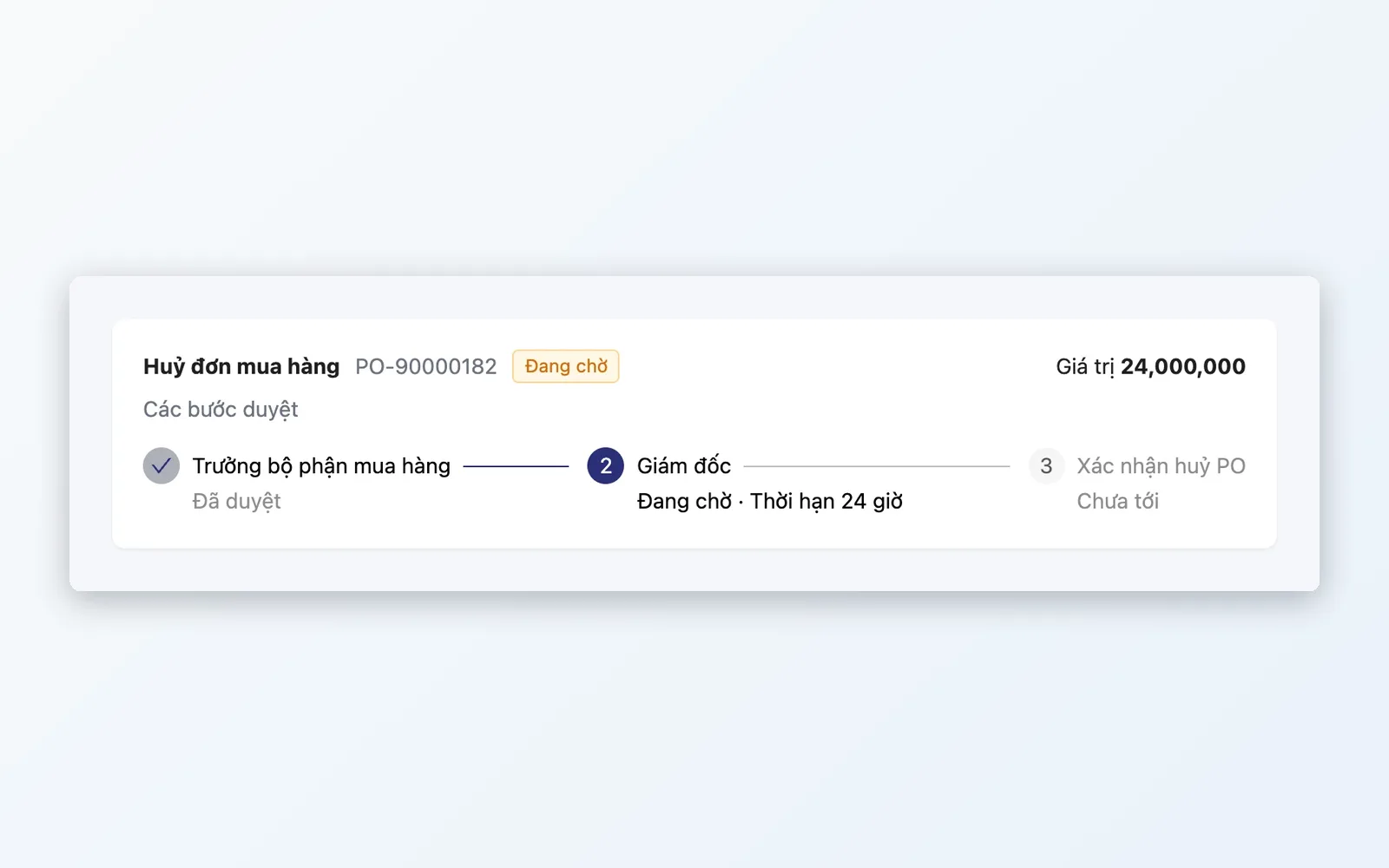
These actions are held until approval is complete, and only then carried out: canceling a confirmed PO, payment requests, and project purchase requests.
Everything you need to route the right request to the right approver
Clear configuration, transparent operation, and a log to trace back.
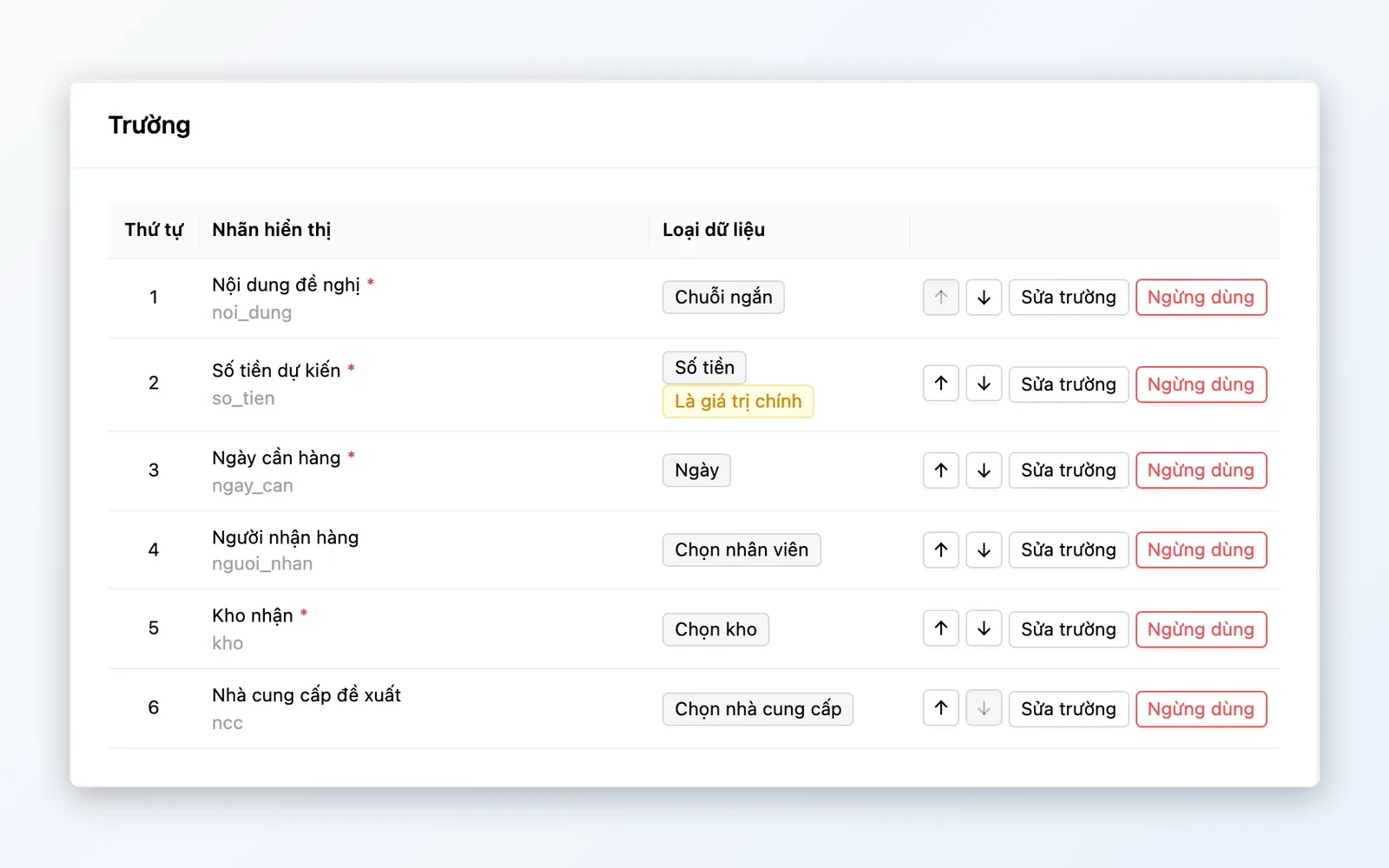
eForm templates
Forms you design yourself, no coding required.
- Add fields of many data types and mark them required
- An amount field can serve as the main value shown in the inbox
- Turn templates on or off, and old requests keep the values already entered
- Request codes with their own prefix for each template
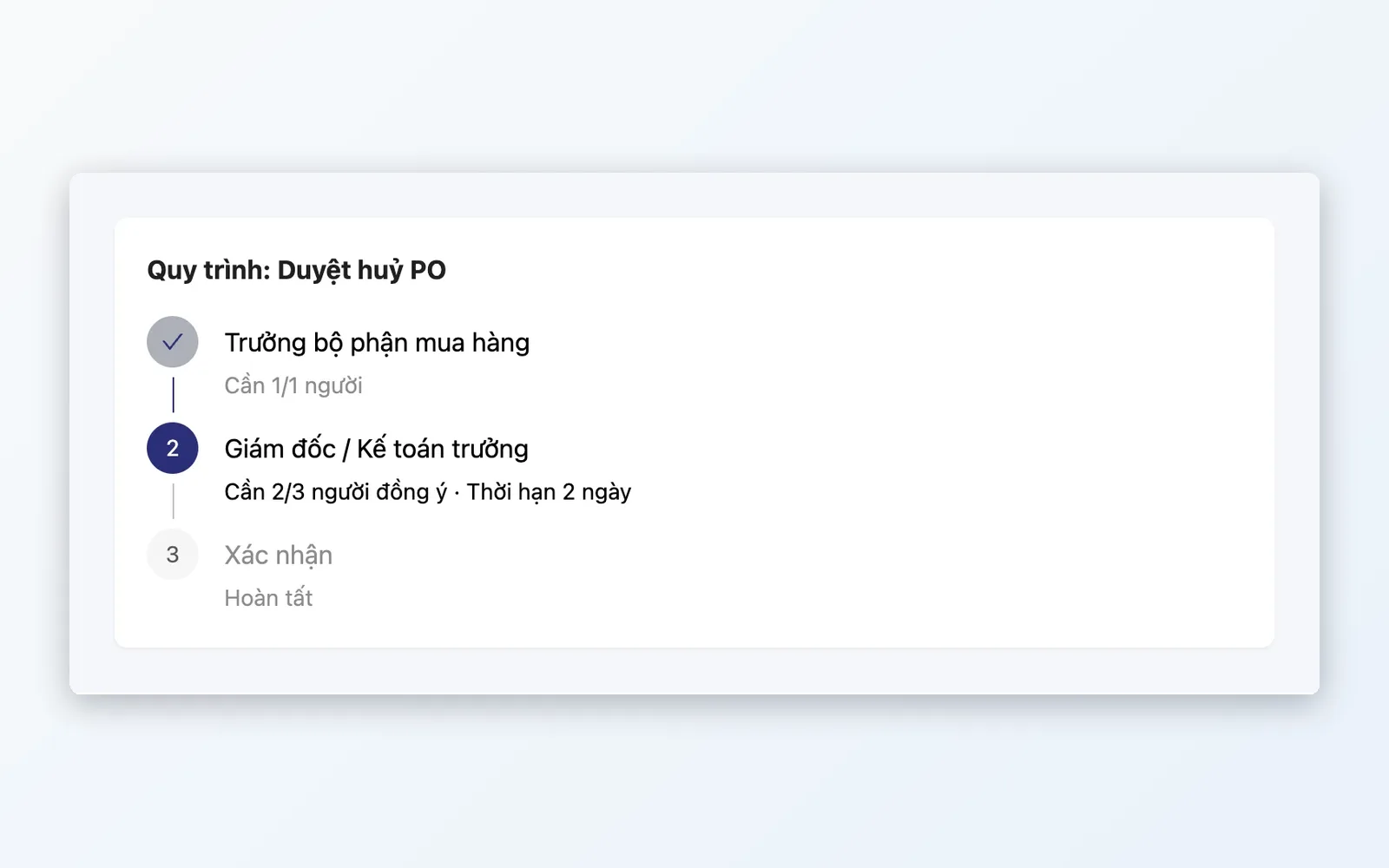
Approval flows and policies
Define clearly who approves, in what order, and when approval is needed.
- Named approvers, or taken from the staff field on the document
- Approval by any one person, everyone, or at least N people
- Deadline for each step and the number of days before a request expires
- Conditions based on field values, with priority and effective dates
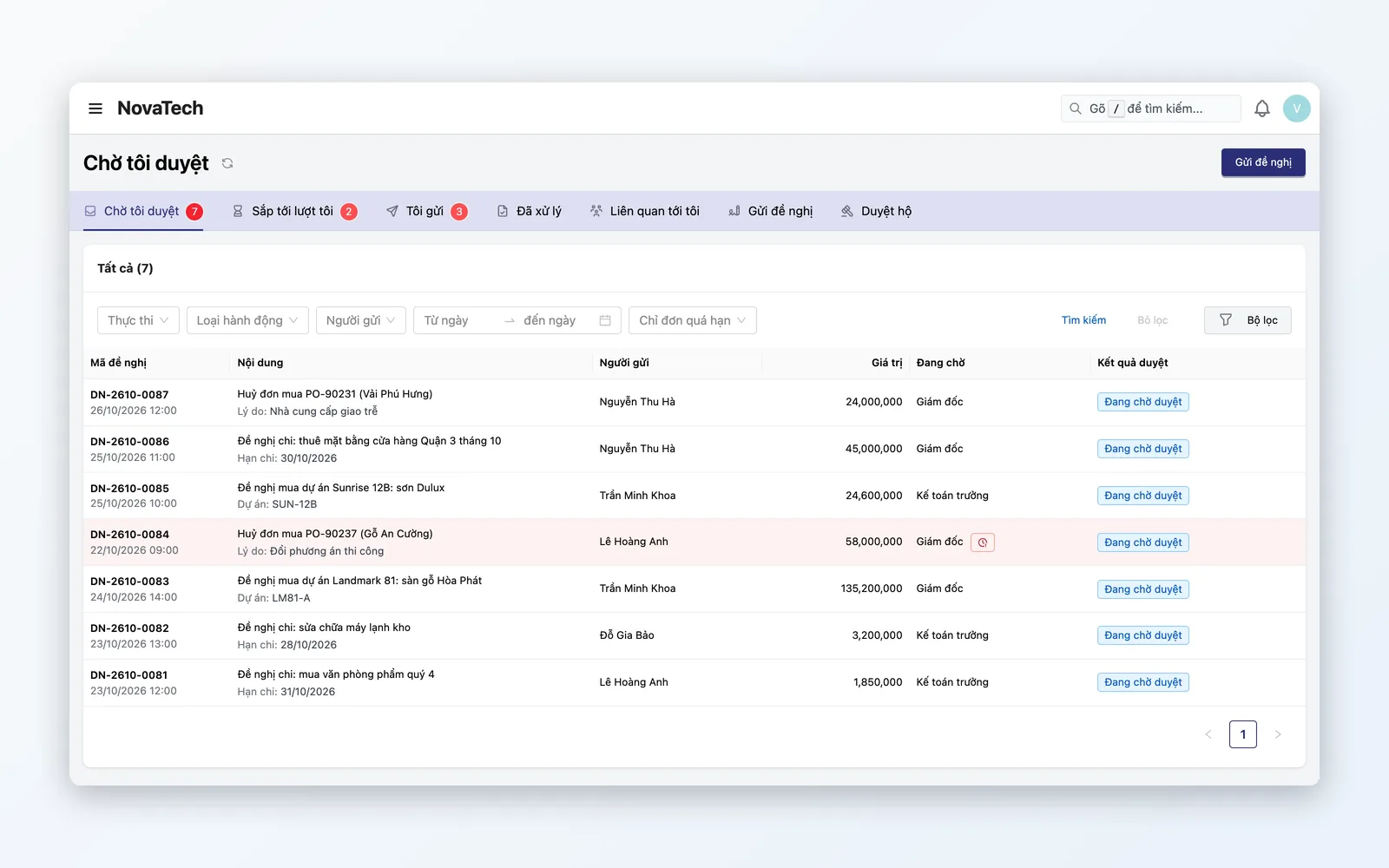
Inbox and request handling
Approvers see their work right away, and senders can track progress.
- Awaiting my approval, Sent by me, Handled by me
- Approve, reject, return, withdraw, and print requests
- Resubmit a returned request
- Approval notifications through Oviro's notification channels
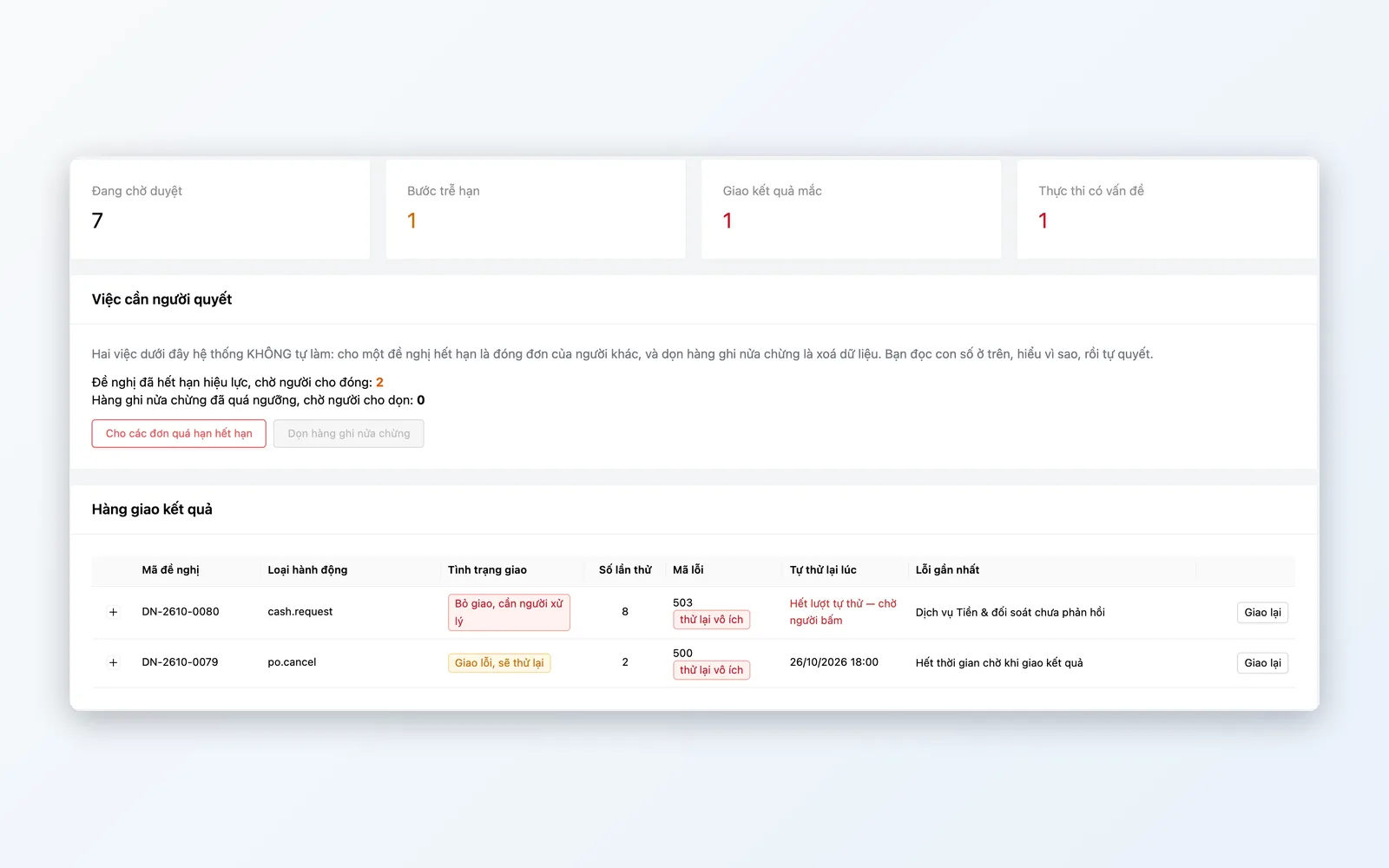
Operations and log
Anyone overseeing approvals company-wide no longer has to guess.
- Operations status screen: pending requests, overdue steps
- Track delivery of results to the business module and redeliver on failure
- Approve on behalf of someone or hand over a step from the request details
- Configuration change log: who changed a template, flow, or policy
How a request moves through Approvals
From initial setup to the action being carried out.
Build the approval flow
Set up the steps, approvers, deadlines, and the number of people who must agree, then save it for use.
Build a template or choose the action on a document
For manually submitted requests, build an eForm template. For actions on documents such as canceling a PO, the template comes built into the system.
Attach an approval policy
Choose the action it applies to, the approval path, and the conditions, for example approval only when the value reaches a certain level.
Submit a request
Staff go to Submit request to fill in a template. Or they click an action on a document: the request is pre-filled and the action is held.
Approve and carry out
Approvers handle requests in the Awaiting my approval inbox. Once approved, the action goes ahead and the sender is notified of the result.
Build the approval flow
Set up the steps, approvers, deadlines, and the number of people who must agree, then save it for use.
Build a template or choose the action on a document
For manually submitted requests, build an eForm template. For actions on documents such as canceling a PO, the template comes built into the system.
Attach an approval policy
Choose the action it applies to, the approval path, and the conditions, for example approval only when the value reaches a certain level.
Submit a request
Staff go to Submit request to fill in a template. Or they click an action on a document: the request is pre-filled and the action is held.
Approve and carry out
Approvers handle requests in the Awaiting my approval inbox. Once approved, the action goes ahead and the sender is notified of the result.
Approvals for actions that need control
Start with actions that put money and goods at risk.
Purchasing and goods receiving
Canceling a confirmed purchase order has to go through approval, so orders already agreed with a supplier cannot be canceled on a whim.
Payments
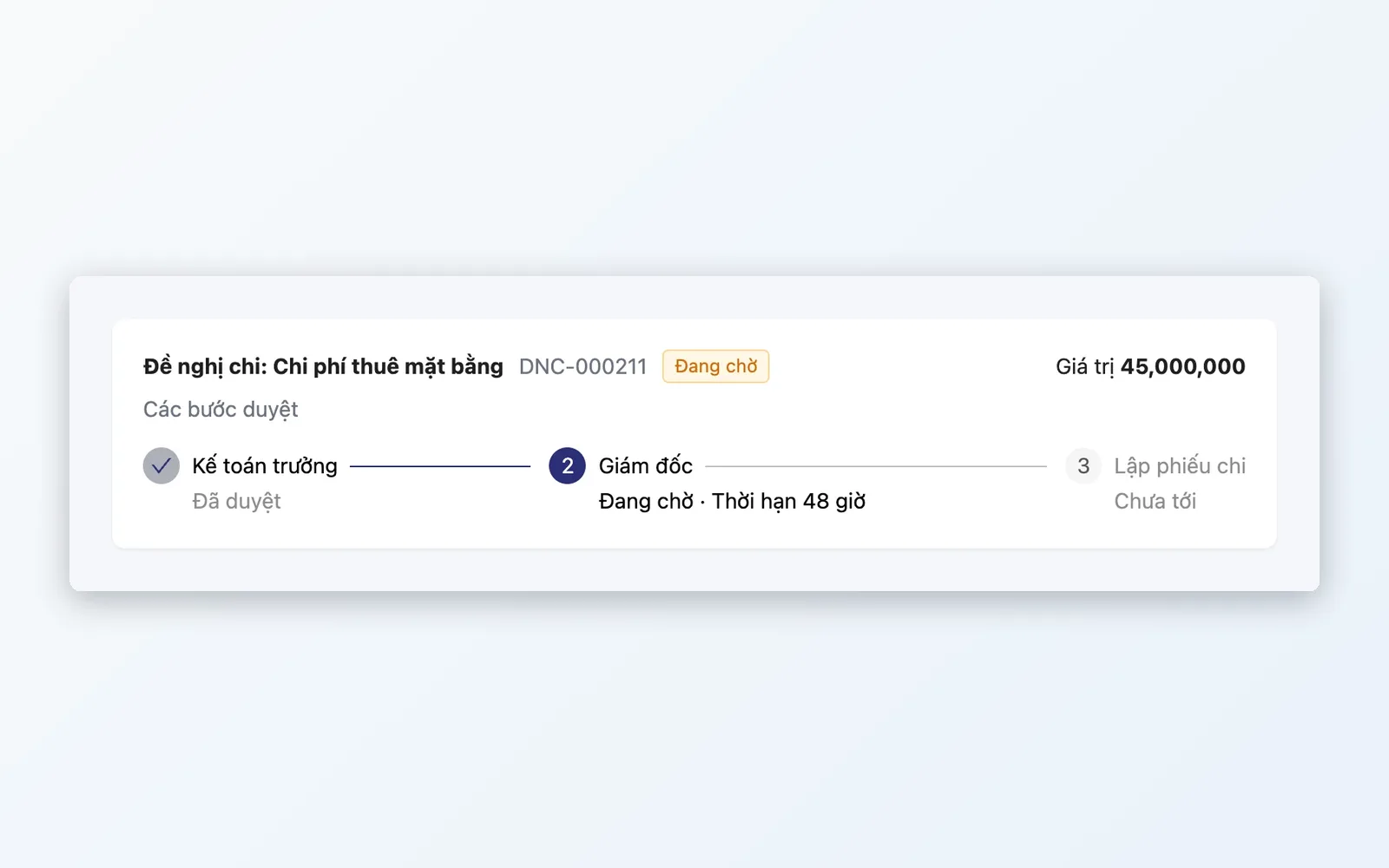
Payment requests from a store, office, or project are approved before the payment voucher is created in Cash & Reconciliation.
Projects and internal requests
Project purchase requests need approval. Other internal needs use custom eForm templates in place of paperwork.
Why choose Oviro for approvals?
Approvals is not a standalone tool: it attaches directly to Purchasing, Cash & Reconciliation, and Project Finance. Sensitive actions are held right where they arise and run only after approval. Until a policy is attached, work proceeds as normal, so you decide how much control to turn on.
Every important action has an approver
Talk with the Oviro team to configure approval paths that fit how your business operates.