Cash & Reconciliation: books that match real money
Manage cash drawers, banks, and funds held by partners in one ledger. Every receipt and payment has a voucher, an approval, and reconciliation against the statement. An advanced Oviro module.
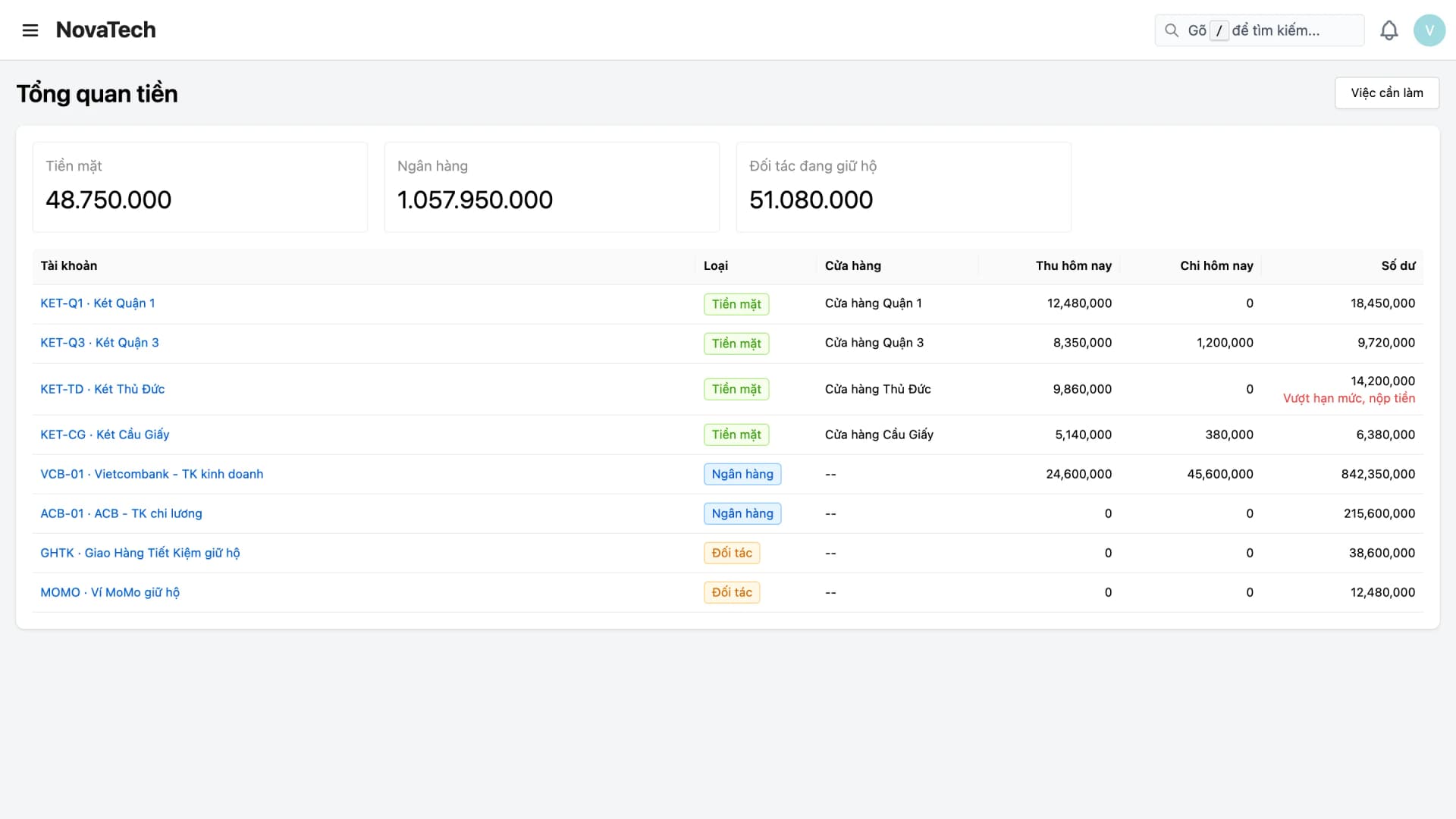
Money sits in many places: store cash drawers, bank accounts, and funds that carriers or payment gateways have not yet transferred. Receipts and payments are logged in notebooks or Excel files, and matching bank statements at month-end takes days and still does not add up.
With Oviro, every cash movement is a voucher, balances are calculated from posted vouchers, and statements are matched line by line against the ledger. Once the period is closed, no one can change the old figures.
Know where the money is and who it was paid to
From setting up accounts to period close, every step has a document and someone accountable.
Cash accounts
Set up cash drawers, bank accounts, and funds held by partners. Each account has an opening balance, a detailed ledger, and a list of people allowed to operate it.
Receipt, payment, and transfer vouchers
Save as a draft or post right away. Posted vouchers cannot be edited; to fix a mistake, cancel with a reversal voucher so the trail remains.
Payment requests and approval
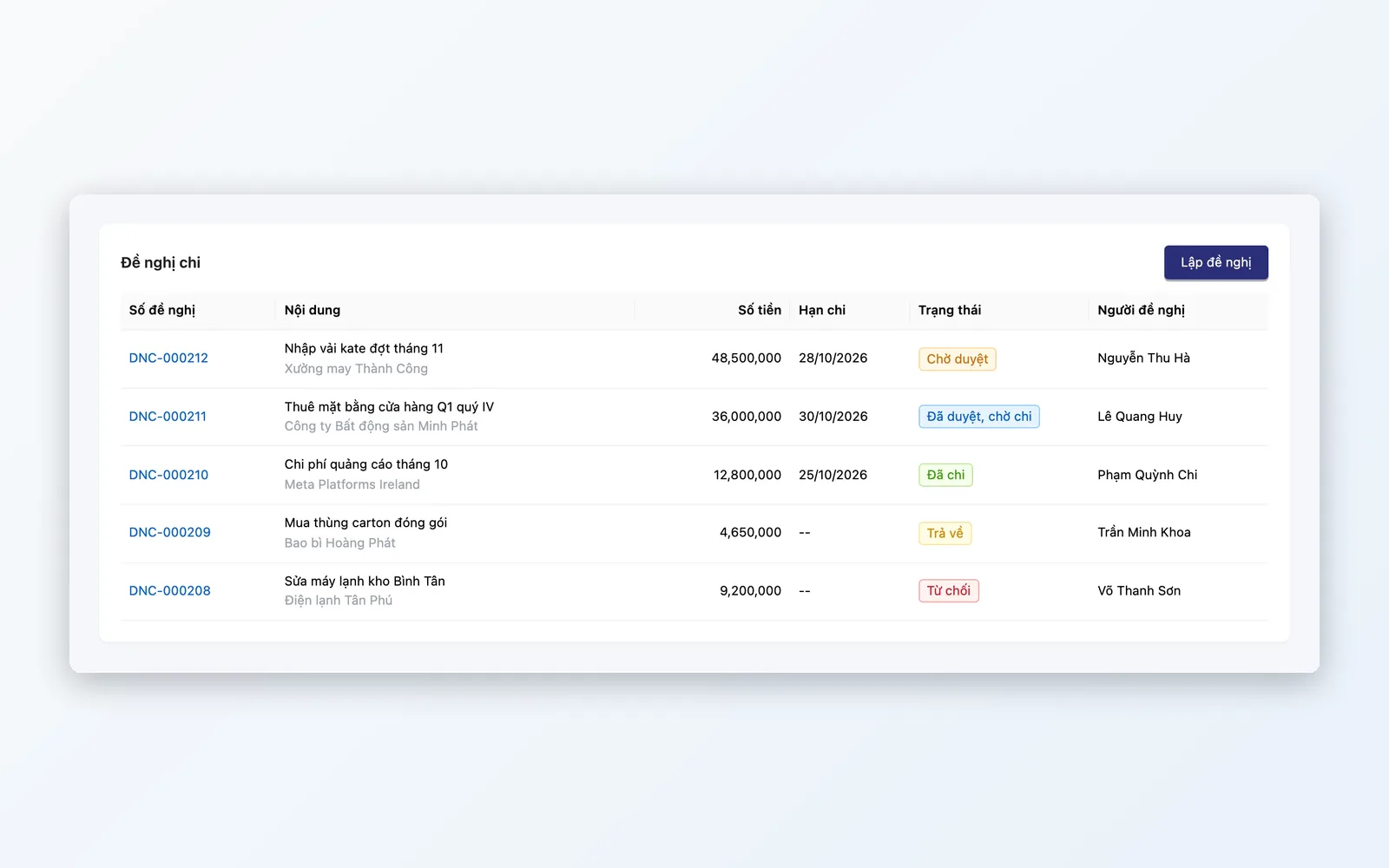
Request before you pay, approve through the Approvals module, then create the payment voucher from the approved request. Self-approval can be turned on for small companies.
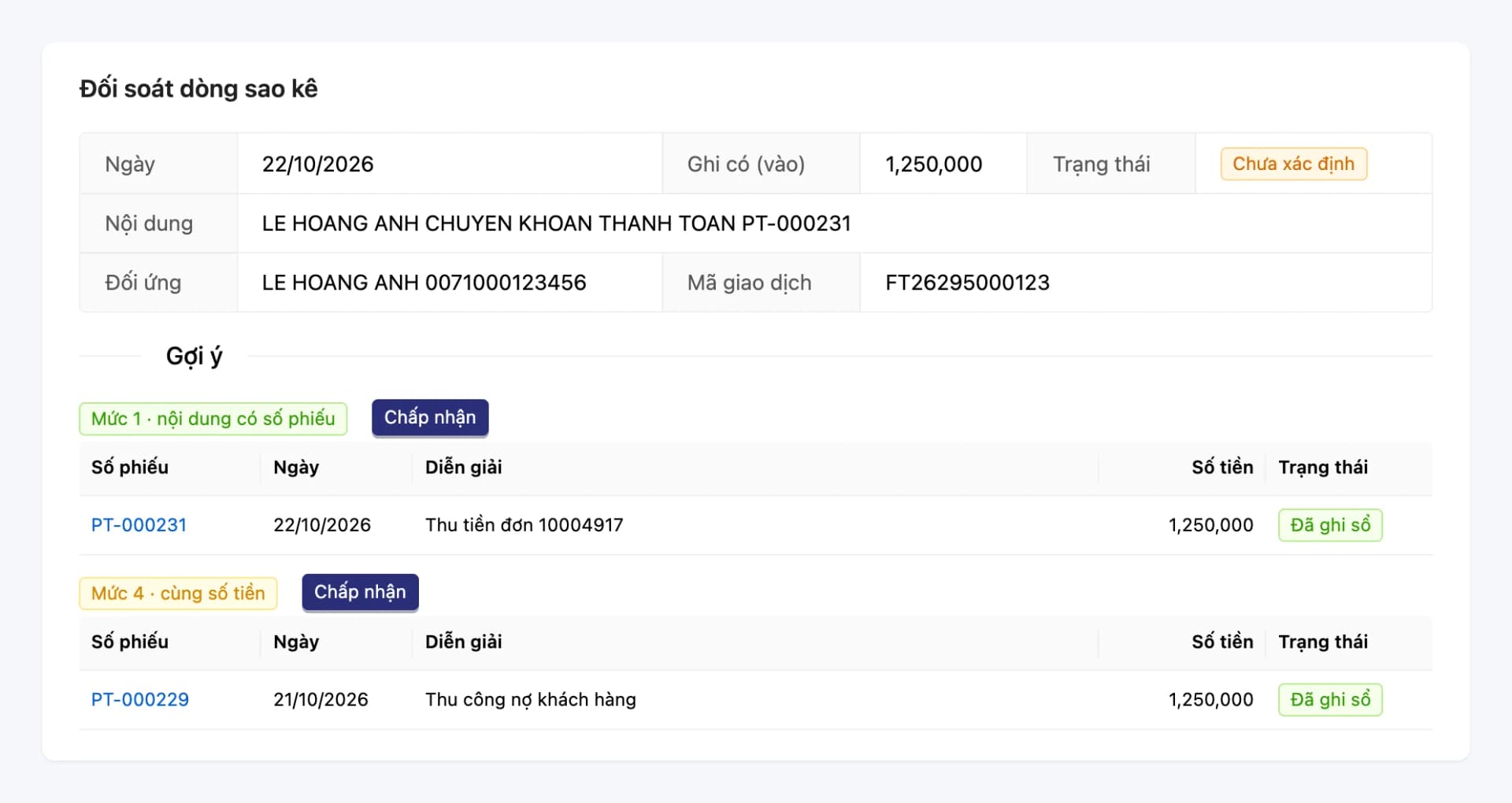
Statement reconciliation, partner statements
Import bank statements and partner statements from Excel, match line by line against the ledger, and create vouchers for items that have no document yet.
Cash count, period close, reports
Count the drawer by denomination, record overages and shortages, close each period, and view reports on cash, receipts and payments, and reconciliation.
What is in Cash & Reconciliation
Organized around the tasks of cashiers, accountants, and approvers.
Accounts and vouchers
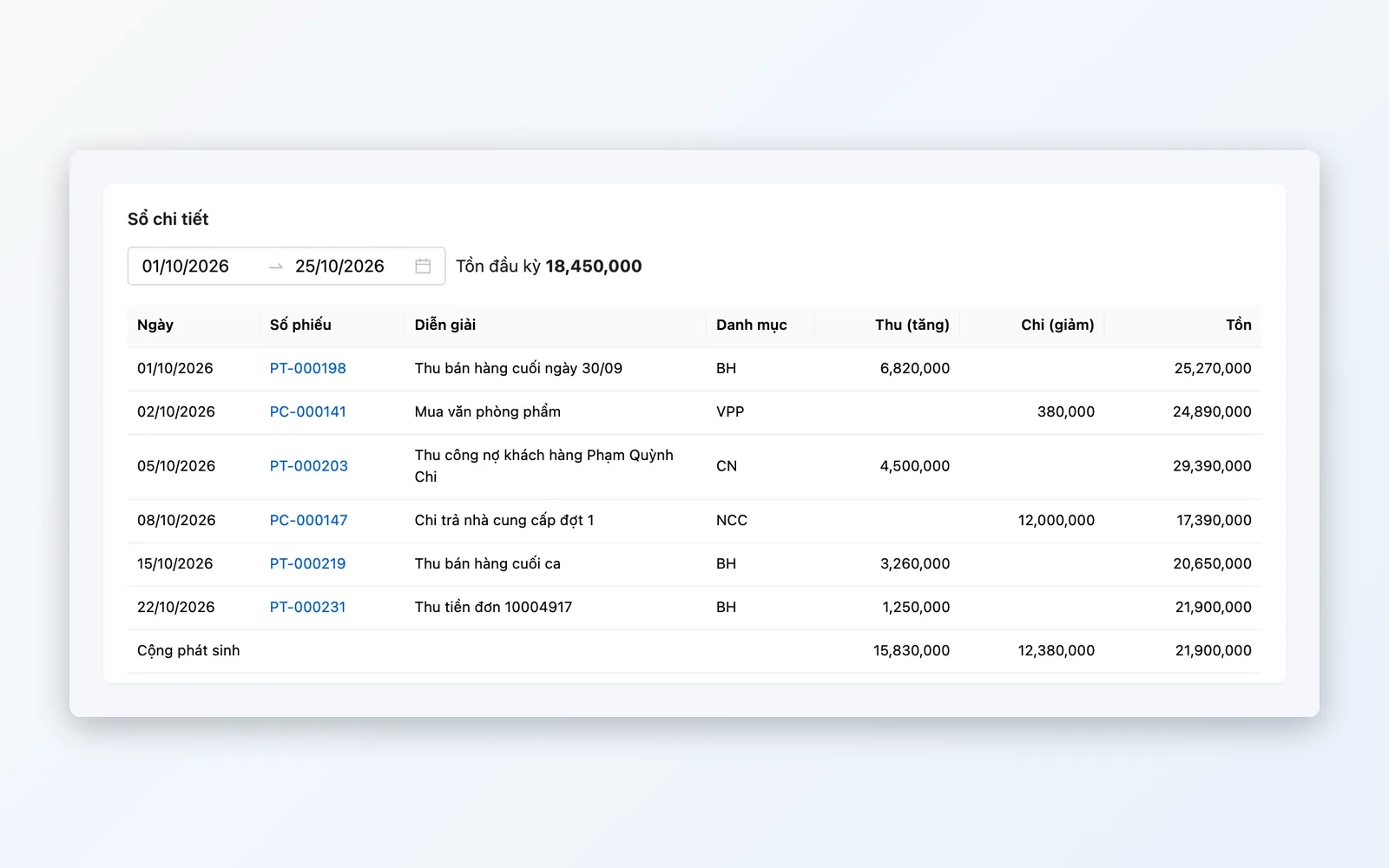
One ledger for every place that holds money, and every movement is a voucher.
- Cash drawers, banks, funds held by partners
- Opening balances and a detailed ledger for each account
- Receipt, payment, and one-step transfer vouchers
- Cancel with a reversal voucher, never delete documents
Payment requests and approval
Every payment has a requester, an approver, and supporting documents.
- Payment requests sent for approval through Approvals
- Thresholds that require a payment request, and approval of payment vouchers
- Let the creator self-approve when enabled
- Create a payment voucher from an approved request
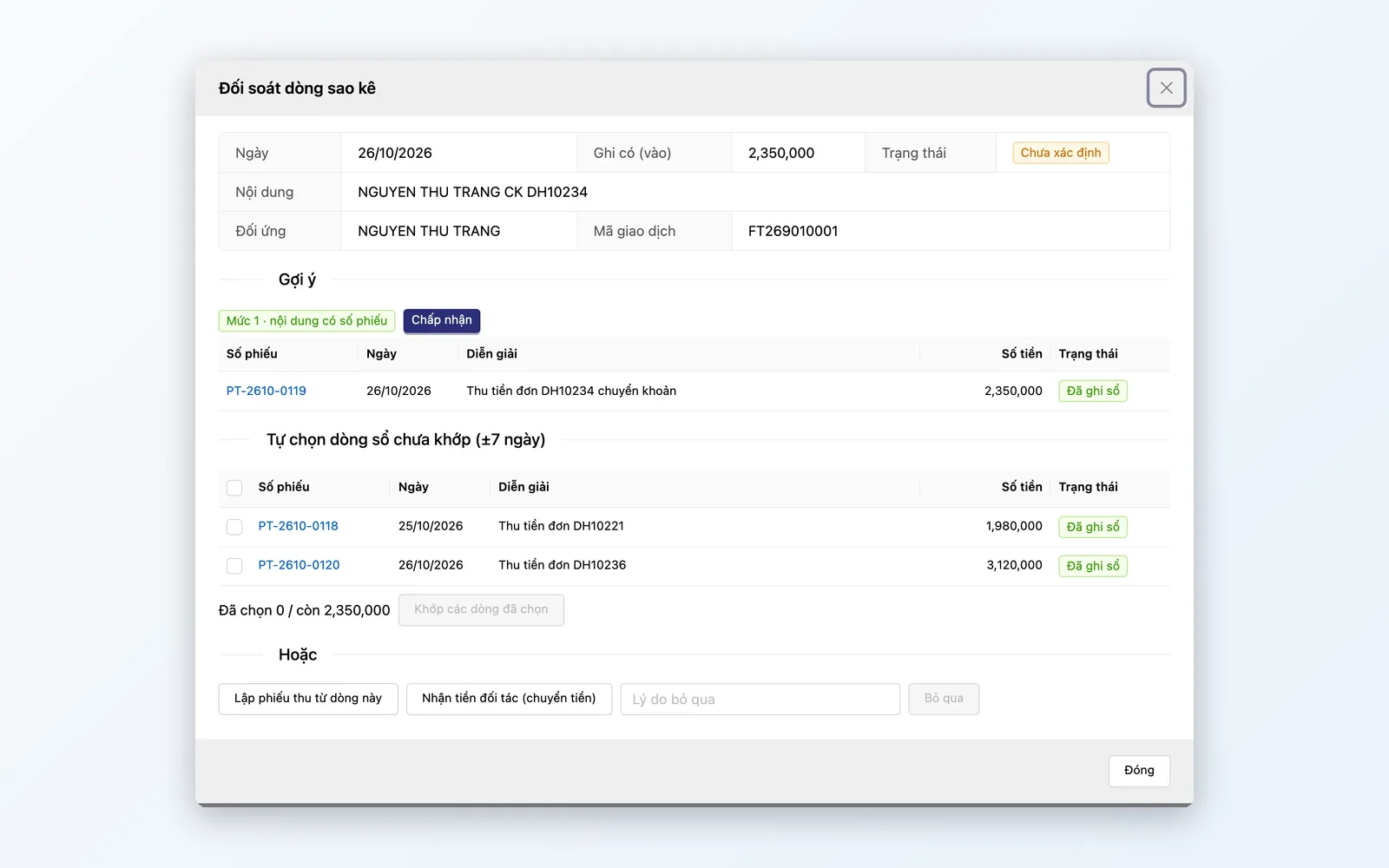
Reconciliation
The ledger must match the bank and the figures partners report.
- Import bank statements from Excel
- Suggested matches between statement lines and ledger vouchers
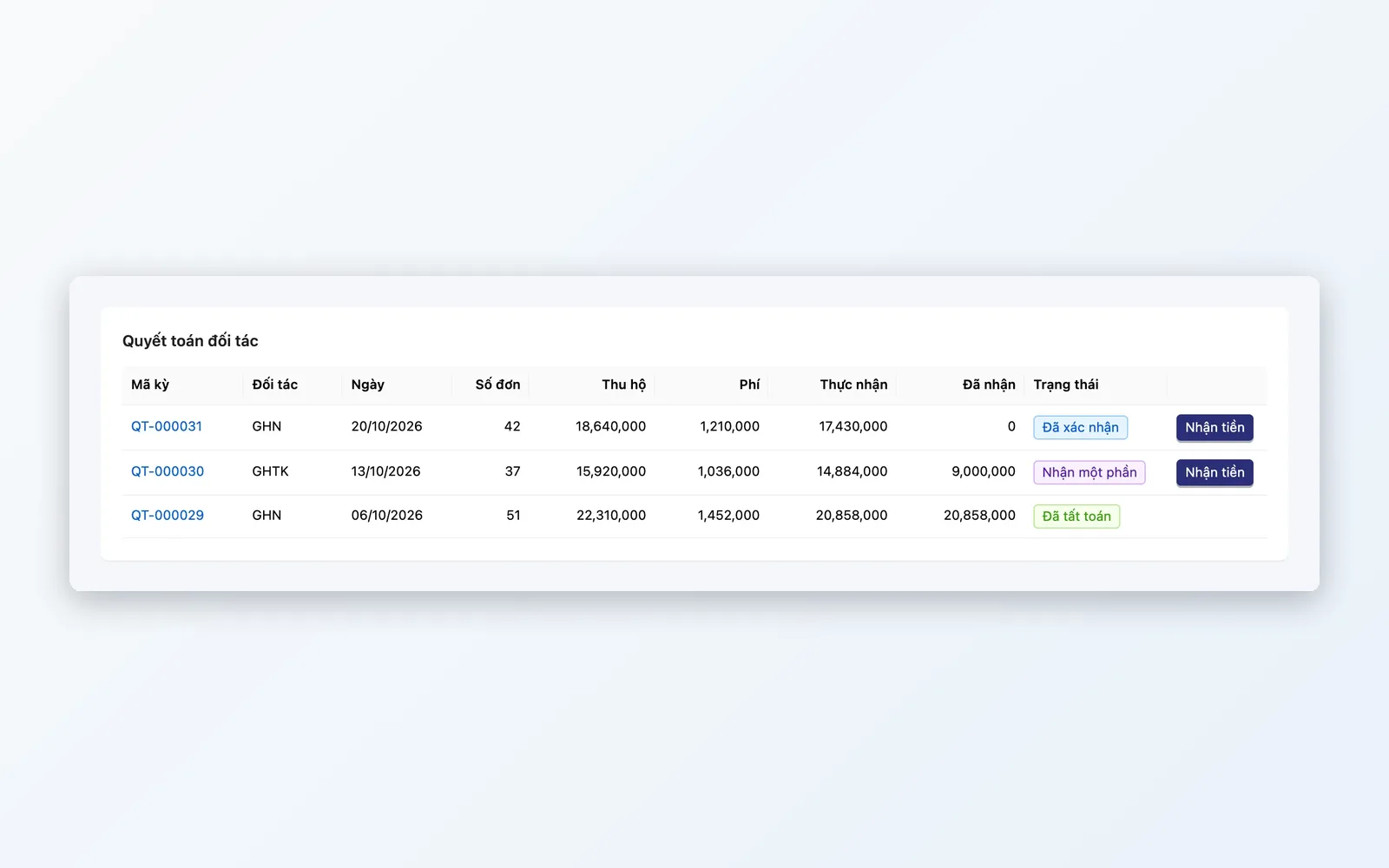
- Import COD, payment gateway, and marketplace statements
- Track balances owed by partners who collect on your behalf
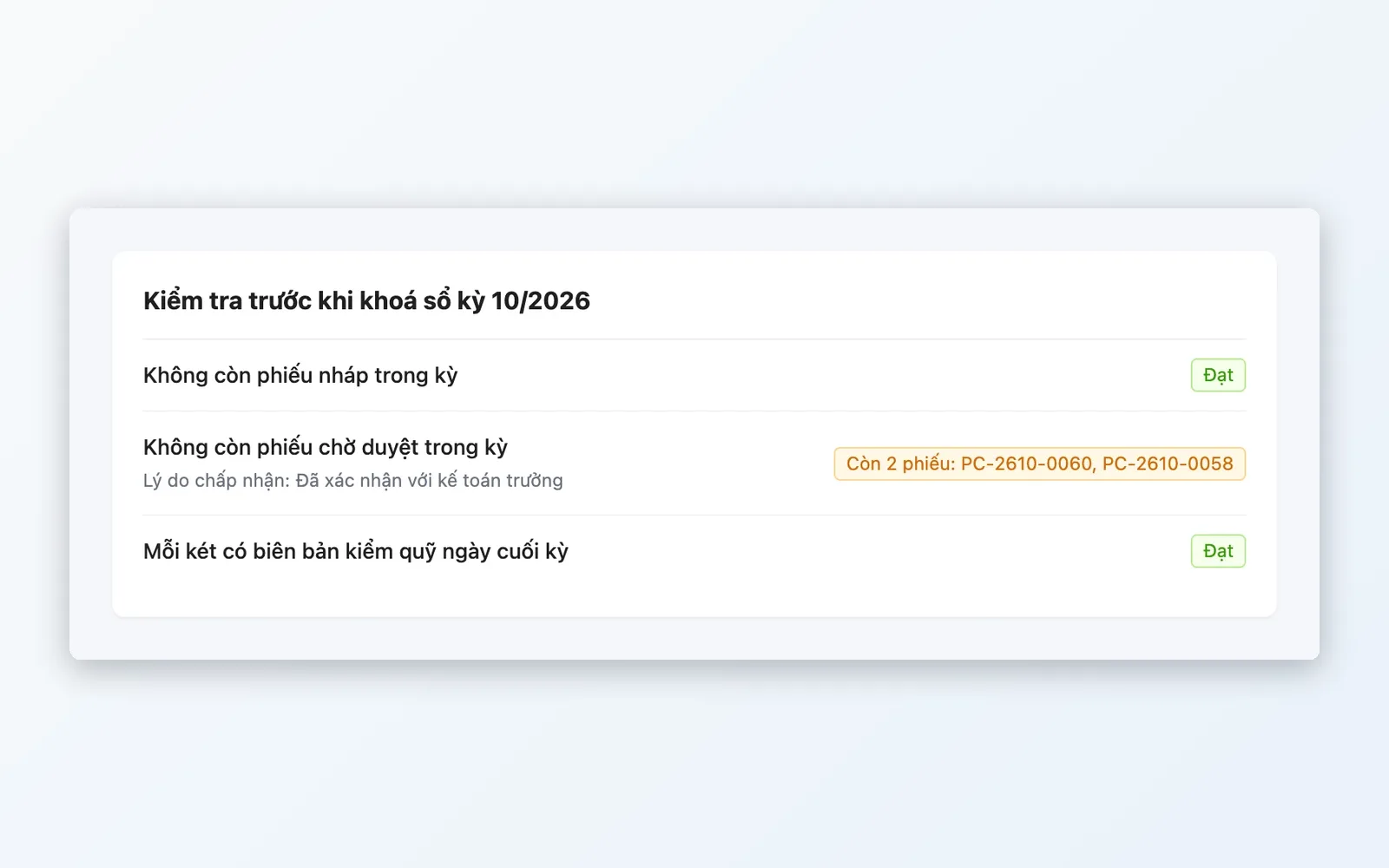
Control and reporting
Lock in the numbers, spot discrepancies, and get early warnings.
- Cash count by denomination, with overages and shortages recorded
- Period close, with a required reason to reopen
- Cash book, receipts and payments, and cash flow reports
- Alert when spending exceeds a project's expense limit
One cycle of managing cash
From initial setup to period close.
Set up
Choose the start date, set up cash accounts, enter opening balances, then submit for approval.
Daily receipts and payments
Create receipt, payment, and transfer vouchers. Large amounts go through a payment request and approval.
Cash count
Count the drawer by denomination. If there is a difference, record the reason, and someone else approves before posting.
Reconciliation
Import bank statements and partner statements, match lines, and create vouchers for missing items.
Period close
The system checks for remaining draft vouchers, vouchers awaiting approval, and drawers not yet counted before it allows the period to close.
Set up
Choose the start date, set up cash accounts, enter opening balances, then submit for approval.
Daily receipts and payments
Create receipt, payment, and transfer vouchers. Large amounts go through a payment request and approval.
Cash count
Count the drawer by denomination. If there is a difference, record the reason, and someone else approves before posting.
Reconciliation
Import bank statements and partner statements, match lines, and create vouchers for missing items.
Period close
The system checks for remaining draft vouchers, vouchers awaiting approval, and drawers not yet counted before it allows the period to close.
Cash & Reconciliation in practice
Three common situations for multichannel sellers.
Store chains
One cash drawer per store, cashiers count at end of shift, and cash deposited at the bank is matched against the statement.
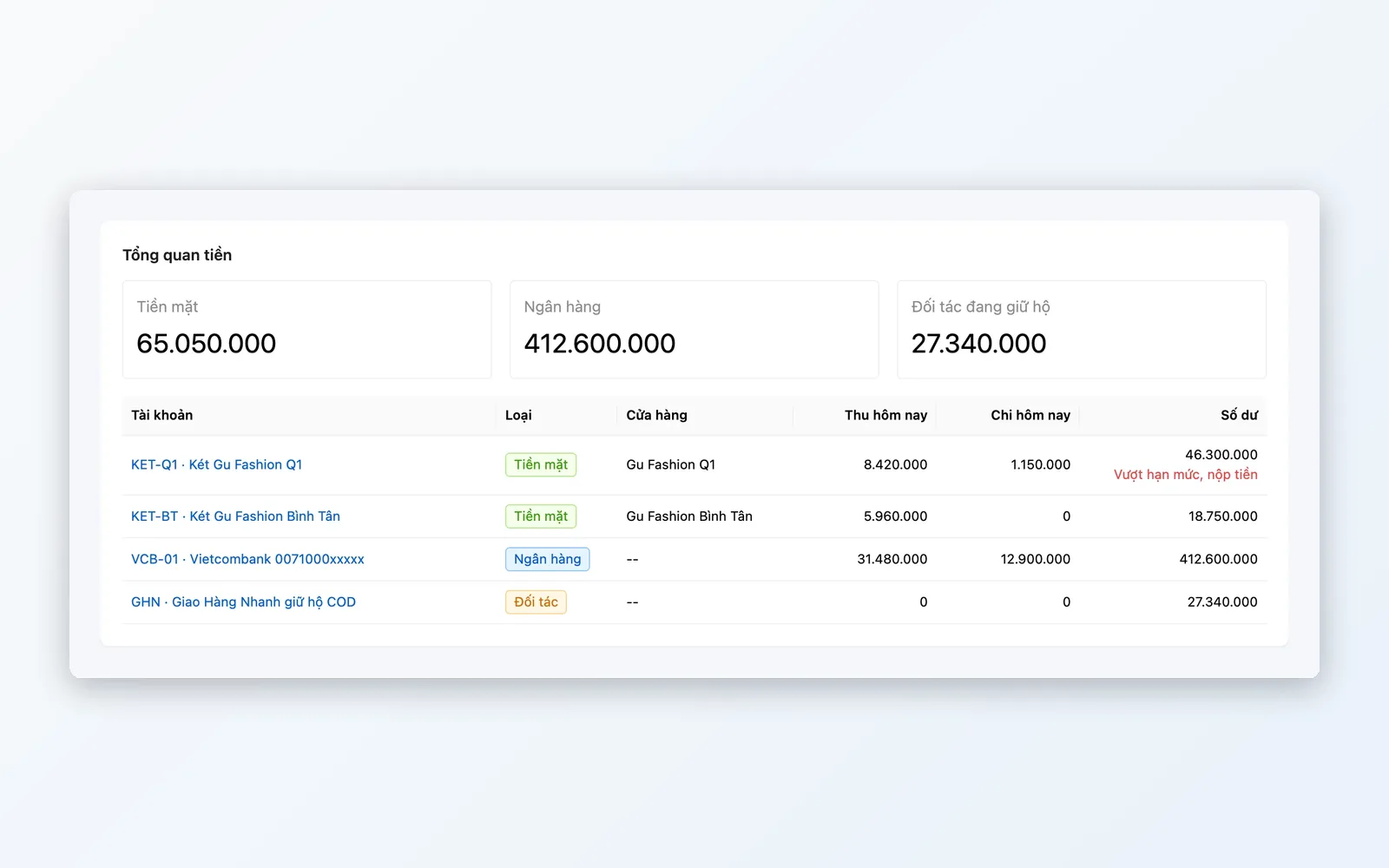
Marketplace and COD sales
Carriers, payment gateways, and marketplaces collect money on your behalf. Import their statements to see how much each partner still holds.
Project-based businesses
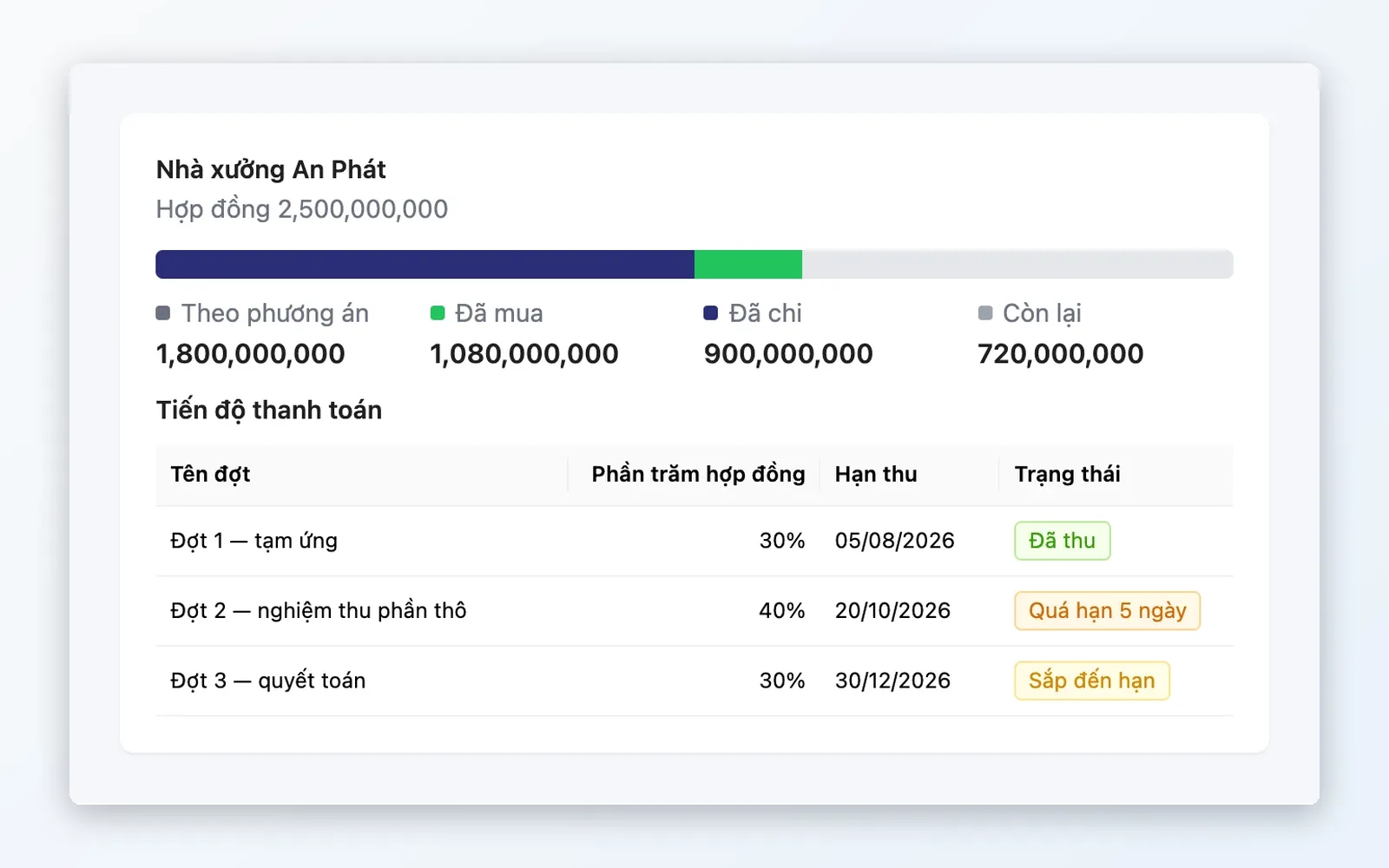
Pay against supplier payables or a project's expense lines, with an alert when spending exceeds the limit.
Why choose Oviro to manage cash?
Cash & Reconciliation lives in the same system as sales, purchasing, approvals, and project finance. Revenue, COD, and expenses do not have to be re-entered elsewhere. Every voucher has a creator, an approver, and a trail, so period-end figures can be trusted.
Make your cash ledger match the bank
Book a demo to see how Oviro manages cash drawers, banks, funds held by partners, and statement reconciliation.