Recurring Orders for regular customers
Customers order the same basket on a daily, weekly, or monthly schedule without re-entering the order. The system prepares a draft order for each period and places it automatically at the right time. An advanced Oviro module.
Regular customers buy vegetables, milk, drinks, or supplies on a steady basis, yet every week your staff still have to message them, re-enter the basket, and recalculate delivery fees. Miss one period and you lose the order; mistype one line and the wrong goods get delivered.
With Oviro, you set it up once, every period gets a draft order to review, and the system places the order automatically when the time comes.
Repeat orders, with no period missed
From the initial setup to the official order, every period leaves a trail.
Recurring order setup
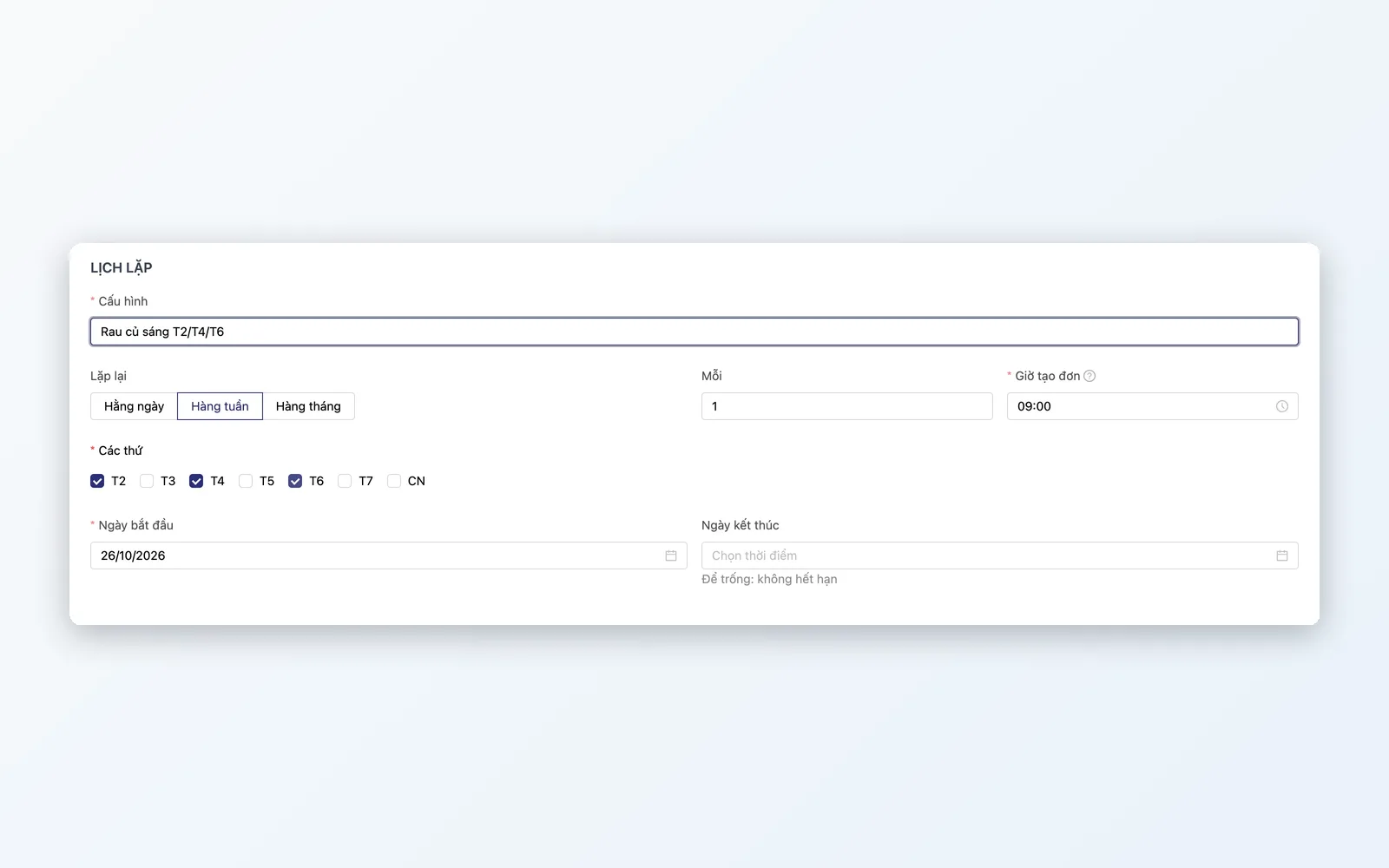
Choose the customer, template basket, delivery address, payment, and repeat schedule: daily, weekly by weekday, or monthly by date, with start and end dates.
Draft order for each period
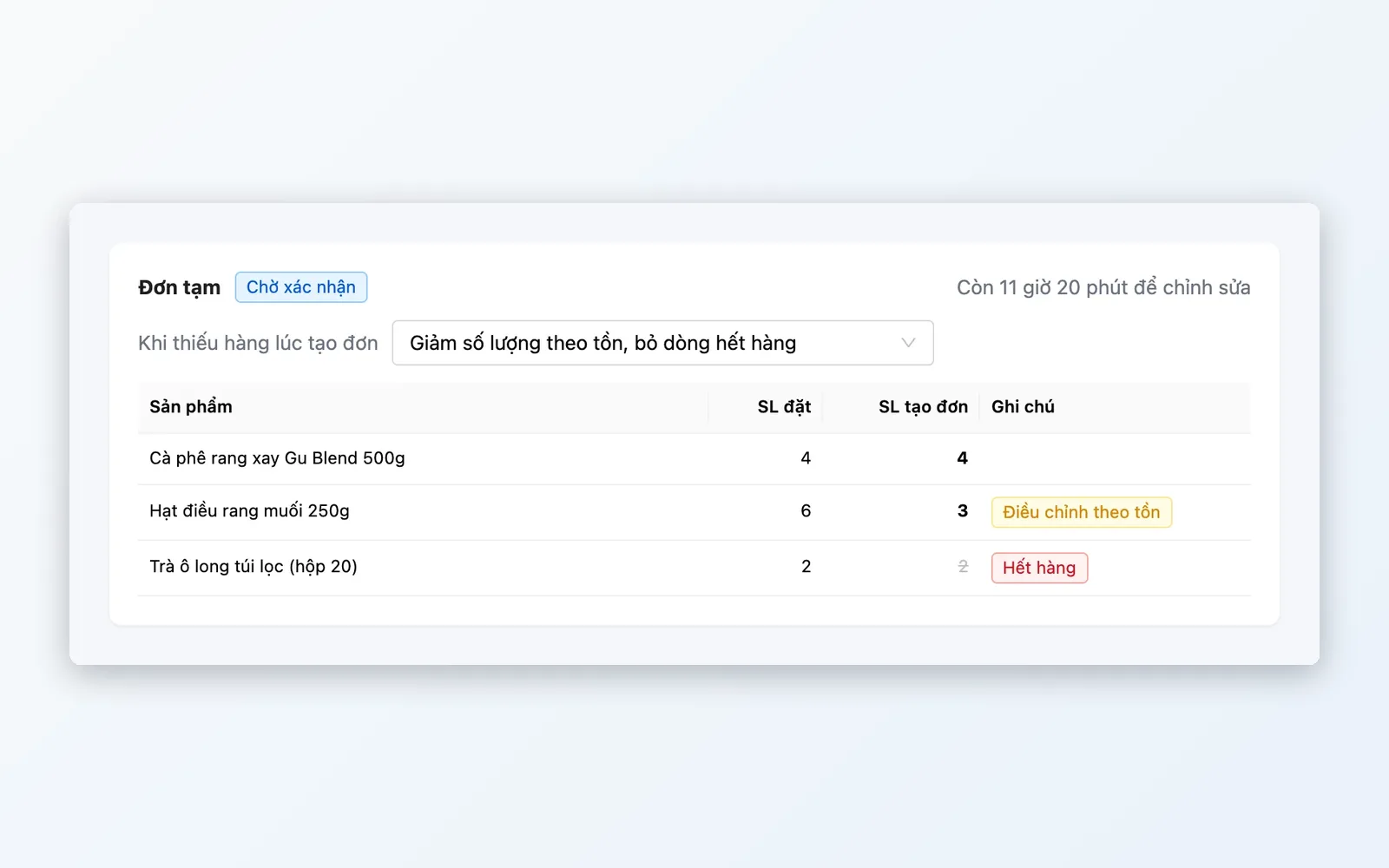
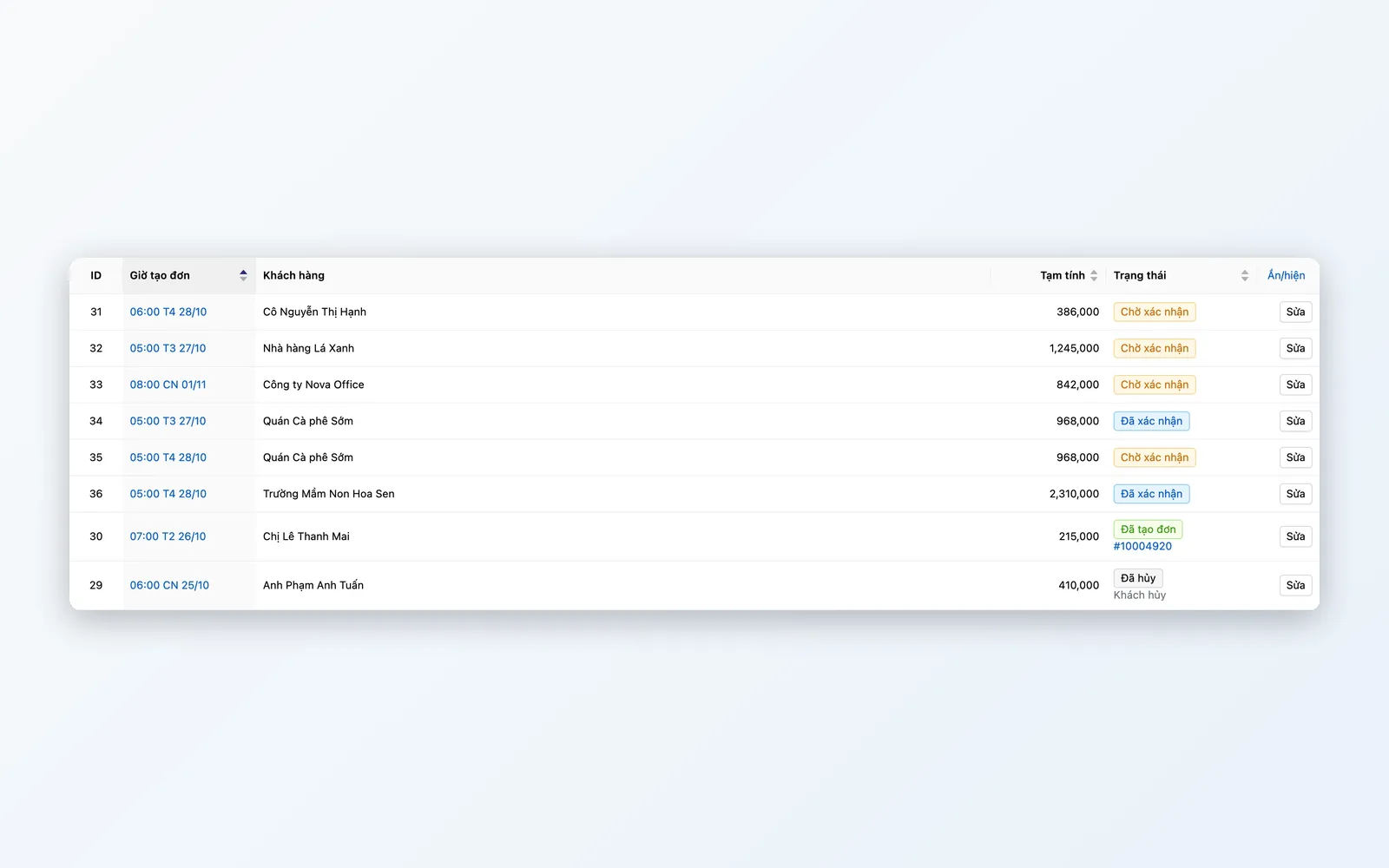
Before order creation time, the system prepares a draft order. Staff or the customer can review it, edit it for that period only, and confirm or cancel the period.
Orders placed automatically on time
At the scheduled time, a scheduled job creates the official order from the draft. Prices, promotions, and stock are recalculated at that moment.
Delivery fees recalculated
The delivery fee table is recalculated whenever the customer, address, basket, or payment changes, the same way as for in-store sales.
Customer self-service
Let customers manage their own configurations on your website, cutting back-and-forth messages with staff.
Flexible for each period, strict across the whole cycle
Rules are set in general settings and can be overridden per configuration.
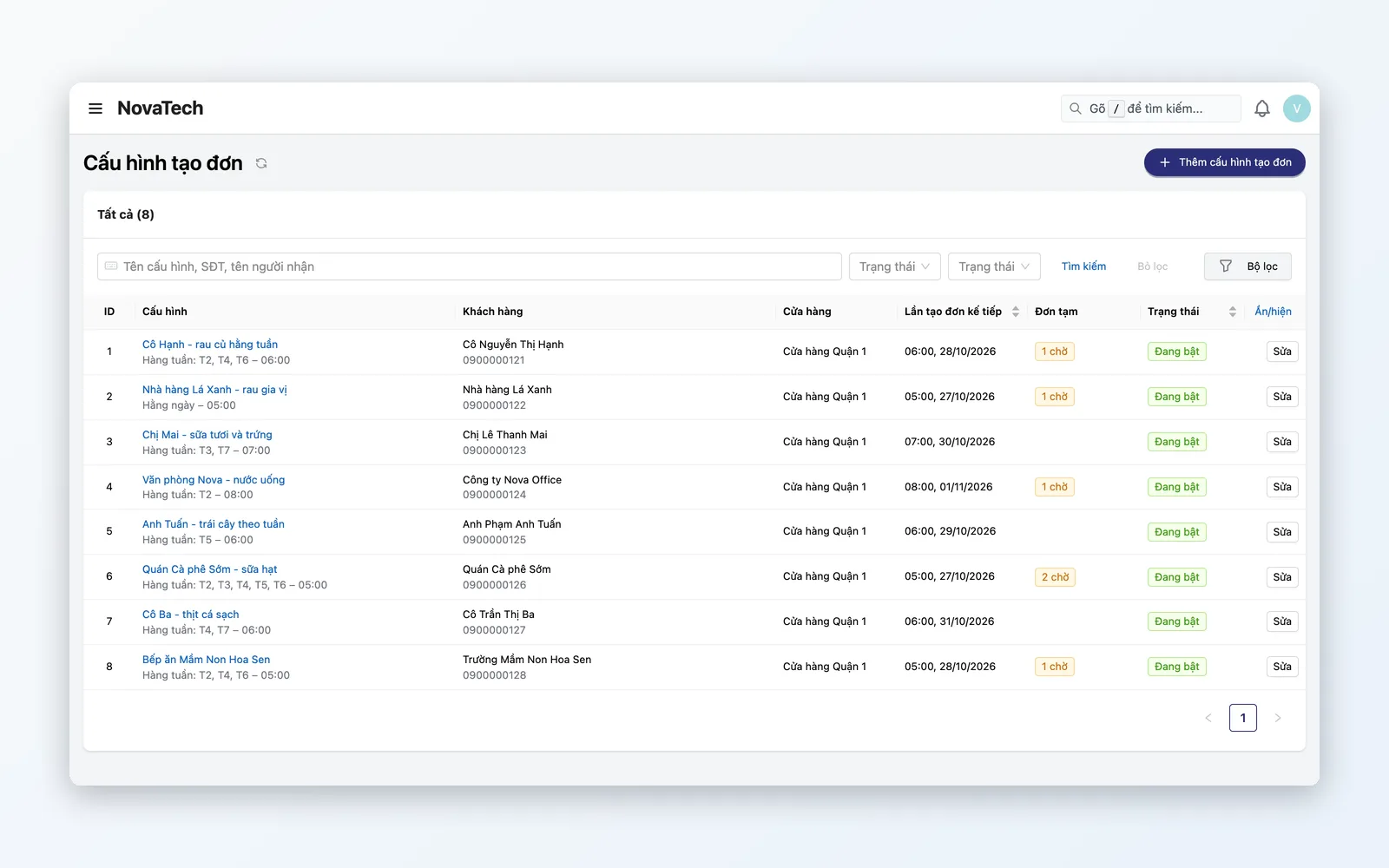
Order configuration
Set this customer to order this basket on this schedule.
- Template basket; products and delivery address can be pulled from a past order
- Repeat daily, weekly, or monthly, every 1 to 12 periods
- Turn on, turn off, cancel, or extend when the end date changes
- Choose the allowed stores and payment methods
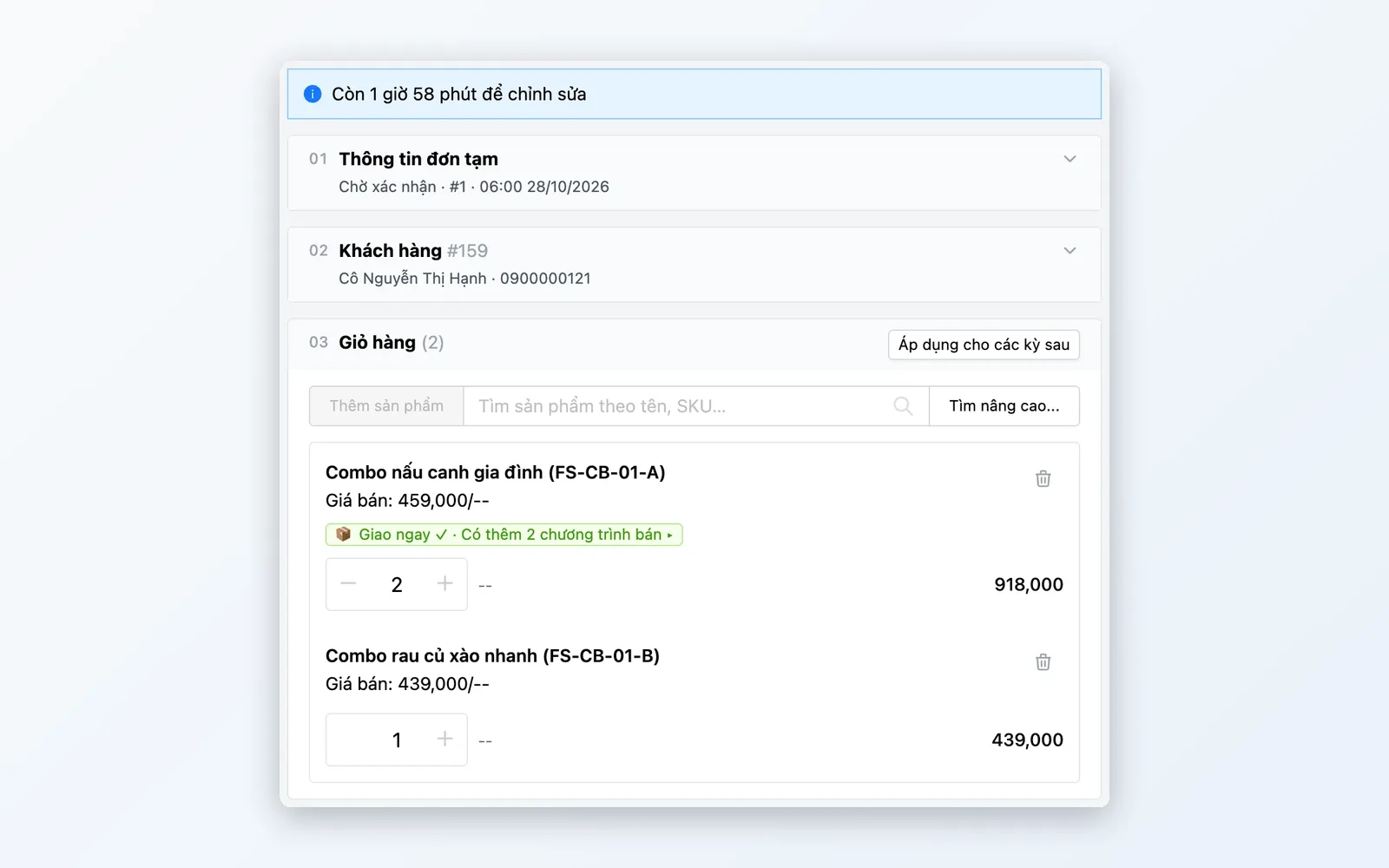
Draft orders
Edit any single period without touching the others.
- Edit the basket, offers, address, delivery fee, and payment for just that period
- Confirm, unconfirm, cancel this period, and undo the cancellation while there is still time
- Apply a draft order's changes to later periods
- Action history: who did what and when, including automatic system actions
Automatic order creation
The system keeps working steadily, even when you are not there.
- A scheduled job prepares draft orders and places orders automatically
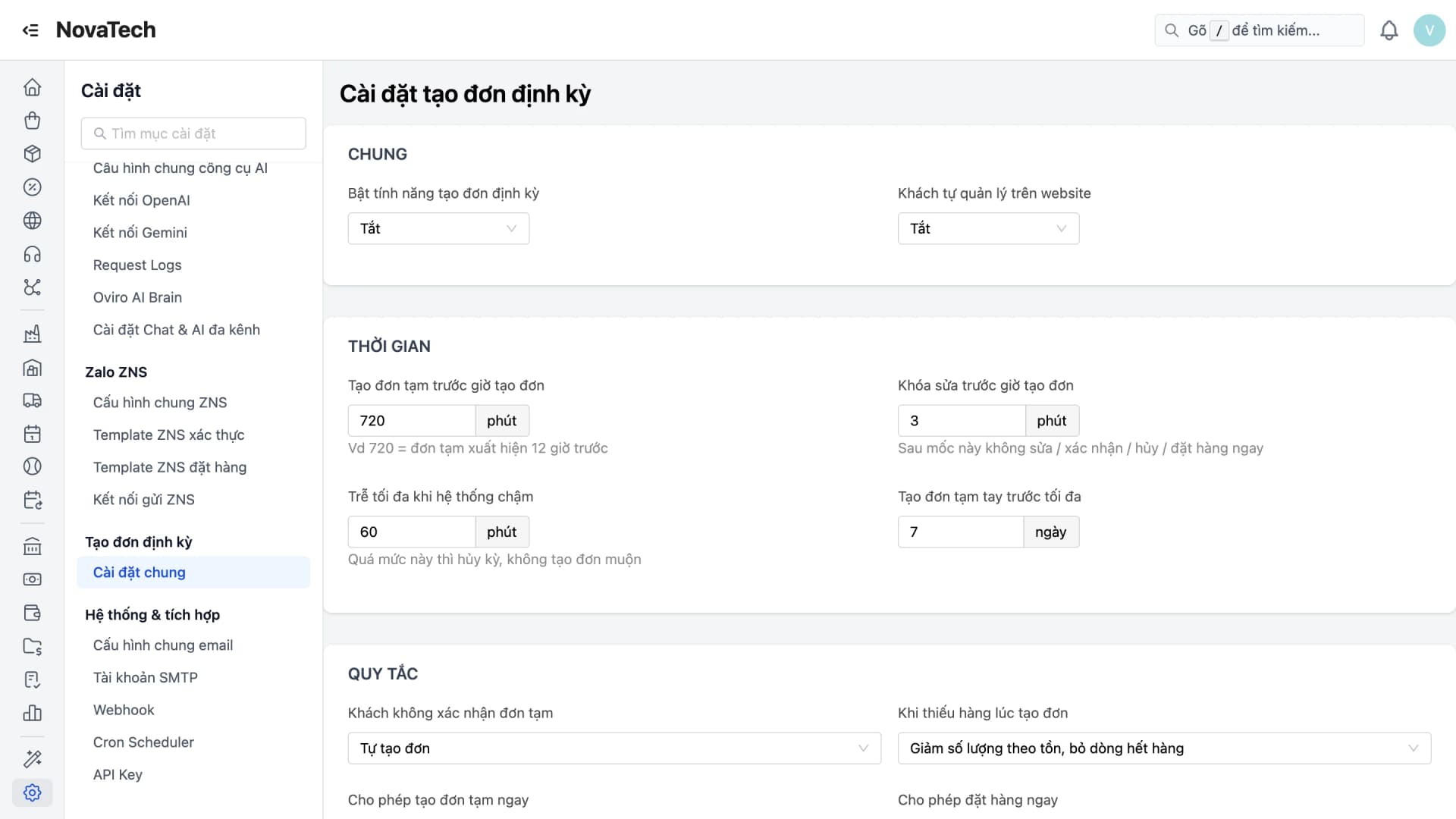
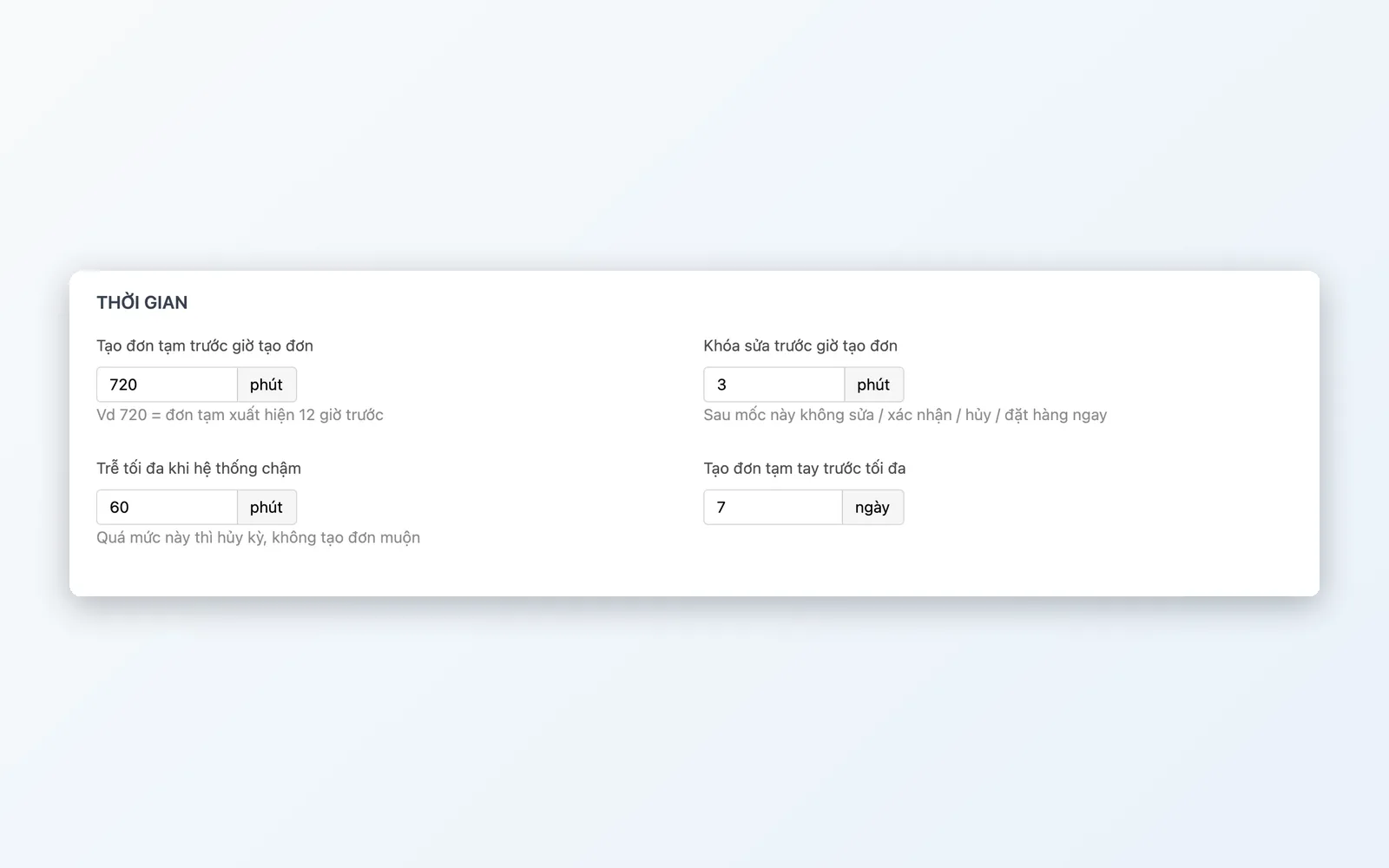
- Editing is locked for a configurable window before order creation time
- If the customer does not confirm, the order is created automatically or the draft is canceled
- Failed drafts show the cause clearly; fix them and run again
Stock and limit controls
Keep recurring orders from breaking your inventory or your sales process.
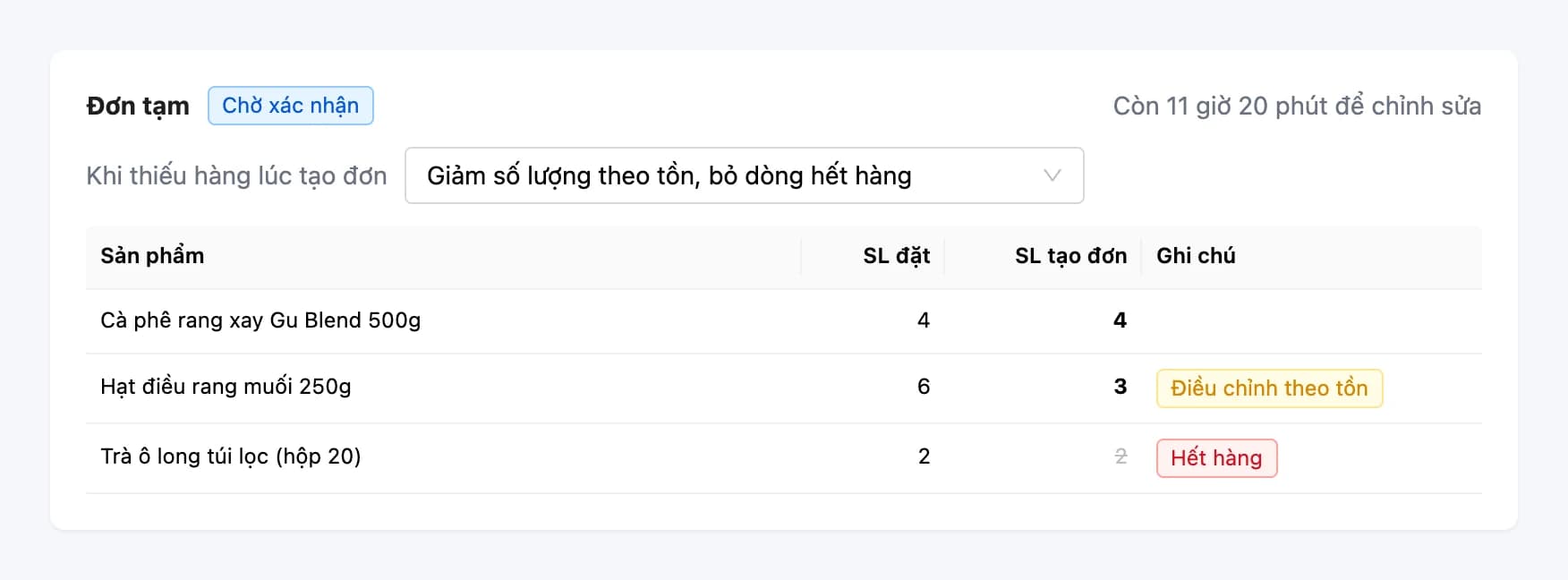
- Stock is checked line by line at order creation, with out-of-stock cases handled by rule
- When needed and if enabled, place an order or create a draft right away
- Limit the number of active configurations per customer and the number of order lines
- Generated orders continue in the order list like any other order
How an ordering period unfolds
From configuration to the official order.
Set up the configuration
Choose the customer, build the template basket, and set the repeat schedule, delivery address, and payment.
The system prepares a draft order
The draft order for each period appears a configurable amount of time before order creation.
Review and confirm
Staff or the customer edit that period only, reschedule it, or cancel the period if needed. Every change is recorded in the history.
Editing lock
Shortly before order creation time, the draft order is locked to keep the data stable.
Order placed automatically
The scheduled job creates the official order. Failed orders are flagged so they can be fixed and run again.
Set up the configuration
Choose the customer, build the template basket, and set the repeat schedule, delivery address, and payment.
The system prepares a draft order
The draft order for each period appears a configurable amount of time before order creation.
Review and confirm
Staff or the customer edit that period only, reschedule it, or cancel the period if needed. Every change is recorded in the history.
Editing lock
Shortly before order creation time, the draft order is locked to keep the data stable.
Order placed automatically
The scheduled job creates the official order. Failed orders are flagged so they can be fixed and run again.
Built for customers who buy regularly
Anywhere demand repeats on a cycle.
Food and essentials
Vegetables, milk, and drinks delivered steadily on set weekdays. If a customer changes their mind for one period, they cancel just that period without affecting the whole cycle.
Supplying businesses
Offices, restaurants, and small shops order goods on a fixed cycle. Staff only need to review the draft order before the cutoff time.
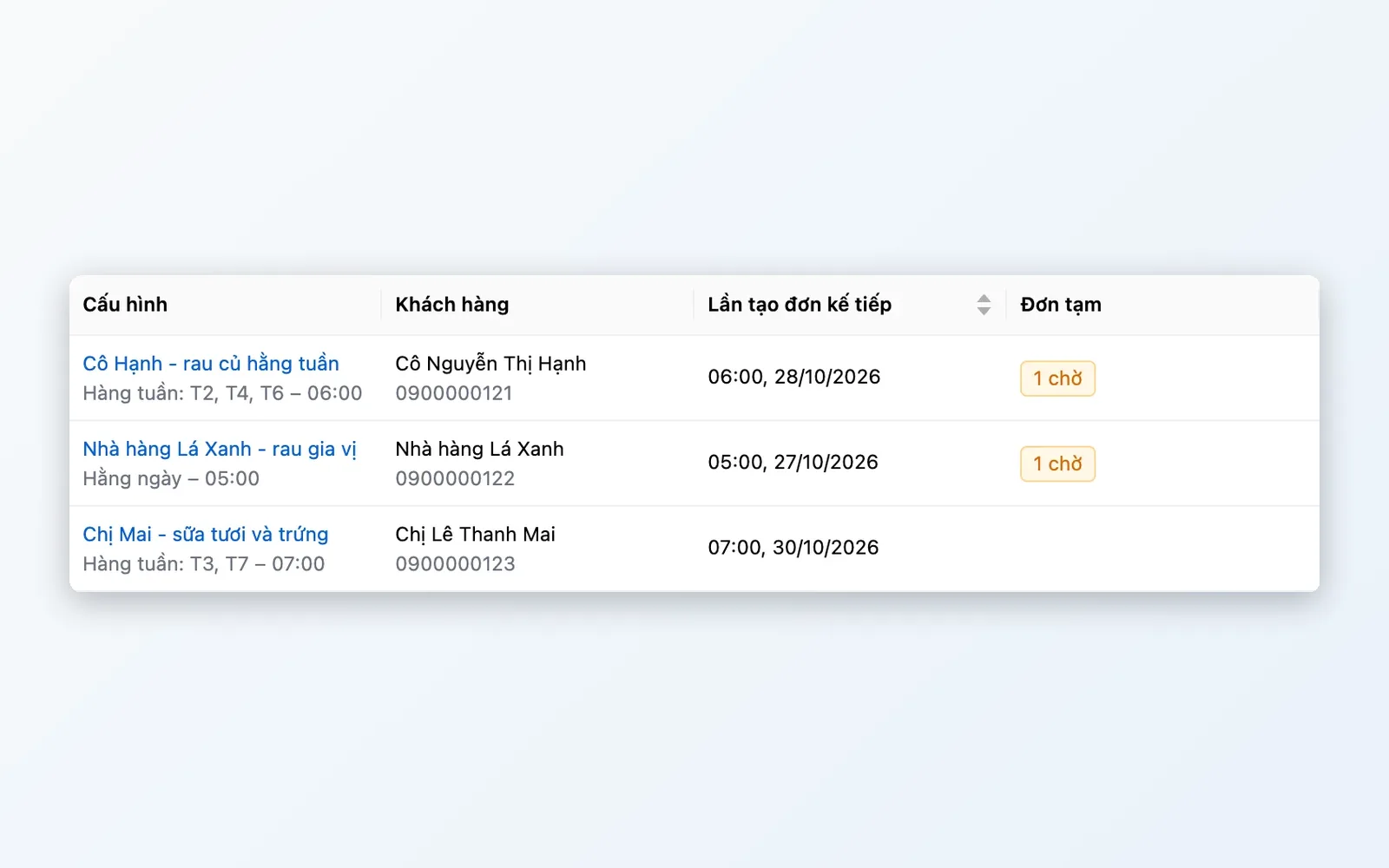
Customers in control on your website
Regular customers view and manage their own delivery schedule on your website, while staff only handle exceptions.
Why choose Oviro for recurring orders?
Recurring orders live in the same sales system: prices, promotions, stock, and delivery fees are calculated just like a normal order, and the generated order flows into the familiar order-handling process. Every period has a draft order for a real person to review before the system places it, so it is automated yet still under control.
Let regular customers order on their own, on schedule
Talk to the Oviro team to see how Recurring Orders fit your repeat-purchase customers.