Project Finance: one ledger per contract
Track each project's money from business plan, purchasing, and receiving through to payables, receivables, and cash movements. Built for interiors, construction, installation, and every industry that sells by project. An advanced Oviro module.
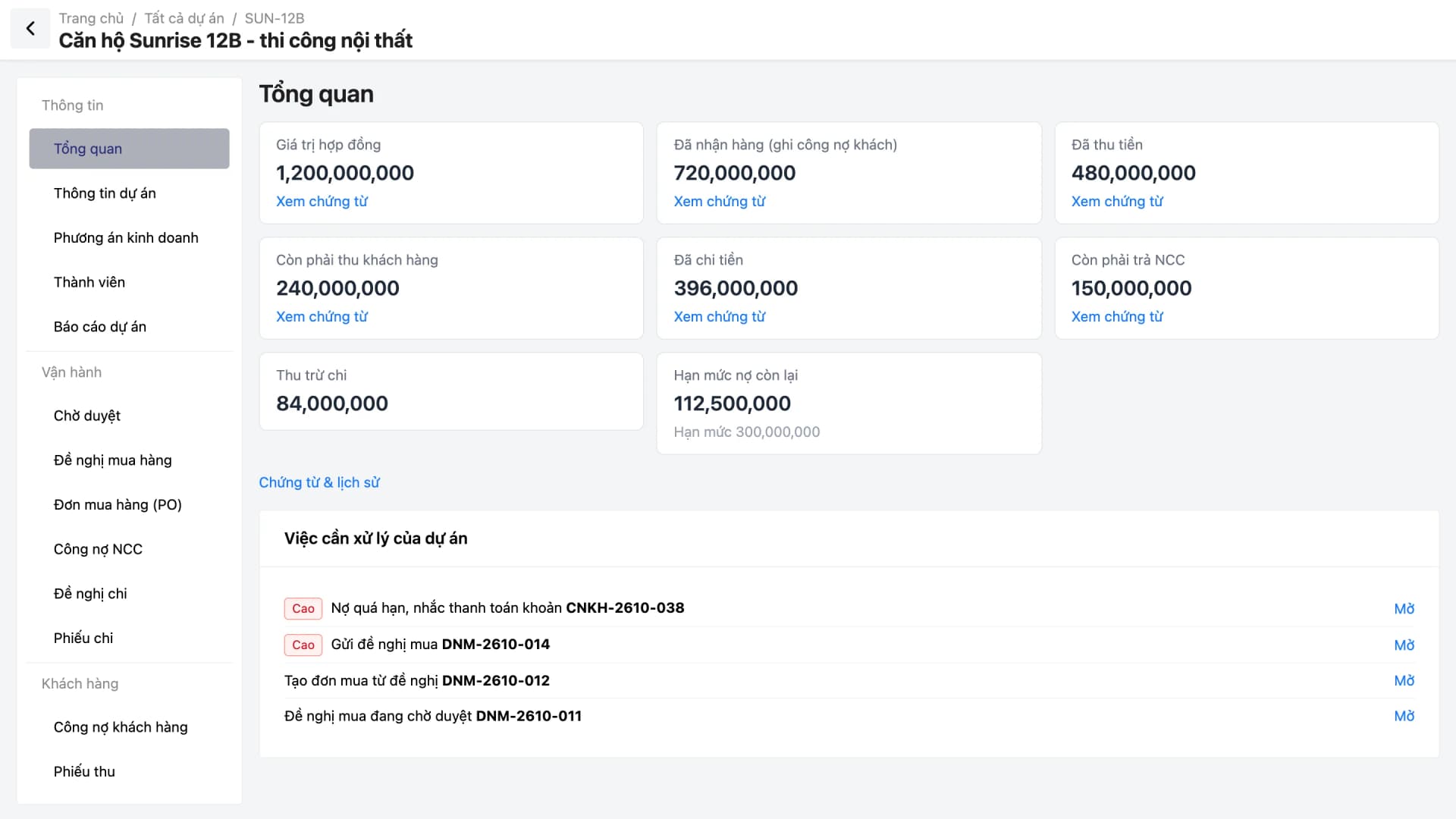
Projects run on many Excel files: estimates in one place, purchase orders in another, balances owed in a third. When you need to know how much profit a project has left, who owes you, or which item went over budget, accountants spend half a day stitching numbers together. Customers with overdue balances can still have new purchases raised because no one sees it in time.
With Oviro, each project has its own workspace: plan, purchasing, payables and receivables, and cash movements all sit in one place and connect directly to Cash & Reconciliation.
One workspace for the entire project lifecycle
Every task is done within the project, so figures always stay tied to the right contract.
Business plan
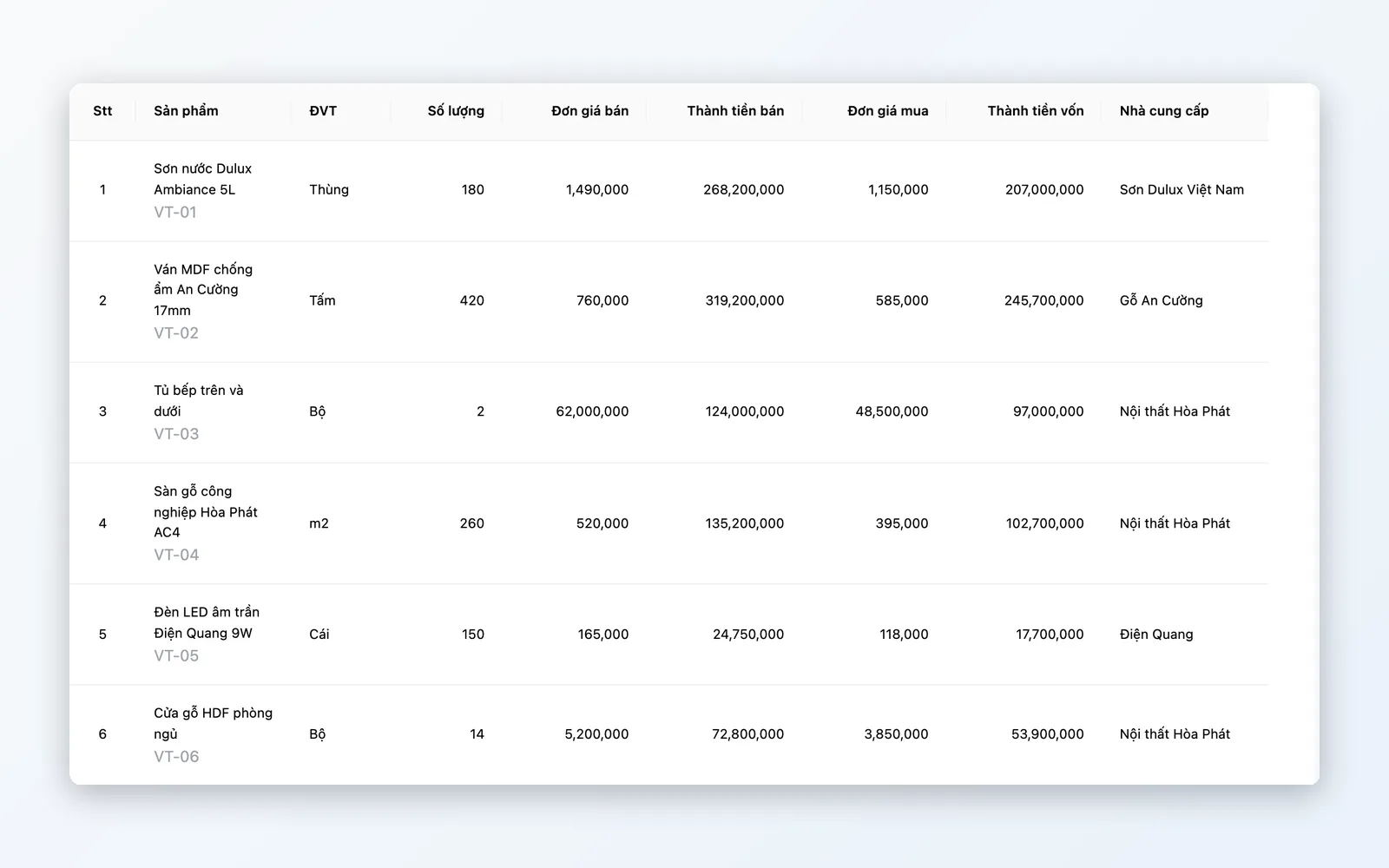
Build an estimate by item: products to buy from suppliers, purchase prices, selling prices, and expense lines. See the expected profit right away, before you start.
Project purchasing
Purchase requests per supplier, approval, purchase order (PO) creation, and actual receiving. Completing a receipt creates both supplier payables and customer receivables.
Balances owed and payment reminders
Track receivables, payables, payment schedules, and due dates. Set reminder schedules for each customer, along with the project's maximum credit limit.
Receipts and payments through Cash & Reconciliation
A project's receipt and payment vouchers are Cash & Reconciliation vouchers, tagged to the project. Balances go down as vouchers are posted, with no double entry.
Reports and management
Cash flow, materials, aging, and expense reports; a My work screen for each person and an Executive overview for the board.
From estimate to cash flow, in one continuous flow
Each feature group solves a stage where project data usually breaks down.
Projects and business plan
Lock in the contract and the plan before spending any money.
- Enter the contract, client, payment terms, store, and warehouse
- Plan with product lines (supplier, purchase price, selling price) and expense lines
- Review and start the project: information and plan are locked
- Project members with their own permissions within the project
Purchasing and receiving
Buy to the plan, receive what actually arrives, and payables follow automatically.
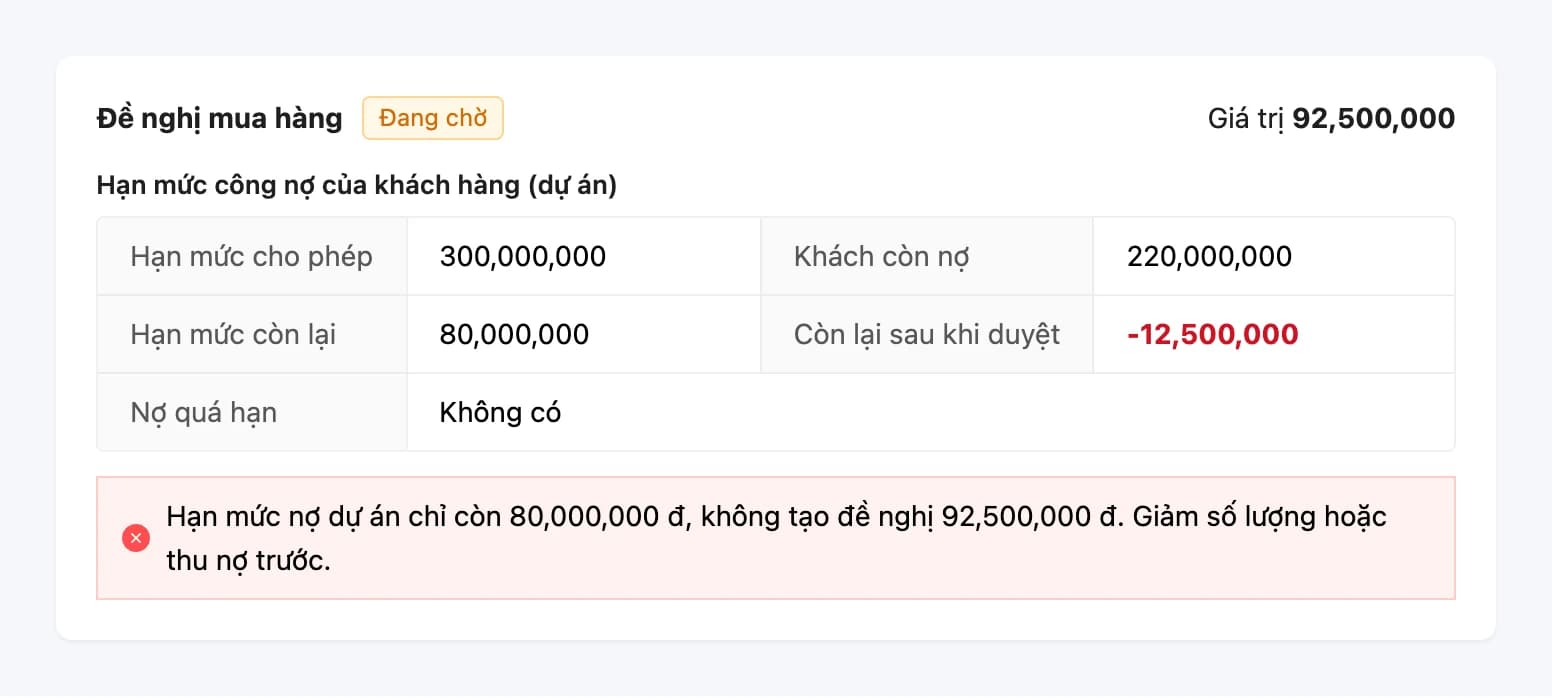
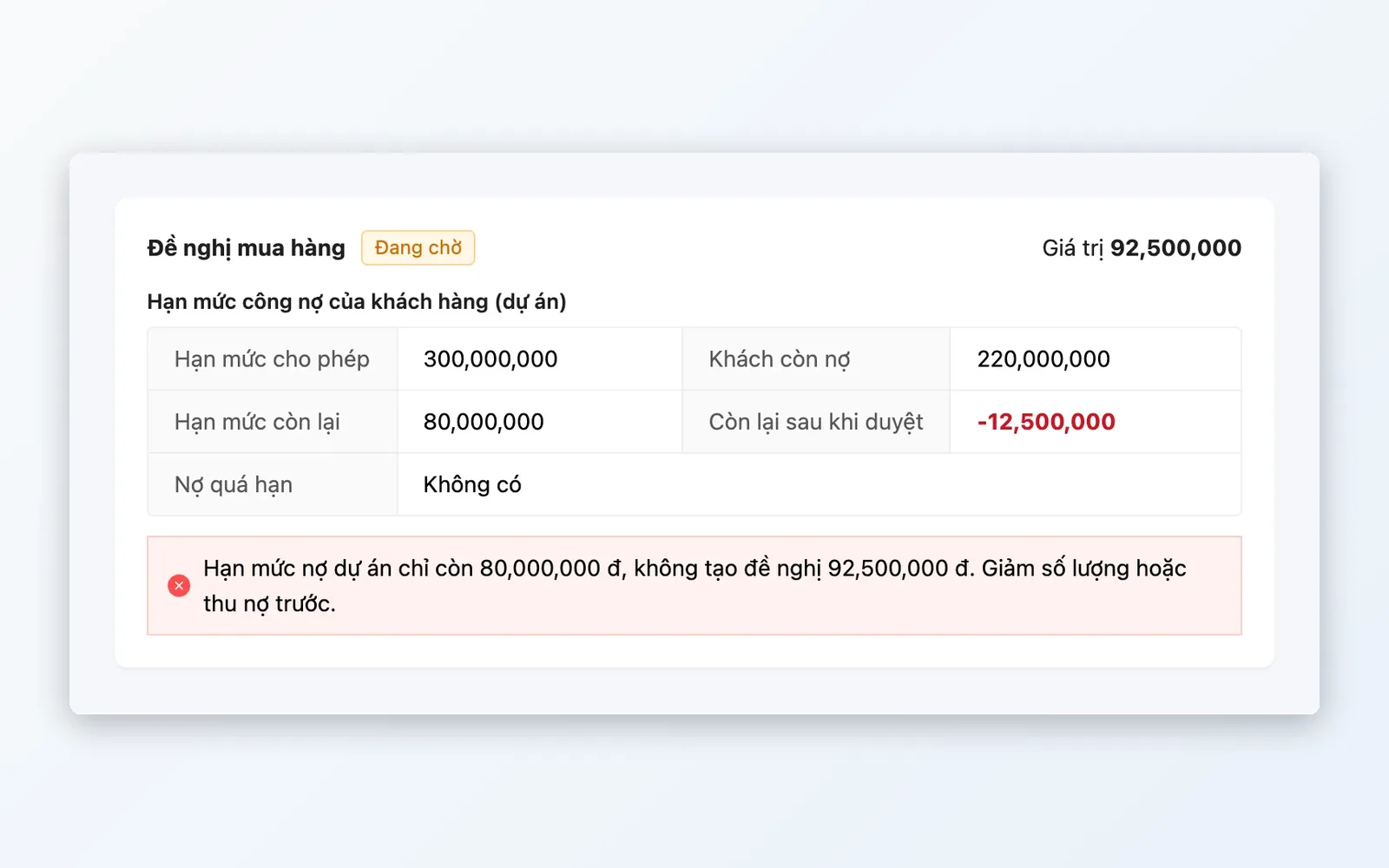
- Purchase requests per supplier, checked against the project's credit limit
- Approve within the project when the company has attached an approval policy, then a purchase order is created on approval
- Enter actual quantities received on the PO and click Goods received
- Create supplier payables and customer receivables from the PO
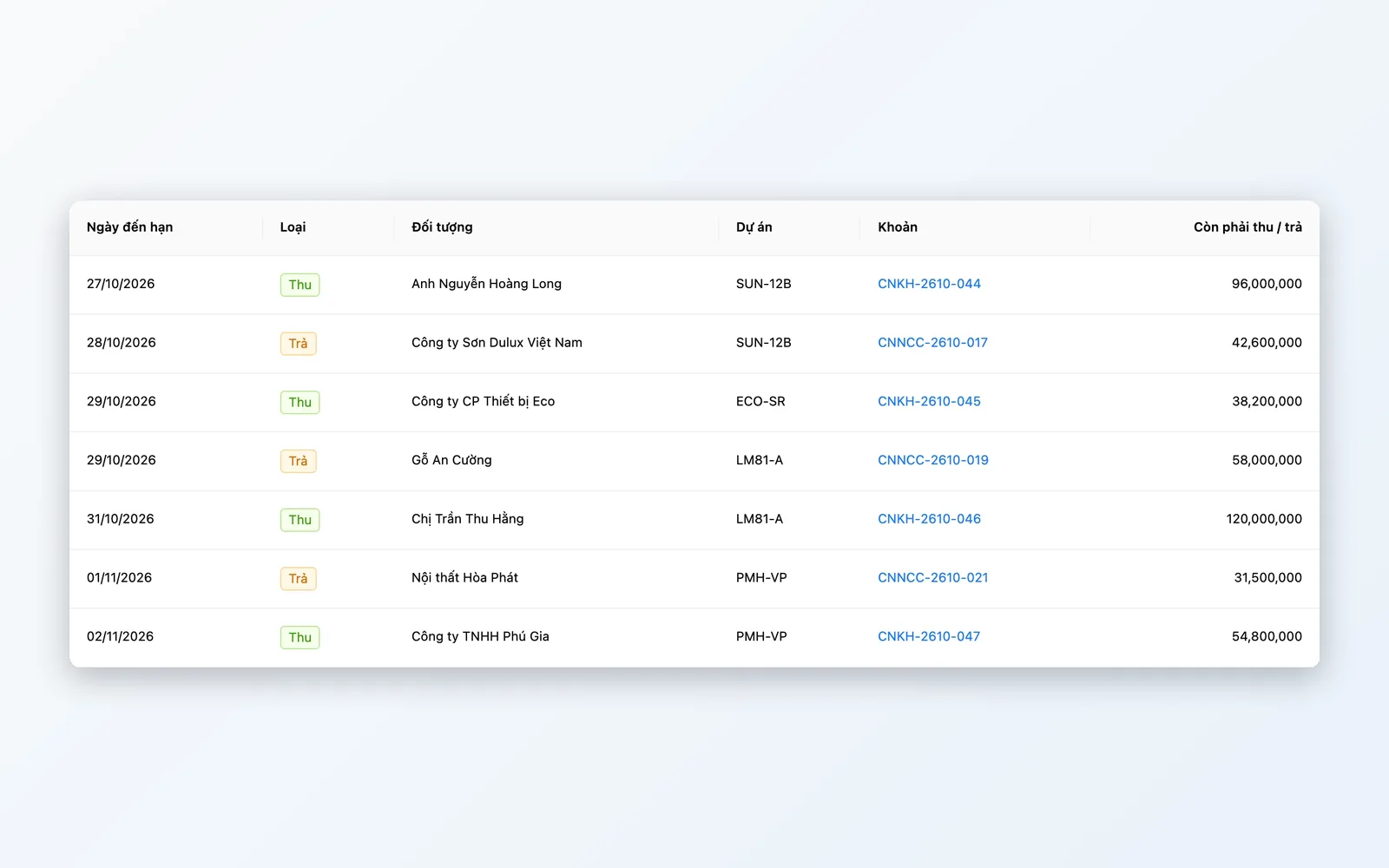
Balances owed, payments, and reminders
Know who owes what and when it is due, from the start of the day.
- Customer receivables and supplier payables per project
- Collection / payment schedule by due date, with a Collect today screen
- Reminder schedules per customer: before due, on the due date, when overdue
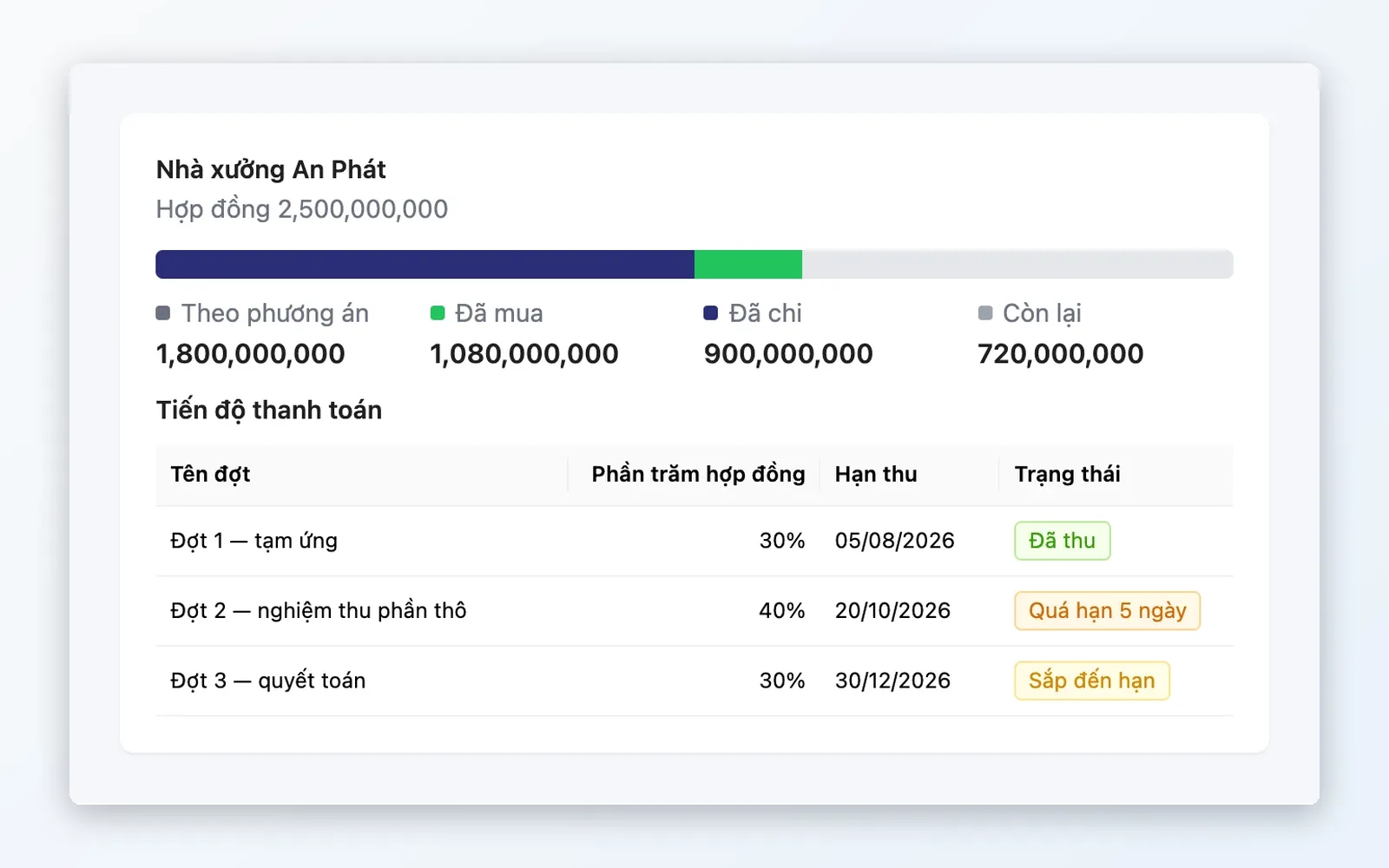
- When a customer is overdue, their projects are blocked from raising purchase requests
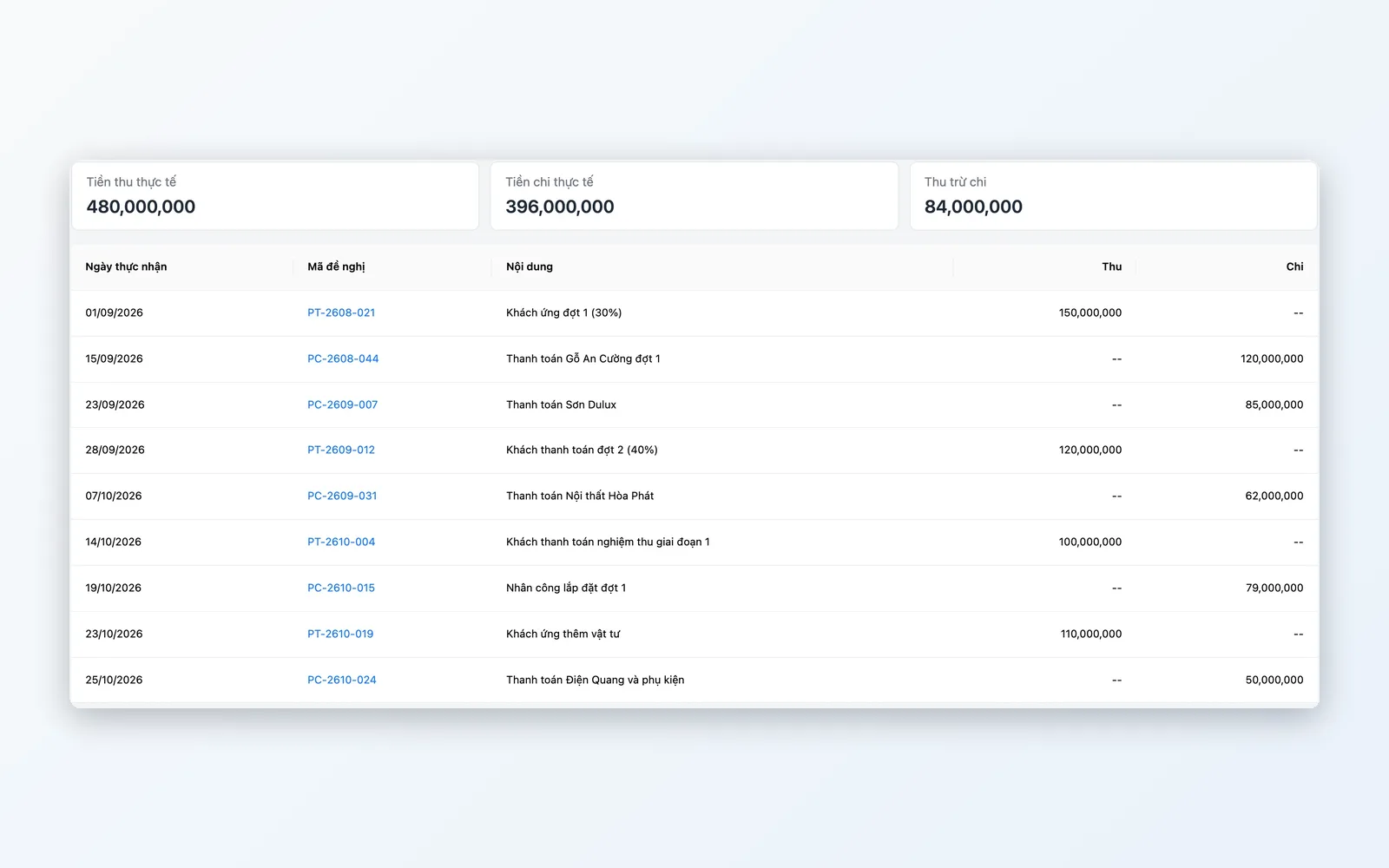
Reports and management
From the people doing the work to the board, everyone has the right screen to look at.
- Project receipts and payments, customer aging, and purchased and received materials reports
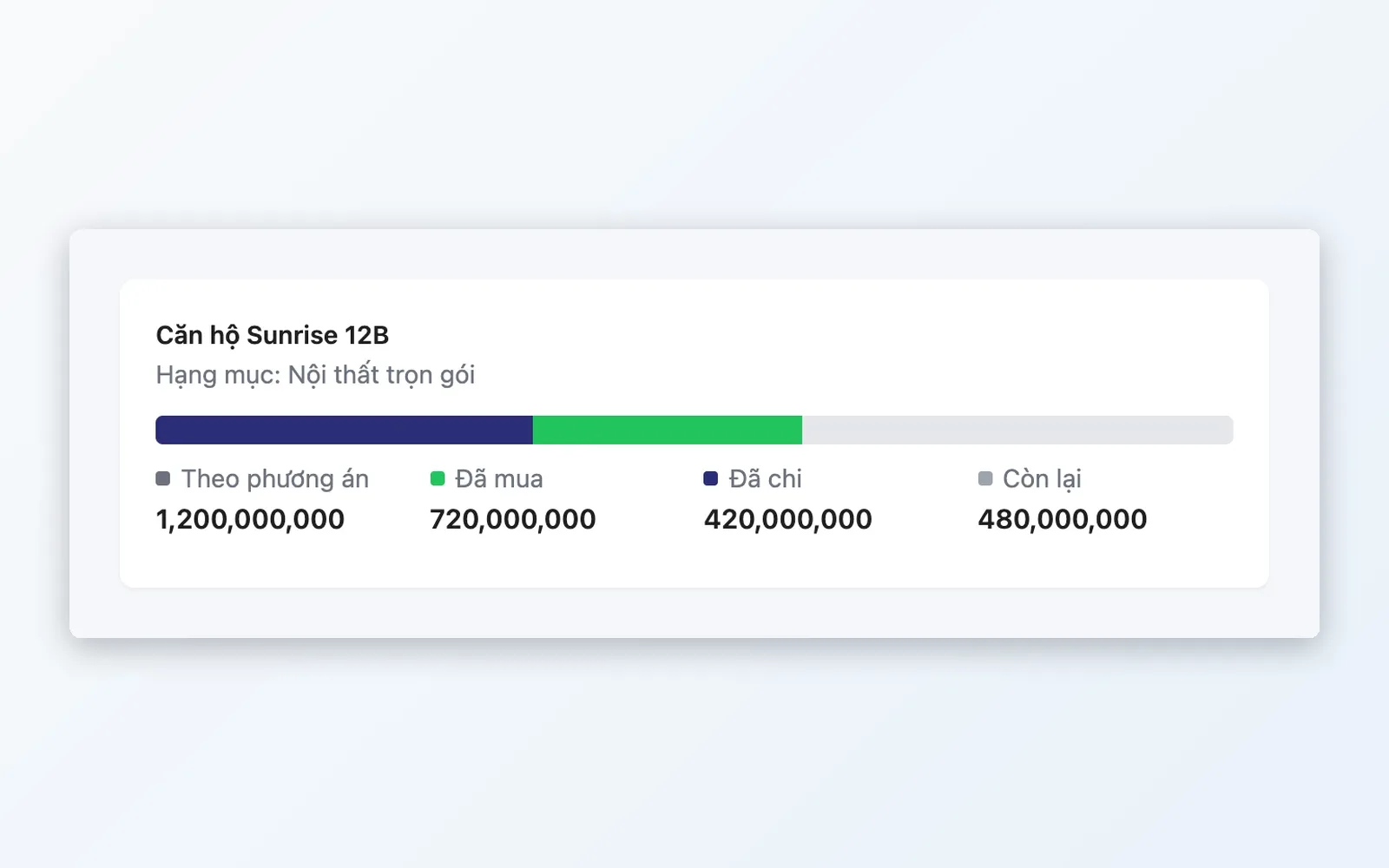
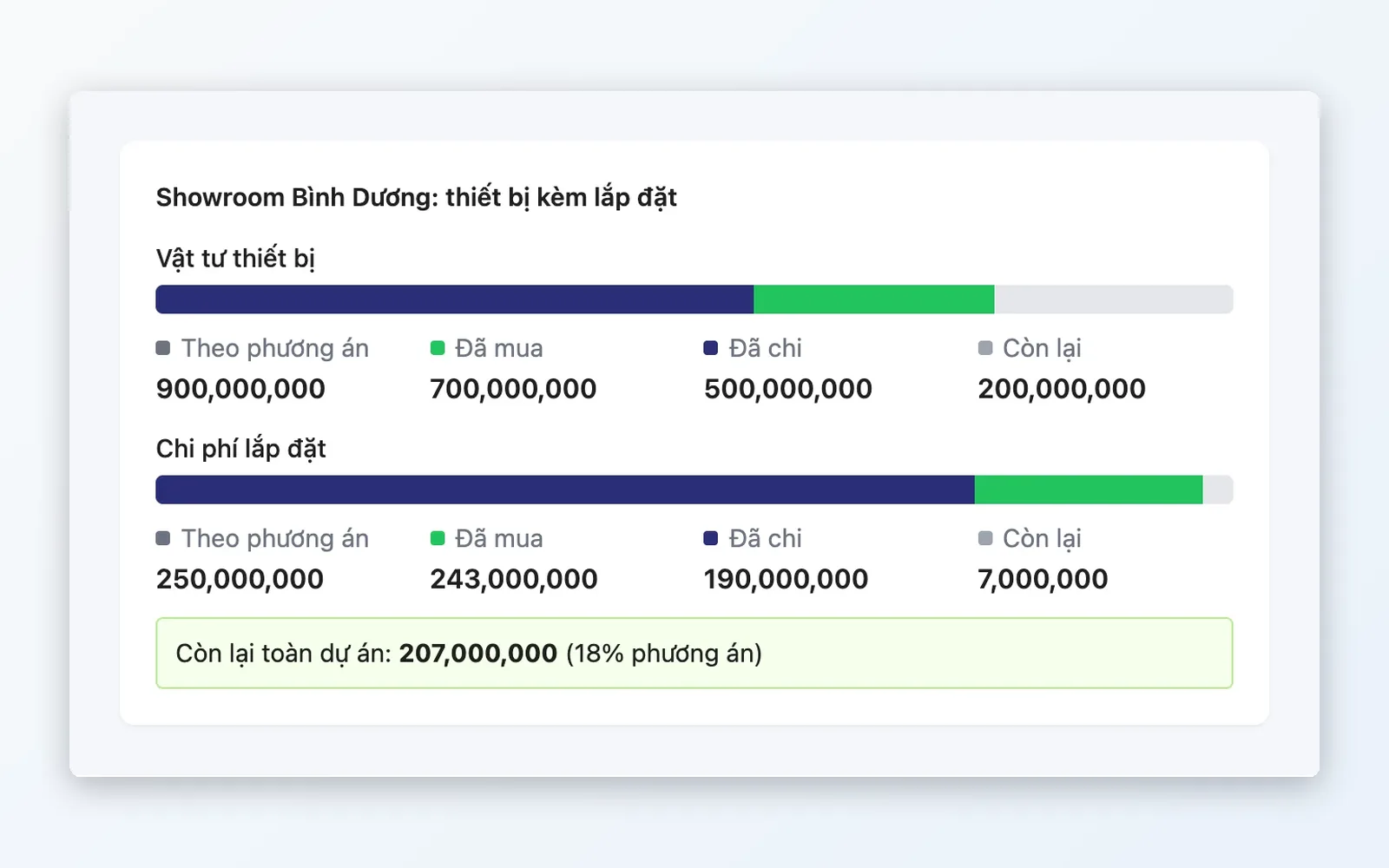
- Compare the plan with what has been purchased, paid, and what remains in the project
- My work: to-dos, waiting on others, alerts
- Executive overview: cash in and out, files awaiting decision, overdue balances
How a project moves through Oviro
Five steps, each with someone accountable and a trail to trace back.
Create the project and build the plan
Enter the contract and credit limit, then build a plan with the products to buy and the expected costs.
Start the project
The system checks the conditions. From the moment of start, project information and the plan are locked so figures cannot be quietly edited.
Purchase request, approval, create PO
Raise purchase requests per supplier. If an approval policy applies, the approver handles it right in the project, and the system creates the purchase order once approved.
Receive goods and record balances owed
Enter actual quantities received, complete the receipt, then create supplier payables and customer receivables.
Collect from customers, pay suppliers
Create a receipt voucher from customer receivables. Create a payment request, approve it, then create the payment voucher in Cash & Reconciliation. Balances go down as vouchers are posted.
Create the project and build the plan
Enter the contract and credit limit, then build a plan with the products to buy and the expected costs.
Start the project
The system checks the conditions. From the moment of start, project information and the plan are locked so figures cannot be quietly edited.
Purchase request, approval, create PO
Raise purchase requests per supplier. If an approval policy applies, the approver handles it right in the project, and the system creates the purchase order once approved.
Receive goods and record balances owed
Enter actual quantities received, complete the receipt, then create supplier payables and customer receivables.
Collect from customers, pay suppliers
Create a receipt voucher from customer receivables. Create a payment request, approve it, then create the payment voucher in Cash & Reconciliation. Balances go down as vouchers are posted.
For industries that sell by project
Anywhere a single contract involves many purchases and many collections.
Interiors by site
Each apartment or showroom is a project: materials bought from many suppliers, customer payments collected in installments, and the plan checked against actual spend.
Construction and installation
Track materials received batch by batch, supplier payables, amounts owed by the client, and projects currently blocked from purchasing because of overdue balances.
Contract-based project sales
For businesses selling equipment and solutions for projects: bring purchase requests, POs, balances owed, and cash flow for each contract into one place.
Why choose Oviro for project finance?
Projects do not stand alone: purchasing, approvals, cash, and balances owed are all modules of the same system. Receipt and payment vouchers go through Cash & Reconciliation, and purchase requests can go through Approvals, so there is no re-entry and no mismatched figures. Oviro is self-hosted on your own infrastructure, so your project data stays in your hands.
See the money in every project at a glance
Talk with the Oviro team to see Project Finance running on your own project workflow.